

As an Amazon Associate we earn from qualifying purchases.
- Best overall: HP Victus 16 Gaming Laptop (Intel Core i7-14650HX, GeForce RTX 4060, 16.1-inch FHD 144Hz)
- Best budget: HP Victus 16 Gaming Laptop (AMD Ryzen 5 8645HS, GeForce RTX 4050, 16.1-inch FHD 144Hz)
- Best premium: HP Omen 17 Gaming Laptop (Intel Core i9-14900HX, GeForce RTX 4080, 17.3-inch QHD 240Hz)
- Best for QHD gaming: HP Omen 17 Gaming Laptop (Intel Core i7-14700HX, GeForce RTX 4070, 17.3-inch QHD 165Hz)
- HP Victus 16 configurations prioritize a lower-cost entry into gaming, with 16.1-inch screens and graphics options up to GeForce RTX 4060 in this guide.
- HP Omen 17 configurations suit players who want a larger 17.3-inch display and higher graphics performance, including GeForce RTX 4080 options.
- Choose by graphics card and display first; processor and memory matter, but GPU performance drives the biggest gaming differences.
- Compare the exact configuration name before buying: the same laptop family includes different processors, graphics cards, resolutions and refresh rates.
The HP Victus 16 is the value-focused choice, while the HP Omen 17 is the better fit for a large screen and higher-end gaming. For Black Friday 2026, we researched and compared specs, reviews and owner feedback across seven HP gaming laptop configurations to make the trade-offs easier to see.
My pick for most people is an HP Victus 16 with GeForce RTX 4060: its 16.1-inch display is easier to accommodate than the Omen 17’s 17.3-inch panel, while the GPU handles demanding games better than entry-level graphics. Choose an Omen 17 when a bigger screen, higher resolution or stronger graphics matters more than portability and value.
How We Picked
- Compared graphics options first, since the GPU has the clearest effect on game settings and frame rates.
- Checked screen size, resolution and refresh rate to separate compact value choices from large-screen gaming systems.
- Reviewed processor tiers to identify sensible matches for each graphics configuration.
- Used researched specs, reviews and owner feedback to consider cooling, portability, connectivity and daily-use trade-offs.
- Included multiple configurations of both laptop families so buyers can compare entry-level, midrange and premium performance.
Comparison Table
Best Picks Reviewed
#1
HP Victus 16 Gaming Laptop (Intel Core i5-14450HX, GeForce RTX 4050, 16.1-inch FHD 144Hz)
The HP Victus 16 Gaming Laptop (Intel Core i5-14450HX, GeForce RTX 4050, 16.1-inch FHD 144Hz) is the best entry-level pick for casual PC gamers who want a 144Hz screen and dedicated graphics.
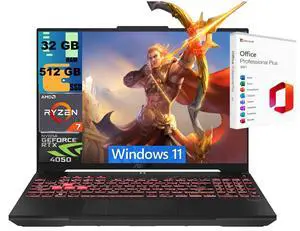
Best for: Entry-level gaming and everyday school use
- Processor
- Intel Core i5-14450HX
- Graphics
- NVIDIA GeForce RTX 4050
- Display
- 16.1-inch FHD, 144Hz
- Dedicated RTX 4050 graphics
- Fast 144Hz refresh rate
- 16.1-inch display balances gaming space and desk footprint
- RTX 4050 is a lower graphics tier than the RTX 4060 and RTX 4070 options.
Is the HP Victus 16 Gaming Laptop with Core i5 and RTX 4050 worth buying on Black Friday 2026?
Yes. The HP Victus 16 Gaming Laptop with Core i5 and RTX 4050 is a sensible entry point for 1080p gaming, everyday apps and a high-refresh display. Choose a stronger GPU for demanding games or higher visual settings.
See today’s Black Friday price on Amazon
#2
HP Victus 16 Gaming Laptop (AMD Ryzen 5 8645HS, GeForce RTX 4050, 16.1-inch FHD 144Hz)
The HP Victus 16 Gaming Laptop (AMD Ryzen 5 8645HS, GeForce RTX 4050, 16.1-inch FHD 144Hz) is the best budget-minded AMD option for students who want gaming graphics and a 144Hz panel.
Best for: AMD value and mixed study-gaming use
- Processor
- AMD Ryzen 5 8645HS
- Graphics
- NVIDIA GeForce RTX 4050
- Display
- 16.1-inch FHD, 144Hz
- Six-core Ryzen processor
- RTX 4050 supports modern gaming features
- High-refresh FHD screen
- The RTX 4050 limits headroom for demanding games at high settings.
Is the HP Victus 16 Ryzen 5 RTX 4050 worth buying on Black Friday 2026?
Yes. The HP Victus 16 Gaming Laptop with Ryzen 5 8645HS and RTX 4050 suits buyers who want an AMD-based system for classwork, streaming and 1080p gaming. Pick an RTX 4060 configuration for a stronger graphics step.
See today’s Black Friday price on Amazon
#3 · Top pick
HP Victus 16 Gaming Laptop (Intel Core i7-14650HX, GeForce RTX 4060, 16.1-inch FHD 144Hz)
The HP Victus 16 Gaming Laptop (Intel Core i7-14650HX, GeForce RTX 4060, 16.1-inch FHD 144Hz) is the best all-around choice for gamers who want a capable GPU and a practical screen size.

Best for: Balanced 1080p gaming
- Processor
- Intel Core i7-14650HX
- Graphics
- NVIDIA GeForce RTX 4060
- Display
- 16.1-inch FHD, 144Hz
- RTX 4060 is a useful step above RTX 4050
- High-performance HX-class processor
- 144Hz display suits fast-paced games
- FHD resolution is less detailed than the QHD Omen 17 screens.
Is the HP Victus 16 Core i7 RTX 4060 worth buying on Black Friday 2026?
Yes. The HP Victus 16 Gaming Laptop with Core i7-14650HX and RTX 4060 is the best-balanced configuration here for 1080p gaming and multitasking. The HP Victus 16 Gaming Laptop (Intel Core i7-14650HX, GeForce RTX 4060, 16.1-inch FHD 144Hz)'s 16.1-inch 144Hz display keeps the package more manageable than a 17.3-inch laptop.
See today’s Black Friday price on Amazon
#4
HP Victus 16 Gaming Laptop (AMD Ryzen 7 8845HS, GeForce RTX 4060, 16.1-inch FHD 144Hz)
The HP Victus 16 Gaming Laptop (AMD Ryzen 7 8845HS, GeForce RTX 4060, 16.1-inch FHD 144Hz) is the best AMD midrange pick for gamers who also run demanding productivity apps.
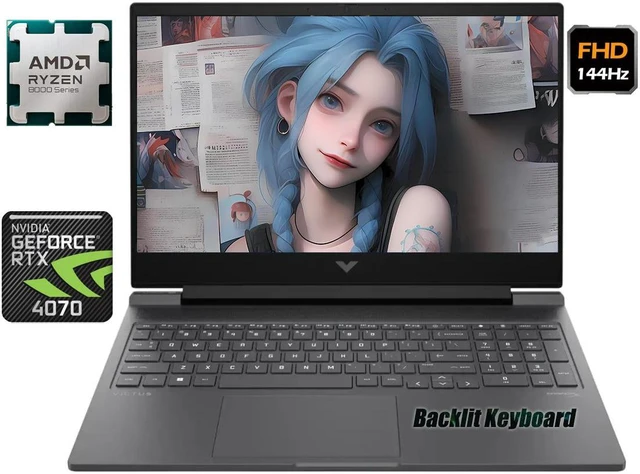
Best for: AMD performance and multitasking
- Processor
- AMD Ryzen 7 8845HS
- Graphics
- NVIDIA GeForce RTX 4060
- Display
- 16.1-inch FHD, 144Hz
- Eight-core Ryzen 7 processor
- RTX 4060 graphics for current games
- 144Hz refresh rate
- The FHD display does not match the sharper QHD Omen options.
Is the HP Victus 16 Ryzen 7 RTX 4060 worth buying on Black Friday 2026?
Yes. The HP Victus 16 Gaming Laptop with Ryzen 7 8845HS and RTX 4060 pairs an eight-core processor with capable gaming graphics. The configuration is a good match for players who also edit, stream or keep several demanding apps open.
See today’s Black Friday price on Amazon
#5
HP Omen 17 Gaming Laptop (Intel Core i7-14650HX, GeForce RTX 4060, 17.3-inch QHD 165Hz)
The HP Omen 17 Gaming Laptop (Intel Core i7-14650HX, GeForce RTX 4060, 17.3-inch QHD 165Hz) is the best large-screen value pick for gamers who want QHD detail without moving to a premium GPU.

Best for: QHD gaming on a large display
- Processor
- Intel Core i7-14650HX
- Graphics
- NVIDIA GeForce RTX 4060
- Display
- 17.3-inch QHD, 165Hz
- Large 17.3-inch QHD display
- 165Hz refresh rate
- RTX 4060 suits a balanced gaming setup
- Large chassis is less convenient to carry than the Victus 16.
Is the HP Omen 17 Core i7 RTX 4060 worth buying on Black Friday 2026?
Yes. The HP Omen 17 Gaming Laptop with Core i7-14650HX and RTX 4060 is a strong fit for buyers who value a 17.3-inch QHD screen. The 165Hz panel adds smooth motion, while the RTX 4060 keeps the configuration below premium GPU tiers.
See today’s Black Friday price on Amazon
#6
HP Omen 17 Gaming Laptop (Intel Core i7-14700HX, GeForce RTX 4070, 17.3-inch QHD 165Hz)
The HP Omen 17 Gaming Laptop (Intel Core i7-14700HX, GeForce RTX 4070, 17.3-inch QHD 165Hz) is the best performance upgrade for players who want stronger graphics on a roomy QHD screen.
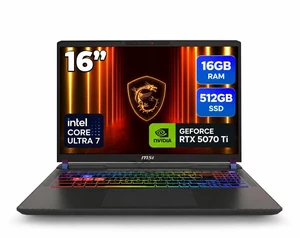
Best for: Higher-performance QHD gaming
- Processor
- Intel Core i7-14700HX
- Graphics
- NVIDIA GeForce RTX 4070
- Display
- 17.3-inch QHD, 165Hz
- RTX 4070 offers a step up from RTX 4060
- 17.3-inch QHD screen
- 165Hz refresh rate
- The larger display and chassis make this a desk-first laptop.
Is the HP Omen 17 Core i7 RTX 4070 worth buying on Black Friday 2026?
Yes. The HP Omen 17 Gaming Laptop with Core i7-14700HX and RTX 4070 is a compelling choice for QHD gaming with more graphics headroom than an RTX 4060 model. The HP Omen 17 Gaming Laptop (Intel Core i7-14700HX, GeForce RTX 4070, 17.3-inch QHD 165Hz)'s 17.3-inch 165Hz display favors an immersive desk setup.
See today’s Black Friday price on Amazon
#7
HP Omen 17 Gaming Laptop (Intel Core i9-14900HX, GeForce RTX 4080, 17.3-inch QHD 240Hz)
The HP Omen 17 Gaming Laptop (Intel Core i9-14900HX, GeForce RTX 4080, 17.3-inch QHD 240Hz) is the best premium pick for enthusiasts seeking top-tier graphics and a fast large display.

Best for: Premium gaming and high refresh rates
- Processor
- Intel Core i9-14900HX
- Graphics
- NVIDIA GeForce RTX 4080
- Display
- 17.3-inch QHD, 240Hz
- RTX 4080 graphics tier
- Fast 240Hz QHD display
- Core i9 supports demanding workloads
- High-performance hardware calls for a larger, less portable setup.
Is the HP Omen 17 Core i9 RTX 4080 worth buying on Black Friday 2026?
Yes. The HP Omen 17 Gaming Laptop with Core i9-14900HX and RTX 4080 is the premium choice for demanding games, high graphics settings and a 240Hz QHD screen. The extra performance suits buyers who value capability over easy portability.
See today’s Black Friday price on Amazon
Which is better, HP Victus 16 or HP Omen 17?
The HP Victus 16 is the better value and portability choice, while the HP Omen 17 is better for large-screen gaming and higher-tier graphics. Both families include configurations with dedicated NVIDIA GeForce RTX graphics, so the exact GPU matters as much as the model name.
The Victus 16’s 16.1-inch format suits a smaller desk or more frequent travel. Omen 17 models use a 17.3-inch screen, with QHD resolutions and refresh rates up to 240Hz in the configurations listed here. Choose Victus for a balanced everyday gaming laptop; choose Omen when screen size and performance take priority.
Is HP Victus 16 good for gaming?
The HP Victus 16 with GeForce RTX 4060 and a 16.1-inch 144Hz display is a strong fit for mainstream PC gaming. The RTX 4050 configurations suit entry-level gaming, while the RTX 4060 models provide a sensible upgrade for demanding games and higher settings.
The FHD resolution keeps the graphics workload below the QHD screens featured on Omen 17 models. That balance suits players who value smooth gameplay over extra pixel detail. Check the specific processor and memory configuration, and consider a cooling stand or headset if the laptop will stay at a gaming desk.
Is HP Omen 17 better than HP Victus 16 for performance?
The HP Omen 17 with GeForce RTX 4070 or RTX 4080 offers a higher graphics ceiling than the HP Victus 16 configurations listed here. Omen 17 also pairs those graphics options with larger QHD screens, including a 240Hz panel on the RTX 4080 configuration.
An Omen 17 with RTX 4060 is not automatically faster in games than a Victus 16 with the same GPU; compare the exact configuration rather than relying on the family name. For GPU-heavy games, prioritize graphics tier. For mixed work, compare processor, memory and storage in the product listing.
Which HP gaming laptop screen should I choose?
Choose the HP Victus 16’s 16.1-inch FHD 144Hz screen for a compact gaming setup, or the HP Omen 17’s 17.3-inch QHD screen for more workspace and finer detail. The Omen options in this guide offer 165Hz or 240Hz refresh rates.
A high refresh rate helps fast motion look smoother, while QHD resolution adds detail and workspace. A higher resolution also asks more of the GPU, so pair QHD with RTX 4070 or RTX 4080 when demanding games are a priority. FHD remains a practical match for RTX 4050 and RTX 4060 configurations.
Which HP Victus 16 or Omen 17 should I buy on Black Friday 2026?
The HP Victus 16 with Core i7-14650HX and RTX 4060 is the best all-around choice in this guide, while the HP Omen 17 with Core i9-14900HX and RTX 4080 is the premium performance pick. Match the configuration to the games and screen resolution you plan to use.
Compare the complete listing name, graphics card, display resolution, refresh rate, memory and storage before choosing. A family name alone does not identify a laptop’s performance. Skip it if the exact configuration lacks the GPU or screen you want, even when the product title looks familiar.
Buying Guide
1. Start with the graphics card
Compare the GPU before the processor. RTX 4050 suits entry-level gaming, RTX 4060 is the balanced choice, and RTX 4070 or RTX 4080 targets higher performance and QHD gaming. Choose a card that matches the games and settings you care about.
2. Match screen resolution to GPU
FHD on the Victus 16 asks less of the graphics card and fits a 16.1-inch panel well. QHD on the Omen 17 adds detail across 17.3 inches. Stronger GPUs make more sense for demanding games at QHD.
3. Decide how often you carry it
The Victus 16 is the more practical form factor for regular commutes and smaller workspaces. The Omen 17’s large screen favors a fixed desk. Check the listed laptop weight and power adapter details if carrying the system is part of your routine.
4. Verify the full configuration
Retailer listings can use similar names for different hardware. Confirm the processor, GPU, display, memory and storage on the specific product page. Match those details against the comparison table rather than shopping by Victus or Omen branding alone.
FAQ
HP Victus 16 vs HP Omen 17: which is better for Black Friday 2026?
The HP Victus 16 is better for value and a smaller footprint; the HP Omen 17 is better for a large QHD display and stronger graphics options. Compare the exact GPU and screen configuration, since both families include several hardware tiers.
Is HP Victus 16 good for college and gaming?
Yes. The HP Victus 16 with a 16.1-inch display is a practical college and gaming combination, especially with an RTX 4050 or RTX 4060 GPU. Check battery, memory and storage details for the exact configuration before choosing it as a daily school laptop.
Is HP Omen 17 too big to carry?
The HP Omen 17’s 17.3-inch screen and larger chassis make it less convenient to carry than the HP Victus 16. The Omen 17 works best as a desk-first gaming laptop; confirm its listed weight and adapter size if you need regular portability.
Which HP Omen 17 has the best graphics?
The HP Omen 17 Gaming Laptop with Core i9-14900HX and GeForce RTX 4080 has the strongest graphics in this guide. Its 17.3-inch QHD 240Hz display complements that GPU for demanding games and fast on-screen motion.
Should I buy an HP Victus 16 with RTX 4050 or RTX 4060?
Choose the HP Victus 16 with RTX 4050 for entry-level gaming and the lower graphics tier. Choose the HP Victus 16 with RTX 4060 for more graphics headroom in demanding games. Compare the complete configuration, including display, processor, memory and storage.