

As an Amazon Associate we earn from qualifying purchases.
- Best overall: Logitech MX Brio 4K Ultra HD Webcam
- Best budget: Logitech Brio 100 Full HD Webcam
- Best premium: Logitech MX Brio 4K Ultra HD Webcam
- Best for remote work: Logitech Brio 500 Full HD Webcam
- Logitech MX Brio 4K Ultra HD Webcam is the premium pick, with a 4K resolution and a Show Mode view for desk demonstrations.
- Logitech Brio 4K Ultra HD Webcam offers 4K video, 5x HD zoom and Windows Hello support.
- Logitech Brio 500 Full HD Webcam is a strong everyday choice for 1080p calls, auto-framing and a built-in privacy shutter.
- Logitech Brio 300 Full HD Webcam and Logitech Brio 100 Full HD Webcam cover the essentials with 1080p video.
- Match your webcam to your lighting, connection type, framing needs and preferred video resolution before choosing.
For Black Friday 2026, Logitech MX Brio 4K Ultra HD Webcam is the premium choice for desk presenters, while Logitech Brio 4K Ultra HD Webcam is a versatile 4K pick with 5x HD zoom. We researched and compared specs, reviews and owner feedback to help you choose between the two and find simpler Logitech webcam options for calls, streaming and remote work.
A higher resolution is not the only reason to choose a webcam: frame rate, field of view, lighting correction, microphone quality and privacy features shape the everyday experience. This guide compares seven Logitech models, explains who each one suits and offers practical questions to ask before shopping. The best bet depends on whether you need crisp 4K detail, an easy Full HD setup or a camera built for streaming.
How We Picked
- We compared published video resolutions and frame rates, including 4K at 30 frames per second and Full HD at 60 or 30 frames per second.
- We considered framing options, field of view, autofocus and auto-framing for solo calls, presentations and streaming.
- We reviewed listed lighting correction, microphone features and privacy tools to assess everyday video-call convenience.
- We checked connection types and software features, including USB-C, USB-A and Windows Hello compatibility.
- We weighed each model's feature set against its intended use, from basic calls to premium 4K presentations.
Comparison Table
| Product | Best for | Maximum resolution | Maximum frame rate | Field of view |
|---|---|---|---|---|
| Logitech MX Brio 4K Ultra HD Webcam | Premium desk setups, video calls and streaming | 4K UHD | 60 fps at 1080p | Up to 90° |
| Logitech Brio 4K Ultra HD Webcam | 4K calls, flexible framing and Windows Hello | 4K UHD | 60 fps at 1080p | 65°, 78° or 90° |
| Logitech Brio 500 Full HD Webcam | Remote work and everyday video calls | 1080p | 30 fps | Up to 90° |
| Logitech Brio 300 Full HD Webcam | Simple Full HD calls and compact desks | 1080p | 30 fps | 70° |
| Logitech Brio 100 Full HD Webcam | Basic calls and first-time webcam upgrades | 1080p | 30 fps | 58° |
| Logitech C920s Pro HD Webcam | Dependable Full HD meetings and broad compatibility | 1080p | 30 fps | 78° |
| Logitech StreamCam | Live streaming and social video | 1080p | 60 fps | 78° |
Best Picks Reviewed
#1 · Top pick
Logitech MX Brio 4K Ultra HD Webcam
The Logitech MX Brio 4K Ultra HD Webcam is the best premium webcam for presenters and streamers who want detailed 4K video. The Logitech MX Brio 4K Ultra HD Webcam's 8.5-megapixel sensor supports 4K at 30 frames per second and 1080p at 60 frames per second.

Best for: Premium desk setups, video calls and streaming
- Maximum resolution
- 4K UHD
- Maximum frame rate
- 60 fps at 1080p
- Field of view
- Up to 90°
- Sensor
- 8.5 megapixels
- Supports 4K at 30 fps and 1080p at 60 fps.
- Show Mode tilts the camera toward a desk surface.
- Two beamforming microphones support clear voice pickup.
- Premium feature set is excessive for basic calls.
- Requires a USB-C connection.
Is the Logitech MX Brio 4K Ultra HD Webcam worth buying on Black Friday 2026?
The Logitech MX Brio 4K Ultra HD Webcam is a strong Black Friday 2026 pick for users who want premium image detail and presentation features. The Logitech MX Brio 4K Ultra HD Webcam's 4K video, 1080p at 60 fps option, adjustable field of view and Show Mode suit polished calls and creator setups.
See today’s Black Friday price on Amazon
#2
Logitech Brio 4K Ultra HD Webcam
The Logitech Brio 4K Ultra HD Webcam is the best versatile 4K webcam for professionals who need fine image detail and flexible framing. The camera records 4K at 30 frames per second and offers 5x HD zoom.

Best for: 4K calls, flexible framing and Windows Hello
- Maximum resolution
- 4K UHD
- Maximum frame rate
- 60 fps at 1080p
- Digital zoom
- 5x HD
- Field of view
- 65°, 78° or 90°
- Supports 4K at 30 fps and Full HD at 60 fps.
- Adjustable field of view helps tailor framing.
- Supports Windows Hello facial recognition.
- 4K video needs a compatible computer and video service.
- Older design lacks the MX Brio's Show Mode.
Is the Logitech Brio 4K Ultra HD Webcam worth buying on Black Friday 2026?
The Logitech Brio 4K Ultra HD Webcam is worth considering for workstations that need 4K detail, adjustable framing and Windows Hello support. The Logitech Brio 4K Ultra HD Webcam's 5x HD zoom and Full HD recording at 60 fps provide useful flexibility for meetings, presentations and content creation.
See today’s Black Friday price on Amazon
#3
Logitech Brio 500 Full HD Webcam
The Logitech Brio 500 Full HD Webcam is the best everyday webcam for remote workers who value automatic framing and easy privacy. The Logitech Brio 500 Full HD Webcam's 1080p video runs at 30 frames per second, with a 90-degree field of view.
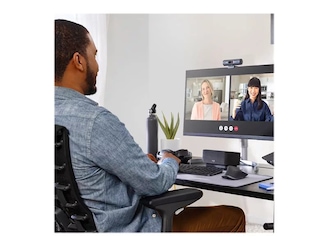
Best for: Remote work and everyday video calls
- Maximum resolution
- 1080p
- Maximum frame rate
- 30 fps
- Field of view
- Up to 90°
- Microphones
- 2
- RightLight 4 supports image adjustment in varied lighting.
- Show Mode and auto-framing add presentation flexibility.
- Built-in privacy shutter helps cover the lens.
- Does not record in 4K.
- USB-C connection requires a compatible port or adapter.
Is the Logitech Brio 500 Full HD Webcam worth buying on Black Friday 2026?
The Logitech Brio 500 Full HD Webcam is a good fit for people who prioritize simple video calls over 4K recording. The Logitech Brio 500 Full HD Webcam's 1080p camera, two microphones, privacy shutter and auto-framing features make it a capable upgrade for a home office.
See today’s Black Friday price on Amazon
#4
Logitech Brio 300 Full HD Webcam
The Logitech Brio 300 Full HD Webcam is the best straightforward webcam for students and remote workers who want dependable Full HD calls. The camera captures 1080p video at 30 frames per second and connects through USB-C.
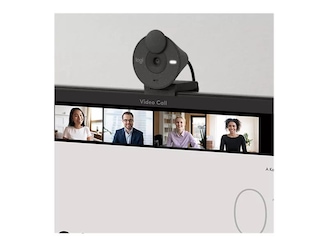
Best for: Simple Full HD calls and compact desks
- Maximum resolution
- 1080p
- Maximum frame rate
- 30 fps
- Field of view
- 70°
- Connection
- USB-C
- Full HD video suits everyday meetings.
- Integrated privacy shutter covers the lens.
- Automatic light correction supports changing room conditions.
- Single microphone has less pickup flexibility than multi-mic models.
- No 4K or 60 fps video.
Is the Logitech Brio 300 Full HD Webcam worth buying on Black Friday 2026?
The Logitech Brio 300 Full HD Webcam is a practical choice for everyday calls when 1080p is enough. The Logitech Brio 300 Full HD Webcam's 70-degree field of view, automatic light correction, USB-C connection and integrated privacy shutter cover the essentials without the extra features of premium models.
See today’s Black Friday price on Amazon
#5
Logitech Brio 100 Full HD Webcam
The Logitech Brio 100 Full HD Webcam is the best basic webcam for budget-focused shoppers who want a simple 1080p upgrade. The Logitech Brio 100 Full HD Webcam's 58-degree field of view frames one person closely for desk calls.

Best for: Basic calls and first-time webcam upgrades
- Maximum resolution
- 1080p
- Maximum frame rate
- 30 fps
- Field of view
- 58°
- Connection
- USB-A
- Full HD video suits routine video calls.
- Integrated privacy shutter gives simple lens coverage.
- USB-A works with many desktop and laptop ports.
- Narrower framing is less suited to groups.
- Lacks autofocus and advanced framing features.
Is the Logitech Brio 100 Full HD Webcam worth buying on Black Friday 2026?
The Logitech Brio 100 Full HD Webcam is a sensible entry-level pick for a single person who needs clear 1080p calls. The Logitech Brio 100 Full HD Webcam's USB-A connection and privacy shutter keep setup simple, while the 58-degree view is best suited to a close desk position.
See today’s Black Friday price on Amazon
#6
Logitech C920s Pro HD Webcam
The Logitech C920s Pro HD Webcam is the best familiar Full HD option for shoppers who want a wide view and a physical privacy shutter. The Logitech C920s Pro HD Webcam's 78-degree field of view and 1080p video at 30 frames per second suit work calls.
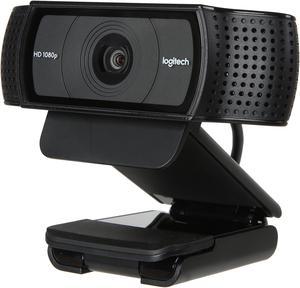
Best for: Dependable Full HD meetings and broad compatibility
- Maximum resolution
- 1080p
- Maximum frame rate
- 30 fps
- Field of view
- 78°
- Microphones
- 2
- Two microphones provide stereo audio capture.
- Privacy shutter attaches over the lens.
- USB-A connection suits many computers.
- No 4K video or USB-C connection.
- Older feature set lacks modern auto-framing.
Is the Logitech C920s Pro HD Webcam worth buying on Black Friday 2026?
The Logitech C920s Pro HD Webcam is a reliable choice for Full HD meetings and general home-office use. The Logitech C920s Pro HD Webcam's 78-degree view, two microphones and included privacy shutter cover core needs, while the USB-A connection suits computers without USB-C.
See today’s Black Friday price on Amazon
#7
Logitech StreamCam
The Logitech StreamCam is the best webcam for streamers and creators who prioritize smooth Full HD motion. The Logitech StreamCam records 1080p video at 60 frames per second and supports portrait and landscape orientation.
Best for: Live streaming and social video
- Maximum resolution
- 1080p
- Maximum frame rate
- 60 fps
- Field of view
- 78°
- Connection
- USB-C
- 60 fps video gives motion a smooth look.
- Can be mounted in portrait or landscape orientation.
- Autofocus and exposure adjustment support creator workflows.
- Does not record in 4K.
- USB-C connection needs a compatible port.
Is the Logitech StreamCam worth buying on Black Friday 2026?
The Logitech StreamCam is a good Black Friday 2026 choice for streamers who value smooth 1080p video over 4K resolution. The Logitech StreamCam's 60 fps recording, autofocus and portrait-or-landscape mounting support live content and social video workflows.
See today’s Black Friday price on Amazon
Which is better: Logitech Brio 4K or Logitech MX Brio?
The Logitech MX Brio 4K Ultra HD Webcam offers an 8.5-megapixel sensor and Show Mode for desk demonstrations. The Logitech Brio 4K Ultra HD Webcam adds 5x HD zoom, flexible viewing angles and Windows Hello support. Both record 4K at 30 frames per second and Full HD at 60 frames per second.
Pick the MX Brio for creator-focused features or the Brio 4K for zoom and facial recognition.
How good is the video quality on Logitech Brio webcams?
The Logitech MX Brio 4K Ultra HD Webcam and Logitech Brio 4K Ultra HD Webcam record in 4K. The Logitech Brio 500 Full HD Webcam, Logitech Brio 300 Full HD Webcam and Logitech Brio 100 Full HD Webcam record in 1080p.
Lighting, camera position and video-service quality also affect the image. Full HD suits everyday meetings; the Logitech StreamCam adds 1080p recording at 60 frames per second for smoother motion.
Which Logitech webcam is best for work calls?
The Logitech Brio 500 Full HD Webcam pairs 1080p video with auto-framing and a privacy shutter. Choose the Logitech Brio 4K Ultra HD Webcam for 4K video and Windows Hello. The Logitech Brio 300 Full HD Webcam, Logitech Brio 100 Full HD Webcam and Logitech C920s Pro HD Webcam cover everyday calls.
Check your computer's ports before buying: USB-C models need a compatible connection, while USB-A models suit many older computers.
Which Logitech webcam is best for streaming and presentations?
The Logitech MX Brio 4K Ultra HD Webcam suits premium streaming and desk demonstrations. The Logitech StreamCam records 1080p at 60 frames per second and supports portrait or landscape mounting. For 4K detail and adjustable framing, choose the Logitech Brio 4K Ultra HD Webcam, which offers 5x HD zoom.
Check your streaming platform's resolution and frame-rate support before choosing.
What should you compare before choosing a Logitech webcam?
Compare resolution, frame rate, field of view, connection type, autofocus, lighting adjustment and microphone features. Wider views suit group calls and demonstrations; narrower views keep focus on one person. A privacy shutter helps when the camera stays on your monitor.
For Black Friday 2026, shortlist useful features and review product details and return terms before checkout.
Buying Guide
Choose your resolution
The Logitech MX Brio 4K Ultra HD Webcam and Logitech Brio 4K Ultra HD Webcam record in 4K. For everyday calls, the Logitech Brio 500 Full HD Webcam and Logitech Brio 300 Full HD Webcam offer 1080p.
Match the frame rate to your use
The Logitech StreamCam records 1080p at 60 frames per second for streaming and motion-heavy video. The Logitech MX Brio 4K Ultra HD Webcam and Logitech Brio 4K Ultra HD Webcam also record Full HD at 60 frames per second. Routine calls suit 30 frames per second.
Check framing and camera placement
The Logitech Brio 4K Ultra HD Webcam offers 65-, 78- and 90-degree views; the Logitech MX Brio 4K Ultra HD Webcam adjusts up to 90 degrees. The Logitech Brio 100 Full HD Webcam has a 58-degree view. Wider framing suits shared desks; tighter framing suits solo calls.
Confirm ports and privacy features
The Logitech Brio 300 Full HD Webcam and Logitech MX Brio 4K Ultra HD Webcam use USB-C. The Logitech Brio 100 Full HD Webcam and Logitech C920s Pro HD Webcam use USB-A. Compare the privacy shutters on the Logitech Brio 500 Full HD Webcam and Logitech Brio 300 Full HD Webcam.
Prioritize features you will use
The Logitech Brio 500 Full HD Webcam offers auto-framing and Show Mode. The Logitech Brio 4K Ultra HD Webcam supports Windows Hello, while the Logitech StreamCam offers 60-frame-per-second video and flexible orientation. Compare Black Friday 2026 listings against your must-have features.
FAQ
Is Logitech Brio 4K better than Logitech MX Brio?
The Logitech MX Brio 4K Ultra HD Webcam is better for premium creator features, while the Logitech Brio 4K Ultra HD Webcam is a good choice for zoom and Windows Hello. Both record 4K at 30 frames per second and 1080p at 60 frames per second, so compare their other features.
Does the Logitech MX Brio record in 4K?
The Logitech MX Brio 4K Ultra HD Webcam records 4K video at 30 frames per second and 1080p video at 60 frames per second. Its 8.5-megapixel sensor and adjustable field of view suit detailed calls, presentations and streaming setups that need high-resolution video.
Is the Logitech Brio 500 a 4K webcam?
The Logitech Brio 500 Full HD Webcam is a 1080p webcam, not a 4K model. Its 30-frame-per-second video, auto-framing, two microphones and integrated privacy shutter make it an everyday work-call option for shoppers who do not need 4K recording.
Which Logitech webcam is best for streaming?
The Logitech StreamCam is a strong streaming choice for users who value 1080p video at 60 frames per second and portrait or landscape mounting. The Logitech MX Brio 4K Ultra HD Webcam suits creators who prioritize 4K detail and Show Mode desk presentations.
Which Logitech webcam is best for a basic home office?
The Logitech Brio 300 Full HD Webcam is a straightforward home-office pick with 1080p video, USB-C and a privacy shutter. The Logitech Brio 100 Full HD Webcam is another simple option, with USB-A and a 58-degree field of view for solo desk calls.
Do Logitech Brio webcams work with USB-C?
The Logitech MX Brio 4K Ultra HD Webcam, Logitech Brio 500 Full HD Webcam and Logitech Brio 300 Full HD Webcam use USB-C connections. Check the specifications for your chosen model and the ports on your computer, and confirm whether an adapter is needed before purchase.