

As an Amazon Associate we earn from qualifying purchases.
- Best overall: Dell UltraSharp U2724DE Monitor
- Best budget: Dell G2724D Gaming Monitor
- Best premium: Alienware AW2725DF Gaming Monitor
- Best for esports: Alienware AW2524HF Gaming Monitor
- Alienware AW2524HF Gaming Monitor prioritizes competitive play with a 500Hz maximum refresh rate and 1080p resolution.
- Dell UltraSharp U2724DE Monitor is the stronger work-and-play hub, pairing a 27-inch QHD IPS Black panel with 120Hz and Thunderbolt 4.
- Dell G2724D Gaming Monitor is a straightforward QHD gaming pick with a 165Hz refresh rate.
- Alienware AW2725DF Gaming Monitor brings a 360Hz QD-OLED panel to players who want sharp motion and deep contrast.
- Match the monitor’s resolution, refresh rate and connections to your PC, console and desk before choosing.
Alienware AW2524HF Gaming Monitor and Dell UltraSharp U2724DE Monitor serve very different setups: one pushes competitive gaming to 500Hz, while the other combines a 27-inch QHD screen, 120Hz refresh rate and Thunderbolt 4 hub. The right Black Friday 2026 pick depends on whether fast esports response or a flexible work-and-play desk matters more.
I researched and compared specs, reviews and owner feedback across seven Dell and Alienware monitors. The guide covers high-refresh esports displays, QD-OLED upgrades, 4K gaming and office-friendly hubs, so you can narrow the field by what you actually play and connect. Here's the bottom line: pick the Alienware AW2524HF Gaming Monitor for maximum speed, or the Dell UltraSharp U2724DE Monitor for a more versatile desk.
How We Picked
- Compared resolution, panel type and refresh rate to show the trade-off between sharp detail, contrast and motion clarity.
- Reviewed response-time claims, adaptive-sync support and gaming features for competitive PC play and console use.
- Checked connectivity, including Thunderbolt 4, USB-C, HDMI 2.1 and DisplayPort, for practical desk and device compatibility.
- Considered owner feedback and published specifications while separating gaming-first products from productivity-focused monitors.
- Selected options across several performance tiers and form factors without making price or discount claims.
Comparison Table
| Product | Best for | Resolution | Refresh rate | Panel type |
|---|---|---|---|---|
| Alienware AW2524HF Gaming Monitor | Competitive esports | 1920 x 1080 | 500Hz | Fast IPS |
| Dell UltraSharp U2724DE Monitor | Work and gaming | 2560 x 1440 | 120Hz | IPS Black |
| Dell G2724D Gaming Monitor | QHD gaming | 2560 x 1440 | 165Hz | Fast IPS |
| Alienware AW2725DF Gaming Monitor | Premium QHD gaming | 2560 x 1440 | 360Hz | QD-OLED |
| Alienware AW3423DWF Gaming Monitor | Ultrawide immersion | 3440 x 1440 | 165Hz | QD-OLED |
| Dell UltraSharp U2724D Monitor | Office and casual gaming | 2560 x 1440 | 120Hz | IPS Black |
| Dell G3223Q Gaming Monitor | 4K gaming | 3840 x 2160 | 144Hz | Fast IPS |
Best Picks Reviewed
#1
Alienware AW2524HF Gaming Monitor
The Alienware AW2524HF Gaming Monitor is the best esports pick for competitive players who value speed over resolution, with a maximum refresh rate of 500Hz.

Best for: Competitive esports and high-frame-rate PC play
- Screen size
- 24.5 inches
- Resolution
- 1920 x 1080
- Maximum refresh rate
- 500Hz
- Response time
- 0.5ms
- Exceptionally fast refresh ceiling
- Fast IPS panel
- AMD FreeSync Premium support
- 1080p lacks the desktop detail of QHD and 4K displays
- Best results depend on a powerful gaming PC
Is the Alienware AW2524HF Gaming Monitor worth buying on Black Friday 2026?
The Alienware AW2524HF Gaming Monitor is worth considering for competitive PC players who can take advantage of its 500Hz maximum refresh rate. The Alienware AW2524HF Gaming Monitor's 24.5-inch 1080p Fast IPS panel favors fast motion and esports responsiveness over high-resolution detail.
See today’s Black Friday price on Amazon
#2 · Top pick
Dell UltraSharp U2724DE Monitor
The Dell UltraSharp U2724DE Monitor is the best work-and-play pick for professionals who also game, combining a 27-inch QHD panel with a 120Hz refresh rate.
Best for: A mixed productivity and gaming desk
- Screen size
- 27 inches
- Resolution
- 2560 x 1440
- Refresh rate
- 120Hz
- Connectivity
- Thunderbolt 4
- IPS Black panel delivers deeper contrast than standard IPS
- Thunderbolt 4 hub simplifies a connected desk
- 120Hz suits everyday gaming and smooth desktop use
- Not built for extreme esports refresh rates
- QHD is less detailed than a 4K screen
Is the Dell UltraSharp U2724DE Monitor worth buying on Black Friday 2026?
The Dell UltraSharp U2724DE Monitor is a strong choice for people who want one 27-inch screen for work, browsing and gaming. The Dell UltraSharp U2724DE Monitor's QHD 120Hz IPS Black panel and Thunderbolt 4 connectivity make it more versatile than a gaming-only monitor.
See today’s Black Friday price on Amazon
#3
Dell G2724D Gaming Monitor
The Dell G2724D Gaming Monitor is the best value-focused QHD pick for PC and console players who want a 165Hz refresh rate.
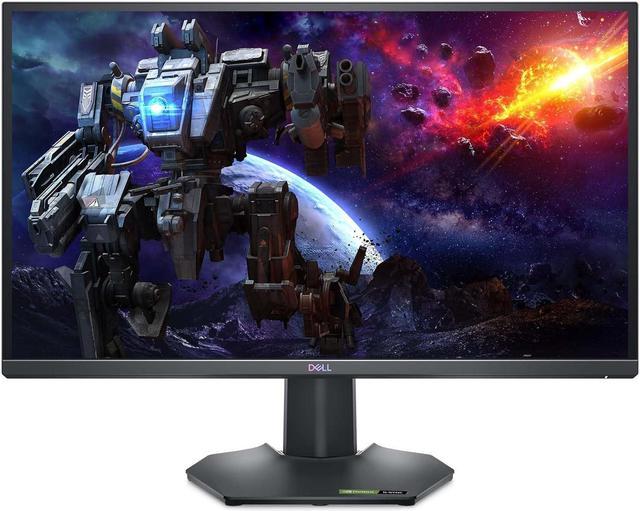
Best for: QHD gaming without extra desk-hub features
- Screen size
- 27 inches
- Resolution
- 2560 x 1440
- Refresh rate
- 165Hz
- Response time
- 1ms
- Sharp QHD resolution for a 27-inch screen
- 165Hz supports fluid PC gaming
- Fast IPS panel with adaptive-sync support
- Lacks the Thunderbolt hub features of the UltraSharp
- No OLED-level contrast
Is the Dell G2724D Gaming Monitor worth buying on Black Friday 2026?
The Dell G2724D Gaming Monitor is a sensible QHD gaming choice for players who want a fast 27-inch display without paying for office-hub extras. The Dell G2724D Gaming Monitor's 165Hz refresh rate and 1ms response-time specification suit action games and everyday PC use.
See today’s Black Friday price on Amazon
#4
Alienware AW2725DF Gaming Monitor
The Alienware AW2725DF Gaming Monitor is the best premium high-speed pick for players seeking QD-OLED contrast and a 360Hz refresh rate.
Best for: Premium QHD PC gaming
- Screen size
- 27 inches
- Resolution
- 2560 x 1440
- Refresh rate
- 360Hz
- Response time
- 0.03ms
- QD-OLED delivers rich contrast and color
- 360Hz refresh rate supports fast competitive play
- QHD resolution balances detail and speed
- OLED care considerations matter for static desktop use
- Requires a capable PC to drive demanding games at high frame rates
Is the Alienware AW2725DF Gaming Monitor worth buying on Black Friday 2026?
The Alienware AW2725DF Gaming Monitor is a premium option for players who want QD-OLED image quality without giving up esports speed. The 27-inch QHD panel reaches 360Hz, pairing deep contrast with very fluid motion for a high-performance gaming PC.
See today’s Black Friday price on Amazon
#5
Alienware AW3423DWF Gaming Monitor
The Alienware AW3423DWF Gaming Monitor is the best ultrawide immersion pick for PC gamers who want a 34-inch QD-OLED screen running at 165Hz.
Best for: Immersive ultrawide PC gaming
- Screen size
- 34 inches
- Resolution
- 3440 x 1440
- Refresh rate
- 165Hz
- Response time
- 0.1ms
- Ultrawide view expands supported games
- QD-OLED offers deep blacks and vivid color
- 165Hz suits fast-paced gaming
- Requires substantial desk width
- Some games and consoles do not use the full ultrawide format
Is the Alienware AW3423DWF Gaming Monitor worth buying on Black Friday 2026?
The Alienware AW3423DWF Gaming Monitor is a compelling pick for PC players who want an immersive ultrawide format and OLED contrast. The Alienware AW3423DWF Gaming Monitor's 34-inch 3440 x 1440 QD-OLED panel combines a 165Hz refresh rate with a wide view for supported games.
See today’s Black Friday price on Amazon
#6
Dell UltraSharp U2724D Monitor
The Dell UltraSharp U2724D Monitor is the best streamlined office display for users who want 27-inch QHD clarity and a 120Hz refresh rate.
Best for: Office work, browsing and casual gaming
- Screen size
- 27 inches
- Resolution
- 2560 x 1440
- Refresh rate
- 120Hz
- Panel type
- IPS Black
- QHD resolution fits a productive 27-inch workspace
- IPS Black panel improves contrast
- 120Hz is smooth for everyday use
- Fewer hub features than the U2724DE
- Not aimed at high-refresh esports
Is the Dell UltraSharp U2724D Monitor worth buying on Black Friday 2026?
The Dell UltraSharp U2724D Monitor is a good fit for users who want a polished office display that also handles casual gaming. The Dell UltraSharp U2724D Monitor's 27-inch QHD IPS Black panel runs at 120Hz, while its simpler feature set puts less emphasis on hub connectivity.
See today’s Black Friday price on Amazon
#7
Dell G3223Q Gaming Monitor
The Dell G3223Q Gaming Monitor is the best 4K gaming pick for players who want a 32-inch screen and a 144Hz refresh rate.
Best for: Large-screen 4K PC and console gaming
- Screen size
- 32 inches
- Resolution
- 3840 x 2160
- Refresh rate
- 144Hz
- Connectivity
- HDMI 2.1
- 4K resolution brings crisp game detail
- 144Hz supports smooth PC play
- HDMI 2.1 suits compatible consoles
- 4K gaming asks more of a PC graphics card
- Large size needs a deep desk
Is the Dell G3223Q Gaming Monitor worth buying on Black Friday 2026?
The Dell G3223Q Gaming Monitor is a strong match for players who want a large 4K screen for compatible PC or console gaming. The Dell G3223Q Gaming Monitor's 32-inch panel supports 144Hz, and HDMI 2.1 provides a useful connection for modern gaming devices.
See today’s Black Friday price on Amazon
Which monitor is better: Alienware AW2524HF or Dell UltraSharp U2724DE?
Alienware AW2524HF Gaming Monitor is better for competitive esports, while Dell UltraSharp U2724DE Monitor is better for mixed work and gaming, based on their 500Hz and 120Hz refresh rates. The Alienware is a 24.5-inch 1080p display built around speed. The Dell is a 27-inch QHD monitor with an IPS Black panel and Thunderbolt 4 hub.
Choose the Alienware AW2524HF Gaming Monitor if your PC drives very high frame rates and you play games where quick motion is the priority. Choose the Dell UltraSharp U2724DE Monitor if you want more workspace, sharper QHD detail, one-cable desk connectivity and smoother-than-standard desktop motion. Both are sensible picks for different jobs; neither replaces the other’s main strength.
Is a 500Hz monitor better than a 120Hz monitor for gaming?
Alienware AW2524HF Gaming Monitor reaches 500Hz, while Dell UltraSharp U2724DE Monitor reaches 120Hz, so the Alienware offers a higher ceiling for competitive PC gaming. Refresh rate describes how often a screen updates each second. A high number matters most when a game PC produces enough frames to use it.
For everyday gaming, the Dell UltraSharp U2724DE Monitor’s 120Hz panel still delivers smooth motion and pairs it with QHD resolution and a useful productivity hub. The Alienware AW2524HF Gaming Monitor gives up pixel detail to focus on speed. Match the screen to your games and graphics hardware instead of choosing by refresh-rate number alone.
Which monitor resolution should you choose for gaming?
Dell G2724D Gaming Monitor offers QHD at 2560 x 1440, while Dell G3223Q Gaming Monitor offers 4K at 3840 x 2160, giving players two clear resolution paths. QHD is a practical fit for 27-inch screens and balances image detail with high refresh rates. 4K makes a larger image look sharper.
Alienware AW2524HF Gaming Monitor uses 1920 x 1080 to make very high frame rates a more achievable target. The right resolution depends on screen size, viewing distance, game type and PC capability. Console players should also check the console’s output options and the monitor’s HDMI connections before buying.
Should you buy an OLED gaming monitor or an IPS monitor?
Alienware AW2725DF Gaming Monitor and Alienware AW3423DWF Gaming Monitor use QD-OLED panels, while Dell G2724D Gaming Monitor uses IPS, giving buyers a choice between contrast and practical everyday use. QD-OLED screens are known for deep blacks, vivid color and rapid response, making them attractive for cinematic games.
IPS models offer a straightforward option for bright rooms, general desktop work and long sessions with static interface elements. OLED owners should follow the manufacturer’s care guidance for screen maintenance. Compare refresh rate and resolution too: the Alienware AW2725DF Gaming Monitor is a 360Hz QHD display, while the ultrawide AW3423DWF runs at 165Hz.
Which Dell monitor works best for a home office and gaming setup?
Dell UltraSharp U2724DE Monitor is the strongest home-office-and-gaming fit among these picks, with a 27-inch QHD IPS Black panel, 120Hz refresh rate and Thunderbolt 4 connectivity. The hub-focused design suits a desk shared by a laptop, peripherals and a gaming device, while QHD provides useful room for windows and documents.
Dell UltraSharp U2724D Monitor keeps the same broad 27-inch QHD, 120Hz IPS Black direction with a simpler feature set. Pick the U2724DE when its hub connections matter to your desk; choose the U2724D when a direct, less hub-focused setup is enough. Dedicated gaming models offer higher refresh rates, but fewer productivity-oriented conveniences.
Buying Guide
Choose a refresh rate that fits your games
Alienware AW2524HF Gaming Monitor reaches 500Hz for esports, while Dell G2724D Gaming Monitor offers 165Hz for a broader mix of games. Check the frame rates your PC can deliver and the refresh rate supported by your connection.
Match resolution to screen size and hardware
Dell G3223Q Gaming Monitor pairs a 32-inch screen with 4K, while Alienware AW2524HF Gaming Monitor uses 1080p at 24.5 inches. Higher resolution adds detail but asks more of your graphics hardware.
Pick the panel for your room and priorities
Alienware AW2725DF Gaming Monitor uses QD-OLED for high contrast and a 360Hz refresh rate. Dell G2724D Gaming Monitor uses IPS for a conventional gaming display. Consider room brightness, static desktop use and your image-quality priorities.
Check ports before choosing a desk hub
Dell UltraSharp U2724DE Monitor includes Thunderbolt 4 connectivity, while Dell G3223Q Gaming Monitor includes HDMI 2.1. Confirm the ports and features you need for a laptop, console, PC, dock and accessories.
Think about desk space and screen shape
Alienware AW3423DWF Gaming Monitor stretches to 34 inches in an ultrawide format, while Dell UltraSharp U2724DE Monitor uses a more standard 27-inch layout. Measure desk width and viewing distance before settling on a size.
FAQ
Which is better for gaming, the Alienware AW2524HF or Dell UltraSharp U2724DE?
Alienware AW2524HF Gaming Monitor is better for competitive esports because its maximum refresh rate is 500Hz. Dell UltraSharp U2724DE Monitor is better for mixed work and gaming, with a 27-inch QHD screen, 120Hz refresh rate and Thunderbolt 4 hub.
Is the Dell UltraSharp U2724DE good for gaming?
Dell UltraSharp U2724DE Monitor is good for casual and everyday gaming, thanks to its QHD resolution and 120Hz refresh rate. The IPS Black panel and Thunderbolt 4 hub also make it a practical work display. Competitive players seeking extreme refresh rates should compare gaming-focused models.
Is the Alienware AW2524HF worth it for console gaming?
Alienware AW2524HF Gaming Monitor suits console players who prioritize fast gameplay on a 24.5-inch 1080p screen. Its 500Hz ceiling is aimed chiefly at high-frame-rate PC play, so check console output and supported connections before choosing it over a QHD or 4K monitor.
Which monitor is best for 4K gaming?
Dell G3223Q Gaming Monitor is the 4K pick in this guide, with a 32-inch 3840 x 2160 panel, 144Hz refresh rate and HDMI 2.1. The high resolution suits detailed PC and console gaming, while demanding games require a capable graphics card.
Is the Alienware AW2725DF better than the Dell G2724D?
Alienware AW2725DF Gaming Monitor is the premium option, combining QD-OLED, QHD resolution and a 360Hz refresh rate. Dell G2724D Gaming Monitor offers a 165Hz Fast IPS panel for QHD gaming. Choose the Alienware for OLED contrast and higher speed, or the Dell for a simpler IPS setup.
Is an ultrawide monitor good for gaming?
Alienware AW3423DWF Gaming Monitor is a 34-inch ultrawide QD-OLED option with 3440 x 1440 resolution and a 165Hz refresh rate. The wider view adds immersion in supported PC games, but check game compatibility and desk space before choosing an ultrawide over a standard screen.