

As an Amazon Associate we earn from qualifying purchases.
- Best overall: LG UltraGear 27GP850-B 27-inch QHD Gaming Monitor
- Best budget: Dell G2724D 27-inch QHD Gaming Monitor
- Best premium: LG UltraGear 27GR83Q-B 27-inch QHD Gaming Monitor
- Best for shared desk setups: GIGABYTE M27Q 27-inch QHD 170Hz Gaming Monitor
- The LG UltraGear 27GP850-B and Dell S2721DGF both pair a 27-inch QHD panel with a 165Hz refresh rate.
- The LG UltraGear 27GP850-B reaches 180Hz with an overclock and is a strong pick for fast PC gaming.
- The Dell S2721DGF offers a 165Hz refresh rate, broad adaptive-sync support and ergonomic adjustments.
- The Dell G2724D and ASUS TUF Gaming VG27AQ1A are strong alternatives for different gaming setups.
- Compare refresh rate, connectivity, ergonomics and panel features before choosing a Black Friday 2026 monitor.
The LG UltraGear 27GP850-B and Dell S2721DGF are closely matched 27-inch QHD gaming monitors, with 165Hz refresh rates and IPS panels. I researched and compared specs, reviews and owner feedback to build this Black Friday 2026 guide for players choosing between them and five alternatives.
The LG takes the edge for refresh-rate headroom, reaching 180Hz with an overclock; the Dell is a compelling all-rounder with a 165Hz panel and adjustable stand. Here's the bottom line: both deliver sharp 2560 x 1440 gameplay, while the right pick depends on your setup, comfort preferences and the features you value most.
How We Picked
- Compared resolution, panel type, refresh rate and response-time specifications.
- Reviewed adaptive-sync compatibility and connection options for gaming PCs and consoles.
- Considered stand adjustments, screen size and practical desk setup needs.
- Researched and compared specs, reviews and owner feedback rather than claiming detailed use.
- Selected alternatives with distinct strengths, including higher refresh rates and value-focused feature sets.
Comparison Table
| Product | Best for | Resolution | Refresh rate | Response time |
|---|---|---|---|---|
| LG UltraGear 27GP850-B 27-inch QHD Gaming Monitor | Fast-paced PC gaming | 2560 x 1440 | 165Hz, up to 180Hz overclocked | 1ms GtG |
| Dell S2721DGF 27-inch QHD Gaming Monitor | Balanced PC and console gaming | 2560 x 1440 | 165Hz | 1ms GtG |
| LG UltraGear 27GR83Q-B 27-inch QHD Gaming Monitor | Competitive PC gaming | 2560 x 1440 | 240Hz | 1ms GtG |
| Dell G2724D 27-inch QHD Gaming Monitor | QHD gaming on a practical setup | 2560 x 1440 | 165Hz | 1ms GtG |
| GIGABYTE M27Q 27-inch QHD 170Hz Gaming Monitor | Gaming across multiple computers | 2560 x 1440 | 170Hz | 1ms MPRT |
| ASUS TUF Gaming VG27AQ1A 27-inch QHD Gaming Monitor | Adaptive-sync gaming | 2560 x 1440 | 170Hz | 1ms MPRT |
| Acer Nitro XV272U Vbmiiprx 27-inch QHD Gaming Monitor | High-refresh QHD gaming | 2560 x 1440 | 170Hz | 1ms VRB |
Best Picks Reviewed
#1 · Top pick
LG UltraGear 27GP850-B 27-inch QHD Gaming Monitor
The LG UltraGear 27GP850-B 27-inch QHD Gaming Monitor is the best overall pick for PC players who want a fast 27-inch screen, with a 165Hz refresh rate and 180Hz overclock option.

Best for: Fast-paced PC gaming
- Screen size
- 27 inches
- Resolution
- 2560 x 1440
- Refresh rate
- 165Hz, up to 180Hz overclocked
- Response time
- 1ms GtG
- Sharp QHD resolution with a high refresh ceiling
- Nano IPS panel supports vivid color
- NVIDIA G-SYNC Compatible and AMD FreeSync Premium support
- The highest refresh rate requires an overclock setting
Is the LG UltraGear 27GP850-B 27-inch QHD Gaming Monitor worth buying on Black Friday 2026?
Yes. The LG UltraGear 27GP850-B 27-inch QHD Gaming Monitor combines 2560 x 1440 resolution with a 165Hz refresh rate and an 180Hz overclock option. The feature mix suits competitive PC gaming and detailed single-player play.
See today’s Black Friday price on Amazon
#2
Dell S2721DGF 27-inch QHD Gaming Monitor
The Dell S2721DGF 27-inch QHD Gaming Monitor is the best balanced pick for players who want a responsive 27-inch IPS display, with a 165Hz refresh rate at QHD resolution.
Best for: Balanced PC and console gaming
- Screen size
- 27 inches
- Resolution
- 2560 x 1440
- Refresh rate
- 165Hz
- Response time
- 1ms GtG
- Fast QHD IPS panel
- Supports AMD FreeSync Premium Pro and NVIDIA G-SYNC Compatible
- Stand provides height, tilt, swivel and pivot adjustment
- No 180Hz overclock option
Is the Dell S2721DGF 27-inch QHD Gaming Monitor worth buying on Black Friday 2026?
Yes. The Dell S2721DGF 27-inch QHD Gaming Monitor offers a 165Hz QHD IPS panel, adaptive-sync support and a flexible stand. The combination suits players who want a sharp desktop display for both fast games and everyday use.
See today’s Black Friday price on Amazon
#3
LG UltraGear 27GR83Q-B 27-inch QHD Gaming Monitor
The LG UltraGear 27GR83Q-B 27-inch QHD Gaming Monitor is the best high-refresh alternative for competitive PC players, with a 240Hz refresh rate at 2560 x 1440.

Best for: Competitive PC gaming
- Screen size
- 27 inches
- Resolution
- 2560 x 1440
- Refresh rate
- 240Hz
- Response time
- 1ms GtG
- Higher refresh rate than either main comparison pick
- QHD resolution keeps game details crisp
- Adaptive-sync support helps reduce screen tearing
- Requires a capable PC to make strong use of 240Hz
Is the LG UltraGear 27GR83Q-B 27-inch QHD Gaming Monitor a good Black Friday 2026 alternative?
Yes. The LG UltraGear 27GR83Q-B 27-inch QHD Gaming Monitor raises the refresh rate to 240Hz while retaining QHD resolution. Competitive players with a graphics card that drives high frame rates get the clearest reason to choose it.
See today’s Black Friday price on Amazon
#4
Dell G2724D 27-inch QHD Gaming Monitor
The Dell G2724D 27-inch QHD Gaming Monitor is the best straightforward value-focused choice for QHD gaming, with a 165Hz refresh rate and a 1ms response-time specification.
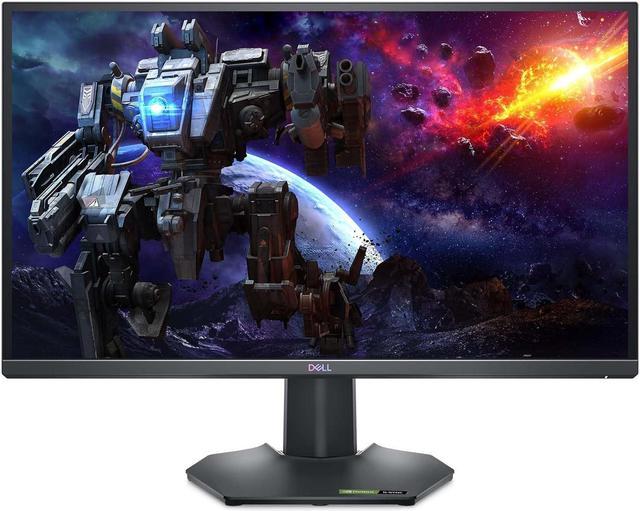
Best for: QHD gaming on a practical setup
- Screen size
- 27 inches
- Resolution
- 2560 x 1440
- Refresh rate
- 165Hz
- Response time
- 1ms GtG
- Fast QHD IPS gaming specifications
- Supports adaptive sync
- Ergonomic stand adjustments support comfortable positioning
- Does not match the 240Hz options for maximum frame-rate headroom
Is the Dell G2724D 27-inch QHD Gaming Monitor a good Black Friday 2026 buy?
Yes. The Dell G2724D 27-inch QHD Gaming Monitor is a sensible pick for players seeking 2560 x 1440 resolution, a 165Hz refresh rate and adaptive sync. The Dell G2724D 27-inch QHD Gaming Monitor's feature set covers everyday PC gaming without chasing an extreme refresh rate.
See today’s Black Friday price on Amazon
#5
GIGABYTE M27Q 27-inch QHD 170Hz Gaming Monitor
The GIGABYTE M27Q 27-inch QHD 170Hz Gaming Monitor is the best desk-flexibility pick for multitasking gamers, with a 170Hz refresh rate and a built-in KVM feature.
Best for: Gaming across multiple computers
- Screen size
- 27 inches
- Resolution
- 2560 x 1440
- Refresh rate
- 170Hz
- Panel feature
- KVM switch
- KVM feature helps share peripherals between computers
- 170Hz refresh rate suits fast games
- QHD resolution balances detail and performance
- Check the exact model revision for the feature set you want
Is the GIGABYTE M27Q 27-inch QHD 170Hz Gaming Monitor worth considering?
Yes. The GIGABYTE M27Q 27-inch QHD 170Hz Gaming Monitor stands out with its KVM feature, which helps manage a gaming PC and another computer from one desk. The 170Hz QHD panel also supports smooth, detailed gameplay.
See today’s Black Friday price on Amazon
#6
ASUS TUF Gaming VG27AQ1A 27-inch QHD Gaming Monitor
The ASUS TUF Gaming VG27AQ1A 27-inch QHD Gaming Monitor is the best feature-rich alternative for players seeking flexible sync options, with a 170Hz maximum refresh rate.
Best for: Adaptive-sync gaming
- Screen size
- 27 inches
- Resolution
- 2560 x 1440
- Refresh rate
- 170Hz
- Response time
- 1ms MPRT
- 170Hz maximum refresh rate
- ELMB Sync combines motion-blur reduction and adaptive sync
- QHD IPS display supports detailed gaming
- Stand adjustment options are more limited than some rivals
Is the ASUS TUF Gaming VG27AQ1A 27-inch QHD Gaming Monitor a good gaming monitor?
Yes. The ASUS TUF Gaming VG27AQ1A 27-inch QHD Gaming Monitor offers QHD resolution and a 170Hz maximum refresh rate. ELMB Sync and adaptive-sync support make it an appealing alternative for players focused on clear motion and smooth gameplay.
See today’s Black Friday price on Amazon
#7
Acer Nitro XV272U Vbmiiprx 27-inch QHD Gaming Monitor
The Acer Nitro XV272U Vbmiiprx 27-inch QHD Gaming Monitor is the best no-fuss high-refresh alternative for PC players, with a 170Hz refresh rate and a 1ms response-time rating.
Best for: High-refresh QHD gaming
- Screen size
- 27 inches
- Resolution
- 2560 x 1440
- Refresh rate
- 170Hz
- Response time
- 1ms VRB
- 170Hz refresh rate supports fast gameplay
- QHD resolution offers a sharp 27-inch image
- AMD FreeSync Premium support
- Check the port and stand requirements against your setup
Is the Acer Nitro XV272U Vbmiiprx 27-inch QHD Gaming Monitor worth buying?
Yes. The Acer Nitro XV272U Vbmiiprx 27-inch QHD Gaming Monitor pairs a 170Hz refresh rate with QHD resolution and AMD FreeSync Premium. The specification mix suits PC players who want smooth gameplay without stepping up to a 240Hz display.
See today’s Black Friday price on Amazon
Which monitor wins: LG UltraGear 27GP850-B or Dell S2721DGF?
The LG UltraGear 27GP850-B and Dell S2721DGF both deliver 27-inch QHD IPS gaming at 165Hz, so neither monitor gives up the core features that make this matchup compelling. Both target players who want detailed visuals and smooth motion without moving to a 4K display.
The LG UltraGear 27GP850-B pulls ahead on refresh-rate headroom because its overclock option reaches 180Hz. The Dell S2721DGF counters with a flexible stand and support for AMD FreeSync Premium Pro and NVIDIA G-SYNC Compatible. Check your graphics card, preferred sync technology and desk ergonomics before choosing. For most players, the LG is the sharper pick for speed, while the Dell remains a strong all-rounder.
Is 27-inch QHD a good resolution for gaming?
A 27-inch QHD monitor such as the LG UltraGear 27GP850-B offers 2560 x 1440 pixels, a useful balance of screen detail and gaming performance. The resolution looks sharper than 1080p at the same screen size, while demanding less graphics processing than 4K.
The Dell S2721DGF, Dell G2724D and other QHD picks in this guide suit both fast multiplayer games and visually rich adventures. A stronger graphics card helps drive high frame rates at QHD, especially when targeting 165Hz or more. Console players should also check their console's supported output and the monitor's input options. QHD is the practical middle ground for gamers who want a clear desktop image and smooth play.
What refresh rate should you choose for a gaming monitor?
The LG UltraGear 27GP850-B offers 165Hz with an 180Hz overclock, while the LG UltraGear 27GR83Q-B reaches 240Hz for players chasing the fastest listed refresh rate in this guide. A higher refresh rate refreshes the image more often and can make fast movement feel smoother.
The Dell S2721DGF's 165Hz panel already suits a broad range of PC games, and the 170Hz GIGABYTE M27Q, ASUS TUF Gaming VG27AQ1A and Acer Nitro XV272U Vbmiiprx add close alternatives. Match the screen to the frame rates your PC can produce. For console gaming, confirm the console's resolution and refresh-rate support rather than choosing based on a monitor's maximum figure alone.
Do adaptive-sync features matter on the LG and Dell monitors?
The LG UltraGear 27GP850-B and Dell S2721DGF both support adaptive-sync technologies that help align a display's refresh with a graphics card's output. Matching those timings helps reduce visible tearing when frame rates change during play.
The Dell S2721DGF lists AMD FreeSync Premium Pro and NVIDIA G-SYNC Compatible support, while the LG UltraGear 27GP850-B supports AMD FreeSync Premium and NVIDIA G-SYNC Compatible. The Dell G2724D and several alternatives also offer adaptive-sync support. Check the monitor's exact connection and your graphics card settings to enable the feature. Adaptive sync is most useful when game frame rates fluctuate instead of staying locked to the display's maximum refresh rate.
Which monitor features matter most for a Black Friday 2026 setup?
The LG UltraGear 27GP850-B and Dell S2721DGF are strong Black Friday 2026 contenders because both combine QHD resolution, IPS panels and 165Hz refresh rates. Compare the full specification list against your gaming PC, console, desk and preferred play style before deciding.
Refresh rate is only one part of the decision. Check available HDMI and DisplayPort connections, adaptive-sync compatibility, stand movement and any extras you will actually use. The GIGABYTE M27Q includes a KVM feature for switching between computers, while the LG UltraGear 27GR83Q-B brings a 240Hz panel for high-frame-rate PC gaming. Prioritize the feature that solves a real setup need, then use Black Friday listings to compare the complete product and its included accessories.
Buying Guide
Pick a refresh rate that fits your games
The LG UltraGear 27GR83Q-B reaches 240Hz, while the LG UltraGear 27GP850-B offers up to 180Hz with an overclock. Choose a high refresh rate for competitive PC games, and check that your graphics card can supply the frame rates you want.
Match resolution to your PC or console
The Dell S2721DGF and LG UltraGear 27GP850-B both use 2560 x 1440 resolution. Confirm your console or PC supports the output you plan to use, then balance image detail against the frame rate your system can maintain.
Check sync support and connections
The Dell S2721DGF supports AMD FreeSync Premium Pro and NVIDIA G-SYNC Compatible. Review the exact HDMI and DisplayPort options on any shortlisted monitor, then confirm they suit your graphics card, console and target refresh rate.
Plan for comfort and desk space
The Dell S2721DGF has a stand with height, tilt, swivel and pivot adjustment. Compare stand movement, VESA mounting needs and desk depth before choosing a 27-inch screen for long gaming sessions.
FAQ
Which is better, LG UltraGear 27GP850-B or Dell S2721DGF?
The LG UltraGear 27GP850-B is better for players who want an 180Hz overclock option, while the Dell S2721DGF is a strong balanced choice with a 165Hz panel and a flexible stand. Both deliver 27-inch QHD IPS gaming and adaptive-sync support.
Does the LG UltraGear 27GP850-B support 180Hz?
Yes. The LG UltraGear 27GP850-B has a 165Hz refresh rate and supports an overclocked maximum of 180Hz. The achievable refresh rate depends on setup and settings, so check the connection requirements and configure the monitor through its on-screen controls.
Does the Dell S2721DGF support 1440p at 165Hz?
Yes. The Dell S2721DGF is a 2560 x 1440 monitor with a 165Hz maximum refresh rate. Confirm that the connected PC, graphics card, cable and selected input settings support the resolution and refresh rate you intend to use.
Is a 240Hz monitor better than a 165Hz monitor for gaming?
The LG UltraGear 27GR83Q-B's 240Hz panel offers more refresh-rate headroom than the 165Hz Dell S2721DGF. A 240Hz monitor makes the most sense for PC players with systems that deliver high frame rates; 165Hz remains a fast option for a wide range of games.
Are QHD gaming monitors good for PS5?
The LG UltraGear 27GP850-B and Dell S2721DGF provide QHD resolution and high refresh rates, but console features depend on the console and input connection. Check supported resolution, refresh rate and variable-refresh-rate features for your specific PS5 setup before buying.
What should I compare during Black Friday 2026 monitor shopping?
Compare the exact model, resolution, refresh rate, sync support, connections, stand adjustments and included cables. The Dell S2721DGF and LG UltraGear 27GP850-B share key QHD gaming specs, so prioritize the model's standout features and compatibility with your setup.