

As an Amazon Associate we earn from qualifying purchases.
- Best overall: TP-Link Archer AXE75 AXE5400 Tri-Band Wi-Fi 6E Router
- Best budget: TP-Link Archer AX73 AX5400 Dual-Band Wi-Fi 6 Router
- Best premium: TP-Link Archer BE800 BE19000 Tri-Band Wi-Fi 7 Router
- Best for Wi-Fi 7 value: TP-Link Archer BE550 BE9300 Tri-Band Wi-Fi 7 Router
- TP-Link Archer AXE75 offers tri-band Wi-Fi 6E and a 2.5 Gbps port for homes ready to use the 6 GHz band without stepping up to Wi-Fi 7.
- TP-Link Archer BE800 is the premium pick, with Wi-Fi 7, a combined BE19000 class rating and two 10 Gbps ports.
- TP-Link Archer BE550 is a practical Wi-Fi 7 alternative with four 2.5 Gbps ports and a smaller feature set than the BE800.
- Match router capacity to your internet plan, home size, client devices and wired connections before choosing a Black Friday 2026 pick.
- Check whether your devices support Wi-Fi 6E or Wi-Fi 7; older devices still connect, but do not gain the newer standards’ top features.
TP-Link Archer AXE75 is the better fit for shoppers who want a tri-band Wi-Fi 6E router, while TP-Link Archer BE800 is the stronger premium choice for Wi-Fi 7 and multi-gig wired networking. The key difference is not just speed class: TP-Link Archer AXE75 adds a 6 GHz band at a more accessible tier, and TP-Link Archer BE800 brings substantially faster capacity and more advanced ports for demanding homes.
For this Black Friday 2026 guide, we researched and compared specs, reviews and owner feedback across seven TP-Link networking picks. We focus on what each model does well, the households it suits, and the details to check before buying. The Best bet for a value-conscious 6 GHz upgrade is TP-Link Archer AXE75; homes with a fast internet plan, newer client devices and several wired connections should consider TP-Link Archer BE800.
How We Picked
- Compared advertised wireless class, band count and Wi-Fi generation to clarify what each model offers.
- Checked wired port speeds and quantities for shoppers connecting multi-gig internet, computers, consoles or network storage.
- Considered fit for different home sizes, device counts and upgrade needs instead of ranking by headline speed alone.
- Reviewed product specifications, published reviews and owner feedback; this guide does not claim research.
- Selected a mix of Wi-Fi 6, Wi-Fi 6E, Wi-Fi 7 and mesh options so readers can compare practical alternatives.
Comparison Table
| Product | Best for | Wi-Fi class | Bands | Fastest wired connection |
|---|---|---|---|---|
| TP-Link Archer AXE75 AXE5400 Tri-Band Wi-Fi 6E Router | Wi-Fi 6E value | AXE5400 | 3 | 2.5 Gbps |
| TP-Link Archer BE800 BE19000 Tri-Band Wi-Fi 7 Router | Premium Wi-Fi 7 | BE19000 | 3 | 10 Gbps |
| TP-Link Archer BE550 BE9300 Tri-Band Wi-Fi 7 Router | Wi-Fi 7 with multiple wired devices | BE9300 | 3 | 2.5 Gbps |
| TP-Link Archer BE900 BE24000 Quad-Band Wi-Fi 7 Router | Maximum capacity | BE24000 | 4 | 10 Gbps |
| TP-Link Archer AXE95 AXE7800 Tri-Band Wi-Fi 6E Router | Higher-capacity Wi-Fi 6E | AXE7800 | 3 | 2.5 Gbps |
| TP-Link Archer AX73 AX5400 Dual-Band Wi-Fi 6 Router | Everyday Wi-Fi 6 | AX5400 | 2 | 1 Gbps |
| TP-Link Deco BE63 BE10000 Tri-Band Wi-Fi 7 Mesh System, 3-Pack | Whole-home mesh coverage | BE10000 | 3 | 2.5 Gbps |
Best Picks Reviewed
#1 · Top pick
TP-Link Archer AXE75 AXE5400 Tri-Band Wi-Fi 6E Router
The TP-Link Archer AXE75 AXE5400 Tri-Band Wi-Fi 6E Router is the best 6 GHz upgrade for households that want three bands without a premium Wi-Fi 7 router. The TP-Link Archer AXE75 AXE5400 Tri-Band Wi-Fi 6E Router's AXE5400 class rating and 2.5 Gbps port make it a strong middle-ground pick.
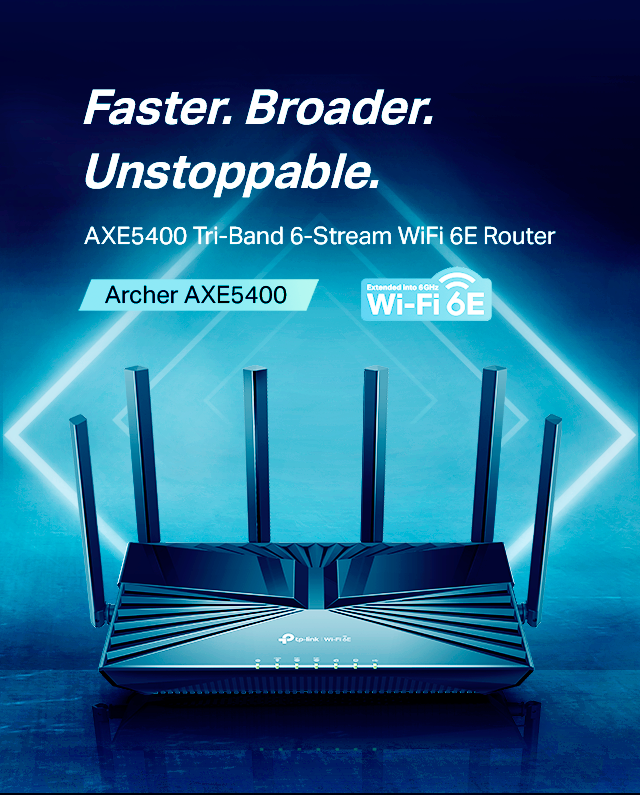
Best for: Wi-Fi 6E value and everyday multi-device homes
- Wi-Fi class
- AXE5400
- Bands
- Tri-band: 2.4, 5 and 6 GHz
- Fastest band
- 2402 Mbps
- Multi-gig port
- 1 × 2.5 Gbps WAN/LAN
- Adds a dedicated 6 GHz band.
- Offers a 2.5 Gbps WAN/LAN port.
- Supports OneMesh-compatible expansion.
- Does not offer Wi-Fi 7 or 10 Gbps ports.
Is the TP-Link Archer AXE75 AXE5400 Tri-Band Wi-Fi 6E Router worth buying on Black Friday 2026?
Yes. The TP-Link Archer AXE75 AXE5400 Tri-Band Wi-Fi 6E Router is a sensible Black Friday 2026 pick for homes seeking a 6 GHz band, tri-band capacity and a 2.5 Gbps port without needing Wi-Fi 7.
See today’s Black Friday price on Amazon
#2
TP-Link Archer BE800 BE19000 Tri-Band Wi-Fi 7 Router
The TP-Link Archer BE800 BE19000 Tri-Band Wi-Fi 7 Router is the best premium choice for large, device-heavy homes with multi-gig internet. The TP-Link Archer BE800 BE19000 Tri-Band Wi-Fi 7 Router's BE19000 class rating and 10 Gbps ports suit demanding wireless and wired setups.

Best for: Premium Wi-Fi 7 and multi-gig wired networks
- Wi-Fi class
- BE19000
- Bands
- Tri-band: 2.4, 5 and 6 GHz
- Maximum 6 GHz rate
- 11520 Mbps
- 10 Gbps ports
- 2
- Supports Wi-Fi 7 features, including Multi-Link Operation.
- Includes two 10 Gbps ports and four 2.5 Gbps ports.
- Provides ample capacity for many connected devices.
- Premium features are wasted on slower internet plans and older devices.
Is the TP-Link Archer BE800 BE19000 Tri-Band Wi-Fi 7 Router worth buying on Black Friday 2026?
Yes. The TP-Link Archer BE800 BE19000 Tri-Band Wi-Fi 7 Router is worth considering for a home ready for Wi-Fi 7, multi-gig internet and fast wired connections. The TP-Link Archer BE800 BE19000 Tri-Band Wi-Fi 7 Router's two 10 Gbps ports set it apart from the other picks here.
See today’s Black Friday price on Amazon
#3
TP-Link Archer BE550 BE9300 Tri-Band Wi-Fi 7 Router
The TP-Link Archer BE550 BE9300 Tri-Band Wi-Fi 7 Router is the best Wi-Fi 7 alternative for households that want newer wireless features and multiple multi-gig ports. The TP-Link Archer BE550 BE9300 Tri-Band Wi-Fi 7 Router's BE9300 class rating balances capability with a more restrained feature set than the BE800.

Best for: Wi-Fi 7 upgrades with several wired devices
- Wi-Fi class
- BE9300
- Bands
- Tri-band: 2.4, 5 and 6 GHz
- Maximum 6 GHz rate
- 5760 Mbps
- 2.5 Gbps ports
- 5
- Supports Wi-Fi 7 across three bands.
- Includes one 2.5 Gbps WAN and four 2.5 Gbps LAN ports.
- Offers more multi-gig wired connections than many midrange routers.
- Does not include the BE800’s 10 Gbps ports.
Is the TP-Link Archer BE550 BE9300 Tri-Band Wi-Fi 7 Router worth buying on Black Friday 2026?
Yes. The TP-Link Archer BE550 BE9300 Tri-Band Wi-Fi 7 Router is a strong choice for buyers who want Wi-Fi 7 and five 2.5 Gbps ports. Choose the BE800 instead when 10 Gbps connections or greater wireless capacity matter.
See today’s Black Friday price on Amazon
#4
TP-Link Archer BE900 BE24000 Quad-Band Wi-Fi 7 Router
The TP-Link Archer BE900 BE24000 Quad-Band Wi-Fi 7 Router is the best maximum-capacity pick for large homes with advanced networking needs. The TP-Link Archer BE900 BE24000 Quad-Band Wi-Fi 7 Router's BE24000 class rating and four wireless bands offer extensive headroom for busy households.
Best for: Large homes and high-capacity Wi-Fi 7 networks
- Wi-Fi class
- BE24000
- Bands
- Quad-band
- Maximum 6 GHz rate
- 11520 Mbps
- 10 Gbps ports
- 2
- Delivers quad-band Wi-Fi 7 capacity.
- Includes two 10 Gbps ports and multiple multi-gig connections.
- Has a built-in touchscreen for network information and controls.
- The TP-Link Archer BE900 BE24000 Quad-Band Wi-Fi 7 Router's high-end capacity is more than a typical small household needs.
Is the TP-Link Archer BE900 BE24000 Quad-Band Wi-Fi 7 Router worth buying on Black Friday 2026?
Yes, for a large or especially demanding network. The TP-Link Archer BE900 BE24000 Quad-Band Wi-Fi 7 Router pairs four wireless bands with two 10 Gbps ports, making its extra capacity useful when many high-performance devices share the network.
See today’s Black Friday price on Amazon
#5
TP-Link Archer AXE95 AXE7800 Tri-Band Wi-Fi 6E Router
The TP-Link Archer AXE95 AXE7800 Tri-Band Wi-Fi 6E Router is the best step-up Wi-Fi 6E option for homes that want more wireless capacity than the AXE75. The TP-Link Archer AXE95 AXE7800 Tri-Band Wi-Fi 6E Router's AXE7800 class rating gives compatible devices more combined advertised bandwidth.
Best for: A higher-capacity Wi-Fi 6E upgrade
- Wi-Fi class
- AXE7800
- Bands
- Tri-band: 2.4, 5 and 6 GHz
- Maximum 5 GHz rate
- 4804 Mbps
- Multi-gig port
- 1 × 2.5 Gbps
- Offers a 6 GHz band and tri-band operation.
- Provides a higher advertised class than the AXE75.
- Includes a 2.5 Gbps port for faster internet service.
- Wi-Fi 7 models offer newer wireless features.
Is the TP-Link Archer AXE95 AXE7800 Tri-Band Wi-Fi 6E Router worth buying on Black Friday 2026?
Yes. The TP-Link Archer AXE95 AXE7800 Tri-Band Wi-Fi 6E Router suits households that want a stronger Wi-Fi 6E tier and do not need Wi-Fi 7. Compare its features with the AXE75 before choosing between the two 6 GHz models.
See today’s Black Friday price on Amazon
#6
TP-Link Archer AX73 AX5400 Dual-Band Wi-Fi 6 Router
The TP-Link Archer AX73 AX5400 Dual-Band Wi-Fi 6 Router is the best straightforward pick for homes that do not need 6 GHz or Wi-Fi 7. The TP-Link Archer AX73 AX5400 Dual-Band Wi-Fi 6 Router's AX5400 class rating supports a capable dual-band setup for everyday streaming, browsing and gaming.
Best for: Everyday Wi-Fi 6 without a 6 GHz upgrade
- Wi-Fi class
- AX5400
- Bands
- Dual-band: 2.4 and 5 GHz
- Maximum 5 GHz rate
- 4804 Mbps
- Ethernet ports
- 1 WAN and 4 LAN, 1 Gbps
- Supports Wi-Fi 6 for compatible devices.
- Includes four gigabit LAN ports.
- Makes sense for households without multi-gig service.
- Does not include a 6 GHz band or multi-gig Ethernet.
Is the TP-Link Archer AX73 AX5400 Dual-Band Wi-Fi 6 Router worth buying on Black Friday 2026?
Yes. The TP-Link Archer AX73 AX5400 Dual-Band Wi-Fi 6 Router is a practical choice when a household needs reliable Wi-Fi 6 and gigabit wired ports, not Wi-Fi 7 or 6 GHz. Check that its port speeds match your internet plan.
See today’s Black Friday price on Amazon
#7
TP-Link Deco BE63 BE10000 Tri-Band Wi-Fi 7 Mesh System, 3-Pack
The TP-Link Deco BE63 BE10000 Tri-Band Wi-Fi 7 Mesh System, 3-Pack is the best fit for shoppers who need mesh coverage rather than one central router. The TP-Link Deco BE63 BE10000 Tri-Band Wi-Fi 7 Mesh System, 3-Pack's BE10000 class rating and three-unit configuration suit homes with multiple coverage zones.
Best for: Whole-home Wi-Fi 7 mesh coverage
- Wi-Fi class
- BE10000
- Bands
- Tri-band: 2.4, 5 and 6 GHz
- Pack size
- 3 units
- Ethernet ports
- 4 × 2.5 Gbps per unit
- Three units help extend coverage through larger homes.
- Supports Wi-Fi 7 and 6 GHz.
- Provides four 2.5 Gbps Ethernet ports per unit.
- A mesh setup takes more space and configuration than a single router.
Is the TP-Link Deco BE63 BE10000 Tri-Band Wi-Fi 7 Mesh System, 3-Pack worth buying on Black Friday 2026?
Yes, when coverage across several rooms or floors is the priority. The TP-Link Deco BE63 BE10000 Tri-Band Wi-Fi 7 Mesh System, 3-Pack provides three mesh units and 2.5 Gbps ports, unlike the single-router options in this guide.
See today’s Black Friday price on Amazon
Which is better, TP-Link Archer AXE75 or TP-Link Archer BE800?
TP-Link Archer BE800 offers Wi-Fi 7, higher advertised capacity, and two 10 Gbps ports. TP-Link Archer AXE75 provides Wi-Fi 6E and a 2.5 Gbps WAN/LAN port.
Choose TP-Link Archer AXE75 for 6 GHz without Wi-Fi 7 or 10 Gbps needs. Choose TP-Link Archer BE800 for compatible devices, fast internet, and multi-gig networking. Combined Wi-Fi class figures add the bands; individual devices do not connect at that total.
Is Wi-Fi 7 worth choosing over Wi-Fi 6E in 2026?
Wi-Fi 7 suits homes with compatible devices and demanding network use. Wi-Fi 6E remains a practical 6 GHz upgrade. TP-Link Archer BE800 and TP-Link Archer BE550 support Wi-Fi 7; TP-Link Archer AXE75 and TP-Link Archer AXE95 support Wi-Fi 6E.
Older devices connect to newer routers but retain their own Wi-Fi capabilities. For a Wi-Fi 6 household without plans to replace devices, TP-Link Archer AXE75 avoids paying for features the network cannot use.
How many Ethernet ports and what speed should a router have?
Match port count to wired devices and port speed to your internet service or local network. TP-Link Archer BE550 has four 2.5 Gbps LAN ports. TP-Link Archer BE800 includes multiple 2.5 Gbps ports and two 10 Gbps ports.
A 2.5 Gbps port serves compatible broadband or equipment; 10 Gbps suits faster connections, storage, and other high-speed devices. TP-Link Archer AX73 has gigabit Ethernet. Count connections before buying; a switch adds ports and equipment.
Should you buy one router or a mesh system?
Choose a single router when central placement covers the home. Mesh better suits layouts with dead zones caused by distance, floors, or walls. TP-Link Archer AXE75 and TP-Link Archer BE800 are single-router options; TP-Link Deco BE63 BE10000 Tri-Band Wi-Fi 7 Mesh System, 3-Pack includes three units.
Place the main router centrally and mesh nodes where they receive a strong signal. Compare your home layout and wired needs, not just advertised coverage or speed class.
What should shoppers compare for Black Friday 2026?
Compare exact model, Wi-Fi generation, bands, Ethernet ports, and included mesh units. TP-Link Archer AXE75 and TP-Link Archer BE800 serve different needs, so advertised speed alone is not enough.
Verify the hardware variant, accessories, warranty, and return terms. Match the router to your plan and devices: TP-Link Archer AX73 suits many gigabit households, while TP-Link Archer BE550, TP-Link Archer BE800, and TP-Link Archer BE900 offer multi-gig port options.
Buying Guide
Start with your internet plan
Check plan speeds and modem Ethernet output. Faster router ports do not increase a slower internet plan, though compatible local devices can benefit.
Check device compatibility
Wi-Fi 6E and Wi-Fi 7 features require compatible devices. Older devices connect using their own wireless capabilities.
Count wired connections
List devices needing Ethernet, then compare port speed and quantity. A 2.5 Gbps port does not provide extra LAN connections.
Choose the right coverage setup
Consider home size, layout, walls, and router placement. Choose one router for central coverage or mesh for several zones.
Compare the exact listing
For Black Friday 2026, verify the model, included units, ports, and support details. Similar model names can have different features.
FAQ
What is the main difference between TP-Link Archer AXE75 and TP-Link Archer BE800?
TP-Link Archer AXE75 is an AXE5400 tri-band Wi-Fi 6E router with a 2.5 Gbps port. TP-Link Archer BE800 is a BE19000 tri-band Wi-Fi 7 router with two 10 Gbps ports, making it the stronger fit for advanced wireless and wired networks.
Is TP-Link Archer AXE75 good for gaming?
TP-Link Archer AXE75 supports tri-band Wi-Fi 6E and includes a 2.5 Gbps port, making it suitable for gaming households with compatible devices and a matching internet plan. A wired Ethernet connection remains a good choice for a stationary gaming PC or console.
Does TP-Link Archer BE800 work with older Wi-Fi devices?
Yes. TP-Link Archer BE800 connects with older Wi-Fi clients as well as compatible Wi-Fi 7 devices. Older clients continue to use their supported wireless standards, so Wi-Fi 7 features require a compatible device and appropriate network conditions.
Is TP-Link Archer BE550 a better value than TP-Link Archer BE800?
TP-Link Archer BE550 is a better match for shoppers who want Wi-Fi 7 and several 2.5 Gbps LAN connections without needing 10 Gbps ports. TP-Link Archer BE800 is the stronger choice for households that need greater capacity and 10 Gbps wired connections.
Should I choose a router or mesh Wi-Fi for a large home?
Choose a mesh system when one router does not provide dependable coverage across the home. TP-Link Deco BE63 BE10000 Tri-Band Wi-Fi 7 Mesh System, 3-Pack supplies three coordinated units, while TP-Link Archer BE800 is a single-router option for a high-capacity central setup.
What should I look for in TP-Link router deals on Black Friday 2026?
Compare the exact TP-Link model, Wi-Fi generation, band count, Ethernet speeds, port quantity and included mesh units. Check the router against your internet plan and compatible devices so the features you select serve a clear need in your home.