

As an Amazon Associate we earn from qualifying purchases.
- Best overall: Logitech Combo Touch Keyboard Case for iPad Air 11-inch (M2 and M3)
- Best budget: ESR Rebound Magnetic Case for iPad (A16)
- Best premium: Apple Magic Keyboard for iPad Air 11-inch (M3)
- Best for adjustable viewing: ZUGU Case for iPad Air 11-inch (M3)
- A folio case is the practical pick for lighter carry and everyday screen protection; a keyboard case adds typing and trackpad features.
- Match the case name to your exact iPad model and generation before buying, even when display sizes look similar.
- Apple Smart Folio and ESR Rebound Magnetic Case are simple protection picks for iPad (A16).
- Apple Magic Keyboard and Logitech Combo Touch options suit shoppers who plan to type regularly.
- Black Friday 2026 is a good time to compare keyboard features, compatibility and seasonal pricing before choosing.
For Black Friday 2026, choosing between an iPad case and an iPad keyboard case comes down to 2 priorities: protection or productivity. A folio case covers the screen and back while keeping an iPad easy to carry. A keyboard case adds physical keys, and some models include a trackpad and adjustable stand.
I researched and compared specs, reviews and owner feedback to select cases for popular iPad models. My pick for most people is a simple folio unless regular typing is part of the plan. The recommendations below name the compatible iPad model, explain the trade-offs and give you practical features to compare during the Black Friday shopping period.
How We Picked
- Prioritized exact iPad model and generation compatibility over broad screen-size claims.
- Compared protection style, stand positions, keyboard layout and trackpad features.
- Reviewed product specifications, owner feedback and recurring comments about daily use.
- Included a range of folio, rugged and keyboard case designs for different needs.
- Favored clearly defined features that shoppers can compare during Black Friday 2026.
Comparison Table
| Product | Best for | Compatible iPad | Keyboard | Stand or function feature |
|---|---|---|---|---|
| Apple Smart Folio for iPad (A16) | Slim everyday protection | iPad (A16) | None | 2 viewing positions |
| ESR Rebound Magnetic Case for iPad (A16) | Everyday value | iPad (A16) | None | 2 stand positions |
| OtterBox Defender Series Case for iPad (A16) | Rugged everyday protection | iPad (A16) | None | 3-piece design |
| ZUGU Case for iPad Air 11-inch (M3) | Adjustable viewing | iPad Air 11-inch (M3) | None | 10 stand angles |
| Apple Magic Keyboard for iPad Air 11-inch (M3) | Premium typing | iPad Air 11-inch (M3) | Built-in | 14-key function row |
| Logitech Combo Touch Keyboard Case for iPad Air 11-inch (M2 and M3) | Flexible work and media | iPad Air 11-inch (M2 and M3) | Detachable | Kickstand and trackpad |
| Apple Magic Keyboard for iPad Pro 11-inch (M4) | iPad Pro productivity | iPad Pro 11-inch (M4) | Built-in | 14-key function row |
| Logitech Combo Touch Keyboard Case for iPad (10th generation) | Detachable typing on iPad (10th generation) | iPad (10th generation) | Detachable | Kickstand and trackpad |
Best Picks Reviewed
#1
Apple Smart Folio for iPad (A16)
The Apple Smart Folio for iPad (A16) is the best slim everyday case for people who want front-and-back coverage without a built-in keyboard, and its 2 viewing positions support simple hands-free use.

Best for: Slim everyday protection
- Compatible iPad
- iPad (A16)
- Screen class
- 11-inch
- Viewing positions
- 2
- Slim folio design is easy to carry.
- Cover folds into a stand.
- No keyboard battery or pairing to manage.
- Does not add a keyboard or trackpad.
- Not a rugged drop-protection design.
Is the Apple Smart Folio for iPad (A16) worth buying on Black Friday 2026?
The Apple Smart Folio for iPad (A16) is worth considering if you want a light cover with a simple stand. The Apple Smart Folio for iPad (A16)'s 2 viewing positions suit video and reading, while the keyboard-free design keeps the iPad compact for everyday carry.
See today’s Black Friday price on Amazon
#2
ESR Rebound Magnetic Case for iPad (A16)
The ESR Rebound Magnetic Case for iPad (A16) is the best value-style folio for people who want a cover and adjustable viewing, with 2 stand positions for common viewing and typing angles.
Best for: Everyday value
- Compatible iPad
- iPad (A16)
- Screen class
- 11-inch
- Stand positions
- 2
- Folio format protects the display when closed.
- Stand supports viewing and typing positions.
- Magnetic attachment keeps the design simple.
- No physical keyboard or trackpad.
- Compatibility should be checked against the exact iPad listing.
Is the ESR Rebound Magnetic Case for iPad (A16) a good folio case?
The ESR Rebound Magnetic Case for iPad (A16) is a good folio choice for shoppers who want everyday screen coverage and a built-in stand. The 2 stand positions suit basic media viewing and tabletop use without the bulk of keyboard hardware.
See today’s Black Friday price on Amazon
#3
OtterBox Defender Series Case for iPad (A16)
The OtterBox Defender Series Case for iPad (A16) is the best rugged-style pick for people who prioritize added coverage, with a 3-piece protective design built around more demanding daily use.
Best for: Rugged everyday protection
- Compatible iPad
- iPad (A16)
- Screen class
- 11-inch
- Case components
- 3-piece design
- More protective construction than a thin folio.
- Suited to busy family and travel use.
- Designed for the named iPad model.
- Bulkier than a slim folio.
- Does not include a typing keyboard.
Is the OtterBox Defender Series Case for iPad (A16) worth buying?
The OtterBox Defender Series Case for iPad (A16) is worth considering when protective coverage matters more than a slim profile. The OtterBox Defender Series Case for iPad (A16)'s 3-piece design prioritizes a more substantial barrier around the tablet, while its case-only format leaves typing to a separate accessory.
See today’s Black Friday price on Amazon
#4
ZUGU Case for iPad Air 11-inch (M3)
The ZUGU Case for iPad Air 11-inch (M3) is the best adjustable folio for people who switch between desk work and reading, with 10 stand angles for flexible positioning.
Best for: Adjustable viewing
- Compatible iPad
- iPad Air 11-inch (M3)
- Stand angles
- 10
- Case type
- Folio
- 10 positions give more flexibility than a basic foldable cover.
- Folio form protects the screen when closed.
- Useful for reading and video calls.
- No built-in keyboard or trackpad.
- Adds more structure than a minimalist cover.
Is the ZUGU Case for iPad Air 11-inch (M3) worth buying?
The ZUGU Case for iPad Air 11-inch (M3) is worth a look if adjustable viewing matters more than built-in typing. The ZUGU Case for iPad Air 11-inch (M3)'s 10 stand angles accommodate a wider range of desk and reading positions, and the folio format keeps the screen covered in a bag.
See today’s Black Friday price on Amazon
#5
Apple Magic Keyboard for iPad Air 11-inch (M3)
The Apple Magic Keyboard for iPad Air 11-inch (M3) is the best premium typing case for people who want a laptop-like setup, with a 14-key function row and built-in trackpad.
Best for: Premium typing
- Compatible iPad
- iPad Air 11-inch (M3)
- Function row
- 14 keys
- Trackpad
- Built in
- Trackpad supports cursor-based work.
- Function row provides quick controls.
- Keyboard case attaches magnetically.
- Higher-end keyboard design adds bulk.
- Not the right match for other iPad models.
Is the Apple Magic Keyboard for iPad Air 11-inch (M3) worth buying on Black Friday 2026?
The Apple Magic Keyboard for iPad Air 11-inch (M3) is worth considering for frequent typing and trackpad use. The Apple Magic Keyboard for iPad Air 11-inch (M3)'s 14-key function row adds quick controls, and the keyboard-and-case format turns the compatible iPad Air into a more work-focused setup.
See today’s Black Friday price on Amazon
#6 · Top pick
Logitech Combo Touch Keyboard Case for iPad Air 11-inch (M2 and M3)
The Logitech Combo Touch Keyboard Case for iPad Air 11-inch (M2 and M3) is the best flexible keyboard case for people who want a detachable keyboard, with a built-in trackpad and adjustable kickstand.
Best for: Flexible work and media
- Compatible iPad
- iPad Air 11-inch (M2 and M3)
- Keyboard
- Detachable
- Trackpad
- Built in
- Detachable keyboard supports tablet-only use.
- Trackpad adds cursor navigation.
- Kickstand supports hands-free viewing.
- Keyboard and stand create a larger carry setup.
- Check the specific iPad Air generation before ordering.
Is the Logitech Combo Touch Keyboard Case for iPad Air 11-inch (M2 and M3) worth buying?
The Logitech Combo Touch Keyboard Case for iPad Air 11-inch (M2 and M3) is worth considering for shoppers who want one case for typing and media. The Logitech Combo Touch Keyboard Case for iPad Air 11-inch (M2 and M3)'s detachable keyboard, trackpad and kickstand offer more layout flexibility than a fixed keyboard cover.
See today’s Black Friday price on Amazon
#7
Apple Magic Keyboard for iPad Pro 11-inch (M4)
The Apple Magic Keyboard for iPad Pro 11-inch (M4) is the best premium keyboard case for iPad Pro owners who type often, with a 14-key function row and built-in trackpad.
Best for: iPad Pro productivity
- Compatible iPad
- iPad Pro 11-inch (M4)
- Function row
- 14 keys
- Trackpad
- Built in
- Function row offers convenient controls.
- Trackpad supports pointer-based tasks.
- Keyboard design suits frequent writing.
- Designed for a specific iPad Pro generation.
- Less compact than a basic folio.
Is the Apple Magic Keyboard for iPad Pro 11-inch (M4) worth buying?
The Apple Magic Keyboard for iPad Pro 11-inch (M4) is worth a look for iPad Pro owners who plan to type regularly. The 14-key function row and built-in trackpad add laptop-style controls, while exact generation matching is essential before purchase.
See today’s Black Friday price on Amazon
#8
Logitech Combo Touch Keyboard Case for iPad (10th generation)
The Logitech Combo Touch Keyboard Case for iPad (10th generation) is the best detachable keyboard option for people using that iPad generation, with a kickstand, trackpad and removable keyboard.
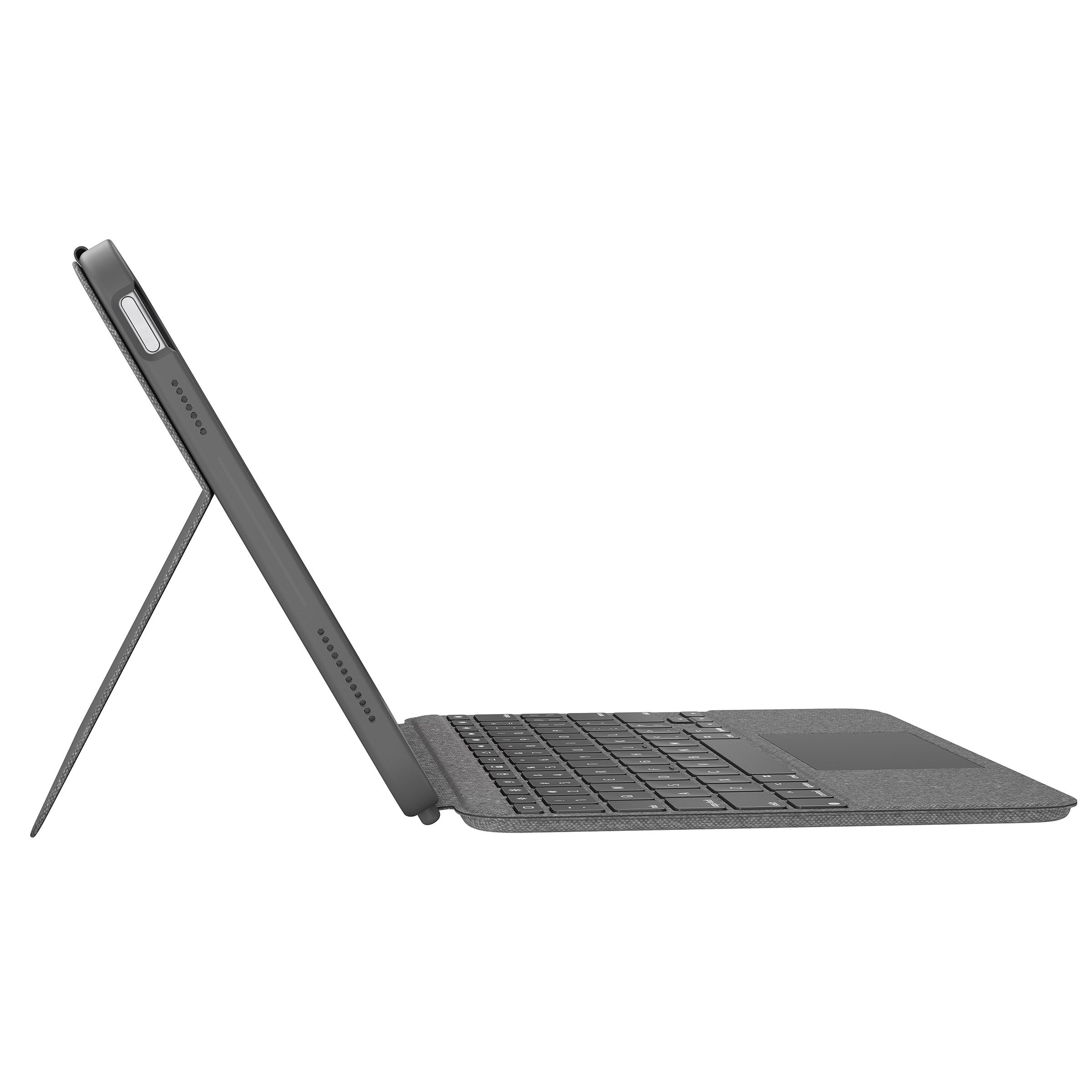
Best for: Detachable typing on iPad (10th generation)
- Compatible iPad
- iPad (10th generation)
- Keyboard
- Detachable
- Trackpad
- Built in
- Detachable keyboard supports tablet use.
- Trackpad aids document navigation.
- Kickstand offers hands-free positioning.
- Not a match for every iPad generation.
- Bulkier than a standard folio case.
Is the Logitech Combo Touch Keyboard Case for iPad (10th generation) worth buying?
The Logitech Combo Touch Keyboard Case for iPad (10th generation) is worth considering if that exact iPad is your tablet. The detachable keyboard, trackpad and kickstand serve typing and viewing needs, while the generation-specific fit calls for a careful model check.
See today’s Black Friday price on Amazon
Is an iPad case or iPad keyboard case better for most people?
A folio case suits reading, streaming and browsing. Choose a keyboard case for regular writing, schoolwork or messaging.
The Apple Smart Folio for iPad (A16) keeps the setup slim; the OtterBox Defender Series Case for iPad (A16) adds more substantial coverage. The Logitech Combo Touch Keyboard Case for iPad Air 11-inch (M2 and M3) has a detachable keyboard and trackpad. Apple Magic Keyboard models provide a fixed typing setup.
What is the difference between a folio case and a keyboard case?
A folio adds a cover and stand. A keyboard case adds physical keys and often a trackpad, making the iPad more suited to writing and cursor-based work.
The ZUGU Case for iPad Air 11-inch (M3) offers 10 stand angles; the Apple Smart Folio for iPad (A16) has 2 viewing positions. The Logitech Combo Touch Keyboard Case for iPad (10th generation) has a detachable keyboard and kickstand.
Which iPad case is best for travel and protection?
The OtterBox Defender Series Case for iPad (A16) prioritizes coverage, while the Apple Smart Folio for iPad (A16) keeps a travel setup slim. Folio covers protect the display in a bag and provide a stand without adding keyboard hardware.
For an iPad Air, the ZUGU Case for iPad Air 11-inch (M3) offers 10 viewing angles. Choose a keyboard case for travel when typing away from a desk is part of your routine.
Which iPad keyboard case is best for typing?
The Apple Magic Keyboard for iPad Air 11-inch (M3) and Apple Magic Keyboard for iPad Pro 11-inch (M4) include a trackpad and 14-key function row.
The Logitech Combo Touch Keyboard Case for iPad Air 11-inch (M2 and M3) has a detachable keyboard and adjustable kickstand for switching between typing and viewing. Check exact iPad compatibility before choosing: screen size alone does not guarantee a matching case, connector or camera cutout.
What should shoppers compare on Black Friday 2026?
Compare exact iPad compatibility, protection and typing features. Check the model and generation in device settings or on the original packaging, then look for useful features such as stand angles, a detachable keyboard, a trackpad or rugged construction.
The ESR Rebound Magnetic Case for iPad (A16) is a simple-cover option. For regular writing, compare the Logitech Combo Touch and Apple Magic Keyboard features, along with retailer return terms.
Buying Guide
Start with your exact iPad model
Match the case to the iPad model and generation, not only its screen size. Check the compatibility list; camera placement, buttons and attachment points vary.
Choose between protection and typing
A folio covers the screen and suits reading and travel. A keyboard case fits regular writing or trackpad use. Pick the main job before comparing features.
Compare stands and keyboard layouts
Check stand positions for desk or tray-table use. Keyboard features include detachable designs, trackpads and function rows. Apple Magic Keyboard models have 14 function keys; Logitech Combo Touch models have detachable keyboards.
Consider the carry size
A slim folio fits more easily into a small bag than a keyboard case with a stand and trackpad. Choose rugged construction or added hardware to match how the iPad travels.
Compare Black Friday listings
Check compatibility, included accessories, features and the retailer’s return policy. Confirm that the exact listing includes any keyboard, stand or protective cover you expect.
FAQ
Should I buy an iPad case or an iPad keyboard case for Black Friday 2026?
Buy a standard iPad case if screen coverage, lighter carry and everyday viewing are your priorities. Choose a keyboard case if you regularly type documents or use a trackpad. Match the product to your exact iPad generation before comparing Black Friday 2026 prices.
Does the Apple Smart Folio for iPad (A16) have a keyboard?
The Apple Smart Folio for iPad (A16) does not have a physical keyboard or trackpad. The folio provides a cover and 2 viewing positions for reading or video. Choose a keyboard case instead if regular typing is a core part of your iPad use.
Is a detachable keyboard case better than a fixed keyboard case?
A detachable keyboard case is better for people who switch between typing and tablet-only use. The Logitech Combo Touch Keyboard Case for iPad Air 11-inch (M2 and M3) has a removable keyboard and kickstand. A fixed design suits shoppers who keep the keyboard attached.
Will an iPad 10th-generation case fit iPad (A16)?
Do not assume an iPad 10th-generation case fits iPad (A16) based on screen size alone. Check the manufacturer’s compatibility list for both model names before buying. Camera and body details determine whether a case aligns correctly, even when two iPads appear similar.
Is the Apple Magic Keyboard worth buying for an iPad Air?
The Apple Magic Keyboard for iPad Air 11-inch (M3) is worth considering for frequent typing, trackpad use and quick controls. Its 14-key function row adds practical shortcuts. Occasional writers get better value from a folio case without keyboard hardware.