

As an Amazon Associate we earn from qualifying purchases.
- Best overall: Gigabyte M32U 31.5-inch 4K Gaming Monitor
- Best budget: AOC CU34G2X 34-inch WQHD Curved Gaming Monitor
- Best premium: ASUS ROG Strix XG32UQ 32-inch 4K Gaming Monitor
- Best for ultrawide gaming: AOC CU34G2X 34-inch WQHD Curved Gaming Monitor
- The Gigabyte M32U pairs a 31.5-inch 4K display with a 144Hz refresh rate for sharp, fast gaming.
- The AOC CU34G2X offers a 34-inch ultrawide curved screen and a 144Hz refresh rate for immersive play.
- Choose a 4K 32-inch monitor for sharper detail; choose the AOC CU34G2X for a wider field of view.
- Compare ports, stand adjustment and console support alongside Black Friday 2026 pricing.
The Gigabyte M32U and AOC CU34G2X are 144Hz gaming monitors built for different priorities: 4K sharpness or a 34-inch ultrawide view. For Black Friday 2026, the Gigabyte M32U suits players who want detailed 4K images, while the AOC CU34G2X gives compatible games more horizontal screen space. We researched and compared specs, reviews and owner feedback to identify where each display fits and which alternatives offer a better match.
My pick for most people who want a versatile 4K gaming display is the Gigabyte M32U, thanks to its 31.5-inch 4K panel and console-friendly features. The AOC CU34G2X is a stronger fit for PC gamers who prefer a curved ultrawide screen and support for 144Hz. The guide also compares five 4K alternatives, with clear choices for budget-conscious shoppers, premium features and different desk setups. Check the specifications and connectivity before choosing.
How We Picked
- Compared resolution, refresh rate, panel size and screen shape to show the practical differences between 4K and ultrawide displays.
- Reviewed manufacturer specifications, published reviews and owner feedback; no product is presented as personally compared.
- Considered gaming features such as adaptive sync, HDMI 2.1 support and high-refresh PC connectivity.
- Included alternatives across different design priorities, including flat and curved screens and a range of screen sizes.
- Focused Black Friday 2026 recommendations on use case and overall value rather than a temporary price.
Comparison Table
| Product | Best for | Screen size | Resolution | Refresh rate |
|---|---|---|---|---|
| Gigabyte M32U 31.5-inch 4K Gaming Monitor | 4K gaming across PC and console | 31.5 inches | 3840 × 2160 | 144Hz |
| AOC CU34G2X 34-inch WQHD Curved Gaming Monitor | Curved ultrawide PC gaming | 34 inches | 3440 × 1440 | 144Hz |
| Gigabyte M32UC 31.5-inch 4K Curved Gaming Monitor | Curved 4K gaming | 31.5 inches | 3840 × 2160 | 160Hz |
| LG UltraGear 32GR93U-B 31.5-inch 4K Gaming Monitor | Flat-screen 4K gaming | 31.5 inches | 3840 × 2160 | 144Hz |
| Dell G3223Q 32-inch 4K Gaming Monitor | Large flat 4K display | 32 inches | 3840 × 2160 | 144Hz |
| Acer Nitro XV322QK V 31.5-inch 4K Gaming Monitor | Flat 4K PC and console play | 31.5 inches | 3840 × 2160 | 144Hz |
| ASUS ROG Strix XG32UQ 32-inch 4K Gaming Monitor | Premium high-refresh 4K gaming | 32 inches | 3840 × 2160 | 160Hz |
Best Picks Reviewed
#1 · Top pick
Gigabyte M32U 31.5-inch 4K Gaming Monitor
The Gigabyte M32U 31.5-inch 4K Gaming Monitor is the best 4K all-rounder for PC and console players who want sharp detail and smooth motion. The Gigabyte M32U 31.5-inch 4K Gaming Monitor's 3840 × 2160 resolution runs at up to 144Hz.

Best for: 4K gaming across PC and console
- Screen size
- 31.5 inches
- Resolution
- 3840 × 2160
- Refresh rate
- 144Hz
- Panel type
- IPS
- Sharp 4K image on a roomy screen
- 144Hz refresh rate supports responsive play
- HDMI 2.1 supports current-generation consoles
- Requires a capable graphics card for high-frame-rate 4K gaming
Is the Gigabyte M32U 31.5-inch 4K Gaming Monitor worth buying on Black Friday 2026?
The Gigabyte M32U 31.5-inch 4K Gaming Monitor is worth considering for buyers who want 4K detail, 144Hz motion and console connectivity in one display. Check that your PC has enough graphics performance to make the most of its resolution.
See today’s Black Friday price on Amazon
#2
AOC CU34G2X 34-inch WQHD Curved Gaming Monitor
The AOC CU34G2X 34-inch WQHD Curved Gaming Monitor is the best ultrawide for PC gamers who value a wide, immersive view. The AOC CU34G2X 34-inch WQHD Curved Gaming Monitor's 3440 × 1440 resolution and 144Hz refresh rate suit compatible games and multitasking.
Best for: Curved ultrawide PC gaming
- Screen size
- 34 inches
- Resolution
- 3440 × 1440
- Refresh rate
- 144Hz
- Curvature
- 1500R
- Wide 21:9 viewing area
- Curved screen adds immersion
- 144Hz refresh rate
- Ultrawide format is not supported equally by every game or console
Is the AOC CU34G2X 34-inch WQHD Curved Gaming Monitor worth buying on Black Friday 2026?
The AOC CU34G2X 34-inch WQHD Curved Gaming Monitor is a good buy for PC players who want a curved 21:9 screen and 144Hz motion. Confirm that your games and graphics card support the ultrawide resolution before choosing it.
See today’s Black Friday price on Amazon
#3
Gigabyte M32UC 31.5-inch 4K Curved Gaming Monitor
The Gigabyte M32UC 31.5-inch 4K Curved Gaming Monitor is the best curved 4K alternative for players who want high resolution with a wraparound view. The Gigabyte M32UC 31.5-inch 4K Curved Gaming Monitor's 3840 × 2160 panel reaches a 160Hz refresh rate.
Best for: Curved 4K gaming
- Screen size
- 31.5 inches
- Resolution
- 3840 × 2160
- Refresh rate
- 160Hz
- Curvature
- 1500R
- 4K resolution with a curved panel
- Up to 160Hz refresh rate
- HDMI 2.1 connectivity
- A powerful PC is needed to drive 4K at high frame rates
Is the Gigabyte M32UC 31.5-inch 4K Curved Gaming Monitor worth buying on Black Friday 2026?
The Gigabyte M32UC 31.5-inch 4K Curved Gaming Monitor is worth a look for shoppers who want 4K resolution, a curved screen and a 160Hz maximum refresh rate. The Gigabyte M32UC 31.5-inch 4K Curved Gaming Monitor's shape and high resolution make desk space and graphics performance important considerations.
See today’s Black Friday price on Amazon
#4
LG UltraGear 32GR93U-B 31.5-inch 4K Gaming Monitor
The LG UltraGear 32GR93U-B 31.5-inch 4K Gaming Monitor is the best straightforward 4K option for players who want a flat IPS screen. The LG UltraGear 32GR93U-B 31.5-inch 4K Gaming Monitor's 3840 × 2160 resolution and 144Hz refresh rate target sharp, fluid gaming.
Best for: Flat-screen 4K gaming
- Screen size
- 31.5 inches
- Resolution
- 3840 × 2160
- Refresh rate
- 144Hz
- Panel type
- IPS
- Flat 4K IPS panel
- 144Hz refresh rate
- HDMI 2.1 connectivity
- Does not offer an ultrawide field of view
Is the LG UltraGear 32GR93U-B 31.5-inch 4K Gaming Monitor worth buying on Black Friday 2026?
The LG UltraGear 32GR93U-B 31.5-inch 4K Gaming Monitor is a solid choice for buyers who prefer a flat 4K IPS display with 144Hz motion. Compare its inputs and stand adjustments with your setup before deciding.
See today’s Black Friday price on Amazon
#5
Dell G3223Q 32-inch 4K Gaming Monitor
The Dell G3223Q 32-inch 4K Gaming Monitor is the best 4K choice for players seeking a large flat screen and a 144Hz refresh rate. The Dell G3223Q 32-inch 4K Gaming Monitor's 3840 × 2160 resolution makes fine image detail a priority.
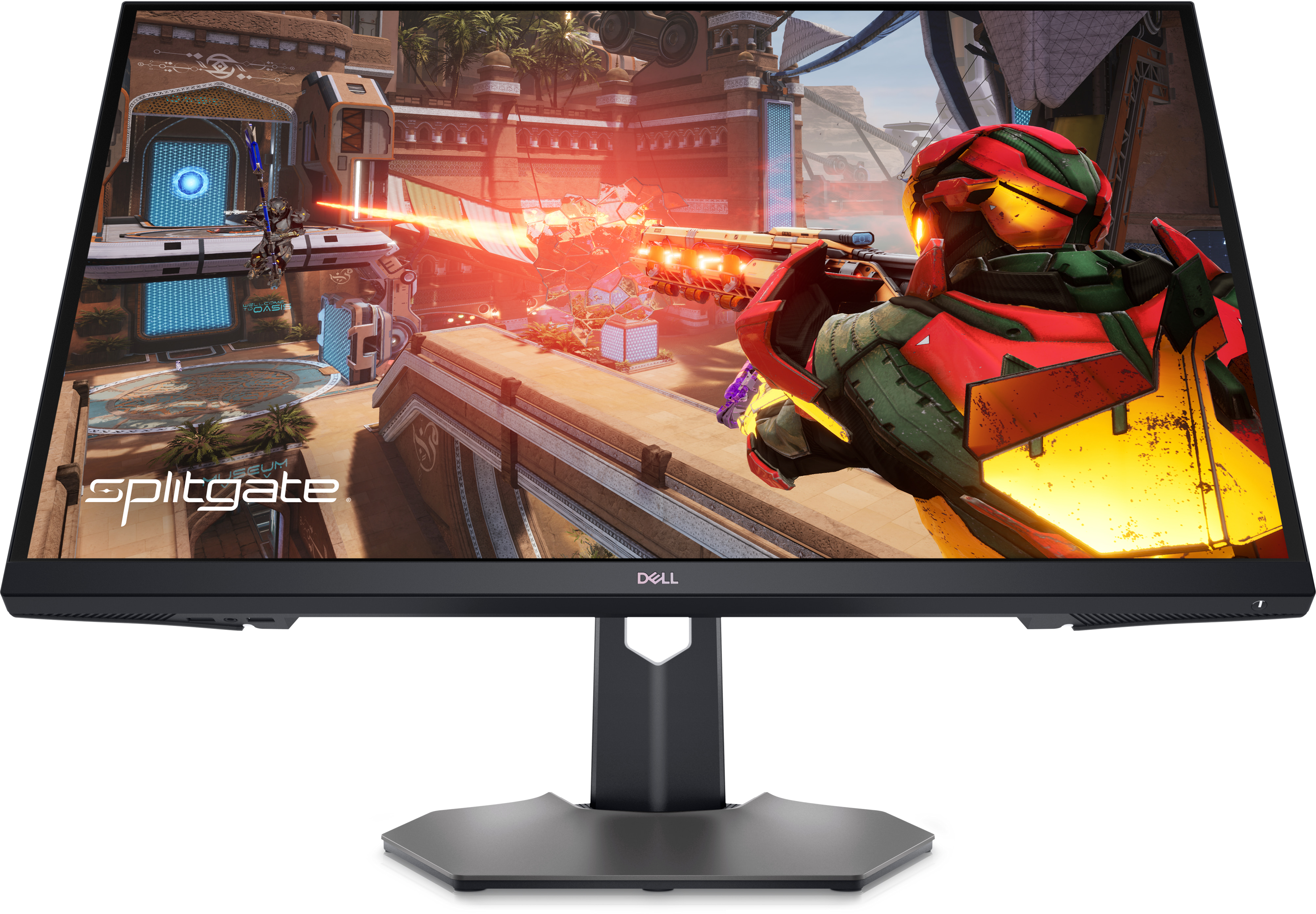
Best for: Large flat 4K display
- Screen size
- 32 inches
- Resolution
- 3840 × 2160
- Refresh rate
- 144Hz
- Panel type
- IPS
- Large 4K IPS display
- 144Hz refresh rate
- HDMI 2.1 support
- Flat screen lacks the curved feel of some gaming alternatives
Is the Dell G3223Q 32-inch 4K Gaming Monitor worth buying on Black Friday 2026?
The Dell G3223Q 32-inch 4K Gaming Monitor is worth considering for players who want a 32-inch 4K screen with a 144Hz refresh rate. The Dell G3223Q 32-inch 4K Gaming Monitor is a practical match for gaming and general desktop use when a flat display is preferred.
See today’s Black Friday price on Amazon
#6
Acer Nitro XV322QK V 31.5-inch 4K Gaming Monitor
The Acer Nitro XV322QK V 31.5-inch 4K Gaming Monitor is the best alternative for shoppers comparing flat 4K screens with fast refresh rates. The Acer Nitro XV322QK V 31.5-inch 4K Gaming Monitor's 3840 × 2160 resolution pairs with a 144Hz refresh rate.
Best for: Flat 4K PC and console play
- Screen size
- 31.5 inches
- Resolution
- 3840 × 2160
- Refresh rate
- 144Hz
- Panel type
- IPS
- 4K resolution with 144Hz motion
- Flat IPS screen
- HDMI 2.1 connectivity
- Not as wide as a 21:9 ultrawide monitor
Is the Acer Nitro XV322QK V 31.5-inch 4K Gaming Monitor worth buying on Black Friday 2026?
The Acer Nitro XV322QK V 31.5-inch 4K Gaming Monitor is a good fit for shoppers seeking a flat 4K screen with 144Hz refresh. Review the port layout and ergonomic adjustments to ensure they suit your desk and devices.
See today’s Black Friday price on Amazon
#7
ASUS ROG Strix XG32UQ 32-inch 4K Gaming Monitor
The ASUS ROG Strix XG32UQ 32-inch 4K Gaming Monitor is the best premium pick for players who want a high-refresh 4K screen. The ASUS ROG Strix XG32UQ 32-inch 4K Gaming Monitor's 3840 × 2160 resolution supports a maximum refresh rate of 160Hz.
Best for: Premium high-refresh 4K gaming
- Screen size
- 32 inches
- Resolution
- 3840 × 2160
- Refresh rate
- 160Hz
- Panel type
- IPS
- 4K resolution and 160Hz maximum refresh
- HDMI 2.1 support
- Fast IPS panel
- High-refresh 4K needs capable hardware
Is the ASUS ROG Strix XG32UQ 32-inch 4K Gaming Monitor worth buying on Black Friday 2026?
The ASUS ROG Strix XG32UQ 32-inch 4K Gaming Monitor is worth considering for buyers who want a 160Hz maximum refresh rate alongside 4K detail. A capable graphics card helps make the most of its fast panel.
See today’s Black Friday price on Amazon
Gigabyte M32U vs AOC CU34G2X: which monitor is better?
The Gigabyte M32U 31.5-inch 4K Gaming Monitor is better for sharp 4K detail, while the AOC CU34G2X 34-inch WQHD Curved Gaming Monitor is better for a wide 21:9 view. Both monitors reach 144Hz, but screen shape and resolution define the choice.
The Gigabyte M32U displays 3840 × 2160 pixels, a strong fit for games, video and console play on a conventional 16:9 screen. The AOC CU34G2X uses 3440 × 1440 resolution and a 1500R curve, spreading the desktop across a broader field of view. The AOC format is especially appealing for compatible PC games and side-by-side windows. Console owners should check ultrawide support before choosing it. Pick the Gigabyte M32U for pixel detail and broader device flexibility; choose the AOC CU34G2X for immersion and screen width.
Is 4K or ultrawide better for gaming?
A 4K monitor such as the Gigabyte M32U 31.5-inch 4K Gaming Monitor offers 3840 × 2160 pixels, while the AOC CU34G2X 34-inch WQHD Curved Gaming Monitor offers a wider 3440 × 1440 canvas. The better format depends on games, hardware and how the screen is used.
4K gives fine details and a familiar 16:9 shape for PC and console gaming, but high frame rates at native resolution call for a strong graphics card. Ultrawide monitors add horizontal space for supported games, creative timelines and multiple windows. Game support varies, and some console output does not fill an ultrawide panel. For mixed entertainment and work, 4K is the simpler all-round choice. For a PC setup focused on immersion and breadth, 21:9 is the standout advantage.
Which monitor is better for PS5 and Xbox Series X?
The Gigabyte M32U 31.5-inch 4K Gaming Monitor is the more natural fit for PS5 and Xbox Series X because its 16:9 4K panel and HDMI 2.1 connections suit current-generation console output. The AOC CU34G2X 34-inch WQHD Curved Gaming Monitor is designed around a PC-style ultrawide format.
Console buyers should prioritize resolution, HDMI features, refresh-rate support and any model-specific compatibility details. A 4K screen preserves the standard console aspect ratio, while an ultrawide screen can show black bars or use a narrower image depending on the game and console. The Gigabyte M32U also works well as a general desktop monitor between gaming sessions. The AOC CU34G2X makes more sense when a PC is the main gaming device and ultrawide game support is part of the plan.
Which 4K alternative should you compare with the Gigabyte M32U?
The Gigabyte M32UC 31.5-inch 4K Curved Gaming Monitor and ASUS ROG Strix XG32UQ 32-inch 4K Gaming Monitor both add a 160Hz maximum refresh rate to the 4K comparison. The LG UltraGear 32GR93U-B, Dell G3223Q and Acer Nitro XV322QK V offer flat 4K options with 144Hz refresh rates.
Choose the Gigabyte M32UC when a curved 4K screen is the priority; choose the ASUS ROG Strix XG32UQ when a premium high-refresh specification leads the shortlist. The LG, Dell and Acer are sensible alternatives for shoppers who prefer a flat IPS display. Compare ergonomic adjustment, connections, warranty terms and verified Black Friday 2026 pricing before choosing. A higher refresh ceiling is only useful when the graphics system and selected games produce enough frames to use it.
What should you check before buying a gaming monitor on Black Friday 2026?
A gaming monitor purchase for Black Friday 2026 should match your computer or console, available desk space and preferred image format. The Gigabyte M32U offers 31.5-inch 4K at 144Hz, while the AOC CU34G2X offers 34-inch ultrawide resolution at 144Hz.
Start with the device: verify its video outputs and the resolution and refresh rate it supports. Next, measure desk width and depth, including room for the stand and viewing distance. Check whether the monitor has the ports you need, the height and tilt adjustments you prefer, and adaptive-sync support that matches your graphics hardware. Read the exact model and variant on the listing, since closely named products can have different specifications. Compare the final offer against your shortlist, not just a headline feature.
Buying Guide
Choose resolution to match your system
A 4K monitor such as the Gigabyte M32U 31.5-inch 4K Gaming Monitor delivers 3840 × 2160 detail. High-refresh 4K gaming needs a capable graphics card. The AOC CU34G2X 34-inch WQHD Curved Gaming Monitor has a lower vertical resolution and wider format.
Decide between flat, curved and ultrawide
The AOC CU34G2X 34-inch WQHD Curved Gaming Monitor is curved and ultrawide. The Gigabyte M32U 31.5-inch 4K Gaming Monitor is a flat 16:9 choice. Measure your desk and check game support before selecting a wider panel.
Check refresh rate and graphics performance
The 144Hz Gigabyte M32U and AOC CU34G2X both target smooth gaming. The 160Hz ASUS ROG Strix XG32UQ and Gigabyte M32UC offer higher ceilings. Match the refresh rate to the frame rates your system can deliver.
Confirm the ports fit your devices
Check HDMI and DisplayPort requirements for your computer and console before buying. The Gigabyte M32U, Dell G3223Q and LG UltraGear 32GR93U-B include HDMI 2.1 support. Verify the precise port list for the exact model listing.
Compare Black Friday 2026 listings carefully
Compare the exact model, included accessories, return policy and warranty terms across listings. Read the specifications rather than relying on product photos or similar model names, and choose based on features that matter to your setup.
FAQ
Is the Gigabyte M32U better than the AOC CU34G2X?
The Gigabyte M32U is better for 4K detail, 16:9 console compatibility and a broad mix of uses. The AOC CU34G2X is better for a curved ultrawide PC setup. Both offer a 144Hz refresh rate, so resolution and screen format are the key differences.
Is the AOC CU34G2X good for console gaming?
The AOC CU34G2X can connect to consoles, but its 3440 × 1440 ultrawide format is primarily suited to PC gaming. Console games do not all support 21:9 output. Check your console’s display options and the monitor’s input specifications before purchase.
Is the Gigabyte M32U good for PS5?
The Gigabyte M32U is a strong PS5 match because it has a 16:9 4K panel, HDMI 2.1 connectivity and a 144Hz maximum refresh rate. Console features are limited by the output supported by the PS5 and each individual game.
What is the difference between the Gigabyte M32U and Gigabyte M32UC?
The Gigabyte M32U has a flat 31.5-inch 4K screen with a 144Hz refresh rate. The Gigabyte M32UC has a curved 31.5-inch 4K panel with a 160Hz maximum refresh rate. Choose based on screen shape, refresh needs and the exact connectivity you require.
Is a 34-inch ultrawide monitor better than a 32-inch 4K monitor?
A 34-inch ultrawide monitor gives more horizontal screen space, while a 32-inch 4K monitor provides more total pixels and a standard 16:9 format. The AOC CU34G2X suits compatible PC games and multitasking; the Gigabyte M32U better suits 4K detail and console use.
What should I look for in a gaming monitor on Black Friday 2026?
Compare resolution, refresh rate, panel size, screen shape, inputs, adaptive-sync support and stand adjustment. Confirm compatibility with your PC or console and verify the exact model number. A good Black Friday 2026 choice is one that fits your setup, not simply the monitor with the largest headline specification.