

As an Amazon Associate we earn from qualifying purchases.
- Best overall: Dell UltraSharp U2723QE 27-inch 4K USB-C Hub Monitor
- Best budget: Dell UltraSharp U2724D 27-inch QHD USB-C Hub Monitor
- Best premium: Dell UltraSharp U4025QW 40-inch 5K2K Thunderbolt Hub Monitor
- Best for laptop docking: Dell UltraSharp U2724DE 27-inch QHD Thunderbolt Hub Monitor
- Dell UltraSharp U2723QE 27-inch 4K USB-C Hub Monitor is the practical 4K pick for a standard desk and mixed work.
- Dell UltraSharp U4025QW 40-inch 5K2K Thunderbolt Hub Monitor offers a much larger, sharper workspace and a 120Hz refresh rate.
- Dell UltraSharp U2724DE 27-inch QHD Thunderbolt Hub Monitor suits laptop users who value a 120Hz panel and Thunderbolt connectivity.
- Choose screen size and resolution first, then compare refresh rate, laptop charging and ports.
- Black Friday 2026 shoppers should match the monitor to their desk, devices and daily workload before choosing a model.
Dell UltraSharp U2723QE 27-inch 4K USB-C Hub Monitor and Dell UltraSharp U4025QW 40-inch 5K2K Thunderbolt Hub Monitor are built for different desks: one offers a focused 4K workspace, while the other spreads work across a much larger 5K2K display. For Black Friday 2026, the right choice depends on whether you value compact 4K clarity or an expansive canvas with a faster refresh rate.
We researched and compared specs, reviews and owner feedback across seven Dell UltraSharp models, from compact Full HD screens to a 40-inch ultrawide. My pick for most people is the Dell UltraSharp U2723QE for its balanced size, 4K resolution and useful USB-C hub. Choose the Dell UltraSharp U4025QW when large-screen multitasking is the priority. The guide below breaks down the key differences, ideal users and specifications so you can compare models quickly.
How We Picked
- Compared resolution and screen size to identify options for compact desks, standard workspaces and ultrawide setups.
- Reviewed refresh rate and panel specifications to distinguish everyday office screens from smoother, higher-refresh choices.
- Checked connectivity, including USB-C, Thunderbolt and laptop power delivery, for desk setups with fewer cables.
- Considered owner feedback and intended workloads such as spreadsheets, creative projects, video calls and multitasking.
- Prioritized clear differences between models so Black Friday 2026 shoppers can choose by needs rather than model number alone.
Comparison Table
| Product | Best for | Resolution | Refresh rate | USB-C or Thunderbolt power delivery |
|---|---|---|---|---|
| Dell UltraSharp U2723QE 27-inch 4K USB-C Hub Monitor | Balanced 4K productivity | 3840 x 2160 | 60Hz | USB-C, up to 90W |
| Dell UltraSharp U4025QW 40-inch 5K2K Thunderbolt Hub Monitor | Premium ultrawide multitasking | 5120 x 2160 | 120Hz | Thunderbolt, up to 140W |
| Dell UltraSharp U3223QE 32-inch 4K USB-C Hub Monitor | Large standard-format 4K | 3840 x 2160 | 60Hz | USB-C, up to 90W |
| Dell UltraSharp U2724D 27-inch QHD USB-C Hub Monitor | QHD office productivity | 2560 x 1440 | 120Hz | USB-C hub |
| Dell UltraSharp U2724DE 27-inch QHD Thunderbolt Hub Monitor | Compact laptop docking | 2560 x 1440 | 120Hz | Thunderbolt, up to 90W |
| Dell UltraSharp U3425WE 34-inch WQHD Thunderbolt Hub Monitor | Mid-size ultrawide work | 3440 x 1440 | 120Hz | Thunderbolt, up to 90W |
| Dell UltraSharp U3824DW 38-inch WQHD+ USB-C Hub Monitor | Wide office workspace | 3840 x 1600 | 60Hz | USB-C, up to 90W |
Best Picks Reviewed
#1 · Top pick
Dell UltraSharp U2723QE 27-inch 4K USB-C Hub Monitor
The Dell UltraSharp U2723QE 27-inch 4K USB-C Hub Monitor is the best balanced 4K monitor for office workers and creators who want a manageable 27-inch display, with 3840 x 2160 resolution and an integrated USB-C hub.
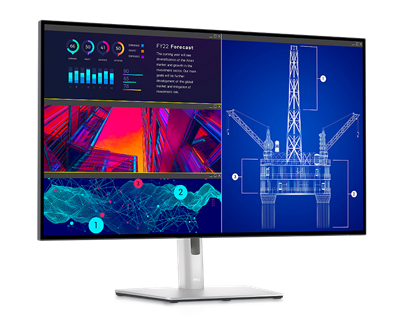
Best for: Everyday 4K productivity and compact desks
- Screen size
- 27 inches
- Resolution
- 3840 x 2160
- Refresh rate
- 60Hz
- USB-C power delivery
- Up to 90W
- Sharp 4K resolution on a desk-friendly screen
- USB-C hub helps consolidate laptop connections
- IPS Black panel technology
- 60Hz refresh rate is less suited to high-refresh gaming
Is the Dell UltraSharp U2723QE 27-inch 4K USB-C Hub Monitor worth buying on Black Friday 2026?
The Dell UltraSharp U2723QE 27-inch 4K USB-C Hub Monitor is worth considering for focused 4K work, especially when a 27-inch screen fits your desk. The Dell UltraSharp U2723QE 27-inch 4K USB-C Hub Monitor's 60Hz refresh rate and USB-C hub favor productivity over high-refresh gaming.
See today’s Black Friday price on Amazon
#2
Dell UltraSharp U4025QW 40-inch 5K2K Thunderbolt Hub Monitor
The Dell UltraSharp U4025QW 40-inch 5K2K Thunderbolt Hub Monitor is the best premium ultrawide for users who need room for several windows, with a 5120 x 2160 resolution and a 120Hz refresh rate.

Best for: Large-screen multitasking and premium desks
- Screen size
- 40 inches
- Resolution
- 5120 x 2160
- Refresh rate
- 120Hz
- Thunderbolt power delivery
- Up to 140W
- Wide 5K2K workspace accommodates multiple windows
- 120Hz refresh rate makes motion smoother
- Thunderbolt hub supports a streamlined desk
- Large footprint calls for a spacious desk
Is the Dell UltraSharp U4025QW 40-inch 5K2K Thunderbolt Hub Monitor worth buying on Black Friday 2026?
The Dell UltraSharp U4025QW 40-inch 5K2K Thunderbolt Hub Monitor is a strong premium choice for users who need a broad, detailed workspace. The Dell UltraSharp U4025QW 40-inch 5K2K Thunderbolt Hub Monitor's 40-inch 5K2K panel and 120Hz refresh rate suit demanding multitasking, but require generous desk space.
See today’s Black Friday price on Amazon
#3
Dell UltraSharp U3223QE 32-inch 4K USB-C Hub Monitor
The Dell UltraSharp U3223QE 32-inch 4K USB-C Hub Monitor is the best larger standard-format 4K option for spreadsheet users and creators, with 3840 x 2160 resolution across a 31.5-inch panel.

Best for: A roomy 4K screen without an ultrawide layout
- Screen size
- 31.5 inches
- Resolution
- 3840 x 2160
- Refresh rate
- 60Hz
- USB-C power delivery
- Up to 90W
- Large 4K panel gives documents room to breathe
- USB-C hub supports laptop-focused setups
- IPS Black panel technology
- Needs more desk space than a 27-inch monitor
Is the Dell UltraSharp U3223QE 32-inch 4K USB-C Hub Monitor worth buying on Black Friday 2026?
The Dell UltraSharp U3223QE 32-inch 4K USB-C Hub Monitor is a sensible choice for productivity users who want a larger 4K image without switching to an ultrawide aspect ratio. The Dell UltraSharp U3223QE 32-inch 4K USB-C Hub Monitor's 60Hz panel is intended for work rather than fast-motion gaming.
See today’s Black Friday price on Amazon
#4
Dell UltraSharp U2724D 27-inch QHD USB-C Hub Monitor
The Dell UltraSharp U2724D 27-inch QHD USB-C Hub Monitor is the best value-oriented UltraSharp for everyday work, with a 2560 x 1440 resolution and a 120Hz refresh rate.
Best for: Smooth everyday productivity at QHD
- Screen size
- 27 inches
- Resolution
- 2560 x 1440
- Refresh rate
- 120Hz
- Panel contrast
- 1500:1
- 120Hz refresh rate supports smoother scrolling
- QHD resolution is a practical fit for office work
- IPS Black technology improves contrast
- Not as detailed as a 4K UltraSharp model
Is the Dell UltraSharp U2724D 27-inch QHD USB-C Hub Monitor worth buying on Black Friday 2026?
The Dell UltraSharp U2724D 27-inch QHD USB-C Hub Monitor is worth a close look for office users who prioritize a smooth 120Hz experience over 4K detail. The Dell UltraSharp U2724D 27-inch QHD USB-C Hub Monitor's 27-inch QHD panel offers a straightforward fit for everyday work and smaller desks.
See today’s Black Friday price on Amazon
#5
Dell UltraSharp U2724DE 27-inch QHD Thunderbolt Hub Monitor
The Dell UltraSharp U2724DE 27-inch QHD Thunderbolt Hub Monitor is the best compact Thunderbolt choice for laptop owners who want fewer desk cables, with a 120Hz refresh rate and a 2560 x 1440 panel.
Best for: Laptop docking and compact workstations
- Screen size
- 27 inches
- Resolution
- 2560 x 1440
- Refresh rate
- 120Hz
- Thunderbolt power delivery
- Up to 90W
- Thunderbolt connectivity suits laptop-centered setups
- 120Hz refresh rate keeps desktop motion smooth
- QHD resolution works well for common office tasks
- QHD offers less pixel detail than 4K
Is the Dell UltraSharp U2724DE 27-inch QHD Thunderbolt Hub Monitor worth buying on Black Friday 2026?
The Dell UltraSharp U2724DE 27-inch QHD Thunderbolt Hub Monitor is a good match for laptop users who want a compact dock-like display. The Dell UltraSharp U2724DE 27-inch QHD Thunderbolt Hub Monitor's 120Hz QHD panel and Thunderbolt connectivity emphasize smooth productivity and a tidy desk.
See today’s Black Friday price on Amazon
#6
Dell UltraSharp U3425WE 34-inch WQHD Thunderbolt Hub Monitor
The Dell UltraSharp U3425WE 34-inch WQHD Thunderbolt Hub Monitor is the best mid-size ultrawide for work and split-screen tasks, with a 3440 x 1440 resolution and a 120Hz refresh rate.
Best for: Ultrawide productivity without a 40-inch screen
- Screen size
- 34 inches
- Resolution
- 3440 x 1440
- Refresh rate
- 120Hz
- Thunderbolt power delivery
- Up to 90W
- Ultrawide layout places multiple apps side by side
- 120Hz refresh rate adds fluid motion
- Thunderbolt hub supports laptop connections
- WQHD is less vertically detailed than 4K
Is the Dell UltraSharp U3425WE 34-inch WQHD Thunderbolt Hub Monitor worth buying on Black Friday 2026?
The Dell UltraSharp U3425WE 34-inch WQHD Thunderbolt Hub Monitor is a strong fit for users who want an ultrawide workspace without moving to a 40-inch display. The Dell UltraSharp U3425WE 34-inch WQHD Thunderbolt Hub Monitor's 120Hz panel and Thunderbolt hub balance multitasking with convenient laptop connectivity.
See today’s Black Friday price on Amazon
#7
Dell UltraSharp U3824DW 38-inch WQHD+ USB-C Hub Monitor
The Dell UltraSharp U3824DW 38-inch WQHD+ USB-C Hub Monitor is the best wide-screen productivity pick for users who want extra workspace and a gentle curve, with a 3840 x 1600 resolution.
Best for: Wide spreadsheets and multi-window office work
- Screen size
- 37.5 inches
- Resolution
- 3840 x 1600
- Refresh rate
- 60Hz
- USB-C power delivery
- Up to 90W
- Wide canvas supports several open work windows
- Curved screen suits broad desktop layouts
- USB-C hub helps connect a laptop and accessories
- 60Hz refresh rate is less fluid than newer 120Hz options
Is the Dell UltraSharp U3824DW 38-inch WQHD+ USB-C Hub Monitor worth buying on Black Friday 2026?
The Dell UltraSharp U3824DW 38-inch WQHD+ USB-C Hub Monitor is a worthwhile option for office users who want a wide curved workspace for documents and multiple apps. The Dell UltraSharp U3824DW 38-inch WQHD+ USB-C Hub Monitor's 3840 x 1600 resolution adds room horizontally, while the 60Hz rate favors productivity.
See today’s Black Friday price on Amazon
Which is better, Dell UltraSharp U2723QE or Dell UltraSharp U4025QW?
Dell UltraSharp U2723QE 27-inch 4K USB-C Hub Monitor suits a conventional desk, with 3840 x 2160 resolution and USB-C connectivity. Dell UltraSharp U4025QW 40-inch 5K2K Thunderbolt Hub Monitor offers a wider 5120 x 2160 workspace and a 120Hz refresh rate.
Choose the 27-inch model for focused work and a smaller footprint. Choose the 40-inch model for spreadsheets, timelines and multiple windows. Check desk space and viewing distance before deciding.
Is a 27-inch 4K monitor better than a 40-inch 5K2K monitor?
Dell UltraSharp U2723QE 27-inch 4K USB-C Hub Monitor has higher pixel density; Dell UltraSharp U4025QW 40-inch 5K2K Thunderbolt Hub Monitor offers more workspace. The 27-inch screen fits compact desks, while the 40-inch ultrawide needs more width and viewing distance. Check display scaling to keep interface elements comfortable to read.
Which Dell UltraSharp monitor is best for laptop docking?
Dell UltraSharp U2724DE 27-inch QHD Thunderbolt Hub Monitor provides Thunderbolt connectivity and up to 90W power delivery. Dell UltraSharp U4025QW 40-inch 5K2K Thunderbolt Hub Monitor delivers up to 140W for compatible systems.
Confirm your laptop supports charging, display output and data over its selected port. Compare power delivery with your laptop’s charging needs, and check that the monitor has the ports your accessories require. USB-C alternatives include Dell UltraSharp U2723QE 27-inch 4K USB-C Hub Monitor and Dell UltraSharp U3223QE 32-inch 4K USB-C Hub Monitor.
Which Dell UltraSharp monitor is best for a Black Friday 2026 home office?
Dell UltraSharp U2723QE 27-inch 4K USB-C Hub Monitor combines 4K detail and USB-C in a standard 27-inch size. Dell UltraSharp U2724D 27-inch QHD USB-C Hub Monitor offers 120Hz for smoother scrolling. Choose based on your work, desk space, laptop ports and preferred resolution.
Should you choose a Dell UltraSharp ultrawide?
Dell UltraSharp U3425WE 34-inch WQHD Thunderbolt Hub Monitor balances screen space and desk size. Dell UltraSharp U4025QW 40-inch 5K2K Thunderbolt Hub Monitor provides a larger, higher-resolution canvas, while Dell UltraSharp U3824DW 38-inch WQHD+ USB-C Hub Monitor offers 3840 x 1600 resolution at 60Hz.
Ultrawides suit timelines, spreadsheets and parallel research. Check desk width, viewing distance, and computer support for the monitor’s resolution and refresh rate.
Buying Guide
Choose screen size and resolution
Select 27-inch 4K for sharp detail in a compact footprint, or a larger screen for more workspace. Measure desk width and depth before choosing an ultrawide.
Match refresh rate to your work
A 60Hz display suits general office work. A 120Hz panel provides smoother scrolling and motion. Check that your computer supports the selected resolution and refresh rate.
Check laptop charging and ports
Compare USB-C or Thunderbolt power delivery with your laptop’s charging needs. Confirm the monitor supports your storage, networking and accessory connections.
Compare your daily workflow
Choose an ultrawide for multiple windows, timelines and wide spreadsheets. A standard 16:9 screen suits conventional layouts and smaller desks. Consider stand adjustment and viewing distance.
Set a Black Friday 2026 priority list
List your required size, resolution, refresh rate, charging and ports. Verify the exact model number because Dell UltraSharp models have different features.
FAQ
Dell UltraSharp U2723QE vs Dell UltraSharp U4025QW: which should I buy?
Dell UltraSharp U2723QE 27-inch 4K USB-C Hub Monitor suits a compact standard desk and focused 4K work. Dell UltraSharp U4025QW 40-inch 5K2K Thunderbolt Hub Monitor suits users who need a large workspace, 5120 x 2160 resolution and a 120Hz refresh rate.
Is the Dell UltraSharp U4025QW good for office work?
Dell UltraSharp U4025QW 40-inch 5K2K Thunderbolt Hub Monitor is designed for demanding office multitasking, with a 40-inch display and 5120 x 2160 resolution. The wide screen supports side-by-side windows, while Thunderbolt connectivity helps organize a compatible laptop workstation.
Is 4K worth it on a 27-inch Dell UltraSharp monitor?
Dell UltraSharp U2723QE 27-inch 4K USB-C Hub Monitor is a good fit for buyers who want fine text and detailed images on a 27-inch screen. Its 3840 x 2160 resolution gives more pixels than a QHD model at the same screen size.
Which Dell UltraSharp monitor is best for a MacBook?
Dell UltraSharp U2724DE 27-inch QHD Thunderbolt Hub Monitor is a strong compact choice for a compatible MacBook setup, with Thunderbolt connectivity and up to 90W power delivery. Confirm your MacBook’s supported display resolution, refresh rate and charging needs before choosing.
Is an ultrawide monitor good for spreadsheets?
Dell UltraSharp U3425WE 34-inch WQHD Thunderbolt Hub Monitor is suited to spreadsheet users who want more horizontal room for columns and adjacent apps. The 3440 x 1440 resolution and 34-inch screen offer an ultrawide workspace without taking up as much room as a 40-inch option.
What should I compare when buying a Dell monitor on Black Friday 2026?
Compare resolution, screen size, refresh rate, computer compatibility and USB-C or Thunderbolt power delivery. Dell UltraSharp U2723QE 27-inch 4K USB-C Hub Monitor prioritizes compact 4K productivity, while Dell UltraSharp U4025QW 40-inch 5K2K Thunderbolt Hub Monitor prioritizes expansive multitasking.