

As an Amazon Associate we earn from qualifying purchases.
- Best overall: Crucial P5 Plus 1TB PCIe 4.0 NVMe M.2 SSD
- Best budget: WD Blue SN570 1TB NVMe SSD
- Best premium: Samsung 990 PRO 1TB NVMe SSD
- Best for gaming PCs: WD Black SN770 1TB NVMe SSD
- WD Blue SN570 1TB NVMe SSD is a value-focused PCIe 3.0 drive rated for sequential reads up to 3,500 MB/s.
- Crucial P5 Plus 1TB PCIe 4.0 NVMe M.2 SSD offers up to 6,600 MB/s sequential read speed and PS5-ready performance.
- WD Black SN770 1TB NVMe SSD is a strong midrange choice for gaming and everyday PC upgrades.
- Check your device's M.2 size, PCIe support and PS5 heat-sink requirements before choosing an SSD.
- Compare capacity and performance needs alongside Black Friday 2026 availability rather than choosing by speed alone.
The WD Blue SN570 1TB NVMe SSD and Crucial P5 Plus 1TB PCIe 4.0 NVMe M.2 SSD suit different upgrade priorities: the SN570 is a straightforward PCIe 3.0 value drive, while the P5 Plus offers faster PCIe 4.0 performance rated up to 6,600 MB/s. For Black Friday 2026, we researched and compared specs, reviews and owner feedback to identify those drives and five alternatives worth considering.
My pick for most people depends on the computer: choose the WD Blue SN570 for a compatible budget PC upgrade, or the Crucial P5 Plus for a PCIe 4.0 system or PS5. The guide also covers faster and larger-capacity alternatives, plus the checks that help prevent a mismatched purchase. Black Friday savings are useful, but capacity, compatibility and workload should lead the decision.
How We Picked
- Compared manufacturer-published sequential read and write speeds, interface generation and capacity options.
- Reviewed product specifications, professional reviews and owner feedback for value, reliability concerns and everyday suitability.
- Included PCIe 3.0 and PCIe 4.0 drives to serve older PCs, current desktops and compatible PS5 upgrades.
- Favored products with clear M.2 2280 compatibility and widely documented specifications.
- Considered gaming, general computing and demanding file-work needs instead of ranking products by peak speed alone.
Comparison Table
| Product | Best for | Sequential read (MB/s) | Sequential write (MB/s) | Interface |
|---|---|---|---|---|
| WD Blue SN570 1TB NVMe SSD | Budget PCIe 3.0 upgrades | Up to 3,500 | Up to 3,000 | PCIe 3.0 x4 |
| Crucial P5 Plus 1TB PCIe 4.0 NVMe M.2 SSD | PCIe 4.0 PC and PS5 | Up to 6,600 | Up to 5,000 | PCIe 4.0 x4 |
| WD Black SN770 1TB NVMe SSD | Midrange gaming | Up to 5,150 | Up to 4,900 | PCIe 4.0 x4 |
| Samsung 990 EVO Plus 1TB NVMe SSD | Newer PC workloads | Up to 7,150 | Up to 6,300 | PCIe 4.0 x4 or PCIe 5.0 x2 |
| Samsung 990 PRO 1TB NVMe SSD | Premium performance | Up to 7,450 | Up to 6,900 | PCIe 4.0 x4 |
| Crucial T500 1TB PCIe 4.0 NVMe M.2 SSD | Gaming and creative work | Up to 7,300 | Up to 6,800 | PCIe 4.0 x4 |
| Kingston NV3 1TB NVMe SSD | Entry-level PCIe 4.0 use | Up to 6,000 | Up to 4,000 | PCIe 4.0 x4 |
Best Picks Reviewed
#1
WD Blue SN570 1TB NVMe SSD
The WD Blue SN570 1TB NVMe SSD is the best value-focused upgrade for everyday PC users who want a simple M.2 drive, with sequential reads up to 3,500 MB/s.

Best for: Budget-conscious PCIe 3.0 desktop and laptop upgrades
- Capacity
- 1TB
- Sequential read
- Up to 3,500 MB/s
- Sequential write
- Up to 3,000 MB/s
- Interface
- PCIe 3.0 x4
- Good fit for everyday use and game libraries
- M.2 2280 form factor suits many PCs
- Lower peak speed keeps the spec profile practical
- Slower than the PCIe 4.0 options here
- Not the right pick for a PS5 expansion
Is the WD Blue SN570 1TB NVMe SSD worth buying on Black Friday 2026?
The WD Blue SN570 1TB NVMe SSD is worth considering for a PCIe 3.0 PC upgrade when value and everyday responsiveness matter more than top-end transfer speeds. The WD Blue SN570 1TB NVMe SSD's rated 3,500 MB/s read speed suits common computing and gaming tasks.
See today’s Black Friday price on Amazon
#2 · Top pick
Crucial P5 Plus 1TB PCIe 4.0 NVMe M.2 SSD
The Crucial P5 Plus 1TB PCIe 4.0 NVMe M.2 SSD is the best balanced upgrade for PCIe 4.0 PC and PS5 owners, with sequential reads up to 6,600 MB/s.

Best for: PCIe 4.0 gaming PCs and compatible PS5 expansion
- Capacity
- 1TB
- Sequential read
- Up to 6,600 MB/s
- Sequential write
- Up to 5,000 MB/s
- Interface
- PCIe 4.0 x4
- Fast sequential performance for its generation
- M.2 2280 format works with compatible systems
- A practical speed and capacity balance
- A compatible heat sink is required for PS5 installation
- Older PCIe 3.0 systems do not use its full speed
Is the Crucial P5 Plus 1TB PCIe 4.0 NVMe M.2 SSD worth buying on Black Friday 2026?
The Crucial P5 Plus 1TB PCIe 4.0 NVMe M.2 SSD is a strong buy for compatible PCIe 4.0 computers and PS5 owners seeking faster storage. The Crucial P5 Plus 1TB PCIe 4.0 NVMe M.2 SSD's 6,600 MB/s rated read speed exceeds the WD Blue SN570's 3,500 MB/s rating.
See today’s Black Friday price on Amazon
#3
WD Black SN770 1TB NVMe SSD
The WD Black SN770 1TB NVMe SSD is the best midrange gaming upgrade for PCIe 4.0 PC owners, with sequential reads up to 5,150 MB/s.

Best for: Gaming PCs seeking a balanced PCIe 4.0 drive
- Capacity
- 1TB
- Sequential read
- Up to 5,150 MB/s
- Sequential write
- Up to 4,900 MB/s
- Interface
- PCIe 4.0 x4
- Good sequential performance for game loading
- M.2 2280 dimensions fit many desktops and laptops
- A sensible middle ground between entry and premium drives
- Slower rated reads than the premium options
- Confirm device compatibility before laptop installation
Is the WD Black SN770 1TB NVMe SSD worth buying on Black Friday 2026?
The WD Black SN770 1TB NVMe SSD is worth buying for a PCIe 4.0 gaming PC that needs a capable, general-purpose drive. The WD Black SN770 1TB NVMe SSD's rated 5,150 MB/s sequential read speed offers a substantial step above the WD Blue SN570.
See today’s Black Friday price on Amazon
#4
Samsung 990 EVO Plus 1TB NVMe SSD
The Samsung 990 EVO Plus 1TB NVMe SSD is the best flexible upgrade for newer systems, with sequential reads up to 7,150 MB/s and PCIe 4.0 x4 support.

Best for: Newer PCs with fast storage workloads
- Capacity
- 1TB
- Sequential read
- Up to 7,150 MB/s
- Sequential write
- Up to 6,300 MB/s
- Interface
- PCIe 4.0 x4 or PCIe 5.0 x2
- High sequential read and write ratings
- Dual interface support suits select newer systems
- Useful for large transfers and demanding applications
- Check motherboard support for the intended interface
- Everyday users can not need its higher speed
Is the Samsung 990 EVO Plus 1TB NVMe SSD worth buying on Black Friday 2026?
The Samsung 990 EVO Plus 1TB NVMe SSD is a good choice for a newer compatible PC used for large transfers and demanding work. The Samsung 990 EVO Plus 1TB NVMe SSD's 7,150 MB/s rated sequential read speed is substantially above the WD Blue SN570's rating.
See today’s Black Friday price on Amazon
#5
Samsung 990 PRO 1TB NVMe SSD
The Samsung 990 PRO 1TB NVMe SSD is the best premium performance pick for demanding PCIe 4.0 users, with sequential reads up to 7,450 MB/s.

Best for: High-performance gaming and intensive PC workloads
- Capacity
- 1TB
- Sequential read
- Up to 7,450 MB/s
- Sequential write
- Up to 6,900 MB/s
- Interface
- PCIe 4.0 x4
- Very high sequential speed ratings
- A strong choice for performance-focused systems
- Available in versions with an integrated heat sink
- Premium-level speed is unnecessary for basic office use
- Check the selected version's heat-sink dimensions
Is the Samsung 990 PRO 1TB NVMe SSD worth buying on Black Friday 2026?
The Samsung 990 PRO 1TB NVMe SSD is worth considering for a performance-focused PCIe 4.0 PC with demanding workloads. The Samsung 990 PRO 1TB NVMe SSD's rated 7,450 MB/s sequential read speed is a step above the Crucial P5 Plus, though routine browsing gains little from that difference.
See today’s Black Friday price on Amazon
#6
Crucial T500 1TB PCIe 4.0 NVMe M.2 SSD
The Crucial T500 1TB PCIe 4.0 NVMe M.2 SSD is the best fast all-rounder for gaming and content work, with sequential reads up to 7,300 MB/s.

Best for: Fast PCIe 4.0 gaming and creator PCs
- Capacity
- 1TB
- Sequential read
- Up to 7,300 MB/s
- Sequential write
- Up to 6,800 MB/s
- Interface
- PCIe 4.0 x4
- Fast read and write specifications
- M.2 2280 format suits compatible systems
- Useful balance for games and creative files
- Requires a compatible PCIe 4.0 system for full speed
- Choose the heat-sink version carefully for your device
Is the Crucial T500 1TB PCIe 4.0 NVMe M.2 SSD worth buying on Black Friday 2026?
The Crucial T500 1TB PCIe 4.0 NVMe M.2 SSD is a good fit for users who want high rated speeds for games and large files. The Crucial T500 1TB PCIe 4.0 NVMe M.2 SSD's sequential read rating reaches 7,300 MB/s, making it a faster-tier alternative to the P5 Plus.
See today’s Black Friday price on Amazon
#7
Kingston NV3 1TB NVMe SSD
The Kingston NV3 1TB NVMe SSD is the best entry-level PCIe 4.0 option for basic upgrades, with sequential reads up to 6,000 MB/s.
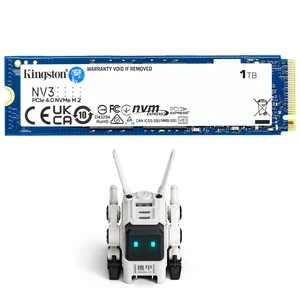
Best for: Everyday upgrades and general gaming
- Capacity
- 1TB
- Sequential read
- Up to 6,000 MB/s
- Sequential write
- Up to 4,000 MB/s
- Interface
- PCIe 4.0 x4
- PCIe 4.0 interface for compatible systems
- M.2 2280 form factor
- Adequate rated speed for everyday tasks and gaming
- Not intended as a premium sustained-workload drive
- Check your system's supported capacity and interface
Is the Kingston NV3 1TB NVMe SSD worth buying on Black Friday 2026?
The Kingston NV3 1TB NVMe SSD is worth considering for routine storage upgrades and gaming on a compatible PCIe 4.0 PC. The Kingston NV3 1TB NVMe SSD's rated 6,000 MB/s read speed is higher than the WD Blue SN570's, while its entry-level positioning suits practical builds.
See today’s Black Friday price on Amazon
Which is better, WD Blue SN570 or Crucial P5 Plus?
The Crucial P5 Plus 1TB PCIe 4.0 NVMe M.2 SSD is the faster choice, with up to 6,600 MB/s sequential reads versus 3,500 MB/s for the WD Blue SN570 1TB NVMe SSD. The WD drive targets PCIe 3.0 systems and everyday upgrades; the Crucial drive targets newer PCIe 4.0 PCs and compatible PS5 installations.
For ordinary browsing, schoolwork and office documents, both drives provide responsive solid-state storage. Large file transfers, demanding games and compatible newer hardware give the P5 Plus a clearer speed advantage. The SN570 remains a sensible pick when the computer supports PCIe 3.0 or when a more modest drive meets the workload. Check system specifications before buying: a faster SSD works in some older slots at reduced speeds, but device fit and support still matter.
Is the Crucial P5 Plus a good PS5 SSD?
The Crucial P5 Plus 1TB PCIe 4.0 NVMe M.2 SSD meets the speed class needed for a PS5 expansion, with a rated sequential read speed of up to 6,600 MB/s. A compatible heat sink is essential because the console's expansion bay requires adequate cooling and the installed drive must fit within its stated dimensions.
Before choosing a P5 Plus, confirm the exact model version, heat-sink arrangement and console installation requirements. A bare drive needs a suitable aftermarket heat sink; a model sold with an integrated heat sink needs to meet the console's size limits. The WD Blue SN570 1TB NVMe SSD is a PCIe 3.0 drive and is not the right PS5 expansion choice.
Which SSD is best for an older laptop or desktop?
The WD Blue SN570 1TB NVMe SSD is the straightforward option for a compatible PCIe 3.0 computer, with a 3,500 MB/s sequential read rating and an M.2 2280 form factor. Older systems often gain more from moving to an NVMe SSD than from paying for the highest available PCIe generation.
Confirm that the computer has an NVMe-capable M.2 slot before ordering; M.2 describes the physical connector and does not guarantee NVMe support. Also verify length, capacity limits and whether the system has an available slot. PCIe 4.0 products such as the Crucial P5 Plus can run at a lower generation in supported systems, but the host device controls the resulting speed.
How much SSD capacity should I buy?
A 1TB SSD is a practical starting capacity for many PC users, while a 2TB option suits larger game collections and media projects. The WD Blue SN570 and Crucial P5 Plus versions in this guide each provide 1TB, enough room for an operating system, applications and a useful selection of games or work files.
Check your current drive use and leave room for system updates, applications and future files. Gaming libraries and video projects fill storage faster than basic productivity tasks. If a larger version fits your budget and device, extra capacity can reduce the need to move files or uninstall games. Compare the exact capacity variant: sequential speed ratings and availability differ by model size.
Do PCIe 4.0 SSDs make games load faster?
A PCIe 4.0 SSD such as the Crucial P5 Plus 1TB PCIe 4.0 NVMe M.2 SSD can reach 6,600 MB/s sequential reads, but that figure does not translate directly into equal game-loading gains. Load times also depend on the game, processor, memory and system software.
For a new compatible PC, PCIe 4.0 offers faster peak transfers and room for large workloads. For an existing PCIe 3.0 computer, the WD Blue SN570 can still deliver quick startup and responsive game loading. Choose the interface that matches the computer and use capacity, heat management and overall value as tie-breakers rather than relying on a single maximum-speed figure.
Buying Guide
Match the interface to your computer
The WD Blue SN570 1TB NVMe SSD uses PCIe 3.0 x4, while the Crucial P5 Plus 1TB PCIe 4.0 NVMe M.2 SSD uses PCIe 4.0 x4. Check your motherboard or laptop specifications for NVMe support, M.2 size and supported PCIe generation before ordering.
Choose capacity for your real workload
A 1TB SSD works for a general system drive, while large game libraries and creator files benefit from more space. Compare the exact capacity variant of each model and leave free storage for updates and active files.
Treat peak speed as one factor
Sequential read speed is useful for comparing large transfers, but ordinary tasks do not always show the full difference. The WD Blue SN570 is adequate for many everyday upgrades; faster PCIe 4.0 drives serve heavier workloads.
Check heat-sink fit for PS5
The Crucial P5 Plus can suit a PS5 expansion when paired with a compatible heat sink. Confirm the console's drive size and cooling requirements, and do not select the WD Blue SN570 for a PS5 storage expansion.
Compare the exact Black Friday 2026 variant
SSD model names can cover multiple capacities and heat-sink versions. Verify the product listing's full name, capacity and included cooling hardware so the selected drive matches your PC, laptop or console.
FAQ
WD Blue SN570 vs Crucial P5 Plus: which is faster?
The Crucial P5 Plus 1TB PCIe 4.0 NVMe M.2 SSD is faster on sequential specifications, rated up to 6,600 MB/s read and 5,000 MB/s write. The WD Blue SN570 1TB NVMe SSD is rated up to 3,500 MB/s read and 3,000 MB/s write.
Is the WD Blue SN570 good for gaming?
The WD Blue SN570 1TB NVMe SSD is suitable for gaming on a compatible PC, with a rated sequential read speed of 3,500 MB/s. The PCIe 3.0 drive offers responsive storage, though PCIe 4.0 alternatives deliver higher peak transfer speeds.
Can I use the Crucial P5 Plus in a PCIe 3.0 slot?
The Crucial P5 Plus 1TB PCIe 4.0 NVMe M.2 SSD can operate in a compatible PCIe 3.0 NVMe slot at the host system's supported speed. Check the device manual for M.2 NVMe support, physical clearance and installation guidance before buying.
Is the Crucial P5 Plus compatible with PS5?
The Crucial P5 Plus 1TB PCIe 4.0 NVMe M.2 SSD suits a PS5 expansion when the installed drive meets the console's speed and size requirements and uses a compatible heat sink. Verify the exact version's dimensions and cooling before installation.
What is the best SSD upgrade for an older laptop?
The WD Blue SN570 1TB NVMe SSD is a sensible older-computer upgrade when the laptop has a compatible NVMe M.2 2280 slot. Confirm slot support and length in the laptop specifications; M.2 connector shape alone does not confirm NVMe compatibility.
Should I buy a 1TB or 2TB SSD on Black Friday 2026?
Choose 1TB for a general-purpose system drive with a moderate game or application library. Choose 2TB for extensive game collections, large media projects or extra room to grow. Check the exact model's capacity-specific specifications and ensure the device supports the selected size.