

As an Amazon Associate we earn from qualifying purchases.
- Best overall: BOOX Tab Mini C 64GB
- Best budget: Kobo Libra Colour 32GB eReader
- Best premium: BOOX Note Air3 C 64GB
- Best for Kobo handwriting: Kobo Elipsa 2E 32GB eReader
- Kobo Stylus 2 is a rechargeable writing accessory, while BOOX Tab Mini C is a complete 7.8-inch Android e-reader.
- BOOX Tab Mini C suits readers who want color, note-taking and access to Android apps in one device.
- Kobo Libra Colour 32GB is the compact Kobo choice for page-turn buttons, color pages and stylus notes.
- BOOX Note Air3 C 64GB gives note-takers a larger 10.3-inch color screen and a flexible Android platform.
- Compare screen size, storage, writing needs and reading apps before choosing a Black Friday 2026 upgrade.
The Kobo Stylus 2 and BOOX Tab Mini C are not direct substitutes: Kobo Stylus 2 adds handwriting to compatible Kobo e-readers, while BOOX Tab Mini C is a standalone color e-reader and note-taking tablet. We researched and compared specs, reviews and owner feedback to clarify what each product does and which alternatives fit different budgets and reading habits.
For a compact all-in-one device, BOOX Tab Mini C pairs a 7.8-inch color E Ink display with Android app support. For a focused Kobo reading setup, Kobo Stylus 2 works with compatible models such as Kobo Libra Colour 32GB and Kobo Elipsa 2E 32GB. The guide also covers larger BOOX and Kobo options, so Black Friday 2026 shoppers can match the device to their actual use rather than shop by screen color alone.
How We Picked
- Compared screen size, display type, storage and core hardware using published product specifications.
- Reviewed product documentation and owner feedback for writing support, reading controls and everyday usability.
- Separated standalone e-readers from accessories so the Kobo Stylus 2 comparison stays clear and fair.
- Considered software flexibility, including Android app access on BOOX devices and Kobo’s dedicated reading ecosystem.
- Selected models with distinct strengths for travel, color reading, handwriting, larger documents and premium use.
Comparison Table
| Product | Best for | Screen size | Storage | Color display |
|---|---|---|---|---|
| Kobo Stylus 2 | Handwriting on a compatible Kobo | No screen | Not applicable | Not applicable |
| BOOX Tab Mini C 64GB | Compact color Android reading | 7.8 inches | 64GB | Kaleido 3 |
| Kobo Libra Colour 32GB eReader | Color reading with page buttons | 7 inches | 32GB | Kaleido 3 |
| Kobo Elipsa 2E 32GB eReader | Large Kobo notes and documents | 10.3 inches | 32GB | Monochrome Carta 1200 |
| Kobo Sage 32GB eReader | Mid-size Kobo reading with buttons | 8 inches | 32GB | Monochrome Carta 1200 |
| BOOX Note Air3 C 64GB | Large color notes and PDFs | 10.3 inches | 64GB | Kaleido 3 |
| BOOX Go Color 7 64GB | Portable Android color reading | 7 inches | 64GB | Kaleido 3 |
Best Picks Reviewed
#1
Kobo Stylus 2
The Kobo Stylus 2 is the best writing accessory for Kobo e-reader owners who want 4,096 pressure levels and a rechargeable pen. The Kobo Stylus 2 adds handwriting and annotation, but requires a compatible Kobo device with a screen.
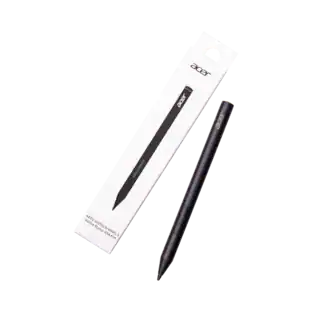
Best for: Kobo owners adding handwriting and annotations
- Pressure levels
- 4,096
- Charging
- USB-C rechargeable
- Buttons
- 2
- Rechargeable design
- Built-in eraser and shortcut buttons
- Works with compatible Kobo e-readers
- Not a standalone reading device
- Compatibility depends on the Kobo model
Is the Kobo Stylus 2 worth buying on Black Friday 2026?
The Kobo Stylus 2 is worth considering for owners of compatible Kobo e-readers who annotate books or write notes. The Kobo Stylus 2's 4,096 pressure levels, USB-C charging and eraser tip make it a useful accessory, but it does not include a screen or reading software.
See today’s Black Friday price on Amazon
#2 · Top pick
BOOX Tab Mini C 64GB
The BOOX Tab Mini C 64GB is the best compact Android e-reader for readers who want a 7.8-inch color screen and broad app access. The BOOX Tab Mini C 64GB also supports handwriting, making it more versatile than a dedicated reading accessory.

Best for: Compact color reading and Android apps
- Display
- 7.8-inch Kaleido 3
- Storage
- 64GB
- RAM
- 4GB
- Operating system
- Android 11
- Color screen in a portable size
- Android apps broaden reading options
- Supports reading and handwriting
- More software options require more setup
- Smaller page area than 10.3-inch models
Is the BOOX Tab Mini C 64GB worth buying on Black Friday 2026?
The BOOX Tab Mini C 64GB is a strong pick for a portable color e-reader that also runs Android apps. The BOOX Tab Mini C 64GB's 7.8-inch Kaleido 3 display supports reading and notes, while 64GB of storage provides room for books, documents and installed apps.
See today’s Black Friday price on Amazon
#3
Kobo Libra Colour 32GB eReader
The Kobo Libra Colour 32GB eReader is the best compact Kobo for page-turn buttons, color reading and stylus-compatible notes. The Kobo Libra Colour 32GB eReader has a 7-inch Kaleido 3 screen and 32GB of storage.
Best for: Kobo readers who want color and physical buttons
- Display
- 7-inch Kaleido 3
- Storage
- 32GB
- Water resistance
- IPX8
- Controls
- Page-turn buttons
- Color display for illustrated books
- Physical buttons support one-handed reading
- Water-resistant design
- Smaller screen for full-page documents
- Kobo Stylus 2 is a separate accessory
Is the Kobo Libra Colour 32GB eReader worth buying on Black Friday 2026?
The Kobo Libra Colour 32GB eReader is a good fit for Kobo readers who want color pages, physical page-turn buttons and a compact 7-inch body. The e-reader supports Kobo Stylus 2 for notes, with the stylus purchased separately.
See today’s Black Friday price on Amazon
#4
Kobo Elipsa 2E 32GB eReader
The Kobo Elipsa 2E 32GB eReader is the best large-screen Kobo for handwritten notes and document reading on a 10.3-inch display. The Kobo Elipsa 2E 32GB eReader supports Kobo Stylus 2 and offers 32GB of storage.
Best for: Kobo users reading and annotating large documents
- Display
- 10.3-inch E Ink Carta 1200
- Storage
- 32GB
- Front light
- ComfortLight PRO
- Large page area for documents
- Supports handwriting with Kobo Stylus 2
- Kobo reading ecosystem stays straightforward
- Less portable than 7-inch readers
- Black-and-white display
Is the Kobo Elipsa 2E 32GB eReader worth buying on Black Friday 2026?
The Kobo Elipsa 2E 32GB eReader is worth considering for Kobo readers who annotate documents or prefer a large page. The Kobo Elipsa 2E 32GB eReader's 10.3-inch screen gives notes and book layouts more room, while Kobo Stylus 2 adds handwriting support.
See today’s Black Friday price on Amazon
#5
Kobo Sage 32GB eReader
The Kobo Sage 32GB eReader is the best mid-size Kobo for readers who want an 8-inch screen, physical buttons and stylus support. The Kobo Sage 32GB eReader pairs a 32GB library with a water-resistant design.
Best for: Kobo readers wanting buttons and a larger reading screen
- Display
- 8-inch E Ink Carta 1200
- Storage
- 32GB
- Water resistance
- IPX8
- Controls
- Page-turn buttons
- Roomier screen than a 7-inch reader
- Physical page-turn buttons
- Supports Kobo Stylus 2
- Black-and-white display
- Stylus sold separately
Is the Kobo Sage 32GB eReader worth buying on Black Friday 2026?
The Kobo Sage 32GB eReader is a practical choice for readers who want an 8-inch Kobo with physical buttons and water resistance. Kobo Stylus 2 support adds handwriting, while the monochrome display suits novels and text-focused reading.
See today’s Black Friday price on Amazon
#6
BOOX Note Air3 C 64GB
The BOOX Note Air3 C 64GB is the best color note-taking tablet for readers who want a 10.3-inch screen and Android flexibility. The BOOX Note Air3 C 64GB combines a Kaleido 3 display with 64GB of storage.
Best for: Color notes, PDFs and Android reading apps
- Display
- 10.3-inch Kaleido 3
- Storage
- 64GB
- RAM
- 4GB
- Operating system
- Android 12
- Large color screen for notes and documents
- Android app access
- More storage than Kobo e-readers here
- Larger body is less suited to pocket travel
- Color E Ink is less vivid than an LCD tablet
Is the BOOX Note Air3 C 64GB worth buying on Black Friday 2026?
The BOOX Note Air3 C 64GB is a strong choice for color annotations, PDFs and Android reading apps on a 10.3-inch display. The BOOX Note Air3 C 64GB's 64GB storage and 4GB RAM support a more flexible workflow than a dedicated e-reader.
See today’s Black Friday price on Amazon
#7
BOOX Go Color 7 64GB
The BOOX Go Color 7 64GB is the best travel-focused BOOX reader for people who want a 7-inch color display and Android apps. The BOOX Go Color 7 64GB includes 64GB of storage in a compact e-reader format.
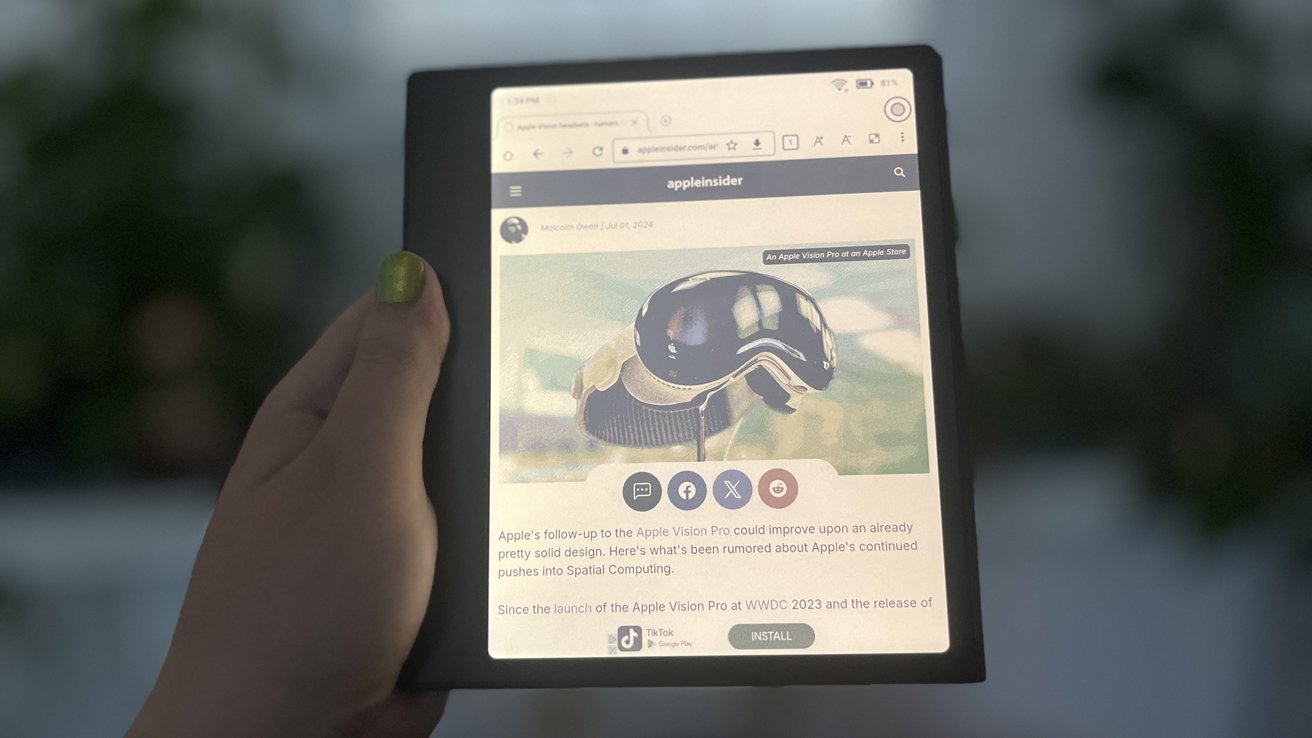
Best for: Travel reading across Android apps
- Display
- 7-inch Kaleido 3
- Storage
- 64GB
- RAM
- 4GB
- Operating system
- Android 12
- Portable color-reading format
- Android app support
- 64GB storage
- Small screen for large documents
- More settings than a focused Kobo reader
Is the BOOX Go Color 7 64GB worth buying on Black Friday 2026?
The BOOX Go Color 7 64GB suits travelers who want a compact color e-reader with Android app access. The BOOX Go Color 7 64GB's 7-inch display and 64GB storage balance portability with app flexibility, while the smaller screen is less suited to large PDFs.
See today’s Black Friday price on Amazon
What is the difference between Kobo Stylus 2 and BOOX Tab Mini C?
Kobo Stylus 2 is a writing accessory, while BOOX Tab Mini C 64GB is a complete 7.8-inch e-reader with Android. The Kobo Stylus 2 needs a compatible Kobo screen; BOOX Tab Mini C 64GB includes its own display, software and storage.
Choose Kobo Stylus 2 when a Kobo e-reader already fits your reading habits and you want to annotate or write by hand. Kobo Libra Colour 32GB eReader, Kobo Elipsa 2E 32GB eReader and Kobo Sage 32GB eReader support stylus use. Choose BOOX Tab Mini C 64GB when one compact device should handle books, apps and notes. The key trade-off is ecosystem simplicity versus software flexibility: Kobo keeps reading central, while BOOX runs Android apps.
Which device is better for reading in color?
BOOX Tab Mini C 64GB and Kobo Libra Colour 32GB eReader both use a 7-inch-class Kaleido 3 color display, with BOOX offering a 7.8-inch screen and Kobo a 7-inch screen. Both suit comics, illustrated books and color-coded notes.
Kobo Libra Colour 32GB eReader is the simpler pick for people who want a dedicated Kobo library, page-turn buttons and water resistance. BOOX Tab Mini C 64GB is a better fit when reading apps beyond a single store matter. BOOX Go Color 7 64GB also offers a 7-inch color screen, while BOOX Note Air3 C 64GB gives documents and annotations more room at 10.3 inches. Color E Ink prioritizes comfortable reading over vivid tablet-style color.
Which Kobo e-reader works with Kobo Stylus 2?
Kobo Libra Colour 32GB eReader, Kobo Elipsa 2E 32GB eReader and Kobo Sage 32GB eReader support Kobo Stylus 2, with screen sizes of 7, 10.3 and 8 inches. The right match depends on the type of writing and reading.
Kobo Libra Colour 32GB eReader offers the most compact stylus-compatible setup and adds page-turn buttons. Kobo Sage 32GB eReader provides a larger monochrome reading area with physical controls. Kobo Elipsa 2E 32GB eReader is the document-focused choice because its 10.3-inch display gives handwritten notes and full pages additional space. Confirm accessory compatibility for the exact regional model before ordering, and remember that Kobo Stylus 2 is separate from each e-reader.
Is BOOX Tab Mini C better than a Kobo for note-taking?
BOOX Tab Mini C 64GB is the more flexible note-taking choice for users who want Android apps on a 7.8-inch color screen, while Kobo Elipsa 2E 32GB eReader is the larger Kobo option at 10.3 inches. The better choice depends on app needs and page size.
BOOX Tab Mini C 64GB combines reading, handwriting and Android software in one device, so it suits users who want to explore different reading and productivity apps. Kobo Elipsa 2E 32GB eReader keeps the workflow closer to books and documents in the Kobo ecosystem. For a larger color workspace, BOOX Note Air3 C 64GB offers a 10.3-inch Kaleido 3 display and 64GB storage. Pick BOOX for flexibility, or Kobo for a more focused reading setup.
What should Black Friday 2026 shoppers compare?
Black Friday 2026 shoppers should compare screen size, storage, writing support and software before choosing among seven Kobo and BOOX products. A low-cost accessory and a standalone tablet solve different problems, so compare complete setups rather than names alone.
Start with your main task: novels favor portable readers, color books benefit from Kaleido 3, and PDFs or handwritten notes call for a larger screen. Check whether the product includes writing hardware or requires Kobo Stylus 2 separately. Storage also matters: the Kobo models listed offer 32GB, while the BOOX readers offer 64GB. Finally, consider whether Android app access adds real value to your routine. My pick for most people who want a compact color device is BOOX Tab Mini C 64GB; Skip it if a dedicated Kobo reader already covers your needs.
Buying Guide
Choose a standalone reader or an accessory
Kobo Stylus 2 requires a compatible Kobo e-reader and adds handwriting rather than reading hardware. BOOX Tab Mini C 64GB is a complete device with a screen, storage and Android. Compare the cost of the whole Kobo setup, not the stylus alone.
Match screen size to your reading
A 7-inch screen is easy to carry, while 10.3-inch Kobo Elipsa 2E 32GB eReader and BOOX Note Air3 C 64GB give PDFs and notes more room. Choose an 8-inch middle ground with Kobo Sage 32GB eReader.
Decide whether color is useful
Kaleido 3 color suits comics, charts and marked-up pages. Monochrome Kobo Sage 32GB eReader and Kobo Elipsa 2E 32GB eReader suit text-first reading. Select color for content that benefits from it, not simply because the feature is available.
Check storage and software needs
Kobo e-readers listed here have 32GB of storage, while the BOOX options have 64GB. Android on BOOX expands app choices; Kobo emphasizes a dedicated reading experience. Check app access and file support against your personal library.
Confirm stylus compatibility
Kobo Stylus 2 works with compatible Kobo models, including Kobo Libra Colour 32GB eReader, Kobo Elipsa 2E 32GB eReader and Kobo Sage 32GB eReader. Verify the exact model listing and whether the stylus is included before checkout.
FAQ
Kobo Stylus 2 vs BOOX Tab Mini C: which is better?
BOOX Tab Mini C 64GB is better as a standalone reading and note-taking device because it includes a 7.8-inch color screen and Android. Kobo Stylus 2 is the better choice for owners of compatible Kobo e-readers who only need a writing accessory.
Does Kobo Stylus 2 work with BOOX Tab Mini C?
Kobo Stylus 2 is made for compatible Kobo e-readers, not BOOX Tab Mini C 64GB. BOOX Tab Mini C 64GB is its own Android e-reader and supports handwriting through its compatible BOOX accessories. Check manufacturer compatibility details before buying a replacement pen.
Is Kobo Libra Colour compatible with Kobo Stylus 2?
Kobo Libra Colour 32GB eReader supports Kobo Stylus 2 for writing and annotations. Kobo Stylus 2 is a separate accessory, so check the listing for bundle contents. Kobo Libra Colour 32GB eReader combines stylus support with a 7-inch Kaleido 3 display and page-turn buttons.
Is BOOX Tab Mini C good for PDFs?
BOOX Tab Mini C 64GB can read PDFs and annotate them, with a 7.8-inch color screen and Android app support. The compact size favors portability, while BOOX Note Air3 C 64GB offers a larger 10.3-inch display for full-page documents.
Which is better for travel, Kobo Sage or BOOX Go Color 7?
BOOX Go Color 7 64GB is the stronger travel pick for color reading and Android apps on a 7-inch screen. Kobo Sage 32GB eReader offers a larger 8-inch monochrome screen, page-turn buttons and IPX8 water resistance for readers who prefer Kobo.
Should I buy Kobo Elipsa 2E or BOOX Note Air3 C?
Choose Kobo Elipsa 2E 32GB eReader for a 10.3-inch Kobo reading and handwriting setup with a focused interface. Choose BOOX Note Air3 C 64GB for a 10.3-inch color display, Android app access and 64GB of storage. Both suit documents and notes.