

As an Amazon Associate we earn from qualifying purchases.
- Best overall: AOC CU34G2X 34-inch WQHD 144Hz Curved Gaming Monitor
- Best budget: AOC 24G2SP 24-inch Full HD 165Hz Gaming Monitor
- Best premium: LG 34GP83A-B 34-inch WQHD 144Hz Nano IPS Gaming Monitor
- Best for competitive FPS: ViewSonic XG2431 24-inch Full HD 240Hz Gaming Monitor
- The AOC CU34G2X is a 34-inch ultrawide with a 3440 x 1440 resolution and a 144Hz refresh rate.
- The ViewSonic XG2431 is a 24-inch Full HD monitor with a 240Hz refresh rate, built for fast competitive play.
- Choose the AOC CU34G2X for immersive ultrawide gaming and the ViewSonic XG2431 for a compact esports-focused setup.
- The Dell S3422DWG and Gigabyte G34WQC A offer other 34-inch ultrawide options, while the MSI MAG 274QRF-QD E2 adds a 27-inch QHD choice.
- Compare screen size, resolution, refresh rate, connectivity and warranty details before choosing a Black Friday 2026 monitor.
The AOC CU34G2X and ViewSonic XG2431 suit different kinds of gaming: the AOC is a 34-inch, 144Hz ultrawide, while the ViewSonic is a 24-inch, 240Hz Full HD monitor. For Black Friday 2026, the right choice depends on whether you value a wider, higher-resolution view or a compact screen with a faster refresh rate.
I researched and compared specs, reviews and owner feedback to identify seven gaming monitors for different desks and play styles. The guide covers key specifications, practical trade-offs and the type of buyer each model fits. Compare the alternatives before choosing, and check compatibility with your graphics card, desk space and preferred games.
How We Picked
- Compared resolution, panel size and refresh rate to distinguish immersive ultrawide screens from competitive Full HD monitors.
- Reviewed panel type, curvature and motion features for their relevance to image quality and fast-moving games.
- Considered connectivity, ergonomic adjustments and desk footprint as part of everyday usability.
- Used published specifications, reviews and owner feedback to identify practical strengths and drawbacks.
- Selected monitors at different sizes and refresh rates so readers can compare alternatives beyond the two headline models.
Comparison Table
| Product | Best for | Resolution | Refresh rate | Panel and size |
|---|---|---|---|---|
| AOC CU34G2X 34-inch WQHD 144Hz Curved Gaming Monitor | Immersive ultrawide gaming and multitasking | 3440 x 1440 | 144Hz | 34-inch VA, 1500R |
| ViewSonic XG2431 24-inch Full HD 240Hz Gaming Monitor | Competitive FPS gaming and compact desks | 1920 x 1080 | 240Hz | 24-inch IPS |
| Gigabyte G34WQC A 34-inch WQHD 144Hz Curved Gaming Monitor | Ultrawide gaming with a 1500R curve | 3440 x 1440 | 144Hz | 34-inch VA, 1500R |
| Dell S3422DWG 34-inch WQHD 144Hz Curved Gaming Monitor | Ultrawide gaming and adjustable positioning | 3440 x 1440 | 144Hz | 34-inch VA, 1800R |
| LG 34GP83A-B 34-inch WQHD 144Hz Nano IPS Gaming Monitor | Premium ultrawide gaming and vibrant color | 3440 x 1440 | 144Hz native, 160Hz overclocked | 34-inch Nano IPS |
| MSI MAG 274QRF-QD E2 27-inch QHD 180Hz Gaming Monitor | QHD gaming without an ultrawide footprint | 2560 x 1440 | 180Hz | 27-inch Rapid IPS |
| AOC 24G2SP 24-inch Full HD 165Hz Gaming Monitor | Compact desks and entry-level high-refresh gaming | 1920 x 1080 | 165Hz | 24-inch IPS |
Best Picks Reviewed
#1 · Top pick
AOC CU34G2X 34-inch WQHD 144Hz Curved Gaming Monitor
The AOC CU34G2X 34-inch WQHD 144Hz Curved Gaming Monitor is the best ultrawide value pick for players who want a wide field of view, with a 3440 x 1440 resolution and a 144Hz refresh rate.

Best for: Immersive ultrawide gaming and multitasking
- Screen size
- 34 inches
- Resolution
- 3440 x 1440
- Refresh rate
- 144Hz
- Curvature
- 1500R
- Wide 21:9 screen creates an expansive game view.
- 144Hz refresh rate supports fluid motion.
- 1500R curve brings the screen edges toward the viewer.
- Requires more desk width than a 24-inch monitor.
- VA panel characteristics are less suited to motion clarity than a fast IPS esports screen.
Is the AOC CU34G2X 34-inch WQHD 144Hz Curved Gaming Monitor worth buying on Black Friday 2026?
The AOC CU34G2X 34-inch WQHD 144Hz Curved Gaming Monitor is worth considering for players who want an ultrawide screen, 3440 x 1440 resolution and 144Hz motion. Check that your desk and graphics card suit its 34-inch format.
See today’s Black Friday price on Amazon
#2
ViewSonic XG2431 24-inch Full HD 240Hz Gaming Monitor
The ViewSonic XG2431 24-inch Full HD 240Hz Gaming Monitor is the best pick for competitive FPS players who prioritize speed and motion clarity, with a 240Hz refresh rate.
Best for: Competitive FPS gaming and compact desks
- Screen size
- 24 inches
- Resolution
- 1920 x 1080
- Refresh rate
- 240Hz
- Response time
- 1ms GtG
- 240Hz refresh rate suits fast competitive games.
- IPS panel offers broad viewing angles.
- PureXP strobing feature supports motion clarity.
- Full HD resolution is less sharp than QHD and ultrawide alternatives.
- 24-inch screen offers less workspace for multitasking.
Is the ViewSonic XG2431 24-inch Full HD 240Hz Gaming Monitor worth buying on Black Friday 2026?
The ViewSonic XG2431 24-inch Full HD 240Hz Gaming Monitor is a strong choice for competitive players who value a high refresh rate and motion-focused features. The ViewSonic XG2431 24-inch Full HD 240Hz Gaming Monitor's 1920 x 1080 resolution and 24-inch size favor speed over screen space.
See today’s Black Friday price on Amazon
#3
Gigabyte G34WQC A 34-inch WQHD 144Hz Curved Gaming Monitor
The Gigabyte G34WQC A 34-inch WQHD 144Hz Curved Gaming Monitor is the best alternative for ultrawide players who want a 1500R screen, with a 3440 x 1440 resolution.
Best for: Ultrawide gaming with a 1500R curve
- Screen size
- 34 inches
- Resolution
- 3440 x 1440
- Refresh rate
- 144Hz
- Curvature
- 1500R
- 34-inch 21:9 panel delivers broad game and work space.
- 144Hz refresh rate supports smooth gameplay.
- 1500R curve creates a wraparound viewing feel.
- Large footprint calls for a spacious desk.
- VA panel behavior is not the first choice for every fast-paced game.
Is the Gigabyte G34WQC A 34-inch WQHD 144Hz Curved Gaming Monitor worth buying on Black Friday 2026?
The Gigabyte G34WQC A 34-inch WQHD 144Hz Curved Gaming Monitor is a worthwhile alternative for buyers seeking a 34-inch ultrawide, 144Hz refresh rate and 1500R curve. Compare its connections and stand adjustments with the other monitors in this guide.
See today’s Black Friday price on Amazon
#4
Dell S3422DWG 34-inch WQHD 144Hz Curved Gaming Monitor
The Dell S3422DWG 34-inch WQHD 144Hz Curved Gaming Monitor is the best fit for players who want an ultrawide with gaming-focused ergonomics, featuring a 144Hz refresh rate.
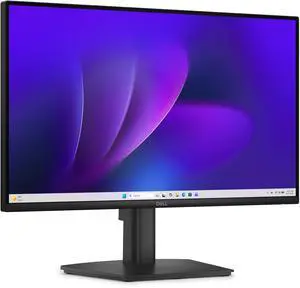
Best for: Ultrawide gaming and adjustable positioning
- Screen size
- 34 inches
- Resolution
- 3440 x 1440
- Refresh rate
- 144Hz
- Curvature
- 1800R
- 34-inch curved display suits immersive games.
- 3440 x 1440 resolution gives room for side-by-side work.
- Height adjustment helps with desk setup.
- Large curved panel needs substantial desk space.
- VA panel is less appropriate for buyers prioritizing IPS viewing angles.
Is the Dell S3422DWG 34-inch WQHD 144Hz Curved Gaming Monitor worth buying on Black Friday 2026?
The Dell S3422DWG 34-inch WQHD 144Hz Curved Gaming Monitor is worth a look for buyers who want a 34-inch ultrawide with height adjustment and 144Hz play. The Dell S3422DWG 34-inch WQHD 144Hz Curved Gaming Monitor's 1800R curve is less pronounced than the 1500R designs in this comparison.
See today’s Black Friday price on Amazon
#5
LG 34GP83A-B 34-inch WQHD 144Hz Nano IPS Gaming Monitor
The LG 34GP83A-B 34-inch WQHD 144Hz Nano IPS Gaming Monitor is the best premium ultrawide pick for players seeking an IPS panel, with a 160Hz overclocked refresh rate.
Best for: Premium ultrawide gaming and vibrant color
- Screen size
- 34 inches
- Resolution
- 3440 x 1440
- Native refresh rate
- 144Hz
- Overclocked refresh rate
- 160Hz
- Nano IPS panel supports rich color and broad viewing angles.
- 160Hz overclocked mode exceeds the 144Hz alternatives.
- 34-inch ultrawide format suits gaming and productivity.
- Overclocked refresh rate depends on setup and settings.
- Large panel takes up considerable desk space.
Is the LG 34GP83A-B 34-inch WQHD 144Hz Nano IPS Gaming Monitor worth buying on Black Friday 2026?
The LG 34GP83A-B 34-inch WQHD 144Hz Nano IPS Gaming Monitor is a strong premium choice for ultrawide buyers who value IPS color and a 160Hz overclock option. Confirm graphics-card support and available desk space before choosing this 34-inch screen.
See today’s Black Friday price on Amazon
#6
MSI MAG 274QRF-QD E2 27-inch QHD 180Hz Gaming Monitor
The MSI MAG 274QRF-QD E2 27-inch QHD 180Hz Gaming Monitor is the best balance of sharpness and speed for buyers who prefer a standard widescreen, with a 180Hz refresh rate.
Best for: QHD gaming without an ultrawide footprint
- Screen size
- 27 inches
- Resolution
- 2560 x 1440
- Refresh rate
- 180Hz
- Response time
- 1ms GtG
- QHD resolution gives more detail than Full HD.
- 180Hz refresh rate supports fast gameplay.
- 27-inch footprint fits more desks than a 34-inch ultrawide.
- Does not provide the wide aspect ratio of the 34-inch models.
- QHD gaming still calls for a capable graphics card.
Is the MSI MAG 274QRF-QD E2 27-inch QHD 180Hz Gaming Monitor worth buying on Black Friday 2026?
The MSI MAG 274QRF-QD E2 27-inch QHD 180Hz Gaming Monitor is a good match for buyers who want sharper QHD detail and a high refresh rate in a conventional screen size. The MSI MAG 274QRF-QD E2 27-inch QHD 180Hz Gaming Monitor's 27-inch format avoids the broad footprint of an ultrawide.
See today’s Black Friday price on Amazon
#7
AOC 24G2SP 24-inch Full HD 165Hz Gaming Monitor
The AOC 24G2SP 24-inch Full HD 165Hz Gaming Monitor is the best budget-style fit for compact gaming setups, with a 165Hz refresh rate and IPS panel.
Best for: Compact desks and entry-level high-refresh gaming
- Screen size
- 24 inches
- Resolution
- 1920 x 1080
- Refresh rate
- 165Hz
- Response time
- 1ms MPRT
- 165Hz refresh rate improves on standard 60Hz displays.
- IPS panel provides wide viewing angles.
- Compact size works well on smaller desks.
- Full HD resolution has less detail than QHD models.
- 24-inch panel offers limited room for multiple windows.
Is the AOC 24G2SP 24-inch Full HD 165Hz Gaming Monitor worth buying on Black Friday 2026?
The AOC 24G2SP 24-inch Full HD 165Hz Gaming Monitor is a sensible option for compact setups and players who want a high refresh rate without moving to an ultrawide. The AOC 24G2SP 24-inch Full HD 165Hz Gaming Monitor's Full HD resolution is best suited to a 24-inch screen.
See today’s Black Friday price on Amazon
AOC CU34G2X vs ViewSonic XG2431: which monitor is better?
The AOC CU34G2X 34-inch WQHD 144Hz Curved Gaming Monitor suits immersive play, while the ViewSonic XG2431 24-inch Full HD 240Hz Gaming Monitor favors competitive speed. The AOC's 3440 x 1440 resolution gives games and desktop apps a much wider canvas. Its 144Hz refresh rate supports smooth motion without sacrificing the extra screen area.
The ViewSonic XG2431's 240Hz refresh rate and 1ms GtG response time better match players who prioritize quick on-screen updates. Its 1920 x 1080 resolution takes less graphics power than the AOC's ultrawide format. My pick for most people is the AOC for mixed gaming and everyday use; choose the ViewSonic for esports, smaller desks and high frame rates.
Is the AOC CU34G2X worth choosing for Black Friday 2026?
The AOC CU34G2X 34-inch WQHD 144Hz Curved Gaming Monitor is a strong choice for ultrawide gaming, with a 21:9 aspect ratio and 1500R curve. The display's 3440 x 1440 resolution provides more horizontal workspace than a standard 16:9 monitor. That layout works well for games that support ultrawide and for keeping several desktop windows visible.
Buyers should measure desk width and check graphics-card capability before choosing a 34-inch panel. The VA display's curved layout is a different experience from the ViewSonic XG2431's compact IPS screen. Skip it if competitive Full HD play and a small footprint matter more than an expansive game view.
What makes the ViewSonic XG2431 a good esports monitor?
The ViewSonic XG2431 24-inch Full HD 240Hz Gaming Monitor offers a 240Hz refresh rate and 1ms GtG response time for fast competitive games. A 24-inch screen keeps the action in a compact viewing area, and the IPS panel provides broad viewing angles. PureXP strobing is included for players who prioritize motion clarity.
The trade-off is resolution: 1920 x 1080 delivers less detail and desktop space than the AOC CU34G2X's ultrawide panel or the MSI MAG 274QRF-QD E2's QHD screen. High refresh rates also depend on a system that produces enough frames. Pick the ViewSonic for speed-focused play, not for cinematic ultrawide gaming.
Which AOC CU34G2X alternatives are worth comparing?
The Gigabyte G34WQC A 34-inch WQHD 144Hz Curved Gaming Monitor and Dell S3422DWG 34-inch WQHD 144Hz Curved Gaming Monitor are direct 34-inch ultrawide alternatives. Both list 3440 x 1440 resolution and 144Hz refresh rates, while their curves differ: 1500R for the Gigabyte and 1800R for the Dell. Stand adjustment and connectivity are useful details to compare.
The LG 34GP83A-B 34-inch WQHD 144Hz Nano IPS Gaming Monitor takes a premium route with a Nano IPS panel and 160Hz overclock option. The MSI MAG 274QRF-QD E2 instead offers 2560 x 1440 on a 27-inch screen. The best alternative depends on whether screen width, panel type or desk size takes priority.
How should you choose a gaming monitor for Black Friday 2026?
The AOC CU34G2X 34-inch WQHD 144Hz Curved Gaming Monitor and ViewSonic XG2431 24-inch Full HD 240Hz Gaming Monitor show why resolution, refresh rate and screen size should guide a monitor choice. Start by deciding between an immersive 21:9 ultrawide and a conventional 16:9 screen. Then check the maximum resolution and refresh rate your computer supports.
Measure your desk and account for viewing distance, stand footprint and connection needs. A high-refresh 1440p or ultrawide display needs more graphics performance than a Full HD screen at the same game settings. Review the listed stand adjustments, ports and warranty for each exact model before buying. Black Friday 2026 is a useful time to compare the whole setup, not just one headline specification.
Buying Guide
Choose the right screen size and aspect ratio
The AOC CU34G2X 34-inch WQHD 144Hz Curved Gaming Monitor gives you a 21:9 ultrawide format, while the ViewSonic XG2431 24-inch Full HD 240Hz Gaming Monitor uses a compact 16:9 screen. Measure desk width and viewing distance before deciding.
Match resolution to your graphics card
The MSI MAG 274QRF-QD E2 27-inch QHD 180Hz Gaming Monitor pairs 2560 x 1440 resolution with a 180Hz refresh rate. Check that your graphics card delivers the frame rates you want at the selected resolution and game settings.
Balance refresh rate and motion clarity
The ViewSonic XG2431 24-inch Full HD 240Hz Gaming Monitor is the fastest-refresh option in this guide. Consider both refresh rate and response-time claims, and confirm your computer supports the monitor's maximum refresh setting.
Compare panel type and curvature
The LG 34GP83A-B 34-inch WQHD 144Hz Nano IPS Gaming Monitor offers an IPS panel, while the AOC CU34G2X 34-inch WQHD 144Hz Curved Gaming Monitor uses a 1500R curved VA panel. Choose based on your priorities for viewing angles, contrast and shape.
Check ports, stand and warranty
The Dell S3422DWG 34-inch WQHD 144Hz Curved Gaming Monitor includes height adjustment, but exact connection needs vary by setup. Compare available ports, ergonomic adjustments, included cables and warranty terms for the precise product listing.
FAQ
Which is better, the AOC CU34G2X or ViewSonic XG2431?
The AOC CU34G2X 34-inch WQHD 144Hz Curved Gaming Monitor is better for ultrawide gaming and extra desktop space. The ViewSonic XG2431 24-inch Full HD 240Hz Gaming Monitor is better for competitive play, a compact setup and a higher refresh rate.
Is 144Hz enough for gaming in 2026?
The AOC CU34G2X 34-inch WQHD 144Hz Curved Gaming Monitor and Dell S3422DWG 34-inch WQHD 144Hz Curved Gaming Monitor both provide 144Hz refresh rates. That is a strong fit for smooth general gaming; competitive players seeking faster updates can compare the ViewSonic XG2431's 240Hz rate.
Is a 34-inch ultrawide monitor good for FPS games?
The AOC CU34G2X 34-inch WQHD 144Hz Curved Gaming Monitor works well for FPS players who value a wide field of view and immersive presentation. The ViewSonic XG2431 24-inch Full HD 240Hz Gaming Monitor is a better fit for players who prioritize compact framing and a 240Hz refresh rate.
What is the difference between 144Hz and 240Hz?
The ViewSonic XG2431 24-inch Full HD 240Hz Gaming Monitor refreshes 96 times more per second than a 144Hz monitor such as the AOC CU34G2X 34-inch WQHD 144Hz Curved Gaming Monitor. The visible benefit depends on game frame rates, personal sensitivity and the type of play.
Should I choose QHD or Full HD for a gaming monitor?
The MSI MAG 274QRF-QD E2 27-inch QHD 180Hz Gaming Monitor provides 2560 x 1440 detail, while the ViewSonic XG2431 24-inch Full HD 240Hz Gaming Monitor uses 1920 x 1080. Choose QHD for sharper detail and Full HD for a lower graphics workload or competitive speed.
Which monitor is best for a small desk?
The AOC 24G2SP 24-inch Full HD 165Hz Gaming Monitor is the most compact pick in this guide, with a 24-inch screen and 16:9 format. The ViewSonic XG2431 24-inch Full HD 240Hz Gaming Monitor is another small-desk choice for players seeking a higher refresh rate.