

As an Amazon Associate we earn from qualifying purchases.
- Best overall: Dell UltraSharp U2723QE 27-Inch 4K USB-C Hub Monitor
- Best budget: Dell S2721QS 27-Inch 4K UHD Monitor
- Best premium: Dell UltraSharp U2724DE 27-Inch QHD Thunderbolt Hub Monitor
- Best for a one-cable laptop desk: Dell P2723QE 27-Inch 4K USB-C Hub Monitor
- Dell UltraSharp U2723QE 27-Inch 4K USB-C Hub Monitor is the stronger work hub, with 4K resolution, IPS Black and 90W USB-C power delivery.
- Dell S2721QS 27-Inch 4K UHD Monitor delivers 4K detail and an adjustable stand without the cost and desk-hub features of the UltraSharp line.
- USB-C laptop charging and one-cable desk setups favor Dell UltraSharp U2723QE 27-Inch 4K USB-C Hub Monitor.
- Five alternatives add choices for QHD at 120Hz, creative color work and a lower-cost 4K USB-C workflow.
Dell UltraSharp U2723QE 27-Inch 4K USB-C Hub Monitor is the better-equipped 4K work display, while Dell S2721QS 27-Inch 4K UHD Monitor is the simpler choice for sharp everyday desktop viewing. Both use 27-inch 4K panels, but their connections, contrast and work-from-home features serve different desks. We researched and compared specs, reviews and owner feedback to build this Black Friday 2026 guide around the features that matter after setup, not just the resolution printed on the box.
My pick for most people who connect a laptop is Dell UltraSharp U2723QE 27-Inch 4K USB-C Hub Monitor: its 90W USB-C connection, USB hub and KVM features support a cleaner workstation. Dell S2721QS 27-Inch 4K UHD Monitor makes more sense for a desktop or console setup that needs a crisp 4K picture and a height-adjustable stand. The alternatives below cover a faster QHD panel, other USB-C hubs and creator-focused color tools.
How We Picked
- Compared resolution, refresh rate, panel type, brightness and stated color coverage for each model.
- Prioritized practical desk features such as USB-C charging, KVM switching, USB ports, Ethernet and stand adjustment.
- Considered researched reviews and owner feedback for setup, everyday use and connection flexibility.
- Matched each monitor to a clear use case, including general office work, laptop docking, creative tasks and smoother motion.
- Selected models with distinct strengths so shoppers can compare the primary Dell matchup with useful alternatives.
Comparison Table
| Product | Best for | Resolution | USB-C power | Refresh rate |
|---|---|---|---|---|
| Dell UltraSharp U2723QE 27-Inch 4K USB-C Hub Monitor | Laptop docking and 4K productivity | 3840 x 2160 (4K) | 90W | 60Hz |
| Dell S2721QS 27-Inch 4K UHD Monitor | Everyday 4K desktop use | 3840 x 2160 (4K) | No USB-C | 60Hz |
| Dell UltraSharp U2724DE 27-Inch QHD Thunderbolt Hub Monitor | 120Hz office use and Thunderbolt docking | 2560 x 1440 (QHD) | 90W | 120Hz |
| Dell P2723QE 27-Inch 4K USB-C Hub Monitor | 4K office docking | 3840 x 2160 (4K) | 90W | 60Hz |
| LG 27UP850-W 27-Inch UHD IPS USB-C Monitor | 4K laptop use and media | 3840 x 2160 (4K) | 96W | 60Hz |
| ASUS ProArt Display PA279CV 27-Inch 4K HDR Professional Monitor | Color-focused creative work | 3840 x 2160 (4K) | 65W | 60Hz |
| BenQ PD2705U 27-Inch 4K UHD Designer Monitor | Designer workflows and KVM switching | 3840 x 2160 (4K) | 65W | 60Hz |
Best Picks Reviewed
#1 · Top pick
Dell UltraSharp U2723QE 27-Inch 4K USB-C Hub Monitor
The Dell UltraSharp U2723QE 27-Inch 4K USB-C Hub Monitor is the best premium 4K work monitor for laptop-based desks, with a 90W USB-C connection and IPS Black panel.
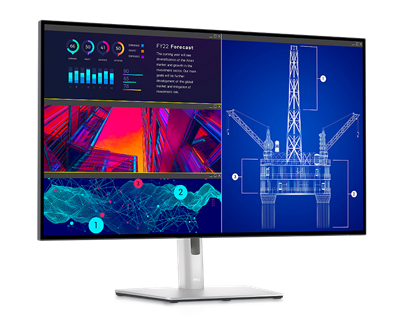
Best for: Laptop docking, office work and a multi-device desk
- Resolution
- 3840 x 2160 (4K)
- USB-C power
- 90W
- Refresh rate
- 60Hz
- Panel
- 27-inch IPS Black
- 90W USB-C supports laptop charging and display over one cable.
- Built-in hub, Ethernet and KVM support simplify a shared workstation.
- IPS Black contrast and 98% DCI-P3 coverage suit detailed work.
- 60Hz is not the smoothest option for fast-action gaming.
- Hub features add value mainly for people who use them.
Is the Dell UltraSharp U2723QE 27-Inch 4K USB-C Hub Monitor worth buying on Black Friday 2026?
Yes. Dell UltraSharp U2723QE 27-Inch 4K USB-C Hub Monitor combines a 27-inch 4K IPS Black panel with 90W USB-C charging, a hub and KVM support. The feature mix makes it a strong workstation choice for a laptop and desktop.
See today’s Black Friday price on Amazon
#2
Dell S2721QS 27-Inch 4K UHD Monitor
The Dell S2721QS 27-Inch 4K UHD Monitor is the best straightforward 4K pick for home and office users, with 3840 x 2160 resolution and a height-adjustable stand.

Best for: Everyday 4K use with a desktop or console
- Resolution
- 3840 x 2160 (4K)
- USB-C power
- 0W; no USB-C video input
- Refresh rate
- 60Hz
- Brightness
- 350 nits
- 4K resolution gives text and images fine detail on a 27-inch screen.
- Height, tilt, swivel and pivot adjustments help position the display.
- Two HDMI inputs and DisplayPort suit common desktop and console setups.
- No USB-C docking or laptop charging.
- Lacks the advanced hub and KVM features of the UltraSharp model.
Is the Dell S2721QS 27-Inch 4K UHD Monitor worth buying on Black Friday 2026?
Yes. Dell S2721QS 27-Inch 4K UHD Monitor is a sensible choice for sharp everyday viewing, with a 27-inch 4K panel, 60Hz refresh rate and adjustable stand. Choose another model for USB-C laptop charging or a built-in workstation hub.
See today’s Black Friday price on Amazon
#3
Dell UltraSharp U2724DE 27-Inch QHD Thunderbolt Hub Monitor
The Dell UltraSharp U2724DE 27-Inch QHD Thunderbolt Hub Monitor is the best fast-refresh hub display for office multitaskers, with a 120Hz panel and 90W Thunderbolt 4 power delivery.
Best for: Smooth office scrolling and Thunderbolt laptop docking
- Resolution
- 2560 x 1440 (QHD)
- USB-C power
- 90W
- Refresh rate
- 120Hz
- Panel
- 27-inch IPS Black
- 120Hz makes scrolling and supported motion look smoother than 60Hz.
- Thunderbolt 4 hub supports a capable one-cable desk setup.
- IPS Black contrast and broad color coverage suit long work sessions.
- QHD has fewer pixels than the 4K Dell options.
- Best features require a compatible laptop and Thunderbolt workflow.
Is the Dell UltraSharp U2724DE 27-Inch QHD Thunderbolt Hub Monitor worth buying on Black Friday 2026?
Yes. Dell UltraSharp U2724DE 27-Inch QHD Thunderbolt Hub Monitor pairs a 120Hz QHD panel with 90W Thunderbolt 4 power delivery and hub features. The Dell UltraSharp U2724DE 27-Inch QHD Thunderbolt Hub Monitor is a strong fit for smooth office use, though it does not provide 4K resolution.
See today’s Black Friday price on Amazon
#4
Dell P2723QE 27-Inch 4K USB-C Hub Monitor
The Dell P2723QE 27-Inch 4K USB-C Hub Monitor is the best practical 4K docking alternative for office users, with 90W USB-C charging and a 3840 x 2160 panel.
Best for: A 4K office screen with laptop charging
- Resolution
- 3840 x 2160 (4K)
- USB-C power
- 90W
- Refresh rate
- 60Hz
- Brightness
- 350 nits
- USB-C video and 90W charging reduce cable clutter.
- 4K resolution supports detailed documents and desktop layouts.
- USB hub functions add convenient connections for desk accessories.
- 60Hz refresh rate is intended for work rather than high-refresh gaming.
- Color and contrast features are less specialized than creator monitors.
Is the Dell P2723QE 27-Inch 4K USB-C Hub Monitor worth buying on Black Friday 2026?
Yes. Dell P2723QE 27-Inch 4K USB-C Hub Monitor brings 4K resolution, a USB hub and 90W USB-C power delivery to a work desk. The Dell P2723QE 27-Inch 4K USB-C Hub Monitor suits laptop users who need docking basics, while the UltraSharp model offers a more advanced feature set.
See today’s Black Friday price on Amazon
#5
LG 27UP850-W 27-Inch UHD IPS USB-C Monitor
The LG 27UP850-W 27-Inch UHD IPS USB-C Monitor is the best flexible 4K option for mixed work and media use, with 96W USB-C power delivery and DisplayHDR 400 support.
Best for: 4K laptop use and HDR-capable media
- Resolution
- 3840 x 2160 (4K)
- USB-C power
- 96W
- Refresh rate
- 60Hz
- Color coverage
- 95% DCI-P3
- 96W USB-C charging suits many laptop docking setups.
- DisplayHDR 400 support adds HDR compatibility for supported content.
- Wide DCI-P3 coverage helps with vivid media and creative workflows.
- 60Hz refresh rate is less suited to high-frame-rate gaming.
- HDR support does not replace a dedicated high-end HDR display.
Is the LG 27UP850-W 27-Inch UHD IPS USB-C Monitor worth buying on Black Friday 2026?
Yes. LG 27UP850-W 27-Inch UHD IPS USB-C Monitor offers 4K resolution, 96W USB-C power and 95% DCI-P3 coverage. The combination suits laptop users who want a sharp general-purpose display with useful color range and HDR compatibility.
See today’s Black Friday price on Amazon
#6
ASUS ProArt Display PA279CV 27-Inch 4K HDR Professional Monitor
The ASUS ProArt Display PA279CV 27-Inch 4K HDR Professional Monitor is the best color-focused 4K choice for creators, with 100% sRGB coverage and 65W USB-C power delivery.
Best for: Photo, design and color-conscious office work
- Resolution
- 3840 x 2160 (4K)
- USB-C power
- 65W
- Refresh rate
- 60Hz
- Color coverage
- 100% sRGB
- 100% sRGB and Rec.709 coverage suit common creative workflows.
- Factory-calibrated color is useful for design and photo tasks.
- USB-C supports display, data and laptop charging.
- 65W charging is lower than the 90W and 96W options here.
- 60Hz is not aimed at high-refresh gaming.
Is the ASUS ProArt Display PA279CV 27-Inch 4K HDR Professional Monitor worth buying on Black Friday 2026?
Yes. ASUS ProArt Display PA279CV 27-Inch 4K HDR Professional Monitor delivers 4K detail and 100% sRGB coverage, with 65W USB-C charging. The display fits creators who prioritize color and resolution over a high refresh rate.
See today’s Black Friday price on Amazon
#7
BenQ PD2705U 27-Inch 4K UHD Designer Monitor
The BenQ PD2705U 27-Inch 4K UHD Designer Monitor is the best designer-focused alternative for shared creative workflows, with a 4K panel and 99% sRGB coverage.
Best for: Designers who share color-focused work
- Resolution
- 3840 x 2160 (4K)
- USB-C power
- 65W
- Refresh rate
- 60Hz
- Color coverage
- 99% sRGB
- 4K resolution provides a detailed workspace for design applications.
- 99% sRGB and Rec.709 coverage support common creative deliverables.
- USB-C and KVM features help connect and switch between devices.
- 65W USB-C charging trails higher-powered docking displays.
- A 60Hz panel prioritizes creative work over fast gaming.
Is the BenQ PD2705U 27-Inch 4K UHD Designer Monitor worth buying on Black Friday 2026?
Yes. BenQ PD2705U 27-Inch 4K UHD Designer Monitor combines a 4K panel with 99% sRGB coverage, USB-C and KVM support. The feature set suits designers who switch between computers and value a consistent color-focused workspace.
See today’s Black Friday price on Amazon
Which is better, Dell UltraSharp U2723QE or Dell S2721QS?
Dell UltraSharp U2723QE 27-Inch 4K USB-C Hub Monitor is the better all-in-one work display, while Dell S2721QS 27-Inch 4K UHD Monitor is the simpler 4K screen for basic desk setups. Both models offer 27-inch 3840 x 2160 resolution and a 60Hz refresh rate, so core sharpness is comparable.
The UltraSharp model separates itself with an IPS Black panel, 90W USB-C charging, a USB hub, Ethernet and KVM support. Those additions help laptop users connect accessories and switch between computers. Dell S2721QS 27-Inch 4K UHD Monitor skips the docking hub but offers adjustable positioning and common HDMI and DisplayPort connections. Choose the UltraSharp for a one-cable workstation; choose the S2721QS when the setup already has a dock or uses a desktop. Skip it if a simpler display is all the desk needs.
Does USB-C make Dell UltraSharp U2723QE worth choosing?
Dell UltraSharp U2723QE 27-Inch 4K USB-C Hub Monitor delivers 90W USB-C power, making it the stronger choice for a laptop that supports charging and video over USB-C. One cable can carry the image, charge a compatible laptop and connect it to the monitor’s USB hub.
Dell S2721QS 27-Inch 4K UHD Monitor has no USB-C video input or laptop charging, so a laptop setup needs a separate connection or dock. Dell P2723QE 27-Inch 4K USB-C Hub Monitor also supplies 90W charging and 4K resolution, making it a useful alternative for office docking. Check the laptop’s charging requirement and port support before buying: a monitor’s wattage and USB-C capabilities determine whether a separate charger remains necessary.
Is 4K better than QHD on a 27-inch monitor?
Dell UltraSharp U2723QE 27-Inch 4K USB-C Hub Monitor and Dell S2721QS 27-Inch 4K UHD Monitor provide 3840 x 2160 pixels, while Dell UltraSharp U2724DE 27-Inch QHD Thunderbolt Hub Monitor uses 2560 x 1440. At 27 inches, 4K gives text and images more pixel detail.
QHD still gives a clear desktop and less demanding graphics workload, while the U2724DE raises refresh rate to 120Hz. That can make scrolling and supported motion feel smoother than the 60Hz 4K models. A shopper focused on crisp documents, high-resolution images or screen space should favor 4K. A shopper who values smoother motion and Thunderbolt docking over maximum pixel density should consider the QHD option.
Which monitor is best for creative work?
ASUS ProArt Display PA279CV 27-Inch 4K HDR Professional Monitor is the best color-focused pick here, with 100% sRGB coverage and 4K resolution. BenQ PD2705U 27-Inch 4K UHD Designer Monitor offers 99% sRGB coverage and KVM features for a desk that switches between computers.
Dell UltraSharp U2723QE 27-Inch 4K USB-C Hub Monitor provides 98% DCI-P3 coverage, making it a strong option for broader color work and laptop docking. LG 27UP850-W 27-Inch UHD IPS USB-C Monitor lists 95% DCI-P3 coverage and 96W USB-C power. Match the coverage standard to the intended work: sRGB serves many web and office projects, while DCI-P3 covers a wider color space for suitable creative workflows.
Which monitor features matter most for Black Friday 2026?
Dell UltraSharp U2723QE 27-Inch 4K USB-C Hub Monitor makes the strongest Black Friday 2026 pick for a laptop desk that benefits from 90W charging, KVM and a built-in hub. The Dell S2721QS 27-Inch 4K UHD Monitor is the more focused choice when 4K sharpness and stand adjustment matter more than docking.
Compare the complete setup rather than the resolution alone: USB-C wattage, input count, refresh rate, stand movement and color coverage affect daily use. For a gaming-oriented desk, none of the 60Hz 4K picks matches a high-refresh gaming monitor; Dell UltraSharp U2724DE 27-Inch QHD Thunderbolt Hub Monitor reaches 120Hz but remains a productivity-first display. Choose the features that solve a real need, then compare the models on the shortlist.
Buying Guide
Choose resolution for your work
Dell UltraSharp U2723QE 27-Inch 4K USB-C Hub Monitor offers 4K detail, while Dell UltraSharp U2724DE 27-Inch QHD Thunderbolt Hub Monitor uses QHD at 120Hz. Pick 4K for fine text and detailed images; pick QHD if smoother motion and a lower graphics load matter more.
Match USB-C power to the laptop
LG 27UP850-W 27-Inch UHD IPS USB-C Monitor supplies 96W, and Dell UltraSharp U2723QE 27-Inch 4K USB-C Hub Monitor supplies 90W. Check the laptop’s charging needs and USB-C video support before treating the display as a full dock.
Check stand and connection needs
Dell S2721QS 27-Inch 4K UHD Monitor provides an adjustable stand and HDMI plus DisplayPort connections. Confirm that the selected monitor has the required inputs, height adjustment and orientation options for the intended desk.
Prioritize the right color coverage
ASUS ProArt Display PA279CV 27-Inch 4K HDR Professional Monitor lists 100% sRGB coverage, while Dell UltraSharp U2723QE 27-Inch 4K USB-C Hub Monitor lists 98% DCI-P3. Choose coverage that matches the creative application and delivery format.
Decide whether a hub earns its place
Dell P2723QE 27-Inch 4K USB-C Hub Monitor combines 4K resolution with 90W USB-C power and hub functions. A display hub is most useful when it replaces separate desk accessories; a desktop user with existing connections can favor a simpler monitor.
FAQ
Dell UltraSharp U2723QE vs Dell S2721QS: which is better for Black Friday 2026?
Dell UltraSharp U2723QE 27-Inch 4K USB-C Hub Monitor is better for laptop work, with 90W USB-C charging and hub features. Dell S2721QS 27-Inch 4K UHD Monitor is a better fit for straightforward 4K desktop use. Both have a 27-inch 4K, 60Hz display.
Does the Dell S2721QS have USB-C?
No. Dell S2721QS 27-Inch 4K UHD Monitor does not provide USB-C video input or laptop charging. The 27-inch 4K display uses HDMI and DisplayPort connections, so laptop users who need one-cable docking should look at Dell UltraSharp U2723QE 27-Inch 4K USB-C Hub Monitor.
How much power does the Dell UltraSharp U2723QE deliver over USB-C?
Dell UltraSharp U2723QE 27-Inch 4K USB-C Hub Monitor delivers up to 90W over USB-C. The port supports video, charging and hub connectivity for compatible devices. Confirm the laptop’s charging requirement and port capabilities to ensure the display suits the setup.
Is Dell S2721QS good for gaming?
Dell S2721QS 27-Inch 4K UHD Monitor supports 4K resolution at 60Hz, which suits casual gaming and console play where image detail matters. Competitive players who prioritize high refresh rates should choose a monitor designed for faster gaming rather than this 60Hz display.
Which 27-inch monitor has the highest refresh rate in this guide?
Dell UltraSharp U2724DE 27-Inch QHD Thunderbolt Hub Monitor has the highest listed refresh rate in this guide at 120Hz. The model trades 4K resolution for QHD, while the other listed monitors have 60Hz refresh rates and prioritize 4K, color or USB-C features.