

As an Amazon Associate we earn from qualifying purchases.
- Best overall: Samsung 980 1TB NVMe SSD
- Best budget: WD Blue SN570 1TB NVMe SSD
- Best premium: Samsung 990 PRO 1TB NVMe SSD
- Lexar NM790 1TB M.2 2280 NVMe SSD: WD_BLACK SN770 1TB NVMe SSD
- Samsung 980 1TB NVMe SSD and WD Blue SN570 1TB NVMe SSD both offer sequential reads up to 3,500 MB/s.
- Samsung 980 1TB NVMe SSD and WD Blue SN570 1TB NVMe SSD are PCIe 3.0 drives suited to compatible M.2 NVMe systems.
- WD Blue SN570 1TB NVMe SSD is a straightforward everyday storage choice; Samsung 980 1TB NVMe SSD adds Samsung Magician software and Samsung's reputation for SSD support.
- Samsung 990 PRO 1TB NVMe SSD and WD_BLACK SN770 1TB NVMe SSD are faster PCIe 4.0 upgrades for compatible systems.
- Check the computer's M.2 size, NVMe support, and interface before choosing any SSD.
Samsung 980 1TB NVMe SSD and WD Blue SN570 1TB NVMe SSD are close matches for everyday PC storage, with both rated for sequential reads up to 3,500 MB/s. The Samsung 980 vs WD Blue SN570 Black Friday 2026 choice comes down to price at purchase, software preferences, and which drive is compatible with your computer. Both are PCIe 3.0 M.2 NVMe SSDs, not SATA drives.
I researched and compared specs, reviews and owner feedback to build this guide around common upgrades: boot drives, gaming libraries, and laptop storage. My pick for most people is the Samsung 980 1TB NVMe SSD when its software and support matter; the WD Blue SN570 1TB NVMe SSD is a compelling alternative for a simple everyday upgrade. Faster PCIe 4.0 options are included for systems built to use them.
How We Picked
- Compared manufacturer-listed sequential read and write speeds for each 1TB model.
- Checked interface, M.2 form factor, and practical compatibility considerations for PCs and laptops.
- Considered warranty and endurance information where the manufacturer provides clear specifications.
- Reviewed owner feedback and product positioning for everyday work, gaming, and heavier storage use.
- Included alternatives across PCIe generations and performance tiers so buyers can match an SSD to their system.
Comparison Table
| Product | Best for | Interface | Sequential read (MB/s) | Sequential write (MB/s) |
|---|---|---|---|---|
| Samsung 980 1TB NVMe SSD | Everyday PC and laptop upgrades | PCIe 3.0 x4 | 3,500 | 3,000 |
| WD Blue SN570 1TB NVMe SSD | Simple everyday storage upgrades | PCIe 3.0 x4 | 3,500 | 3,000 |
| Samsung 990 PRO 1TB NVMe SSD | High-speed gaming and demanding workloads | PCIe 4.0 x4 | 7,450 | 6,900 |
| WD_BLACK SN770 1TB NVMe SSD | PCIe 4.0 gaming systems | PCIe 4.0 x4 | 5,150 | 4,900 |
| Crucial P3 Plus 1TB PCIe 4.0 NVMe SSD | Adding affordable everyday capacity | PCIe 4.0 x4 | 5,000 | 3,600 |
| Lexar NM790 1TB M.2 2280 NVMe SSD | Fast storage without a flagship focus | PCIe 4.0 x4 | 7,400 | 6,500 |
| Kingston KC3000 1TB PCIe 4.0 NVMe SSD | Large transfers and demanding PC work | PCIe 4.0 x4 | 7,000 | 6,000 |
Best Picks Reviewed
#1 · Top pick
Samsung 980 1TB NVMe SSD
The Samsung 980 1TB NVMe SSD is the best all-around PCIe 3.0 pick for everyday upgrades, with sequential reads up to 3,500 MB/s and writes up to 3,000 MB/s.

Best for: Everyday PC and laptop upgrades
- Capacity
- 1TB
- Interface
- PCIe 3.0 x4, NVMe
- Sequential read
- Up to 3,500 MB/s
- Sequential write
- Up to 3,000 MB/s
- Form factor
- M.2 2280
- Fast sequential performance for a PCIe 3.0 drive
- Samsung Magician software supports drive management
- Suitable for everyday boot, app, and game storage
- A PCIe 3.0 interface limits peak speeds in newer systems
Is the Samsung 980 1TB NVMe SSD worth buying on Black Friday 2026?
The Samsung 980 1TB NVMe SSD is worth considering for compatible systems that need a reliable everyday NVMe drive. The Samsung 980 1TB NVMe SSD's 3,500 MB/s rated read speed suits booting, applications, and gaming, while PCIe 3.0 keeps it below newer Gen 4 options.
See today’s Black Friday price on Amazon
#2
WD Blue SN570 1TB NVMe SSD
The WD Blue SN570 1TB NVMe SSD is the best straightforward alternative for everyday storage, with sequential reads up to 3,500 MB/s and writes up to 3,000 MB/s.
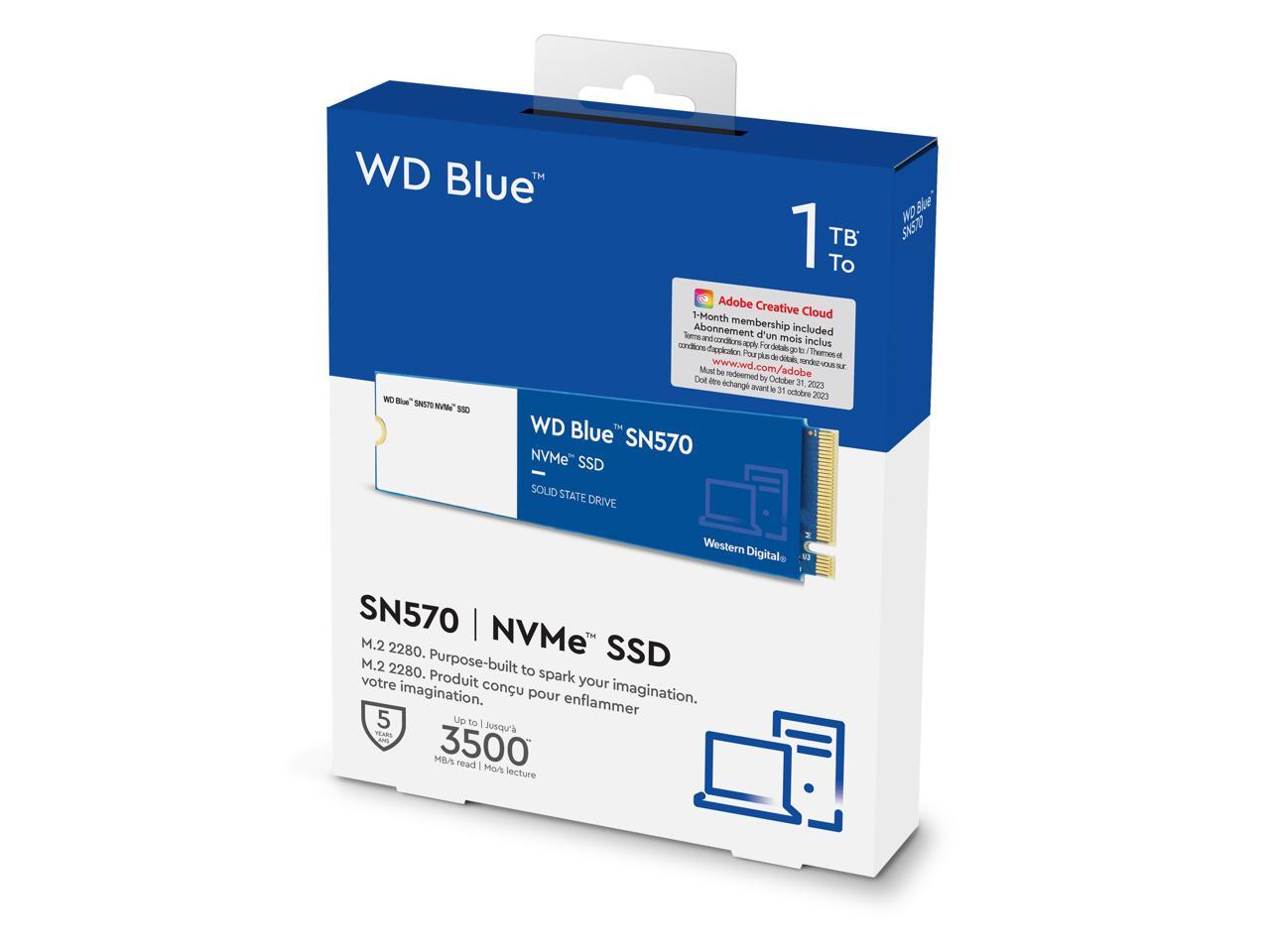
Best for: Simple everyday storage upgrades
- Capacity
- 1TB
- Interface
- PCIe 3.0 x4, NVMe
- Sequential read
- Up to 3,500 MB/s
- Sequential write
- Up to 3,000 MB/s
- Form factor
- M.2 2280
- Matches the Samsung 980's rated sequential speeds
- Straightforward fit for compatible M.2 NVMe systems
- Five-year limited warranty
- PCIe 3.0 performance is below current high-end Gen 4 drives
Is the WD Blue SN570 1TB NVMe SSD worth buying on Black Friday 2026?
The WD Blue SN570 1TB NVMe SSD is worth considering as a no-frills PCIe 3.0 upgrade. The 3,500 MB/s rated read speed works well for everyday computing, and its five-year limited warranty adds a useful long-term ownership benefit.
See today’s Black Friday price on Amazon
#3
Samsung 990 PRO 1TB NVMe SSD
The Samsung 990 PRO 1TB NVMe SSD is the best premium pick for demanding compatible systems, with sequential reads up to 7,450 MB/s.
Best for: High-speed gaming and demanding workloads
- Capacity
- 1TB
- Interface
- PCIe 4.0 x4, NVMe
- Sequential read
- Up to 7,450 MB/s
- Sequential write
- Up to 6,900 MB/s
- Form factor
- M.2 2280
- High sequential performance for PCIe 4.0 systems
- Samsung Magician drive-management support
- Five-year limited warranty
- Needs a compatible system to make full use of Gen 4 speeds
Is the Samsung 990 PRO 1TB NVMe SSD worth buying on Black Friday 2026?
The Samsung 990 PRO 1TB NVMe SSD is worth considering for a compatible PCIe 4.0 PC used for demanding games or large file transfers. The Samsung 990 PRO 1TB NVMe SSD's 7,450 MB/s rated read speed is far above the Samsung 980 and WD Blue SN570.
See today’s Black Friday price on Amazon
#4
WD_BLACK SN770 1TB NVMe SSD
The WD_BLACK SN770 1TB NVMe SSD is the best performance step-up for PCIe 4.0 gaming PCs, with sequential reads up to 5,150 MB/s.
Best for: PCIe 4.0 gaming systems
- Capacity
- 1TB
- Interface
- PCIe 4.0 x4, NVMe
- Sequential read
- Up to 5,150 MB/s
- Sequential write
- Up to 4,900 MB/s
- Form factor
- M.2 2280
- Faster rated reads than PCIe 3.0 alternatives
- Designed for gaming and general PC workloads
- Five-year limited warranty
- Requires a PCIe 4.0-capable system for its higher interface speeds
Is the WD_BLACK SN770 1TB NVMe SSD worth buying on Black Friday 2026?
The WD_BLACK SN770 1TB NVMe SSD is worth considering for a PCIe 4.0 gaming PC that needs quicker storage than a Gen 3 drive. The WD_BLACK SN770 1TB NVMe SSD's 5,150 MB/s rated read speed makes it a practical middle ground between mainstream and premium SSDs.
See today’s Black Friday price on Amazon
#5
Crucial P3 Plus 1TB PCIe 4.0 NVMe SSD
The Crucial P3 Plus 1TB PCIe 4.0 NVMe SSD is the best capacity-focused Gen 4 option for everyday use, with sequential reads up to 5,000 MB/s.
Best for: Adding affordable everyday capacity
- Capacity
- 1TB
- Interface
- PCIe 4.0 x4, NVMe
- Sequential read
- Up to 5,000 MB/s
- Sequential write
- Up to 3,600 MB/s
- Endurance
- 220 TBW
- Gen 4 interface for compatible systems
- Useful for game libraries and general files
- Five-year limited warranty
- QLC NAND and 220 TBW endurance are less suited to heavy write workloads
Is the Crucial P3 Plus 1TB PCIe 4.0 NVMe SSD worth buying on Black Friday 2026?
The Crucial P3 Plus 1TB PCIe 4.0 NVMe SSD is worth considering for everyday storage and game libraries in a compatible Gen 4 system. The Crucial P3 Plus 1TB PCIe 4.0 NVMe SSD's 5,000 MB/s rated read speed is strong, though frequent heavy writes favor a higher-endurance drive.
See today’s Black Friday price on Amazon
#6
Lexar NM790 1TB M.2 2280 NVMe SSD
The Lexar NM790 1TB M.2 2280 NVMe SSD is the best high-speed alternative for compatible Gen 4 systems, with sequential reads up to 7,400 MB/s.
Best for: Fast storage without a flagship focus
- Capacity
- 1TB
- Interface
- PCIe 4.0 x4, NVMe
- Sequential read
- Up to 7,400 MB/s
- Sequential write
- Up to 6,500 MB/s
- Form factor
- M.2 2280
- Fast rated reads and writes for a Gen 4 SSD
- Suitable for gaming and large file transfers
- M.2 2280 format fits many desktop and laptop slots
- Check laptop and motherboard compatibility before ordering
Is the Lexar NM790 1TB M.2 2280 NVMe SSD worth buying on Black Friday 2026?
The Lexar NM790 1TB M.2 2280 NVMe SSD is worth considering for a compatible PCIe 4.0 system that needs high rated transfer speeds. The Lexar NM790 1TB M.2 2280 NVMe SSD's 7,400 MB/s read rating stands well above the Samsung 980 and WD Blue SN570.
See today’s Black Friday price on Amazon
#7
Kingston KC3000 1TB PCIe 4.0 NVMe SSD
The Kingston KC3000 1TB PCIe 4.0 NVMe SSD is the best heavy-workload alternative in this group, with sequential reads up to 7,000 MB/s.
Best for: Large transfers and demanding PC work
- Capacity
- 1TB
- Interface
- PCIe 4.0 x4, NVMe
- Sequential read
- Up to 7,000 MB/s
- Sequential write
- Up to 6,000 MB/s
- Endurance
- 800 TBW
- High rated sequential read and write speeds
- TLC NAND and a DRAM cache
- Five-year limited warranty
- The included low-profile heat spreader needs clearance in compact devices
Is the Kingston KC3000 1TB PCIe 4.0 NVMe SSD worth buying on Black Friday 2026?
The Kingston KC3000 1TB PCIe 4.0 NVMe SSD is worth considering for sustained PC work, large transfers, and gaming in a compatible Gen 4 system. The Kingston KC3000 1TB PCIe 4.0 NVMe SSD's 7,000 MB/s rated read speed and 800 TBW endurance suit heavier use.
See today’s Black Friday price on Amazon
Samsung 980 vs WD Blue SN570: which SSD is faster?
Samsung 980 1TB NVMe SSD and WD Blue SN570 1TB NVMe SSD share the same rated sequential speeds: up to 3,500 MB/s read and 3,000 MB/s write. Both use a PCIe 3.0 x4 NVMe connection, so neither has a clear advantage on headline transfer speeds.
Everyday responsiveness also depends on the computer, workload, and drive capacity—not just the maximum sequential rating. For typical booting, browsing, and application use, the two drives occupy a similar performance tier. A PCIe 4.0 model is a more meaningful upgrade for large transfers when the host system supports Gen 4. Choose between the Samsung and WD models based on compatibility, warranty preference, software, and the available Black Friday 2026 listing.
Which SSD is better for a laptop upgrade?
Samsung 980 1TB NVMe SSD and WD Blue SN570 1TB NVMe SSD are suitable laptop upgrades when the laptop has an M.2 2280 NVMe slot. Both have a compact M.2 form factor and a PCIe 3.0 interface, making them appropriate matches for many older or mainstream systems.
Before buying, check the laptop manual for supported drive length, interface, and capacity. Some laptops use shorter M.2 modules or accept SATA-only drives, which are not interchangeable with NVMe models. Also check whether the laptop has a single storage slot and plan a data migration or operating-system installation. A Gen 4 SSD can work in many backward-compatible systems, but it operates within the host device's interface limits.
Should you choose a PCIe 3.0 or PCIe 4.0 SSD?
Samsung 980 1TB NVMe SSD and WD Blue SN570 1TB NVMe SSD are PCIe 3.0 options, while Samsung 990 PRO 1TB NVMe SSD and WD_BLACK SN770 1TB NVMe SSD are PCIe 4.0 upgrades. The right generation depends on the system's M.2 slot and the work the drive needs to handle.
A Gen 3 drive remains a sensible fit for everyday tasks, older desktops, and laptops built around PCIe 3.0. Gen 4 models offer much higher rated sequential speeds on compatible hardware, which helps with large files and demanding workloads. For gaming, load times also depend on the game and overall system, so the highest specification does not guarantee a noticeable improvement in every title. Verify motherboard support before selecting a faster drive.
Are these SSDs good for gaming?
WD_BLACK SN770 1TB NVMe SSD and Samsung 990 PRO 1TB NVMe SSD are the strongest gaming upgrades in this selection for compatible PCIe 4.0 systems. Their rated reads reach 5,150 MB/s and 7,450 MB/s respectively, while Samsung 980 1TB NVMe SSD and WD Blue SN570 1TB NVMe SSD remain capable options for mainstream game storage.
Capacity and compatibility matter as much as headline speed for a game library. A 1TB drive gives room for an operating system and multiple large games, though the usable space is lower after formatting and system files. Console owners should check the console's supported SSD type and any heatsink requirement; a desktop M.2 SSD does not automatically meet every console's expansion rules.
What should you check before buying an SSD on Black Friday?
Samsung 980 1TB NVMe SSD and WD Blue SN570 1TB NVMe SSD are both M.2 2280 PCIe 3.0 drives, but buyers should confirm the exact model, capacity, and host compatibility before checkout. Similar product names can refer to different capacities or hardware revisions.
Check the system manual for NVMe support, M.2 length, and PCIe generation, then compare warranty and endurance details for the specific model. For a laptop upgrade, confirm whether the machine allows storage replacement and how the operating system will be transferred. For desktops, check heatsink clearance and whether the board already includes an M.2 cover. Those checks help ensure a seasonal purchase is useful rather than simply faster on paper.
Buying Guide
Match the M.2 size and interface
Confirm the computer supports M.2 NVMe and the 2280 length before choosing Samsung 980 1TB NVMe SSD or WD Blue SN570 1TB NVMe SSD. M.2 describes the physical format; NVMe and PCIe describe the drive connection. An M.2 SATA slot is not the same as an NVMe slot.
Choose capacity for your files
A 1TB drive suits many operating systems, applications, and game libraries. Compare the capacity with your current storage use and leave room for updates and personal files. Larger libraries or creative projects benefit from more capacity, especially when frequent file cleanup is inconvenient.
Use the host system to choose speed
PCIe 3.0 drives such as Samsung 980 1TB NVMe SSD work well in compatible Gen 3 systems. PCIe 4.0 models reach higher rated speeds only when paired with compatible hardware. A newer SSD still needs a supported slot to deliver its full interface performance.
Consider endurance, warranty, and cooling
Check the manufacturer's limited warranty and TBW endurance rating for the exact model and capacity. Heavy writing workloads deserve closer attention to endurance. Desktop buyers should review heatsink clearance, while laptop buyers should confirm that the SSD's dimensions and thermal requirements suit the chassis.
Compare the complete product listing
During Black Friday 2026, verify the exact brand, model, capacity, and included accessories on the listing. Avoid choosing from a product title alone: confirm the SKU and interface match the drive you researched, and check the seller and return terms before ordering.
FAQ
Samsung 980 vs WD Blue SN570: which is better?
Samsung 980 1TB NVMe SSD and WD Blue SN570 1TB NVMe SSD have matching rated sequential speeds of 3,500 MB/s read and 3,000 MB/s write. Pick based on system compatibility, software preference, warranty details, and the Black Friday 2026 listing.
Is the WD Blue SN570 faster than the Samsung 980?
WD Blue SN570 1TB NVMe SSD is not faster on rated sequential speeds than Samsung 980 1TB NVMe SSD. Both list up to 3,500 MB/s reads and 3,000 MB/s writes, and both use a PCIe 3.0 x4 NVMe interface.
Can I use a PCIe 4.0 SSD in a PCIe 3.0 slot?
Samsung 990 PRO 1TB NVMe SSD and WD_BLACK SN770 1TB NVMe SSD are PCIe 4.0 drives, and compatible backward-compatible systems run them at the host slot's supported speed. Check the computer's manual and ensure the slot supports NVMe before installing.
Is the Samsung 980 1TB NVMe SSD good for gaming?
Samsung 980 1TB NVMe SSD is a good fit for gaming on compatible systems, with 3,500 MB/s rated sequential reads and 1TB of capacity. The drive also works for everyday boot and application storage; confirm the system has an M.2 NVMe slot.
Which SSD is best for a PCIe 4.0 gaming PC?
WD_BLACK SN770 1TB NVMe SSD is a balanced PCIe 4.0 gaming choice, with rated reads up to 5,150 MB/s. Samsung 990 PRO 1TB NVMe SSD is a higher-performance alternative rated up to 7,450 MB/s for demanding workloads.
What should I check before replacing a laptop SSD?
Samsung 980 1TB NVMe SSD and WD Blue SN570 1TB NVMe SSD fit laptops with an M.2 2280 NVMe slot. Check the laptop manual for drive length, interface, capacity support, and whether storage replacement is permitted before buying or transferring data.