

As an Amazon Associate we earn from qualifying purchases.
- Best overall: Corsair MP700 PRO 2TB with Air Cooler
- Best budget: Crucial T500 2TB with Heatsink
- Best premium: Crucial T705 2TB with Heatsink
- Best for gaming: WD_BLACK SN850X 2TB with Heatsink
- Corsair MP700 PRO 2TB with Air Cooler leads on quoted sequential speed, with read speeds up to 12,400 MB/s.
- Seagate FireCuda 540 2TB is a strong Gen5 alternative with read and write speeds up to 10,000 MB/s.
- Crucial T705 2TB with Heatsink is a premium speed choice, while Samsung 990 PRO 2TB with Heatsink and WD_BLACK SN850X 2TB with Heatsink are practical Gen4 options.
- Check motherboard compatibility, cooling and real workload needs before choosing a PCIe Gen5 SSD.
The Seagate FireCuda 540 2TB and Corsair MP700 PRO 2TB with Air Cooler are high-speed PCIe Gen5 SSDs, but the Corsair has the higher quoted sequential read speed: 12,400 MB/s versus 10,000 MB/s. For Black Friday 2026, the right choice depends on your motherboard, cooling setup and whether your work benefits from faster storage.
I researched and compared specs, reviews and owner feedback to assemble this guide to seven SSDs, from high-end Gen5 drives to value-focused Gen4 models. My pick for most people is a drive that fits the PC without extra cooling or compatibility complications. Use the comparison table to narrow the choices, then check the product details for the trade-offs that matter to your build.
How We Picked
- Compared manufacturer-published sequential read and write speeds, capacity and PCIe generation.
- Considered cooling needs, including whether a model has a bundled heatsink or active cooler.
- Reviewed published specifications, reviews and owner feedback for practical strengths and common trade-offs.
- Included Gen5 performance leaders alongside Gen4 alternatives for different budgets and workloads.
- Prioritized compatibility guidance for desktops, motherboards and other supported devices.
Comparison Table
| Product | Best for | Sequential read | Sequential write | Interface |
|---|---|---|---|---|
| Seagate FireCuda 540 2TB | Balanced Gen5 performance | Up to 10,000 MB/s | Up to 10,000 MB/s | PCIe Gen5 x4 |
| Corsair MP700 PRO 2TB with Air Cooler | Enthusiast Gen5 desktops | Up to 12,400 MB/s | Up to 11,800 MB/s | PCIe Gen5 x4 |
| Crucial T705 2TB with Heatsink | Maximum rated Gen5 speed | Up to 14,500 MB/s | Up to 12,700 MB/s | PCIe Gen5 x4 |
| Samsung 990 PRO 2TB with Heatsink | Premium Gen4 upgrades | Up to 7,450 MB/s | Up to 6,900 MB/s | PCIe Gen4 x4 |
| WD_BLACK SN850X 2TB with Heatsink | Gen4 gaming | Up to 7,300 MB/s | Up to 6,600 MB/s | PCIe Gen4 x4 |
| Sabrent Rocket 5 2TB | High-performance Gen5 builds | Up to 14,000 MB/s | Up to 12,000 MB/s | PCIe Gen5 x4 |
| Crucial T500 2TB with Heatsink | Value-focused Gen4 upgrades | Up to 7,400 MB/s | Up to 7,000 MB/s | PCIe Gen4 x4 |
Best Picks Reviewed
#1
Seagate FireCuda 540 2TB
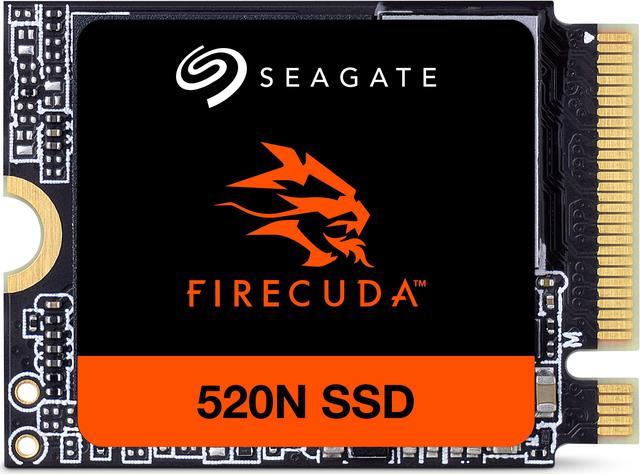
The Seagate FireCuda 540 2TB is the best balanced Gen5 SSD for creators who want 10,000 MB/s sequential reads and writes. The Seagate FireCuda 540 2TB's performance makes it a capable option for demanding desktop storage upgrades.
Best for: Gen5 speed without an oversized cooler
- Capacity
- 2TB
- Interface
- PCIe Gen5 x4, NVMe
- Sequential read
- Up to 10,000 MB/s
- Sequential write
- Up to 10,000 MB/s
- High sequential read and write ratings
- Compact M.2 2280 form factor
- Suitable for demanding creative workloads
- Requires a Gen5-compatible M.2 slot
- Motherboard cooling is important
Is the Seagate FireCuda 540 2TB worth buying on Black Friday 2026?
The Seagate FireCuda 540 2TB is worth considering for a compatible Gen5 desktop when fast transfers and a 2TB capacity matter. The Seagate FireCuda 540 2TB's quoted 10,000 MB/s read and write speeds suit demanding workloads, but plan for adequate M.2 cooling.
See today’s Black Friday price on Amazon
#2 · Top pick
Corsair MP700 PRO 2TB with Air Cooler
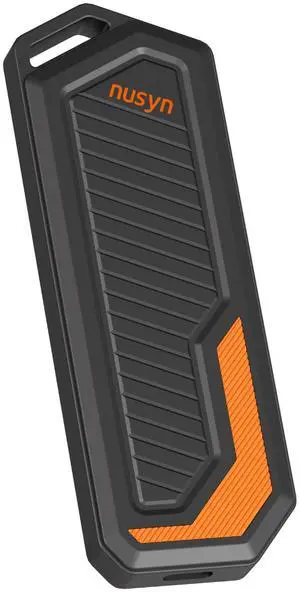
The Corsair MP700 PRO 2TB with Air Cooler is the best speed-focused Gen5 SSD for enthusiasts who want up to 12,400 MB/s reads. The Corsair MP700 PRO 2TB with Air Cooler's bundled active cooler is a key advantage for builds without suitable motherboard cooling.
Best for: Enthusiast Gen5 desktops
- Capacity
- 2TB
- Interface
- PCIe Gen5 x4, NVMe
- Sequential read
- Up to 12,400 MB/s
- Sequential write
- Up to 11,800 MB/s
- Very high quoted sequential speeds
- Includes an active air cooler
- 2TB capacity suits large projects
- Cooler needs case clearance
- Gen5 support is required
Is the Corsair MP700 PRO 2TB with Air Cooler worth buying on Black Friday 2026?
The Corsair MP700 PRO 2TB with Air Cooler is a strong pick for a Gen5 desktop that needs high transfer speeds and dedicated SSD cooling. The Corsair MP700 PRO 2TB with Air Cooler's rated 12,400 MB/s reads lead this selection, though the active cooler requires space and airflow.
See today’s Black Friday price on Amazon
#3
Crucial T705 2TB with Heatsink
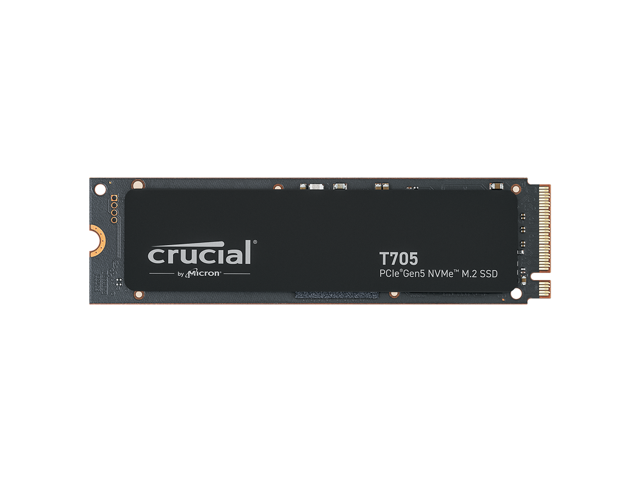
The Crucial T705 2TB with Heatsink is the best premium speed pick for high-end Gen5 builds, with sequential reads up to 14,500 MB/s. The Crucial T705 2TB with Heatsink's included heatsink is useful for compatible desktop installations.
Best for: Maximum rated Gen5 speed
- Capacity
- 2TB
- Interface
- PCIe Gen5 x4, NVMe
- Sequential read
- Up to 14,500 MB/s
- Sequential write
- Up to 12,700 MB/s
- Top-tier sequential read rating
- Heatsink included
- Large 2TB capacity
- Needs a compatible Gen5 slot
- Heatsink dimensions need clearance
Is the Crucial T705 2TB with Heatsink worth buying on Black Friday 2026?
The Crucial T705 2TB with Heatsink is a compelling premium option for a Gen5 PC built around fast file transfers. The Crucial T705 2TB with Heatsink's rated 14,500 MB/s read speed stands out, while the included heatsink supports cooling in compatible desktop configurations.
See today’s Black Friday price on Amazon
#4
Samsung 990 PRO 2TB with Heatsink
The Samsung 990 PRO 2TB with Heatsink is the best premium Gen4 SSD for gaming and everyday creative work, with sequential reads up to 7,450 MB/s. The Samsung 990 PRO 2TB with Heatsink offers strong speed without requiring a Gen5 motherboard.

Best for: Premium Gen4 desktop upgrades
- Capacity
- 2TB
- Interface
- PCIe Gen4 x4, NVMe
- Sequential read
- Up to 7,450 MB/s
- Sequential write
- Up to 6,900 MB/s
- Fast Gen4 performance
- Heatsink included
- Broad desktop compatibility
- Slower sequential ratings than Gen5 models
- Heatsink can conflict with motherboard covers
Is the Samsung 990 PRO 2TB with Heatsink worth buying on Black Friday 2026?
The Samsung 990 PRO 2TB with Heatsink is a good choice for a fast Gen4 upgrade without moving to a Gen5 platform. The Samsung 990 PRO 2TB with Heatsink's 7,450 MB/s read rating suits gaming and creative use, and its included heatsink supports desktop cooling.
See today’s Black Friday price on Amazon
#5
WD_BLACK SN850X 2TB with Heatsink
The WD_BLACK SN850X 2TB with Heatsink is the best gaming-focused Gen4 SSD for desktop players, with sequential reads up to 7,300 MB/s. The WD_BLACK SN850X 2TB with Heatsink's 2TB capacity gives room for a sizable game library.
Best for: Gaming libraries on Gen4 PCs
- Capacity
- 2TB
- Interface
- PCIe Gen4 x4, NVMe
- Sequential read
- Up to 7,300 MB/s
- Sequential write
- Up to 6,600 MB/s
- Strong Gen4 read speeds
- Heatsink version available
- Useful capacity for games
- Does not match Gen5 peak speeds
- Confirm heatsink clearance before installation
Is the WD_BLACK SN850X 2TB with Heatsink worth buying on Black Friday 2026?
The WD_BLACK SN850X 2TB with Heatsink is a solid Gen4 choice for a gaming desktop that needs fast storage and room for large installs. The WD_BLACK SN850X 2TB with Heatsink's 7,300 MB/s read rating is strong, though Gen5 drives post higher sequential figures.
See today’s Black Friday price on Amazon
#6
Sabrent Rocket 5 2TB
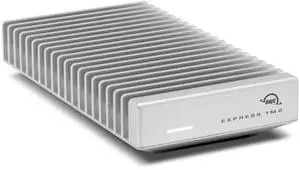
The Sabrent Rocket 5 2TB is the best alternative for Gen5 builders seeking high sequential performance, with reads up to 14,000 MB/s. The drive needs an appropriate cooling solution and a compatible motherboard slot.
Best for: High-performance Gen5 builds
- Capacity
- 2TB
- Interface
- PCIe Gen5 x4, NVMe
- Sequential read
- Up to 14,000 MB/s
- Sequential write
- Up to 12,000 MB/s
- Very high sequential read rating
- 2TB capacity
- Designed for Gen5 systems
- Cooling must suit the installation
- Requires Gen5 motherboard support
Is the Sabrent Rocket 5 2TB worth buying on Black Friday 2026?
The Sabrent Rocket 5 2TB is a strong Gen5 candidate for builders who prioritize fast sequential transfers. The Sabrent Rocket 5 2TB's 14,000 MB/s read rating is a standout, but compatibility and cooling should be confirmed before choosing it for a desktop.
See today’s Black Friday price on Amazon
#7
Crucial T500 2TB with Heatsink
The Crucial T500 2TB with Heatsink is the best value-focused Gen4 pick for everyday PC upgrades, with reads up to 7,400 MB/s. The Crucial T500 2TB with Heatsink's included heatsink and 2TB capacity make it a practical all-rounder.
Best for: Value-focused Gen4 upgrades
- Capacity
- 2TB
- Interface
- PCIe Gen4 x4, NVMe
- Sequential read
- Up to 7,400 MB/s
- Sequential write
- Up to 7,000 MB/s
- Fast Gen4 sequential ratings
- Heatsink included
- 2TB capacity for general use
- Gen4 rather than Gen5
- Heatsink needs slot clearance
Is the Crucial T500 2TB with Heatsink worth buying on Black Friday 2026?
The Crucial T500 2TB with Heatsink is a sensible pick for a Gen4 desktop upgrade focused on speed and capacity. The Crucial T500 2TB with Heatsink's 7,400 MB/s read rating is strong for its class, and the bundled heatsink helps simplify compatible installations.
See today’s Black Friday price on Amazon
Which is better, Seagate FireCuda 540 or Corsair MP700 PRO?
The Corsair MP700 PRO 2TB with Air Cooler has the higher quoted sequential speed, reaching 12,400 MB/s reads and 11,800 MB/s writes. The Seagate FireCuda 540 2TB reaches up to 10,000 MB/s for both reads and writes, making it a strong alternative for a Gen5 desktop.
The Corsair’s active cooler is a useful feature when a motherboard heatsink is absent or unsuitable, but the cooler needs space and airflow. The Seagate FireCuda 540 2TB uses a compact M.2 format, so the motherboard’s own cooling solution is an important part of the setup. Both require a PCIe Gen5-compatible slot to reach their rated performance.
Does a PCIe Gen5 SSD make sense for gaming?
A PCIe Gen5 SSD makes sense for gaming when the PC supports Gen5 and the buyer also uses the drive for large transfers or creative work. The Crucial T705 2TB with Heatsink and Corsair MP700 PRO 2TB with Air Cooler have high sequential ratings, but many gaming upgrades can use a fast Gen4 model.
The WD_BLACK SN850X 2TB with Heatsink and Samsung 990 PRO 2TB with Heatsink offer up to 7,300 MB/s and 7,450 MB/s reads, respectively. Game loading depends on more than peak sequential speed, so choosing a compatible drive with enough capacity and suitable cooling is more useful than chasing a headline number alone.
Which SSD is best for a Gen4 motherboard?
The Samsung 990 PRO 2TB with Heatsink, WD_BLACK SN850X 2TB with Heatsink and Crucial T500 2TB with Heatsink are Gen4 options for a compatible PCIe Gen4 M.2 slot. Each offers sequential reads above 7,000 MB/s, with their precise ratings varying by model.
Gen5 drives can fit some Gen4 slots, but the slot limits their transfer performance to the supported generation. A Gen4 SSD avoids paying for peak speed your system cannot use. Before ordering, check the motherboard manual for supported M.2 lengths, lane sharing and heatsink clearance.
How important is SSD cooling for Gen5 drives?
SSD cooling matters for Gen5 drives because high transfer speeds generate heat, and suitable cooling helps the drive maintain performance. The Corsair MP700 PRO 2TB with Air Cooler includes an active cooler, while the Crucial T705 2TB with Heatsink includes a passive heatsink.
The Seagate FireCuda 540 2TB and Sabrent Rocket 5 2TB need an appropriate cooling setup for the specific installation. A motherboard M.2 heatsink can work when it fits the drive and gets airflow. Compare cooler dimensions with nearby graphics cards, case panels and existing motherboard covers before buying.
What should shoppers compare on Black Friday 2026?
Black Friday 2026 SSD shoppers should compare interface, capacity, cooling and sequential speeds before weighing the listed offers. A Gen5 drive is a good match for a supported high-performance PC, while a Gen4 SSD often suits a mainstream upgrade without a platform change.
Compare the exact model and configuration, since a heatsink version can differ from a bare drive or active-cooler bundle. Check the manufacturer’s compatibility guidance, warranty details and seller information. Skip it if the drive’s interface or heatsink dimensions do not match your system.
Buying Guide
Match the SSD to your motherboard
The motherboard’s M.2 slot determines the interface and maximum connection speed an SSD can use. Check the manual for PCIe generation, M.2 length and lane-sharing notes before choosing a Gen5 or Gen4 drive.
Choose capacity for your workload
A 2TB SSD gives many gaming and creative PCs room for apps, games and active projects. List the files you expect to keep installed, then select a capacity that leaves room for future use.
Plan for cooling and clearance
A Gen5 SSD needs cooling suited to its model and computer. Compare included heatsinks or active coolers with motherboard covers, graphics card clearance and case airflow before purchasing.
Compare useful performance, not only peak speed
Sequential read and write figures help compare large file transfers, but do not represent every workload. Consider your usual tasks, system compatibility and capacity alongside the headline MB/s ratings.
Verify the exact product configuration
Product names can refer to a bare SSD, a heatsink version or a bundled cooler. Confirm the full model name, seller, warranty terms and included cooling parts before completing a Black Friday 2026 purchase.
FAQ
Seagate FireCuda 540 vs Corsair MP700 PRO: which is faster?
The Corsair MP700 PRO 2TB with Air Cooler is faster by its quoted sequential ratings: up to 12,400 MB/s reads and 11,800 MB/s writes. The Seagate FireCuda 540 2TB reaches up to 10,000 MB/s for both reads and writes.
Is the Seagate FireCuda 540 compatible with a Gen4 motherboard?
The Seagate FireCuda 540 2TB is a PCIe Gen5 x4 NVMe SSD. A compatible Gen4 M.2 slot can limit its performance to Gen4 speeds, and support depends on the motherboard. Check the board manual for slot compatibility and installation requirements.
Does the Corsair MP700 PRO need a heatsink?
The Corsair MP700 PRO 2TB with Air Cooler includes an active cooler designed for the drive. Confirm that the cooler fits your PC case and motherboard layout and has appropriate airflow. The system’s M.2 configuration determines the correct installation.
Is a Gen5 SSD worth it for gaming?
A Gen5 SSD is most useful when the gaming PC supports Gen5 and the owner also values fast large-file transfers or demanding creative workloads. A Gen4 model such as the WD_BLACK SN850X 2TB with Heatsink is a strong alternative for many gaming systems.
Which SSD is best for a Gen4 PC?
The Samsung 990 PRO 2TB with Heatsink, WD_BLACK SN850X 2TB with Heatsink and Crucial T500 2TB with Heatsink are Gen4 options with 2TB capacity. Compare their ratings, cooling fit and intended workload against your motherboard’s specifications.