

As an Amazon Associate we earn from qualifying purchases.
- Best overall: TP-Link Archer AXE75 AXE5400 Tri-Band Wi-Fi 6E Router
- Best budget: TP-Link Archer AX55 AX3000 Dual-Band Wi-Fi 6 Router
- Best premium: TP-Link Archer BE800 BE19000 Tri-Band Wi-Fi 7 Router
- TP-Link Archer BE550 BE9300 Tri-Band Wi-Fi 7 Router: TP-Link Archer AX90 AX6600 Tri-Band Wi-Fi 6 Router
- TP-Link Archer AXE75 AXE5400 Tri-Band Wi-Fi 6E Router adds a 6 GHz band and supports newer Wi-Fi 6E devices.
- TP-Link Archer AX55 AX3000 Dual-Band Wi-Fi 6 Router is a practical choice for homes that do not need 6 GHz.
- Both routers advertise gigabit-class wireless speeds, but real-world performance depends on your internet plan, devices, layout, and interference.
- Wi-Fi 7 alternatives suit shoppers who want newer standards and multi-gigabit wired connections.
- Choose by household needs and device compatibility, not the advertised speed number alone.
TP-Link Archer AXE75 AXE5400 Tri-Band Wi-Fi 6E Router is the stronger fit for homes with Wi-Fi 6E devices, while TP-Link Archer AX55 AX3000 Dual-Band Wi-Fi 6 Router is the simpler pick for everyday Wi-Fi 6 use. We researched and compared specs, reviews and owner feedback to make this Black Friday 2026 guide useful for shoppers weighing the two routers and their alternatives.
The key difference is the extra 6 GHz band on TP-Link Archer AXE75 AXE5400 Tri-Band Wi-Fi 6E Router; TP-Link Archer AX55 AX3000 Dual-Band Wi-Fi 6 Router uses 2.4 GHz and 5 GHz. A third band does not automatically mean faster internet for every household. Check your devices, broadband plan, home layout, and wired-port needs before choosing. Below, each pick includes a direct use case and specifications to make comparison easier.
How We Picked
- Compared advertised Wi-Fi standards, bands, and combined speed classes across the listed TP-Link router models.
- Prioritized practical differences, including 6 GHz availability, wired port speeds, and compatibility with newer devices.
- Reviewed manufacturer specifications alongside published reviews and owner feedback; no research claims are made.
- Selected options for different household needs, from basic Wi-Fi 6 upgrades to Wi-Fi 7 and multi-gigabit setups.
- Focused on Black Friday shopping decisions that remain useful without relying on a particular offer or price.
Comparison Table
| Product | Best for | Wi-Fi class | Bands | Top advertised rate |
|---|---|---|---|---|
| TP-Link Archer AXE75 AXE5400 Tri-Band Wi-Fi 6E Router | Wi-Fi 6E households | AXE5400 | 3 | 5400 Mbps |
| TP-Link Archer AX55 AX3000 Dual-Band Wi-Fi 6 Router | Everyday Wi-Fi 6 | AX3000 | 2 | 3000 Mbps |
| TP-Link Archer AXE95 AXE7800 Tri-Band Wi-Fi 6E Router | Higher-class Wi-Fi 6E | AXE7800 | 3 | 7800 Mbps |
| TP-Link Archer AX73 AX5400 Dual-Band Wi-Fi 6 Router | Dual-band Wi-Fi 6 | AX5400 | 2 | 5400 Mbps |
| TP-Link Archer AX90 AX6600 Tri-Band Wi-Fi 6 Router | Busy Wi-Fi 6 homes | AX6600 | 3 | 6600 Mbps |
| TP-Link Archer BE550 BE9300 Tri-Band Wi-Fi 7 Router | Wi-Fi 7 and multiple multi-gig ports | BE9300 | 3 | 9300 Mbps |
| TP-Link Archer BE800 BE19000 Tri-Band Wi-Fi 7 Router | Premium Wi-Fi 7 and 10 Gbps | BE19000 | 3 | 19000 Mbps |
Best Picks Reviewed
#1 · Top pick
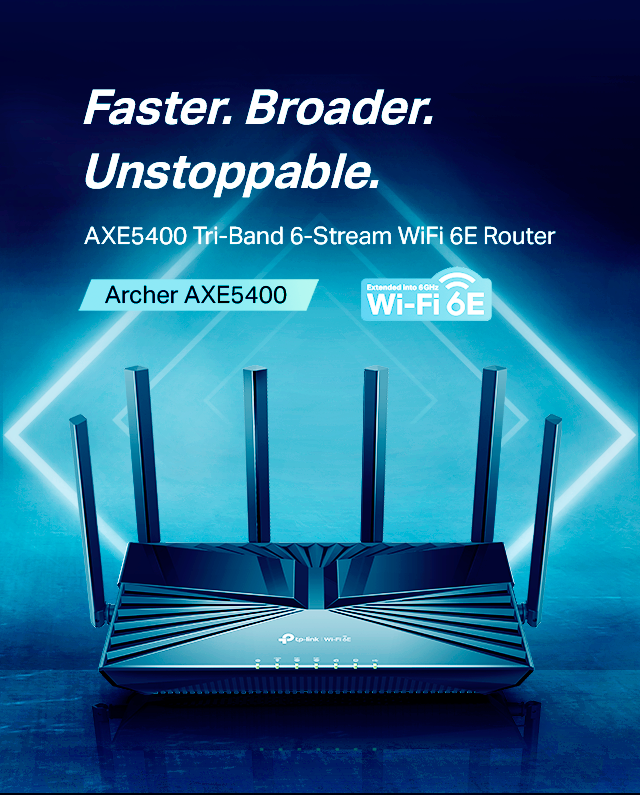
TP-Link Archer AXE75 AXE5400 Tri-Band Wi-Fi 6E Router
The TP-Link Archer AXE75 AXE5400 Tri-Band Wi-Fi 6E Router is the best overall upgrade for households with Wi-Fi 6E devices. The TP-Link Archer AXE75 AXE5400 Tri-Band Wi-Fi 6E Router's three bands include a 6 GHz band and a combined advertised speed class of 5400 Mbps.
Best for: Wi-Fi 6E households seeking an extra band
- Wi-Fi standard
- Wi-Fi 6E
- Bands
- 3: 2.4 GHz, 5 GHz, 6 GHz
- Combined speed class
- 5400 Mbps
- Ethernet
- 1 × 2.5 Gbps WAN/LAN
- Adds a dedicated 6 GHz band for compatible devices.
- Includes a 2.5 Gbps WAN/LAN port.
- Tri-band design supports separating device traffic.
- Devices without Wi-Fi 6E cannot use the 6 GHz band.
Is the TP-Link Archer AXE75 AXE5400 Tri-Band Wi-Fi 6E Router worth buying on Black Friday 2026?
Yes. TP-Link Archer AXE75 AXE5400 Tri-Band Wi-Fi 6E Router is a strong Black Friday 2026 choice for a home with Wi-Fi 6E devices, three-band needs, and a 2.5 Gbps wired connection. Confirm your devices support 6 GHz before choosing it over a dual-band router.
See today’s Black Friday price on Amazon
#2
TP-Link Archer AX55 AX3000 Dual-Band Wi-Fi 6 Router
The TP-Link Archer AX55 AX3000 Dual-Band Wi-Fi 6 Router is the best value-focused choice for households that need dependable Wi-Fi 6 without a 6 GHz band. The TP-Link Archer AX55 AX3000 Dual-Band Wi-Fi 6 Router's AX3000 class combines advertised rates of 2402 Mbps and 574 Mbps.

Best for: Everyday Wi-Fi 6 and households without 6E devices
- Wi-Fi standard
- Wi-Fi 6
- Bands
- 2: 2.4 GHz and 5 GHz
- Combined speed class
- 3000 Mbps
- Ethernet
- 1 Gbps ports
- Supports Wi-Fi 6 without paying for a 6 GHz feature set.
- Dual-band setup covers common home networking needs.
- HomeShield features are available.
- Does not provide a 6 GHz band or multi-gigabit Ethernet.
Is the TP-Link Archer AX55 AX3000 Dual-Band Wi-Fi 6 Router worth buying on Black Friday 2026?
Yes. TP-Link Archer AX55 AX3000 Dual-Band Wi-Fi 6 Router makes sense for everyday Wi-Fi 6 households that do not own 6 GHz devices. The TP-Link Archer AX55 AX3000 Dual-Band Wi-Fi 6 Router's 3000 Mbps combined advertised class suits a typical home upgrade, while its gigabit ports set a limit for faster wired service.
See today’s Black Friday price on Amazon
#3
TP-Link Archer AXE95 AXE7800 Tri-Band Wi-Fi 6E Router
The TP-Link Archer AXE95 AXE7800 Tri-Band Wi-Fi 6E Router is the best premium Wi-Fi 6E option for households wanting a higher advertised speed class. The router combines three bands and an AXE7800 rating.
Best for: Busy Wi-Fi 6E homes wanting more wireless capacity
- Wi-Fi standard
- Wi-Fi 6E
- Bands
- 3
- Combined speed class
- 7800 Mbps
- Ethernet
- 2.5 Gbps WAN/LAN
- Offers a higher speed class than AXE5400 routers.
- Includes 6 GHz connectivity for compatible devices.
- Provides a 2.5 Gbps wired connection.
- Older Wi-Fi devices do not use its 6 GHz band.
Is the TP-Link Archer AXE95 AXE7800 Tri-Band Wi-Fi 6E Router worth buying on Black Friday 2026?
Yes. TP-Link Archer AXE95 AXE7800 Tri-Band Wi-Fi 6E Router is worth considering for a busy home with Wi-Fi 6E devices and a need for a higher advertised class than AXE5400. Match its capabilities to your broadband plan and client devices.
See today’s Black Friday price on Amazon
#4
TP-Link Archer AX73 AX5400 Dual-Band Wi-Fi 6 Router
The TP-Link Archer AX73 AX5400 Dual-Band Wi-Fi 6 Router is the best dual-band step-up for homes that want a higher Wi-Fi 6 class without moving to Wi-Fi 6E. The TP-Link Archer AX73 AX5400 Dual-Band Wi-Fi 6 Router's AX5400 rating covers two bands.
Best for: Wi-Fi 6 households wanting a faster class than AX3000
- Wi-Fi standard
- Wi-Fi 6
- Bands
- 2
- Combined speed class
- 5400 Mbps
- Ethernet
- 1 Gbps ports
- Keeps the setup straightforward with two bands.
- Advertises a higher combined class than AX3000 models.
- Supports Wi-Fi 6 features.
- Does not include 6 GHz or multi-gigabit Ethernet.
Is the TP-Link Archer AX73 AX5400 Dual-Band Wi-Fi 6 Router worth buying on Black Friday 2026?
Yes. TP-Link Archer AX73 AX5400 Dual-Band Wi-Fi 6 Router suits homes seeking an AX5400-class Wi-Fi 6 router without a 6 GHz band. Choose it when compatible Wi-Fi 6 devices matter more than Wi-Fi 6E or Wi-Fi 7 features.
See today’s Black Friday price on Amazon
#5
TP-Link Archer AX90 AX6600 Tri-Band Wi-Fi 6 Router
The TP-Link Archer AX90 AX6600 Tri-Band Wi-Fi 6 Router is the best tri-band option for busy Wi-Fi 6 households that do not require 6 GHz. The TP-Link Archer AX90 AX6600 Tri-Band Wi-Fi 6 Router's three bands carry an AX6600 combined speed class.
Best for: Crowded Wi-Fi 6 homes with multiple connected devices
- Wi-Fi standard
- Wi-Fi 6
- Bands
- 3
- Combined speed class
- 6600 Mbps
- Ethernet
- 2.5 Gbps WAN/LAN
- Three bands help separate connected-device traffic.
- Offers a 2.5 Gbps wired port.
- Keeps compatibility with Wi-Fi 6 devices.
- The TP-Link Archer AX90 AX6600 Tri-Band Wi-Fi 6 Router's 5 GHz bands do not provide 6 GHz Wi-Fi 6E.
Is the TP-Link Archer AX90 AX6600 Tri-Band Wi-Fi 6 Router worth buying on Black Friday 2026?
Yes. TP-Link Archer AX90 AX6600 Tri-Band Wi-Fi 6 Router is a useful fit for a busy household that wants three Wi-Fi 6 bands and a 2.5 Gbps wired port. Pick a Wi-Fi 6E model instead if your devices need 6 GHz access.
See today’s Black Friday price on Amazon
#6
TP-Link Archer BE550 BE9300 Tri-Band Wi-Fi 7 Router
The TP-Link Archer BE550 BE9300 Tri-Band Wi-Fi 7 Router is the best future-focused pick for households upgrading to Wi-Fi 7 devices. The TP-Link Archer BE550 BE9300 Tri-Band Wi-Fi 7 Router's BE9300 class pairs three bands with five 2.5 Gbps Ethernet ports.
Best for: Wi-Fi 7 adopters who want multiple multi-gigabit ports
- Wi-Fi standard
- Wi-Fi 7
- Bands
- 3
- Combined speed class
- 9300 Mbps
- Ethernet
- 5 × 2.5 Gbps ports
- Supports Wi-Fi 7 devices and features.
- Includes five 2.5 Gbps Ethernet ports.
- Tri-band design includes 6 GHz.
- Older client devices do not gain Wi-Fi 7 features.
Is the TP-Link Archer BE550 BE9300 Tri-Band Wi-Fi 7 Router worth buying on Black Friday 2026?
Yes. TP-Link Archer BE550 BE9300 Tri-Band Wi-Fi 7 Router is a strong upgrade for homes adding Wi-Fi 7 clients or several multi-gigabit wired devices. Check that your broadband service and network equipment can use its 2.5 Gbps ports.
See today’s Black Friday price on Amazon
#7
TP-Link Archer BE800 BE19000 Tri-Band Wi-Fi 7 Router
The TP-Link Archer BE800 BE19000 Tri-Band Wi-Fi 7 Router is the best premium pick for advanced homes needing Wi-Fi 7 and 10 Gbps wired connectivity. The TP-Link Archer BE800 BE19000 Tri-Band Wi-Fi 7 Router's BE19000 class advertises three-band wireless operation.

Best for: Advanced Wi-Fi 7 networks with 10 Gbps wired needs
- Wi-Fi standard
- Wi-Fi 7
- Bands
- 3
- Combined speed class
- 19000 Mbps
- Ethernet
- 10 Gbps ports
- Supports Wi-Fi 7 across three bands.
- Includes 10 Gbps wired connectivity.
- Designed for advanced, high-capacity networks.
- The TP-Link Archer BE800 BE19000 Tri-Band Wi-Fi 7 Router's advanced ports and wireless features need compatible equipment to deliver value.
Is the TP-Link Archer BE800 BE19000 Tri-Band Wi-Fi 7 Router worth buying on Black Friday 2026?
Yes. TP-Link Archer BE800 BE19000 Tri-Band Wi-Fi 7 Router fits advanced homes with Wi-Fi 7 devices and a real need for 10 Gbps wired connections. For routine Wi-Fi 6 browsing, its premium capabilities are more than most households need.
See today’s Black Friday price on Amazon
Which is better, TP-Link Archer AXE75 or TP-Link Archer AX55?
TP-Link Archer AXE75 AXE5400 Tri-Band Wi-Fi 6E Router adds 6 GHz and a 2.5 Gbps WAN/LAN port. TP-Link Archer AX55 AX3000 Dual-Band Wi-Fi 6 Router offers two bands and gigabit Ethernet.
Choose the AXE75 for Wi-Fi 6E devices or faster wired connections. Choose the AX55 for a standard Wi-Fi 6 home.
Does Wi-Fi 6E make the Archer AXE75 faster than the Archer AX55?
TP-Link Archer AXE75 AXE5400 Tri-Band Wi-Fi 6E Router has a 5400 Mbps combined wireless class; TP-Link Archer AX55 AX3000 Dual-Band Wi-Fi 6 Router has a 3000 Mbps class. These figures combine bands and do not represent a single device’s internet speed.
Compatible Wi-Fi 6E devices can use the AXE75’s 6 GHz band, which often has less congestion at shorter range. Device support, distance, walls, placement, and network load affect performance.
Which TP-Link router is the best Black Friday 2026 pick for a typical home?
TP-Link Archer AX55 AX3000 Dual-Band Wi-Fi 6 Router suits a typical home without Wi-Fi 6E devices. Choose TP-Link Archer AXE75 AXE5400 Tri-Band Wi-Fi 6E Router for 6 GHz access. For a third band without Wi-Fi 6E, consider TP-Link Archer AX90 AX6600 Tri-Band Wi-Fi 6 Router. TP-Link Archer BE550 BE9300 Tri-Band Wi-Fi 7 Router offers Wi-Fi 7 and five 2.5 Gbps ports.
Compare features, return terms, and exact model names before ordering.
Should I buy a Wi-Fi 6E or Wi-Fi 7 router in 2026?
TP-Link Archer AXE75 AXE5400 Tri-Band Wi-Fi 6E Router suits homes with Wi-Fi 6E devices. TP-Link Archer BE550 BE9300 Tri-Band Wi-Fi 7 Router suits homes adopting Wi-Fi 7. A router upgrade does not change the standards supported by existing devices.
Wi-Fi 6 remains a practical option for everyday use. Before choosing a newer standard, check device compatibility, internet speed, wired connections, and router placement.
What should shoppers compare before choosing a router?
Compare Wi-Fi generation, bands, Ethernet ports, coverage needs, firmware support, parental controls, and security. TP-Link Archer AXE75 AXE5400 Tri-Band Wi-Fi 6E Router has three bands and a 2.5 Gbps port; TP-Link Archer AX55 AX3000 Dual-Band Wi-Fi 6 Router has two bands and gigabit ports.
Wireless class ratings are not room-by-room speed guarantees. Check device compatibility and floor-plan needs, then compare complete feature lists.
Buying Guide
Count compatible devices
TP-Link Archer AXE75 AXE5400 Tri-Band Wi-Fi 6E Router’s 6 GHz band requires Wi-Fi 6E devices. Check the standards supported by your phones, computers, TVs, and smart-home equipment.
Match router ports to your internet plan
TP-Link Archer AX55 AX3000 Dual-Band Wi-Fi 6 Router has gigabit Ethernet; TP-Link Archer AXE75 AXE5400 Tri-Band Wi-Fi 6E Router includes a 2.5 Gbps WAN/LAN port. Faster ports help when your service and wired devices support them.
Read speed classes carefully
TP-Link Archer AXE75 AXE5400 Tri-Band Wi-Fi 6E Router’s 5400 Mbps rating combines its bands. Actual speeds depend on distance, obstacles, device capability, interference, and network load.
Plan for your home layout
Assess router placement, floor-plan coverage, and mesh compatibility before replacing equipment. A single router does not suit every home.
Compare the complete purchase
On Black Friday 2026, confirm exact model names, included accessories, warranty details, and return terms alongside the feature list.
FAQ
Is the TP-Link Archer AXE75 better than the TP-Link Archer AX55?
TP-Link Archer AXE75 AXE5400 Tri-Band Wi-Fi 6E Router is better for households with Wi-Fi 6E devices because it adds a 6 GHz band and a 2.5 Gbps port. TP-Link Archer AX55 AX3000 Dual-Band Wi-Fi 6 Router suits everyday Wi-Fi 6 use without those needs.
Does the TP-Link Archer AX55 support Wi-Fi 6E?
No. TP-Link Archer AX55 AX3000 Dual-Band Wi-Fi 6 Router supports Wi-Fi 6 on 2.4 GHz and 5 GHz, but it does not include a 6 GHz band. For Wi-Fi 6E, consider TP-Link Archer AXE75 AXE5400 Tri-Band Wi-Fi 6E Router.
Is the TP-Link Archer AXE75 a tri-band router?
Yes. TP-Link Archer AXE75 AXE5400 Tri-Band Wi-Fi 6E Router has three bands: 2.4 GHz, 5 GHz, and 6 GHz. Only compatible Wi-Fi 6E devices can connect through its 6 GHz band, so check device specifications before buying.
Which router is better for a gigabit internet plan?
TP-Link Archer AX55 AX3000 Dual-Band Wi-Fi 6 Router includes gigabit Ethernet, while TP-Link Archer AXE75 AXE5400 Tri-Band Wi-Fi 6E Router includes a 2.5 Gbps WAN/LAN port. Either can serve a gigabit-class plan; device support, coverage, and connection setup also matter.
Should I choose Wi-Fi 6E or Wi-Fi 7 for Black Friday 2026?
TP-Link Archer AXE75 AXE5400 Tri-Band Wi-Fi 6E Router fits shoppers who want 6 GHz Wi-Fi 6E, while TP-Link Archer BE550 BE9300 Tri-Band Wi-Fi 7 Router is for homes adopting Wi-Fi 7. Choose according to client devices and wired network needs.
Do advertised router speeds equal real-world internet speeds?
No. TP-Link Archer AXE75 AXE5400 Tri-Band Wi-Fi 6E Router’s 5400 Mbps class combines theoretical rates across bands. A single device’s speed depends on its Wi-Fi capabilities, distance, walls, interference, router placement, and the internet plan.