

As an Amazon Associate we earn from qualifying purchases.
- Best overall: Razer Basilisk V3 Gaming Mouse
- Best budget: Razer Basilisk V3 X HyperSpeed Wireless Gaming Mouse
- Best premium: Razer Huntsman V3 Pro Gaming Keyboard
- Razer DeathAdder V3 HyperSpeed Wireless Gaming Mouse: Razer Huntsman V3 Pro Tenkeyless Gaming Keyboard
- Razer Basilisk V3 is a wired gaming mouse with an 11-button layout and a 26,000 DPI sensor.
- Razer Huntsman V3 Pro is a full-size optical keyboard with adjustable actuation from 0.1 to 4.0 mm.
- Choose the Basilisk V3 for mouse controls; choose a Huntsman V3 Pro model for keyboard speed and analog input.
- The Razer Basilisk V3 X HyperSpeed is the wireless pick for players who want Bluetooth and 2.4 GHz connectivity.
The Razer Basilisk V3 is a gaming mouse, while the Razer Huntsman V3 Pro is a gaming keyboard, so the right Black Friday 2026 pick depends on which part of your setup needs an upgrade. I researched and compared specs, reviews and owner feedback to highlight the best choices across both Razer families.
The Basilisk range focuses on ergonomic shapes, programmable buttons and scroll-wheel options. The Huntsman V3 Pro range centers on optical analog switches, adjustable actuation and Rapid Trigger. Here's the bottom line: these products do different jobs, but each can be a strong buy for the right player.
How We Picked
- Compared key specifications, including sensor resolution, button count, switch type and connectivity.
- Reviewed owner feedback for comfort, setup, software and day-to-day usability themes.
- Considered each product’s fit for specific genres, desk setups and play styles.
- Prioritized products with clear, useful differences instead of listing near-identical options without context.
- Checked which features separate entry-level, wireless and premium picks.
Comparison Table
| Product | Best for | Sensor resolution / actuation range | Controls or layout | Connection or switch type |
|---|---|---|---|---|
| Razer Basilisk V3 Gaming Mouse | Wired customization | 26,000 DPI | 11 buttons | Wired USB |
| Razer Basilisk V3 Pro 35K Wireless Gaming Mouse | Premium wireless control | 35,000 DPI | 13 buttons | 2.4 GHz and Bluetooth |
| Razer Basilisk V3 X HyperSpeed Wireless Gaming Mouse | Versatile wireless use | 18,000 DPI | 7 buttons | 2.4 GHz and Bluetooth |
| Razer DeathAdder V3 HyperSpeed Wireless Gaming Mouse | Lightweight wireless play | 26,000 DPI | 5 buttons | 2.4 GHz wireless |
| Razer Huntsman V3 Pro Gaming Keyboard | Full-size analog input | 0.1–4.0 mm | Full-size | Analog optical |
| Razer Huntsman V3 Pro Tenkeyless Gaming Keyboard | Compact analog input | 0.1–4.0 mm | Tenkeyless | Analog optical |
| Razer Huntsman V2 Tenkeyless Gaming Keyboard | Compact optical typing | 8,000 Hz polling | Tenkeyless | Optical |
Best Picks Reviewed
#1 · Top pick
Razer Basilisk V3 Gaming Mouse
The Razer Basilisk V3 Gaming Mouse is the best wired all-rounder for players who want customizable controls and a thumb rest, with a 26,000 DPI optical sensor.

Best for: Wired play and customizable controls
- Sensor resolution
- 26,000 DPI
- Programmable buttons
- 11
- Connection
- Wired USB
- RGB zones
- 11
- Comfortable right-handed shape with a thumb rest
- HyperScroll tilt wheel supports free-spin and tactile scrolling
- Eleven programmable controls suit varied games
- Wired connection limits desk flexibility
- Shape is less suited to left-handed players
Is the Razer Basilisk V3 Gaming Mouse worth buying on Black Friday 2026?
Yes. The Razer Basilisk V3 Gaming Mouse is a strong wired pick for players who value programmable buttons, ergonomic support and a versatile scroll wheel. The Razer Basilisk V3 Gaming Mouse's 26,000 DPI sensor gives it ample tracking headroom.
See today’s Black Friday price on Amazon
#2
Razer Basilisk V3 Pro 35K Wireless Gaming Mouse
The Razer Basilisk V3 Pro 35K Wireless Gaming Mouse is the best premium wireless mouse for players who want extensive customization, with a 35,000 DPI sensor.
Best for: Premium wireless customization
- RGB zones
- 13
- Wireless connection options suit flexible setups
- High-resolution sensor and extensive control options
- Compatible with Razer wireless charging accessories
- Premium features exceed the needs of casual players
- Wireless charging accessories are separate
Is the Razer Basilisk V3 Pro 35K Wireless Gaming Mouse worth buying on Black Friday 2026?
Yes. The Razer Basilisk V3 Pro 35K Wireless Gaming Mouse is a feature-rich choice for players seeking wireless freedom, extra controls and a 35,000 DPI sensor. Pick it when premium customization matters more than a simple wired setup.
See today’s Black Friday price on Amazon
#3
Razer Basilisk V3 X HyperSpeed Wireless Gaming Mouse
The Razer Basilisk V3 X HyperSpeed Wireless Gaming Mouse is the best budget-oriented wireless pick for players who want two connection modes, with an 18,000 DPI sensor.
Best for: Wireless play and everyday versatility
- Sensor resolution
- 18,000 DPI
- Buttons
- 7
- Wireless modes
- 2.4 GHz and Bluetooth
- Battery
- 1 AA
- Switches between 2.4 GHz and Bluetooth
- Ergonomic right-handed shape
- Seven buttons cover common gaming commands
- Uses a replaceable AA battery
- Has fewer controls than higher-tier Basilisk models
Is the Razer Basilisk V3 X HyperSpeed Wireless Gaming Mouse worth buying on Black Friday 2026?
Yes. The Razer Basilisk V3 X HyperSpeed Wireless Gaming Mouse suits players who want a wireless Basilisk shape and both 2.4 GHz and Bluetooth connections. The Razer Basilisk V3 X HyperSpeed Wireless Gaming Mouse's 18,000 DPI sensor and seven buttons cover everyday gaming needs.
See today’s Black Friday price on Amazon
#4
Razer DeathAdder V3 HyperSpeed Wireless Gaming Mouse
The Razer DeathAdder V3 HyperSpeed Wireless Gaming Mouse is the best lightweight wireless option for players who prefer a simpler shape, with a 26,000 DPI sensor.
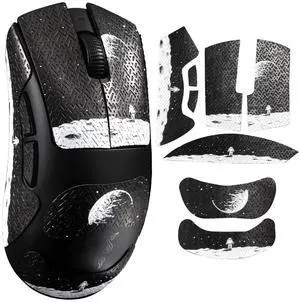
Best for: Lightweight, competition-focused play
- Sensor resolution
- 26,000 DPI
- Weight
- 55 g
- Buttons
- 5
- Wireless
- 2.4 GHz
- Lightweight design suits quick movement
- Simple button layout keeps controls focused
- Wireless connection supports a clean desk
- Fewer programmable controls than Basilisk models
- Bluetooth connectivity is not included
Is the Razer DeathAdder V3 HyperSpeed Wireless Gaming Mouse worth buying on Black Friday 2026?
Yes. The Razer DeathAdder V3 HyperSpeed Wireless Gaming Mouse is a focused choice for players who prioritize a 55 g design and a straightforward control layout. Choose it over a Basilisk when lightweight movement matters most.
See today’s Black Friday price on Amazon
#5
Razer Huntsman V3 Pro Gaming Keyboard
The Razer Huntsman V3 Pro Gaming Keyboard is the best full-size pick for players who want analog optical switches and a number pad, with adjustable actuation from 0.1 to 4.0 mm.
Best for: Full-size analog gaming
- Actuation range
- 0.1–4.0 mm
- Layout
- Full-size
- Switch type
- Analog optical
- Polling rate
- 1,000 Hz
- Adjustable actuation lets players tune key response
- Rapid Trigger supports quick repeated inputs
- Full-size layout includes a number pad
- Full-size footprint takes substantial desk space
- Advanced settings take time to personalize
Is the Razer Huntsman V3 Pro Gaming Keyboard worth buying on Black Friday 2026?
Yes. The Razer Huntsman V3 Pro Gaming Keyboard is a premium choice for players who want analog optical switches, Rapid Trigger and a full-size layout. The Razer Huntsman V3 Pro Gaming Keyboard's adjustable 0.1–4.0 mm actuation range offers detailed input customization.
See today’s Black Friday price on Amazon
#6
Razer Huntsman V3 Pro Tenkeyless Gaming Keyboard
The Razer Huntsman V3 Pro Tenkeyless Gaming Keyboard is the best compact analog option for players who want more mouse space, with adjustable actuation from 0.1 to 4.0 mm.
Best for: Compact analog keyboard setups
- Actuation range
- 0.1–4.0 mm
- Layout
- Tenkeyless
- Switch type
- Analog optical
- Polling rate
- 1,000 Hz
- Tenkeyless layout frees space beside the keyboard
- Adjustable actuation and Rapid Trigger
- Analog switches support customizable input behavior
- No dedicated number pad
- Premium features require setup and adjustment
Is the Razer Huntsman V3 Pro Tenkeyless Gaming Keyboard worth buying on Black Friday 2026?
Yes. The Razer Huntsman V3 Pro Tenkeyless Gaming Keyboard keeps the adjustable analog switches and Rapid Trigger features of the full-size model in a smaller layout. Choose it when mouse room matters more than a number pad.
See today’s Black Friday price on Amazon
#7
Razer Huntsman V2 Tenkeyless Gaming Keyboard
The Razer Huntsman V2 Tenkeyless Gaming Keyboard is the best straightforward compact keyboard for players who want optical switches without analog tuning, with an 8,000 Hz polling rate.
Best for: Compact optical keyboard basics
- Polling rate
- 8,000 Hz
- Layout
- Tenkeyless
- Switch type
- Optical
- Connection
- Wired USB
- High polling rate for responsive input
- Tenkeyless layout preserves desk space
- Optical switches avoid analog configuration
- Wired-only connection
- Lacks the analog actuation features of Huntsman V3 Pro
Is the Razer Huntsman V2 Tenkeyless Gaming Keyboard worth buying on Black Friday 2026?
Yes. The Razer Huntsman V2 Tenkeyless Gaming Keyboard is a good fit for players who want a compact wired board and an 8,000 Hz polling rate. Choose the Huntsman V3 Pro instead when adjustable analog actuation is a priority.
See today’s Black Friday price on Amazon
Is the Razer Basilisk V3 better than the Razer Huntsman V3 Pro?
The Razer Basilisk V3 is a mouse and the Razer Huntsman V3 Pro is a keyboard, so neither replaces the other; each upgrades a different part of a gaming setup.
Choose the Razer Basilisk V3 when you need a pointing device with 11 programmable buttons, a thumb rest and a HyperScroll wheel. The wired connection suits players who want a consistent desk setup and do not need wireless freedom.
Choose the Razer Huntsman V3 Pro when your keyboard is the weak link. Analog optical switches, adjustable actuation from 0.1 to 4.0 mm and Rapid Trigger give players more control over key response. For a full replacement setup, pairing a Basilisk mouse with a Huntsman keyboard makes more sense than treating the two as rivals.
Which Razer Basilisk V3 mouse should you buy?
The Razer Basilisk V3 Gaming Mouse is the best wired all-rounder, while the Razer Basilisk V3 Pro 35K Wireless Gaming Mouse is the premium wireless pick.
The standard Razer Basilisk V3 brings the family’s ergonomic shape, 11 controls and versatile scroll wheel at a simpler feature level. The Razer Basilisk V3 Pro 35K adds wireless connectivity, more controls and a 35,000 DPI sensor for players who want a flagship-style configuration.
The Razer Basilisk V3 X HyperSpeed is the sensible option for a wireless setup with both 2.4 GHz and Bluetooth. Players who value a lighter, simpler mouse over extra buttons should look at the Razer DeathAdder V3 HyperSpeed instead. Match shape and control count to your habits, not just the largest sensor number.
Which Razer Huntsman V3 keyboard is best for gaming?
The Razer Huntsman V3 Pro Tenkeyless Gaming Keyboard is the best fit for compact analog gaming, while the full-size Razer Huntsman V3 Pro adds a number pad.
Both V3 Pro layouts use analog optical switches, adjustable actuation and Rapid Trigger. The full-size version suits players who use a number pad for work, streaming or game-specific controls. The tenkeyless version leaves more room for wide mouse movements and smaller desks.
The Razer Huntsman V2 Tenkeyless Gaming Keyboard is an alternative for players who want a compact optical board without the V3 Pro’s analog adjustment features. Compare layout, switch behavior and desk space first. The best choice is the one whose controls suit your games and daily typing.
Are Razer Basilisk V3 and Huntsman V3 products good Black Friday 2026 picks?
Razer Basilisk V3 mice and Razer Huntsman V3 Pro keyboards are strong Black Friday 2026 picks when their specific features match your setup needs.
For a mouse upgrade, decide whether you prefer wired reliability, wireless freedom or a lightweight shape. The Basilisk V3 family favors customizable buttons and a supportive right-handed design, while the DeathAdder V3 HyperSpeed keeps its layout simpler and lighter.
For a keyboard upgrade, decide whether you want analog input and adjustable actuation. The Huntsman V3 Pro models provide those tools in full-size and tenkeyless formats. Consider comfort, layout and connectivity alongside headline specifications; a feature you never use adds little value to your setup.
What should you compare before choosing a Razer gaming peripheral?
Compare product type, shape, layout and connection before choosing between any Razer Basilisk V3 mouse and Razer Huntsman V3 keyboard.
A mouse’s DPI figure describes sensor sensitivity, not a guaranteed improvement in aim. Button placement, weight and grip comfort matter more during regular play. For keyboards, analog actuation and Rapid Trigger are useful only when you value adjustable key response and take time to configure it.
Also check desk space and the rest of your setup. A tenkeyless keyboard creates more room for mouse movement, while a full-size model keeps the number pad. Wireless mice tidy a desk, but a wired mouse removes battery planning. The strongest pick balances features with the way you actually play.
Buying Guide
Choose the right device first
A Razer Basilisk V3 mouse and Razer Huntsman V3 keyboard solve different problems. Replace a mouse for better pointing control; replace a keyboard for a different layout, switch feel or key response.
Match mouse shape and weight to your grip
The Basilisk shape favors right-handed players who want a thumb rest and several controls. The DeathAdder V3 HyperSpeed is lighter and simpler. Comfort and control placement matter more than a maximum DPI figure.
Pick a keyboard layout for your desk
Choose the Huntsman V3 Pro for a number pad and full-size layout. Choose the tenkeyless version when you want more space for mouse movement or a smaller keyboard footprint.
Decide whether analog switches matter
Huntsman V3 Pro analog optical switches offer adjustable actuation from 0.1 to 4.0 mm and Rapid Trigger. Players who want a straightforward optical keyboard can consider the Huntsman V2 Tenkeyless.
Compare connectivity and setup needs
A wired mouse or keyboard avoids battery management. Basilisk V3 wireless models add desk flexibility, with the V3 X supporting Bluetooth and 2.4 GHz. Check compatibility and charging preferences before choosing.
FAQ
Razer Basilisk V3 vs Razer Huntsman V3: which is better for gaming?
The Razer Basilisk V3 is a gaming mouse, and the Razer Huntsman V3 Pro is a gaming keyboard, so each is best for a different job. Choose the Basilisk for mouse controls and the Huntsman for adjustable optical keyboard input.
Is the Razer Basilisk V3 good for FPS games?
Yes. The Razer Basilisk V3 has an optical sensor rated at 26,000 DPI and 11 programmable buttons. FPS players who prefer fewer controls and a lighter mouse can also compare the Razer DeathAdder V3 HyperSpeed.
What is the difference between the Razer Huntsman V3 Pro and TKL?
The Razer Huntsman V3 Pro has a full-size layout with a number pad, while the Razer Huntsman V3 Pro Tenkeyless Gaming Keyboard removes that section to save desk space. Both offer adjustable analog optical switches and Rapid Trigger.
Does the Razer Basilisk V3 X HyperSpeed support Bluetooth?
Yes. The Razer Basilisk V3 X HyperSpeed Wireless Gaming Mouse supports Bluetooth and 2.4 GHz wireless connectivity. The two modes give players flexibility for gaming and everyday device use, and the mouse runs on one AA battery.
Is the Razer Huntsman V3 Pro worth it for competitive gaming?
Yes. The Razer Huntsman V3 Pro is a strong competitive option for players who want adjustable actuation from 0.1 to 4.0 mm and Rapid Trigger. Players who do not need analog controls can choose a simpler optical keyboard.