

As an Amazon Associate we earn from qualifying purchases.
- Best overall: Gigabyte M27Q (Rev. 2.0) 27-inch Gaming Monitor
- Best budget: Dell G2724D 27-inch QHD Gaming Monitor
- Best premium: Gigabyte M27Q X 27-inch Gaming Monitor
- Best for G-SYNC gaming: ViewSonic XG270QG 27-inch Nano IPS Gaming Monitor
- Gigabyte M27Q (Rev. 2.0) is the balanced QHD pick, pairing a 170Hz refresh rate with a built-in KVM switch.
- ViewSonic XG270QG is a strong choice for G-SYNC gaming, with a 165Hz Nano IPS panel and NVIDIA G-SYNC module.
- Gigabyte M27Q X prioritizes speed with a 240Hz refresh rate for competitive PC gaming.
- Dell G2724D and Acer Nitro XV272U Vbmiiprx are practical alternatives for shoppers comparing QHD gaming features.
- Choose by refresh rate, adaptive sync, connectivity and desk setup—not the Black Friday label alone.
Gigabyte M27Q vs ViewSonic XG270QG Black Friday 2026 comes down to two different strengths: Gigabyte’s practical KVM-equipped QHD monitor and ViewSonic’s G-SYNC-focused Nano IPS display. Both are 27-inch, 2560 x 1440 gaming monitors with high refresh rates, making either a sensible upgrade from a standard 1080p screen.
We researched and compared specs, reviews and owner feedback to build this shortlist of seven gaming monitors. The Gigabyte M27Q (Rev. 2.0) is my pick for most people who want a balance of speed and useful connectivity; the ViewSonic XG270QG suits NVIDIA graphics setups that prioritize G-SYNC. The alternatives below cover higher refresh rates, flexible gaming features and different budgets.
How We Picked
- Compared resolution, refresh rate and response-time specifications for smooth QHD gaming.
- Checked adaptive-sync support, including NVIDIA G-SYNC and AMD FreeSync compatibility.
- Considered practical features such as KVM switching, USB connectivity, stand adjustments and port selection.
- Reviewed manufacturer specifications alongside professional reviews and owner feedback.
- Prioritized monitors with a clear role in a Black Friday comparison rather than treating similar models as interchangeable.
Comparison Table
| Product | Best for | Resolution | Refresh rate | Panel and standout feature |
|---|---|---|---|---|
| Gigabyte M27Q (Rev. 2.0) 27-inch Gaming Monitor | All-round QHD gaming and KVM | 2560 x 1440 | 170Hz | IPS; KVM |
| ViewSonic XG270QG 27-inch Nano IPS Gaming Monitor | NVIDIA G-SYNC gaming | 2560 x 1440 | 165Hz | Nano IPS; G-SYNC module |
| Gigabyte M27Q X 27-inch Gaming Monitor | Competitive high-refresh gaming | 2560 x 1440 | 240Hz | IPS; KVM |
| Gigabyte M27Q P 27-inch Gaming Monitor | QHD gaming and KVM | 2560 x 1440 | 170Hz | SS IPS; KVM |
| ViewSonic XG270Q 27-inch Gaming Monitor | General QHD gaming | 2560 x 1440 | 165Hz | IPS; adaptive sync |
| LG 27GP850-B UltraGear QHD 27-inch Nano IPS Gaming Monitor | Fast Nano IPS gaming | 2560 x 1440 | 165Hz; 180Hz overclocked | Nano IPS |
| Dell G2724D 27-inch QHD Gaming Monitor | Adjustable everyday gaming setup | 2560 x 1440 | 165Hz | IPS; adaptive sync |
Best Picks Reviewed
#1 · Top pick
Gigabyte M27Q (Rev. 2.0) 27-inch Gaming Monitor
The Gigabyte M27Q (Rev. 2.0) 27-inch Gaming Monitor is the best all-rounder for PC gamers who want speed and convenient connections. The Gigabyte M27Q (Rev. 2.0) 27-inch Gaming Monitor's 170Hz QHD IPS panel and built-in KVM switch make it a practical desk upgrade.

Best for: Balanced QHD gaming and switching between two devices
- Screen size
- 27 inches
- Resolution
- 2560 x 1440
- Refresh rate
- 170Hz
- Panel and feature
- IPS; KVM switch
- Sharp QHD picture with a high refresh rate
- KVM switch helps share peripherals between devices
- IPS panel supports wide viewing angles
- The stand has limited ergonomic adjustment compared with some premium rivals.
Is the Gigabyte M27Q (Rev. 2.0) 27-inch Gaming Monitor worth buying on Black Friday 2026?
The Gigabyte M27Q (Rev. 2.0) 27-inch Gaming Monitor is a strong Black Friday 2026 choice for people who want one screen for gaming and everyday work. The Gigabyte M27Q (Rev. 2.0) 27-inch Gaming Monitor's 170Hz QHD panel and KVM switch give it useful speed and flexibility.
See today’s Black Friday price on Amazon
#2
ViewSonic XG270QG 27-inch Nano IPS Gaming Monitor
The ViewSonic XG270QG 27-inch Nano IPS Gaming Monitor is the best G-SYNC-focused pick for NVIDIA gamers who want smooth QHD play. The ViewSonic XG270QG 27-inch Nano IPS Gaming Monitor's 165Hz panel combines Nano IPS color with a dedicated G-SYNC module.
Best for: NVIDIA gaming PCs and G-SYNC preference
- Screen size
- 27 inches
- Resolution
- 2560 x 1440
- Refresh rate
- 165Hz
- Panel and sync
- Nano IPS; NVIDIA G-SYNC
- Dedicated G-SYNC module
- Nano IPS panel supports vivid color
- QHD resolution balances detail and gaming performance
- The ViewSonic XG270QG 27-inch Nano IPS Gaming Monitor's 165Hz ceiling is lower than faster QHD options in this guide.
Is the ViewSonic XG270QG 27-inch Nano IPS Gaming Monitor worth buying on Black Friday 2026?
The ViewSonic XG270QG 27-inch Nano IPS Gaming Monitor is worth considering for an NVIDIA-based gaming setup that benefits from its dedicated G-SYNC module. The 165Hz QHD display also suits players who value color and smooth motion over extreme refresh rates.
See today’s Black Friday price on Amazon
#3
Gigabyte M27Q X 27-inch Gaming Monitor
The Gigabyte M27Q X 27-inch Gaming Monitor is the best high-refresh QHD option for competitive PC players. The Gigabyte M27Q X 27-inch Gaming Monitor's 240Hz IPS panel gives fast-paced games more refresh headroom than the 170Hz Gigabyte M27Q.
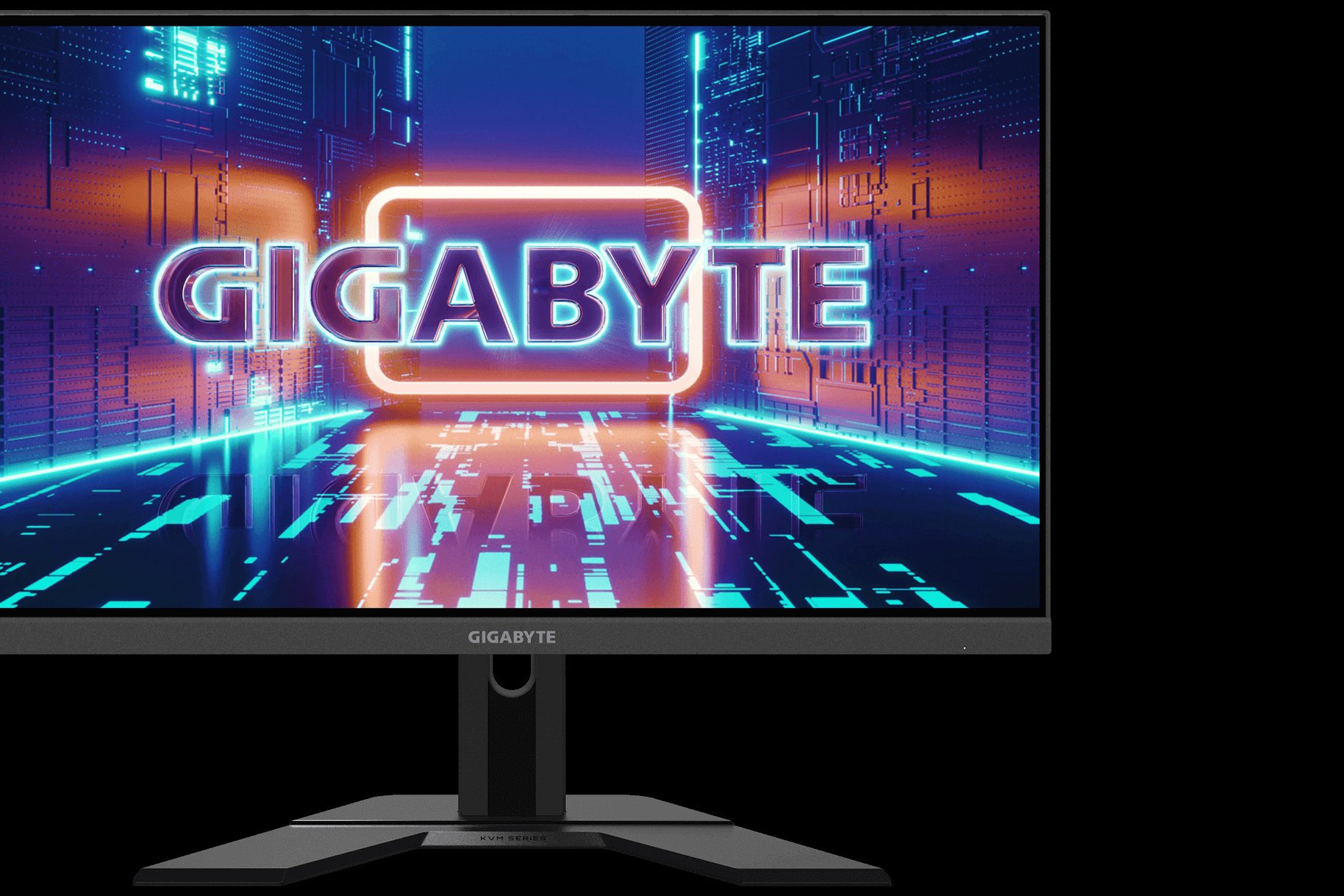
Best for: Competitive gaming at high frame rates
- Screen size
- 27 inches
- Resolution
- 2560 x 1440
- Refresh rate
- 240Hz
- Panel
- IPS
- 240Hz refresh rate for fast motion
- QHD resolution provides more detail than Full HD
- KVM feature supports a multi-device desk
- A high-end graphics card is needed to take full advantage of 240Hz at QHD.
Is the Gigabyte M27Q X 27-inch Gaming Monitor worth buying on Black Friday 2026?
The Gigabyte M27Q X 27-inch Gaming Monitor is a good Black Friday 2026 pick for competitive players whose PC can drive high frame rates. The Gigabyte M27Q X 27-inch Gaming Monitor's 240Hz QHD IPS panel is the main reason to choose it over a slower all-purpose monitor.
See today’s Black Friday price on Amazon
#4
Gigabyte M27Q P 27-inch Gaming Monitor
The Gigabyte M27Q P 27-inch Gaming Monitor is the best value-oriented alternative for shoppers seeking QHD speed and useful connectivity. The Gigabyte M27Q P 27-inch Gaming Monitor's 170Hz IPS panel and KVM support make it a capable gaming-and-work display.
Best for: QHD gaming with KVM connectivity
- Screen size
- 27 inches
- Resolution
- 2560 x 1440
- Refresh rate
- 170Hz
- Panel and feature
- SS IPS; KVM switch
- 170Hz refresh rate suits smooth PC gaming
- KVM switch adds desk flexibility
- QHD resolution is a strong fit for 27 inches
- Confirm the exact revision and port configuration before buying.
Is the Gigabyte M27Q P 27-inch Gaming Monitor worth buying on Black Friday 2026?
The Gigabyte M27Q P 27-inch Gaming Monitor is a sensible Black Friday 2026 option for shoppers seeking a 170Hz QHD screen with KVM support. Compare its exact revision and connections with the standard M27Q before choosing.
See today’s Black Friday price on Amazon
#5
ViewSonic XG270Q 27-inch Gaming Monitor
The ViewSonic XG270Q 27-inch Gaming Monitor is the best fit for shoppers who want a straightforward 165Hz QHD gaming screen. The ViewSonic XG270Q 27-inch Gaming Monitor's IPS panel and adaptive-sync support provide a versatile alternative to the G-SYNC-focused XG270QG.
Best for: General QHD gaming and mixed use
- Screen size
- 27 inches
- Resolution
- 2560 x 1440
- Refresh rate
- 165Hz
- Panel
- IPS
- 165Hz refresh rate supports smooth gaming
- QHD resolution adds detail for work and entertainment
- IPS technology offers broad viewing angles
- The ViewSonic XG270Q 27-inch Gaming Monitor lacks the dedicated G-SYNC module found in the XG270QG.
Is the ViewSonic XG270Q 27-inch Gaming Monitor worth buying on Black Friday 2026?
The ViewSonic XG270Q 27-inch Gaming Monitor is a good fit for shoppers who want a 165Hz QHD IPS display without making a dedicated G-SYNC module the deciding feature. Check the exact model listing to distinguish it from the XG270QG.
See today’s Black Friday price on Amazon
#6
LG 27GP850-B UltraGear QHD 27-inch Nano IPS Gaming Monitor
The LG 27GP850-B UltraGear QHD 27-inch Nano IPS Gaming Monitor is the best pick for players who want a fast Nano IPS screen with a high overclocked refresh rate. The LG 27GP850-B UltraGear QHD 27-inch Nano IPS Gaming Monitor's refresh rate reaches 180Hz over DisplayPort.
Best for: Fast gaming and vivid Nano IPS color
- Screen size
- 27 inches
- Resolution
- 2560 x 1440
- Refresh rate
- 165Hz native; 180Hz overclocked
- Panel
- Nano IPS
- 180Hz overclocked refresh rate
- Nano IPS color and wide viewing angles
- Adjustable stand supports a flexible setup
- The 180Hz mode requires compatible settings and a suitable connection.
Is the LG 27GP850-B UltraGear QHD 27-inch Nano IPS Gaming Monitor worth buying on Black Friday 2026?
The LG 27GP850-B UltraGear QHD 27-inch Nano IPS Gaming Monitor is a strong Black Friday 2026 choice for players seeking a fast QHD IPS display. The LG 27GP850-B UltraGear QHD 27-inch Nano IPS Gaming Monitor's 180Hz overclocked mode and Nano IPS panel make it a direct alternative to the Gigabyte and ViewSonic picks.
See today’s Black Friday price on Amazon
#7
Dell G2724D 27-inch QHD Gaming Monitor
The Dell G2724D 27-inch QHD Gaming Monitor is the best straightforward pick for shoppers who want a capable 165Hz QHD screen. The Dell G2724D 27-inch QHD Gaming Monitor's 27-inch IPS panel and adaptive-sync support cover everyday gaming without adding a KVM switch.
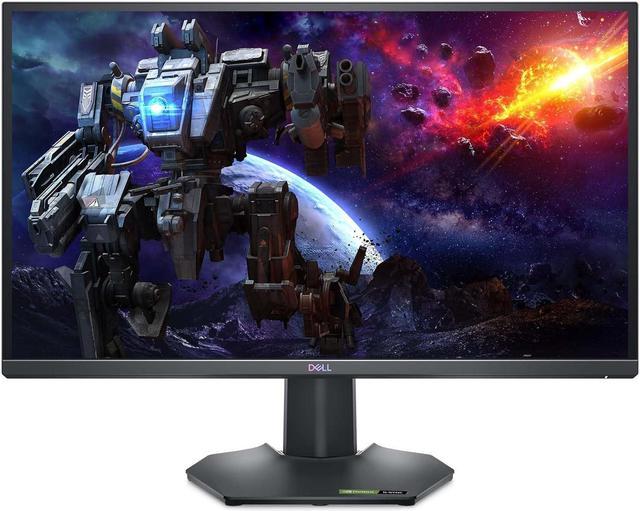
Best for: Simple, flexible QHD gaming
- Screen size
- 27 inches
- Resolution
- 2560 x 1440
- Refresh rate
- 165Hz
- Panel
- IPS
- 165Hz QHD combination suits many gaming PCs
- IPS panel offers wide viewing angles
- Stand supports height, tilt, swivel and pivot adjustments
- No built-in KVM switch for sharing peripherals.
Is the Dell G2724D 27-inch QHD Gaming Monitor worth buying on Black Friday 2026?
The Dell G2724D 27-inch QHD Gaming Monitor is worth a look for shoppers seeking a flexible 165Hz gaming display with an adjustable stand. The Dell G2724D 27-inch QHD Gaming Monitor's straightforward feature set makes it a practical alternative when KVM switching is not important.
See today’s Black Friday price on Amazon
Gigabyte M27Q vs ViewSonic XG270QG: which is better for gaming?
The Gigabyte M27Q (Rev. 2.0) 27-inch Gaming Monitor is the more versatile choice for most setups, while the ViewSonic XG270QG 27-inch Nano IPS Gaming Monitor is the specialist pick for NVIDIA G-SYNC gaming. Both offer 27-inch QHD IPS-class panels and refresh rates above 160Hz, so both provide a clear step up from a typical 60Hz office display.
Choose the Gigabyte M27Q (Rev. 2.0) 27-inch Gaming Monitor if a KVM switch, USB connectivity and a 170Hz refresh rate fit your desk. Choose the ViewSonic XG270QG 27-inch Nano IPS Gaming Monitor if the dedicated G-SYNC module and Nano IPS panel matter more. Graphics card, connection type and the games you play help decide which display makes the better match.
Is 170Hz better than 165Hz for a QHD gaming monitor?
The Gigabyte M27Q (Rev. 2.0) 27-inch Gaming Monitor runs at 170Hz, only 5Hz above the 165Hz ViewSonic XG270QG 27-inch Nano IPS Gaming Monitor. Both refresh rates deliver smooth motion when a PC supplies high frame rates, and that small numerical difference is not the main reason to choose between them.
Panel behavior, adaptive sync, input connections and comfort count too. NVIDIA G-SYNC support gives the ViewSonic XG270QG 27-inch Nano IPS Gaming Monitor a distinct appeal for compatible systems. The Gigabyte M27Q (Rev. 2.0) 27-inch Gaming Monitor stands out with its KVM feature. Consider the full setup instead of treating five hertz as a deciding advantage.
Which monitor is best for a gaming and work desk?
The Gigabyte M27Q (Rev. 2.0) 27-inch Gaming Monitor is the strongest desk-sharing choice because its KVM switch lets one keyboard and mouse control connected devices. The 27-inch QHD screen also gives work apps more room than a Full HD display while keeping a high refresh rate for gaming.
The Dell G2724D 27-inch QHD Gaming Monitor is another practical work-and-play pick, with a stand that adjusts for height, tilt, swivel and pivot. Neither feature set replaces checking the actual ports required by a laptop or desktop. Match the monitor’s connections to your devices and make sure the screen fits your desk depth.
Should you choose a G-SYNC monitor or a KVM monitor?
The ViewSonic XG270QG 27-inch Nano IPS Gaming Monitor is the better match for shoppers who prioritize its dedicated NVIDIA G-SYNC module, while the Gigabyte M27Q (Rev. 2.0) 27-inch Gaming Monitor is more useful for sharing a display between devices. Those features solve different problems rather than competing on a single specification.
G-SYNC helps coordinate display refresh with a compatible NVIDIA graphics card. A KVM switch routes keyboard and mouse control between connected computers. Select the ViewSonic XG270QG 27-inch Nano IPS Gaming Monitor for the former advantage; select the Gigabyte M27Q (Rev. 2.0) 27-inch Gaming Monitor for the latter. Skip it if the defining feature does not match your setup.
What should you check before buying a gaming monitor on Black Friday 2026?
The Gigabyte M27Q (Rev. 2.0) 27-inch Gaming Monitor, ViewSonic XG270QG 27-inch Nano IPS Gaming Monitor and Dell G2724D 27-inch QHD Gaming Monitor all pair 27-inch screens with QHD resolution, but their features differ. Check the exact model name, revision, refresh rate and included connections before placing an order.
Confirm that your graphics card supports the resolution and refresh rate you want, then check whether the preferred connection supports the monitor’s top mode. Review the stand’s adjustment range, desk space and warranty details as well. Black Friday 2026 is a useful time to compare complete specifications and seller terms, not just a product headline.
Buying Guide
Choose a resolution that suits your graphics card
Gigabyte M27Q (Rev. 2.0) 27-inch Gaming Monitor and ViewSonic XG270QG 27-inch Nano IPS Gaming Monitor both use 2560 x 1440 resolution. QHD gives a 27-inch screen more detail than Full HD, but higher resolution demands more from a graphics card. Match your target games and frame rates to your PC.
Match refresh rate to your games
Gigabyte M27Q X 27-inch Gaming Monitor reaches 240Hz, while the other main picks range from 165Hz to 180Hz. Competitive players with a powerful PC benefit most from the higher ceiling. For mixed gaming, a 165Hz or 170Hz monitor already offers smooth motion without making peak frame rate the only priority.
Check adaptive sync and graphics compatibility
ViewSonic XG270QG 27-inch Nano IPS Gaming Monitor has a dedicated G-SYNC module, while other monitors list adaptive-sync support. Check your graphics card, connection and manufacturer specifications before choosing. The right sync option helps align the display with the frame output your PC can deliver.
Consider ports, ergonomics and KVM
Gigabyte M27Q (Rev. 2.0) 27-inch Gaming Monitor adds KVM switching for a multi-device setup. Dell G2724D 27-inch QHD Gaming Monitor emphasizes an adjustable stand. Compare USB and video connections with your laptop, console and accessories, then check that the stand and screen size suit your desk.
Compare the exact model listing
Gigabyte M27Q, Gigabyte M27Q P and Gigabyte M27Q X are separate models with different feature and refresh-rate specifications. ViewSonic XG270Q and ViewSonic XG270QG are also distinct. Verify the full model name, revision, included cables, warranty and seller return terms before choosing a Black Friday 2026 listing.
FAQ
Gigabyte M27Q vs ViewSonic XG270QG: which should I buy?
The Gigabyte M27Q (Rev. 2.0) 27-inch Gaming Monitor is the better all-round choice for a 170Hz screen with KVM switching. The ViewSonic XG270QG 27-inch Nano IPS Gaming Monitor is the better fit for NVIDIA gamers who prioritize its dedicated G-SYNC module and 165Hz Nano IPS panel.
Is the Gigabyte M27Q good for PS5?
The Gigabyte M27Q (Rev. 2.0) 27-inch Gaming Monitor offers a 2560 x 1440 display and HDMI connections, making it a suitable monitor to consider for PS5 gaming. Check the console’s supported output modes and the monitor’s manual to confirm the resolution and refresh rate you plan to use.
Does the ViewSonic XG270QG support G-SYNC?
The ViewSonic XG270QG 27-inch Nano IPS Gaming Monitor includes a dedicated NVIDIA G-SYNC module and has a 165Hz refresh rate. The feature makes the monitor a natural match for compatible NVIDIA gaming PCs; check the graphics card and connection requirements for your setup.
Is 27 inches good for 1440p gaming?
The Dell G2724D 27-inch QHD Gaming Monitor and Gigabyte M27Q (Rev. 2.0) 27-inch Gaming Monitor pair 27 inches with 2560 x 1440 resolution. That combination offers more screen detail than Full HD while keeping text and interface elements comfortably readable for many desk setups.
What is the difference between Gigabyte M27Q and M27Q X?
The Gigabyte M27Q (Rev. 2.0) 27-inch Gaming Monitor has a 170Hz refresh rate and KVM support, while the Gigabyte M27Q X 27-inch Gaming Monitor raises the refresh rate to 240Hz. Choose based on your frame-rate needs, PC capability and preference for a higher refresh ceiling.
Is the Dell G2724D a good alternative to the M27Q?
The Dell G2724D 27-inch QHD Gaming Monitor is a good alternative for buyers who want a 165Hz IPS display with a highly adjustable stand. The Gigabyte M27Q (Rev. 2.0) 27-inch Gaming Monitor is the stronger fit for a 170Hz refresh rate and built-in KVM switching.