

As an Amazon Associate we earn from qualifying purchases.
- Best overall: Bambu Lab A1 3D Printer
- Best budget: Creality Ender-3 V3 KE 3D Printer
- Best premium: Bambu Lab P1S 3D Printer
- Best for enclosed CoreXY printing: Creality K1C 3D Printer
- The Bambu Lab A1 3D Printer is the more approachable open-frame choice, with a 256 mm cube build volume and optional multicolor printing.
- The Creality K1C 3D Printer has an enclosed CoreXY design, a 220 mm cube build volume and a 600 mm/s maximum speed rating.
- Choose the Bambu Lab A1 for ease of use and larger prints; choose the Creality K1C for an enclosure and a compact, fast CoreXY machine.
- Black Friday 2026 shoppers should compare included accessories, warranty coverage and return terms alongside printer features.
- The Bambu Lab P1S 3D Printer and Anycubic Kobra 3 Combo 3D Printer add enclosed printing and multicolor options to the comparison.
The Bambu Lab A1 3D Printer is the better fit for many first-time buyers, while the Creality K1C 3D Printer suits shoppers who want an enclosed CoreXY machine; both offer a 220 mm or larger build dimension. For Black Friday 2026, the right pick comes down to print materials, available space, multicolor plans and how much setup you want to handle.
We researched and compared specs, reviews and owner feedback to create a practical shortlist, not just a head-to-head answer. The guide also covers five alternatives, explains which features matter most, and gives a clear pick for different buyer priorities. My pick for most people is the Bambu Lab A1 3D Printer, while the Creality K1C 3D Printer earns a place for buyers who value an enclosure.
How We Picked
- Build volume and machine design, including open-frame, enclosed and CoreXY configurations.
- Print-speed ratings, hotend temperature limits and support for common filament types.
- Setup and workflow features, including automatic calibration, touchscreen controls and multicolor options.
- Owner feedback themes around usability, maintenance, reliability and print quality.
- Value for different buyer needs, with attention to included equipment and the total printing setup.
Comparison Table
| Product | Best for | Build volume | Maximum speed | Frame or multicolor system |
|---|---|---|---|---|
| Bambu Lab A1 3D Printer | Most first-time buyers | 256 × 256 × 256 mm | 500 mm/s | Open frame; optional AMS lite |
| Creality K1C 3D Printer | Enclosed CoreXY printing | 220 × 220 × 250 mm | 600 mm/s | Enclosed CoreXY |
| Bambu Lab A1 mini 3D Printer | Small spaces and beginners | 180 × 180 × 180 mm | 500 mm/s | Open frame; optional AMS lite |
| Bambu Lab P1S 3D Printer | Enclosed printing and upgrades | 256 × 256 × 256 mm | 500 mm/s | Enclosed; compatible AMS configurations |
| Creality Ender-3 V3 KE 3D Printer | Value-focused open-frame printing | 220 × 220 × 240 mm | 500 mm/s | Open frame |
| ELEGOO Neptune 4 Pro FDM 3D Printer | Tinkerers and taller prints | 225 × 225 × 265 mm | 500 mm/s | Open frame |
| Anycubic Kobra 3 Combo 3D Printer | Multicolor printing in one package | 250 × 250 × 260 mm | 600 mm/s | Open frame; ACE Pro included |
Bambu Lab A1 vs Creality K1C Black Friday Deals 2026
#1 · Top pick
Bambu Lab A1 3D Printer
The Bambu Lab A1 3D Printer is the best overall choice for new and intermediate makers who want an easy workflow and roomy prints. The Bambu Lab A1 3D Printer's 256 mm cubed build volume handles projects larger than the Creality K1C’s build area.

Best for: Most first-time buyers
- Build volume
- 256 × 256 × 256 mm
- Maximum speed
- 500 mm/s
- Maximum acceleration
- 10,000 mm/s²
- Multicolor
- Optional AMS lite
- Automatic calibration streamlines setup.
- Large build area for a desktop printer.
- Optional AMS lite enables multicolor printing.
- Open frame offers less control over drafts and ambient temperature than an enclosure.
Is the Bambu Lab A1 3D Printer worth buying on Black Friday 2026?
The Bambu Lab A1 3D Printer is a strong Black Friday 2026 pick for buyers seeking straightforward setup, a 256 mm cubed build volume and optional multicolor printing. The Bambu Lab A1 3D Printer's open frame suits PLA and other everyday projects, but an enclosure is better for temperature-sensitive materials.
See today’s Black Friday price on Amazon
#2
Creality K1C 3D Printer
The Creality K1C 3D Printer is the best enclosed option for makers who prioritize a compact CoreXY design and broader material support. The Creality K1C 3D Printer's 600 mm/s maximum speed rating and 220 mm cubed build volume make it a fast, space-conscious alternative.
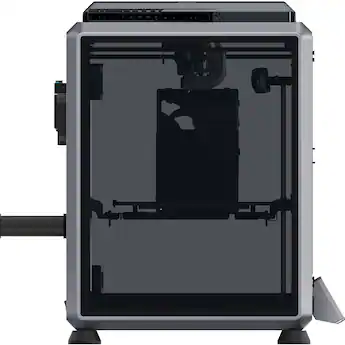
Best for: Enclosed CoreXY printing
- Build volume
- 220 × 220 × 250 mm
- Maximum speed
- 600 mm/s
- Maximum nozzle temperature
- 300 °C
- Frame
- Enclosed CoreXY
- Enclosure helps manage drafts and heat.
- Hardened steel nozzle supports abrasive filaments.
- Compact footprint for its enclosed design.
- Build volume is smaller than the Bambu Lab A1’s.
Is the Creality K1C 3D Printer worth buying on Black Friday 2026?
The Creality K1C 3D Printer is worth considering for Black Friday 2026 if an enclosure, CoreXY motion and a 300 °C nozzle matter more than maximum build size. The hardened steel nozzle also makes it a sensible option for compatible abrasive filament projects.
See today’s Black Friday price on Amazon
#3
Bambu Lab A1 mini 3D Printer
The Bambu Lab A1 mini 3D Printer is the best compact pick for beginners and makers with limited desk space. The Bambu Lab A1 mini 3D Printer's 180 mm cubed build volume keeps the footprint small while retaining automatic calibration and optional AMS lite multicolor printing.

Best for: Small spaces and beginners
- Build volume
- 180 × 180 × 180 mm
- Maximum speed
- 500 mm/s
- Maximum acceleration
- 10,000 mm/s²
- Multicolor
- Optional AMS lite
- Small size fits a compact workspace.
- Automatic calibration reduces setup steps.
- Optional multicolor support expands project choices.
- The 180 mm cubed build area limits larger prints.
Is the Bambu Lab A1 mini 3D Printer worth buying on Black Friday 2026?
The Bambu Lab A1 mini 3D Printer is a good Black Friday 2026 choice for buyers who want an approachable desktop printer with a 180 mm cubed build area. Choose the full-size Bambu Lab A1 for larger models or frequent projects that need more room.
See today’s Black Friday price on Amazon
#4
Bambu Lab P1S 3D Printer
The Bambu Lab P1S 3D Printer is the best enclosed upgrade for experienced hobbyists who want a familiar fast-printing workflow. The Bambu Lab P1S 3D Printer's 256 mm cubed build volume provides generous room, and the enclosed design supports a wider range of projects than an open frame.
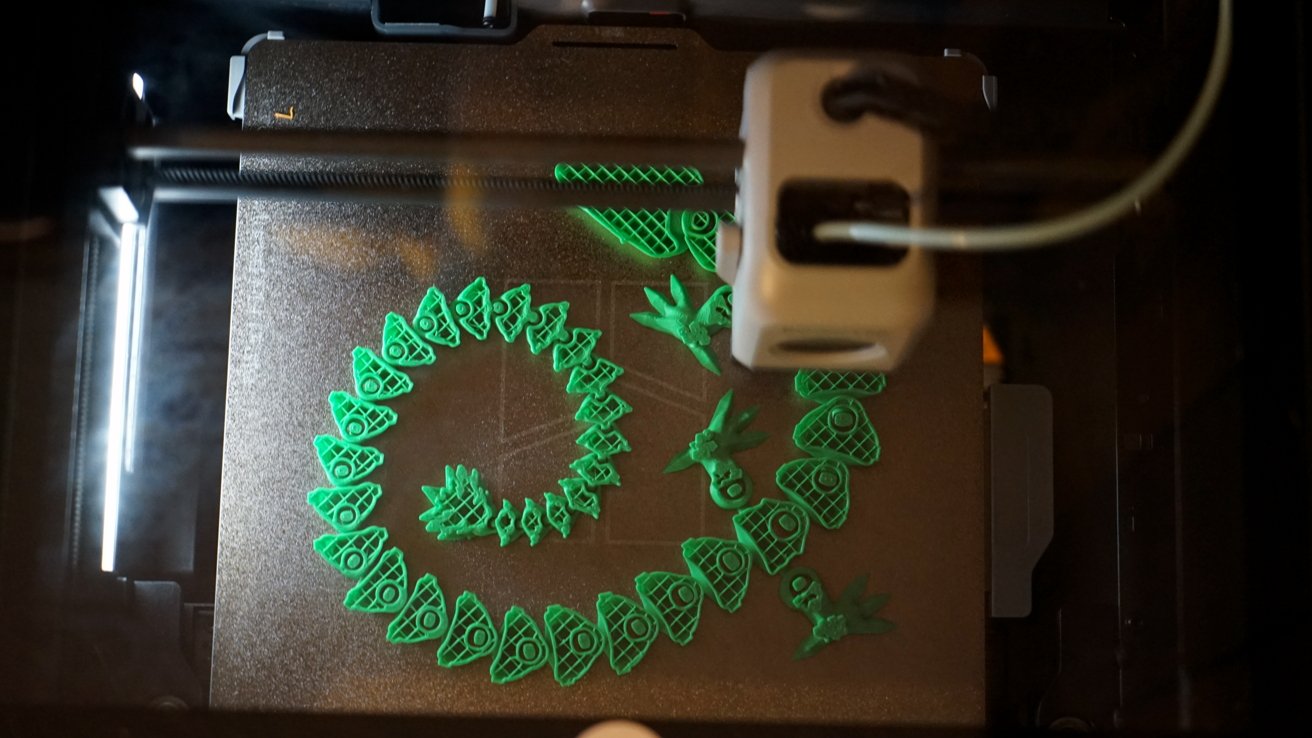
Best for: Enclosed printing and upgrades
- Build volume
- 256 × 256 × 256 mm
- Maximum speed
- 500 mm/s
- Maximum acceleration
- 20,000 mm/s²
- Frame
- Enclosed
- Large build area in an enclosed machine.
- Fast motion system for shorter print workflows.
- Compatible AMS configurations add multicolor printing.
- The standard printer configuration does not include an AMS unit.
Is the Bambu Lab P1S 3D Printer worth buying on Black Friday 2026?
The Bambu Lab P1S 3D Printer is a worthwhile Black Friday 2026 option for makers who want a 256 mm cubed build area and an enclosure. Check whether the listing includes an AMS unit, since the standard printer configuration and combo packages have different included equipment.
See today’s Black Friday price on Amazon
#5
Creality Ender-3 V3 KE 3D Printer
The Creality Ender-3 V3 KE 3D Printer is the best value-oriented upgrade for detailed makers who prefer an open-frame bed-slinger. The Creality Ender-3 V3 KE 3D Printer's 500 mm/s maximum speed rating and 220 × 220 × 240 mm build area offer a useful mix of pace and capacity.
Best for: Value-focused open-frame printing
- Build volume
- 220 × 220 × 240 mm
- Maximum speed
- 500 mm/s
- Maximum nozzle temperature
- 300 °C
- Leveling
- Automatic
- Fast speed rating for an open-frame printer.
- Automatic leveling cuts down on setup work.
- Supports a range of common filament types.
- Open-frame construction provides less temperature control than an enclosure.
Is the Creality Ender-3 V3 KE 3D Printer worth buying on Black Friday 2026?
The Creality Ender-3 V3 KE 3D Printer is a useful Black Friday 2026 pick for buyers who want an open-frame machine with a 500 mm/s speed rating and automatic leveling. The Creality Ender-3 V3 KE 3D Printer's familiar bed-slinger design is less enclosed than the K1C, so consider your material plans.
See today’s Black Friday price on Amazon
#6
ELEGOO Neptune 4 Pro FDM 3D Printer
The ELEGOO Neptune 4 Pro FDM 3D Printer is the best large-format value choice for tinkerers who want a conventional open-frame machine. The ELEGOO Neptune 4 Pro FDM 3D Printer's 225 × 225 × 265 mm build area gives taller prints more headroom than the Creality K1C.
Best for: Tinkerers and taller prints
- Build volume
- 225 × 225 × 265 mm
- Maximum speed
- 500 mm/s
- Maximum nozzle temperature
- 300 °C
- Leveling
- Automatic
- Tall build area fits elongated models.
- Automatic leveling supports easier setup.
- Open design keeps printer components accessible.
- Tinkerers should expect more adjustment than with highly automated models.
Is the ELEGOO Neptune 4 Pro FDM 3D Printer worth buying on Black Friday 2026?
The ELEGOO Neptune 4 Pro FDM 3D Printer is a good Black Friday 2026 fit for makers who value a 265 mm build height and an open, accessible design. The ELEGOO Neptune 4 Pro FDM 3D Printer's feature set suits buyers who are comfortable learning basic adjustments and routine printer maintenance.
See today’s Black Friday price on Amazon
#7
Anycubic Kobra 3 Combo 3D Printer
The Anycubic Kobra 3 Combo 3D Printer is the best all-in-one multicolor option for makers who want a printer and filament system together. The Anycubic Kobra 3 Combo 3D Printer's 250 × 250 × 260 mm build area and included ACE Pro unit support multicolor projects out of the box.
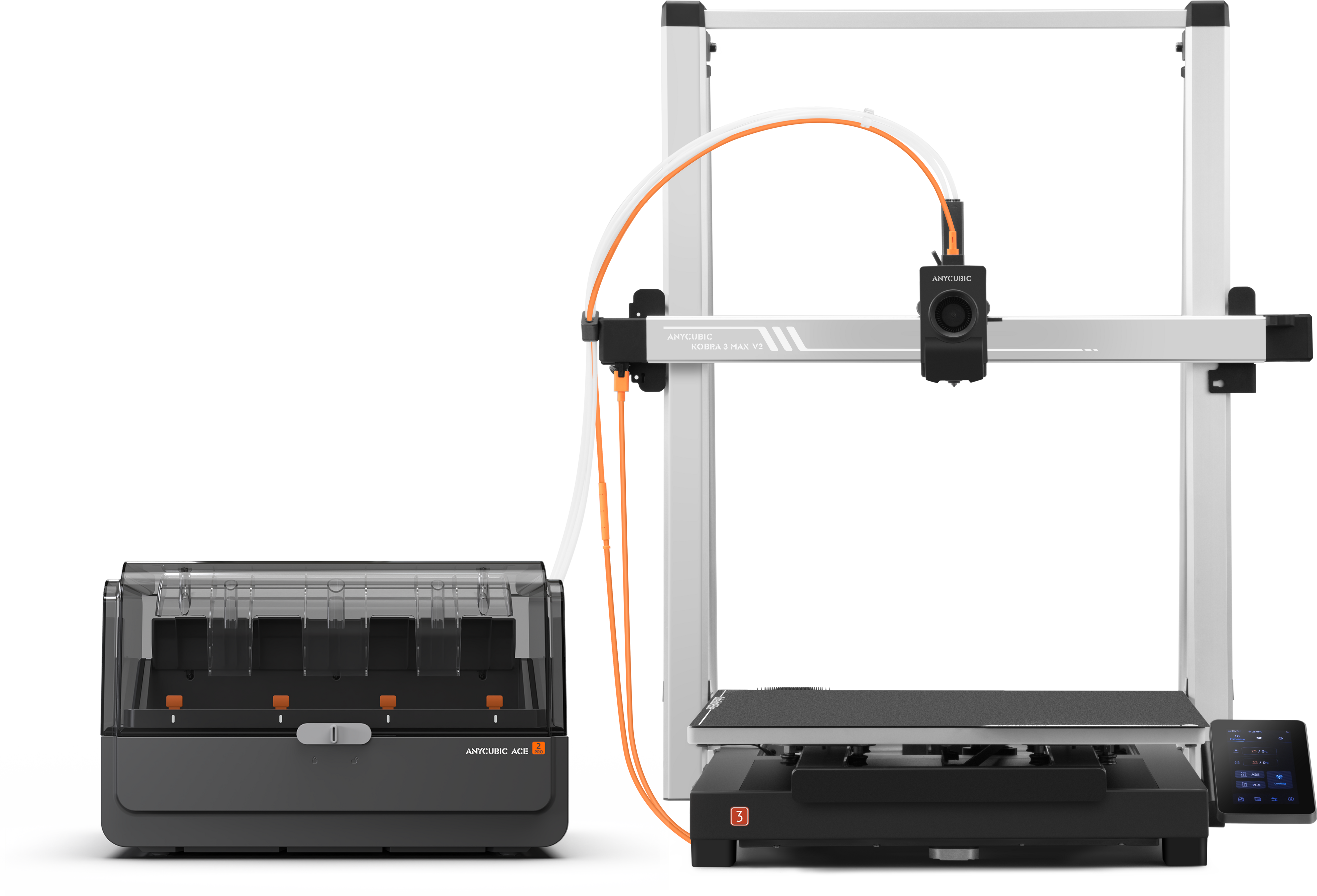
Best for: Multicolor printing in one package
- Build volume
- 250 × 250 × 260 mm
- Maximum speed
- 600 mm/s
- Filament system
- ACE Pro included
- Frame
- Open-frame bed-slinger
- Combo package includes a multicolor filament system.
- Generous build area for detailed models.
- Fast speed rating supports shorter print jobs.
- Multicolor prints use more filament for purge and transition waste.
Is the Anycubic Kobra 3 Combo 3D Printer worth buying on Black Friday 2026?
The Anycubic Kobra 3 Combo 3D Printer is worth considering for Black Friday 2026 if multicolor output is a priority. The bundle includes the ACE Pro system and offers a 250 × 250 × 260 mm build area, though color changes add material use and print complexity.
See today’s Black Friday price on Amazon
Which is better, the Bambu Lab A1 or Creality K1C?
The Bambu Lab A1 3D Printer is better for a larger 256 mm cubed build area and an approachable workflow, while the Creality K1C 3D Printer is better for enclosed CoreXY printing and a 600 mm/s speed rating.
The Bambu Lab A1 has an open frame and optional AMS lite multicolor support. The Creality K1C has an enclosed design, a smaller 220 × 220 × 250 mm build volume and a hardened steel nozzle. Pick the A1 for everyday prints and more room; pick the K1C when enclosure and material flexibility matter more.
Which 3D printer is easiest for a beginner?
The Bambu Lab A1 3D Printer is the clearest beginner pick, with a 256 mm cubed build volume and automatic calibration features.
The Bambu Lab A1 mini offers a smaller 180 mm cubed area for a compact workspace, while the Creality Ender-3 V3 KE provides an accessible open-frame alternative. New owners should also plan for filament storage, a stable work surface and basic maintenance. Start with PLA and small models before moving on to complex materials or multicolor prints.
Is an enclosed 3D printer better than an open-frame model?
The Creality K1C 3D Printer is the enclosed pick in this guide, with a 220 × 220 × 250 mm build volume that suits buyers seeking a more controlled printing environment.
An enclosure helps limit drafts and retain heat around a print, which is useful for some materials. The Bambu Lab A1 and open-frame alternatives offer easier access and suit common PLA projects. Enclosure alone does not guarantee better output: nozzle capability, filament choice, room conditions and printer setup also shape results.
Which 3D printer is best for multicolor printing?
The Anycubic Kobra 3 Combo 3D Printer is the most straightforward multicolor package here, with an ACE Pro unit included and a 250 × 250 × 260 mm build area.
The Bambu Lab A1 3D Printer also supports multicolor printing when paired with the separately configured AMS lite system. Compare the exact bundle contents before checkout, since printer-only and combo listings differ. Multicolor printing adds setup steps and filament use, so a single-color model is a simpler starting point for functional parts.
What should Black Friday 2026 shoppers compare?
Black Friday 2026 shoppers should compare the full package, including included hardware, warranty and return terms, before choosing between the Bambu Lab A1 and Creality K1C.
Check whether a listing includes a multicolor unit, extra build plates, replacement nozzles or filament. Confirm that the printer dimensions fit the intended workspace, and review the return window and support options. A lower listed price is not the only measure of value: included accessories and the amount of setup required matter too.
Buying Guide
Match build volume to your projects
The Bambu Lab A1 3D Printer offers a 256 mm cubed build area, while the Bambu Lab A1 mini offers 180 mm cubed. Choose a larger bed for full-size models and a compact printer when desk space is the priority.
Choose a frame for your materials
The Creality K1C 3D Printer has an enclosure and a 300 °C nozzle, while open-frame models are straightforward for everyday PLA prints. Check each filament maker’s requirements before selecting materials or a printer.
Treat speed ratings as a starting point
The Anycubic Kobra 3 Combo 3D Printer lists a maximum speed of 600 mm/s, but print speed varies with model shape, material and quality settings. Compare acceleration, hotend capacity and owner feedback rather than relying on one headline figure.
Check bundle contents and support
The Anycubic Kobra 3 Combo includes ACE Pro, while the Bambu Lab A1 needs an AMS lite configuration for multicolor printing. Read the exact listing and confirm warranty, return terms and included accessories before placing an order.
FAQ
Bambu Lab A1 vs Creality K1C: which should I buy?
The Bambu Lab A1 3D Printer suits buyers who want a 256 mm cubed build area and an easy workflow. The Creality K1C 3D Printer suits buyers who value an enclosure, CoreXY motion and a 600 mm/s maximum speed rating. Match the choice to your space and material needs.
Is the Bambu Lab A1 good for beginners?
The Bambu Lab A1 3D Printer is a strong beginner option, with automatic calibration features and a 256 mm cubed build volume. New owners can start with common PLA filament and basic models, then add an AMS lite configuration if multicolor printing becomes a priority.
Can the Creality K1C print carbon-fiber filament?
The Creality K1C 3D Printer has a hardened steel nozzle and a 300 °C maximum nozzle temperature, features suited to compatible abrasive filaments. Follow the filament manufacturer’s temperature and handling guidance, and verify the full material requirements before printing.
Does the Bambu Lab A1 include multicolor printing?
The Bambu Lab A1 3D Printer supports multicolor printing with a compatible AMS lite setup. Check the specific product listing to see whether that accessory is included or sold separately. The printer’s 256 mm cubed build volume remains available for single-color projects.
Which printer has the larger build volume, the Bambu Lab A1 or Creality K1C?
The Bambu Lab A1 3D Printer has the larger build volume at 256 × 256 × 256 mm. The Creality K1C 3D Printer measures 220 × 220 × 250 mm, giving it a smaller footprint and an enclosed CoreXY design instead.