

As an Amazon Associate we earn from qualifying purchases.
- Best overall: Creality Ender-3 V3 3D Printer
- Best budget: Creality Ender-3 V3 KE 3D Printer
- Best premium: Bambu Lab A1 3D Printer
- Best for compact printing: Original Prusa MINI+ 3D Printer
- The Creality Ender-3 V3 3D Printer prioritizes speed, with a 600 mm/s maximum print speed and a 220 × 220 × 250 mm build volume.
- The Original Prusa MINI+ 3D Printer suits buyers who value a compact machine, a polished software experience and a strong support community.
- The Bambu Lab A1 3D Printer offers a larger build volume and optional multicolor printing through the AMS lite.
- Compare build volume, setup demands, print speed and filament options before choosing a Black Friday 2026 3D printer.
The Creality Ender-3 V3 3D Printer and Original Prusa MINI+ 3D Printer make different trade-offs: the Creality favors high speed and a larger build area, while the Prusa is compact and backed by a well-established software and support ecosystem. For Black Friday 2026, the right choice depends on what you print, how much setup you want and whether you value speed or a more guided ownership experience.
I’m Marcus Reed, and we researched and compared specs, reviews and owner feedback to build this practical shortlist. My pick for most people is the Creality Ender-3 V3 3D Printer for its fast CoreXZ design and generous build space. Skip it if a simpler workflow or multicolor printing matters more; the alternatives below make those priorities easier to match.
How We Picked
- Compared stated print speeds, build volumes and motion systems to distinguish fast general-purpose printers from compact models.
- Reviewed setup, calibration and software workflows to account for the time and experience each printer asks from its owner.
- Considered filament compatibility and multicolor options for hobby projects, functional parts and decorative prints.
- Weighed owner feedback and manufacturer support resources as practical parts of long-term ownership.
- Selected machines with clearly defined strengths across value, premium features, compact size and larger-format printing.
Comparison Table
| Product | Best for | Build volume | Maximum print speed | Multicolor option |
|---|---|---|---|---|
| Creality Ender-3 V3 3D Printer | Fast prints and a generous build area | 220 × 220 × 250 mm | 600 mm/s | No |
| Original Prusa MINI+ 3D Printer | Compact printing and a supported workflow | 180 × 180 × 180 mm | 200 mm/s | No |
| Bambu Lab A1 Mini 3D Printer | Small-space printing and easy setup | 180 × 180 × 180 mm | 500 mm/s | Optional AMS lite |
| Creality Ender-3 V3 KE 3D Printer | Connected printing at a brisk pace | 220 × 220 × 240 mm | 500 mm/s | No |
| Anycubic Kobra 3 3D Printer | Larger prints and multicolor projects | 250 × 250 × 260 mm | 600 mm/s | ACE Pro compatible |
| Elegoo Neptune 4 Pro 3D Printer | Functional parts and taller models | 225 × 225 × 265 mm | 500 mm/s | No |
| Bambu Lab A1 3D Printer | Automated printing and optional multicolor | 256 × 256 × 256 mm | 500 mm/s | Optional AMS lite |
Creality Ender 3 V3 vs Prusa Mini Plus Black Friday Deals 2026
#1 · Top pick
Creality Ender-3 V3 3D Printer
The Creality Ender-3 V3 3D Printer is the best fast-value choice for makers who want a roomy, quick machine, with a 600 mm/s maximum print speed.

Best for: Fast prints and a generous build area
- Build volume
- 220 × 220 × 250 mm
- Maximum print speed
- 600 mm/s
- Motion system
- CoreXZ
- Nozzle temperature
- 300 °C
- Large build volume for its class
- Fast CoreXZ motion system
- Direct-drive extruder supports flexible filament
- High-speed printing benefits from careful tuning
- Less compact than the Prusa MINI+
Is the Creality Ender-3 V3 3D Printer worth buying on Black Friday 2026?
Yes. The Creality Ender-3 V3 3D Printer is a strong Black Friday 2026 choice for buyers who want speed and room for medium-size prints. The Creality Ender-3 V3 3D Printer's 220 × 220 × 250 mm build volume and 600 mm/s rated maximum speed stand out.
See today’s Black Friday price on Amazon
#2
Original Prusa MINI+ 3D Printer
The Original Prusa MINI+ 3D Printer is the best compact choice for owners who prioritize approachable software and support, with a 180 × 180 × 180 mm build volume.
Best for: Compact printing and a supported workflow
- Build volume
- 180 × 180 × 180 mm
- Maximum print speed
- 200 mm/s
- Extruder
- Bowden
- Nozzle temperature
- 280 °C
- Compact footprint
- Established PrusaSlicer workflow
- Strong documentation and community resources
- Smaller build volume than the Creality Ender-3 V3
- Slower rated maximum speed
Is the Original Prusa MINI+ 3D Printer worth buying on Black Friday 2026?
Yes. The Original Prusa MINI+ 3D Printer is worth considering for a buyer who values a compact setup, clear documentation and PrusaSlicer integration. The 180 mm cubed build area limits oversized projects, so check model dimensions before choosing it.
See today’s Black Friday price on Amazon
#3
Bambu Lab A1 Mini 3D Printer
The Bambu Lab A1 Mini 3D Printer is the best compact speed pick for beginners who want automated setup, with a 500 mm/s maximum print speed.

Best for: Small-space printing and easy setup
- Build volume
- 180 × 180 × 180 mm
- Maximum print speed
- 500 mm/s
- Maximum acceleration
- 10,000 mm/s²
- Bed type
- Automatic leveling
- Fast printing in a compact footprint
- Automatic calibration features
- Optional AMS lite multicolor support
- Small build volume
- Multicolor printing requires an additional system
Is the Bambu Lab A1 Mini 3D Printer worth buying on Black Friday 2026?
Yes. The Bambu Lab A1 Mini 3D Printer is a strong fit for a small workspace and a streamlined setup. The Bambu Lab A1 Mini 3D Printer's 180 mm cubed build volume suits compact models, while optional AMS lite support adds a path to multicolor prints.
See today’s Black Friday price on Amazon
#4
Creality Ender-3 V3 KE 3D Printer
The Creality Ender-3 V3 KE 3D Printer is the best feature-rich value pick for hobbyists seeking speed and connectivity, with a 500 mm/s maximum print speed.
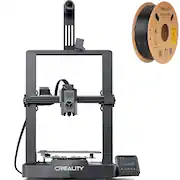
Best for: Connected printing at a brisk pace
- Build volume
- 220 × 220 × 240 mm
- Maximum print speed
- 500 mm/s
- Nozzle temperature
- 300 °C
- Connectivity
- Wi-Fi
- Fast printing for common hobby projects
- Wi-Fi file transfer and control
- Direct-drive extruder
- Smaller height than the Ender-3 V3
- More setup choices than a highly guided printer
Is the Creality Ender-3 V3 KE 3D Printer worth buying on Black Friday 2026?
Yes. The Creality Ender-3 V3 KE 3D Printer offers a useful mix of speed, Wi-Fi and a 220 × 220 mm footprint. Choose it for connected hobby printing; choose the Ender-3 V3 if its extra 10 mm of build height matters.
See today’s Black Friday price on Amazon
#5
Anycubic Kobra 3 3D Printer
The Anycubic Kobra 3 3D Printer is the best multicolor-ready choice for makers exploring color changes, with a 250 × 250 × 260 mm build volume.
Best for: Larger prints and multicolor projects
- Build volume
- 250 × 250 × 260 mm
- Maximum print speed
- 600 mm/s
- Maximum acceleration
- 20,000 mm/s²
- Multicolor system
- ACE Pro compatible
- Roomy build volume
- High rated maximum speed
- Expandable multicolor capability
- Multicolor printing needs compatible additional hardware
- Larger footprint than compact options
Is the Anycubic Kobra 3 3D Printer worth buying on Black Friday 2026?
Yes. The Anycubic Kobra 3 3D Printer suits makers who want a larger build area and a route to multicolor printing. The Anycubic Kobra 3 3D Printer's 250 × 250 × 260 mm volume accommodates bigger models than the Prusa MINI+, while ACE Pro compatibility supports color projects.
See today’s Black Friday price on Amazon
#6
Elegoo Neptune 4 Pro 3D Printer
The Elegoo Neptune 4 Pro 3D Printer is the best practical large-bed pick for functional parts and broad hobby use, with a 225 × 225 × 265 mm build volume.
Best for: Functional parts and taller models
- Build volume
- 225 × 225 × 265 mm
- Maximum print speed
- 500 mm/s
- Maximum acceleration
- 20,000 mm/s²
- Nozzle temperature
- 300 °C
- Taller build area than the Prusa MINI+
- Fast rated maximum speed
- Useful bed-size and feature balance
- Requires space for a larger printer
- Fast settings need appropriate model and filament preparation
Is the Elegoo Neptune 4 Pro 3D Printer worth buying on Black Friday 2026?
Yes. The Elegoo Neptune 4 Pro 3D Printer is a sensible option for functional prints and taller models. The 225 × 225 × 265 mm build volume provides more room than the Prusa MINI+, with a 500 mm/s rated maximum speed for quick jobs.
See today’s Black Friday price on Amazon
#7
Bambu Lab A1 3D Printer
The Bambu Lab A1 3D Printer is the best all-around upgrade for households that want a larger automated printer, with a 256 × 256 × 256 mm build volume.
Best for: Automated printing and optional multicolor
- Build volume
- 256 × 256 × 256 mm
- Maximum print speed
- 500 mm/s
- Maximum acceleration
- 10,000 mm/s²
- Multicolor system
- AMS lite compatible
- Large, even-sided build volume
- Automatic calibration features
- Optional multicolor printing
- Takes more desk space than the MINI+
- AMS lite is an additional component
Is the Bambu Lab A1 3D Printer worth buying on Black Friday 2026?
Yes. The Bambu Lab A1 3D Printer is a strong all-around choice for buyers who want a larger build area and automated setup. The Bambu Lab A1 3D Printer's 256 mm cubed volume handles bigger models than compact printers, and AMS lite compatibility adds optional multicolor printing.
See today’s Black Friday price on Amazon
Which is better, the Creality Ender-3 V3 or the Original Prusa MINI+?
The Creality Ender-3 V3 3D Printer is the better pick for speed and larger prints, while the Original Prusa MINI+ 3D Printer is the better compact choice, with a 180 mm cubed build volume. The Creality’s 220 × 220 × 250 mm build area gives projects more room, and its 600 mm/s rated maximum speed exceeds the Prusa’s 200 mm/s rating.
For a buyer who enjoys tuning and wants space for practical parts, the Creality Ender-3 V3 3D Printer offers the stronger specification mix. The Original Prusa MINI+ 3D Printer makes more sense for a smaller desk, access to PrusaSlicer and a documented ownership path. Neither machine wins for every user: match the printer to the models you plan to make, your available workspace and your comfort with setup.
Which printer offers better value for Black Friday 2026?
The Creality Ender-3 V3 3D Printer offers the strongest value balance for many hobbyists, combining a 220 × 220 × 250 mm build volume with a 600 mm/s maximum rated speed. The Creality Ender-3 V3 KE 3D Printer is another value-focused pick, adding Wi-Fi and a 500 mm/s rating in a familiar bed-slinger format.
Value is more than a low purchase cost: account for setup time, spare parts, software and any multicolor hardware you want. The Original Prusa MINI+ 3D Printer brings a compact form and Prusa software support, while the Bambu Lab A1 Mini 3D Printer emphasizes automatic setup. Compare the complete printer configurations featured for Black Friday 2026, including included accessories, before settling on a shortlist.
Which 3D printer is easiest for a beginner?
The Bambu Lab A1 Mini 3D Printer is a strong beginner choice for compact projects, with a 180 × 180 × 180 mm build volume and automatic calibration features. The Bambu Lab A1 3D Printer follows a similar convenience-first approach and expands the build area to 256 × 256 × 256 mm.
The Original Prusa MINI+ 3D Printer is another good fit for a beginner who values documentation and the PrusaSlicer workflow. By contrast, the Creality Ender-3 V3 3D Printer offers excellent speed and space but suits owners who are ready to learn about print profiles and tuning. Check the slicer, setup steps and support resources before choosing a first machine; a convenient workflow can matter as much as headline speed.
Does the Creality Ender-3 V3 print faster than the Prusa MINI+?
The Creality Ender-3 V3 3D Printer has a higher rated maximum print speed at 600 mm/s, compared with 200 mm/s for the Original Prusa MINI+ 3D Printer. Those figures are manufacturer specifications, not a guarantee that every model finishes proportionally faster.
Actual print times depend on geometry, layer height, filament, cooling and the chosen profile. A detailed model with many small features does not use the same speed as a simple large part. The Creality Ender-3 V3 3D Printer is the clear specification pick for speed, while the Original Prusa MINI+ 3D Printer favors a smaller footprint and Prusa’s software and support ecosystem. Compare expected print quality and workflow as well as the top speed.
Which printer is best for multicolor 3D printing?
The Bambu Lab A1 3D Printer is the best all-around multicolor option here, with a 256 × 256 × 256 mm build volume and compatibility with the AMS lite. The Bambu Lab A1 Mini 3D Printer adds a more compact route to the same optional multicolor system, using a 180 mm cubed build area.
The Anycubic Kobra 3 3D Printer is another color-focused choice, with ACE Pro compatibility and a larger 250 × 250 × 260 mm build volume. Multicolor printing requires extra hardware, filament and material changes during a job, so include the whole system in your comparison. Buyers who print mostly single-color functional parts get more from prioritizing build area, nozzle temperature and reliable access to standard filament.
Buying Guide
Measure the build volume you actually need
The Original Prusa MINI+ 3D Printer and Bambu Lab A1 Mini 3D Printer both offer 180 mm cubed build areas, while the Bambu Lab A1 3D Printer provides 256 mm cubed. Measure common models and available desk space before choosing a printer.
Treat top speed as a specification, not a promise
The Creality Ender-3 V3 3D Printer lists a maximum speed of 600 mm/s, but print time depends on the model, profile and filament. Compare rated speed alongside motion system, cooling and the quality settings you intend to use.
Choose a workflow that fits your experience
The Original Prusa MINI+ 3D Printer has a well-established PrusaSlicer and documentation ecosystem. The Bambu Lab A1 Mini 3D Printer emphasizes automatic setup features, while the Creality Ender-3 V3 3D Printer rewards owners willing to adjust print profiles.
Decide whether multicolor printing is worth the extras
The Bambu Lab A1 3D Printer and Bambu Lab A1 Mini 3D Printer support the AMS lite, while the Anycubic Kobra 3 3D Printer is compatible with ACE Pro. Include extra hardware, filament use and purge waste in your multicolor decision.
Compare the complete Black Friday 2026 package
Check what each Black Friday 2026 listing includes: assembled or kit configuration, print surfaces, spare nozzles, filament and any multicolor system. Compare support and warranty terms as well as the printer specifications to identify the strongest overall fit.
FAQ
Creality Ender-3 V3 vs Prusa MINI+: which should I buy?
Choose the Creality Ender-3 V3 3D Printer for a 220 × 220 × 250 mm build volume and 600 mm/s rated maximum speed. Choose the Original Prusa MINI+ 3D Printer for a compact 180 mm cubed workspace and a familiar PrusaSlicer and support ecosystem.
Is the Original Prusa MINI+ too small for everyday printing?
The Original Prusa MINI+ 3D Printer is suitable for many everyday small parts, accessories and models, with a 180 × 180 × 180 mm build volume. Check each design’s dimensions first; larger objects need splitting or a printer with a bigger build area.
Is the Creality Ender-3 V3 good for beginners?
The Creality Ender-3 V3 3D Printer can suit a beginner who wants a fast machine and is willing to learn basic setup and slicer adjustments. Its 220 × 220 × 250 mm build area is generous, while the Bambu Lab A1 Mini 3D Printer offers a more guided compact workflow.
Which 3D printer has the largest build volume in this guide?
The Bambu Lab A1 3D Printer has the largest even-sided build area in this guide, measuring 256 × 256 × 256 mm. The Anycubic Kobra 3 3D Printer is close in overall capacity at 250 × 250 × 260 mm and offers ACE Pro compatibility.
Which 3D printer supports multicolor printing?
The Bambu Lab A1 3D Printer and Bambu Lab A1 Mini 3D Printer support multicolor printing with the AMS lite. The Anycubic Kobra 3 3D Printer is compatible with ACE Pro. Each multicolor setup requires compatible additional hardware, so compare full configurations.
What should I compare during Black Friday 2026?
Compare the printer’s build volume, rated speed, included accessories, software workflow and support terms during Black Friday 2026. Check whether a listing includes a kit or assembled configuration and whether multicolor hardware is part of the package or sold separately.