

As an Amazon Associate we earn from qualifying purchases.
- Best overall: ULTRALOQ U-Bolt Pro WiFi Smart Lock with Door Sensor
- Best budget: ULTRALOQ U-Bolt Pro Smart Lock with Bluetooth
- Best premium: Lockly Visage Zeno Series Smart Lock
- Best for Apple Home: Schlage Encode Plus Smart WiFi Deadbolt
- ULTRALOQ U-Bolt Pro WiFi Smart Lock with Door Sensor is the versatile pick for fingerprint, keypad and app access.
- Lockly Visage Zeno Series Smart Lock stands out for hands-free face recognition alongside fingerprint and PIN entry.
- Schlage Encode Plus Smart WiFi Deadbolt and Aqara Smart Lock U100 are strong choices for Apple Home households.
- Check door compatibility, connectivity and smart-home support before choosing a lock for Black Friday 2026.
ULTRALOQ U-Bolt Pro WiFi Smart Lock with Door Sensor and Lockly Visage Zeno Series Smart Lock lead this Black Friday 2026 smart-lock comparison for different reasons: ULTRALOQ offers multiple entry options and built-in Wi-Fi, while Lockly adds face recognition. We researched and compared specs, reviews and owner feedback to help you match each lock to your door, preferred access method and connected-home setup.
The Best bet depends on how you want to unlock the door. Choose ULTRALOQ for a flexible keypad-and-fingerprint setup; choose Lockly Visage for facial recognition at the front door. We also compare five alternatives, including locks designed for Apple Home, Z-Wave hubs and touch-based fingerprint entry. Confirm the lock’s fit and ecosystem requirements before adding one to your Black Friday 2026 shopping list.
How We Picked
- Compared entry methods, including fingerprints, PINs, phone access, face recognition and physical keys.
- Reviewed connectivity requirements, such as built-in Wi-Fi, Bluetooth, Z-Wave and smart-home hub needs.
- Prioritized door-fit and installation details that help shoppers check compatibility before purchase.
- Considered owner feedback and product specifications for everyday convenience, access sharing and reliability.
- Selected products for distinct needs rather than treating every smart lock as interchangeable.
Comparison Table
| Product | Best for | Entry methods | Connectivity | Standout capacity or feature |
|---|---|---|---|---|
| ULTRALOQ U-Bolt Pro WiFi Smart Lock with Door Sensor | Flexible entry and built-in Wi-Fi | 8-in-1 access | 2.4 GHz Wi-Fi | 1 door sensor |
| Lockly Visage Zeno Series Smart Lock | Face recognition | Face, fingerprint, PIN and key | Bluetooth and Wi-Fi | 3D facial recognition |
| ULTRALOQ U-Bolt Pro Smart Lock with Bluetooth | Bluetooth and fingerprint access | 6-in-1 access | Bluetooth | 4–8 digit PIN |
| ULTRALOQ U-Bolt Pro Z-Wave Smart Lock | Z-Wave smart-home systems | 6-in-1 access | Z-Wave | 1 compatible hub |
| Schlage Encode Plus Smart WiFi Deadbolt | Apple Home and shared access | Keypad, app and Home Key | Built-in Wi-Fi | Up to 100 codes |
| Yale Assure Lock 2 Touch with Wi-Fi | Fingerprint and keypad entry | Fingerprint, PIN and app | Wi-Fi | 4–8 digit PIN |
| Aqara Smart Lock U100 | Apple Home Key and fingerprint entry | 5 access methods | Matter via compatible hub | Up to 50 fingerprints |
Ultraloq U-Bolt vs Lockly Visage Black Friday Deals 2026
#1 · Top pick
ULTRALOQ U-Bolt Pro WiFi Smart Lock with Door Sensor
The ULTRALOQ U-Bolt Pro WiFi Smart Lock with Door Sensor is the best all-around pick for households wanting multiple keyless entry options, with 8-in-1 access built into one deadbolt.

Best for: Flexible entry and built-in Wi-Fi
- Access methods
- 8-in-1
- Wi-Fi
- 2.4 GHz
- PIN length
- 4–8 digits
- Included sensor
- 1 door sensor
- Combines fingerprint, keypad, app and key access.
- Built-in Wi-Fi supports remote control without a separate Wi-Fi bridge.
- Door sensor adds an at-a-glance status check.
- The multiple features require time to configure and learn.
Is the ULTRALOQ U-Bolt Pro WiFi Smart Lock with Door Sensor worth buying on Black Friday 2026?
Yes. The ULTRALOQ U-Bolt Pro WiFi Smart Lock with Door Sensor suits households that want fingerprint, keypad and app access in one lock. Built-in 2.4 GHz Wi-Fi and a door sensor add useful connected-home convenience.
See today’s Black Friday price on Amazon
#2
Lockly Visage Zeno Series Smart Lock
The Lockly Visage Zeno Series Smart Lock is the best smart lock for households prioritizing face recognition, with 3D facial recognition plus fingerprint and PIN entry.
Best for: Face recognition at the front door
- Biometric entry
- 2 types: face and fingerprint
- PIN entry
- PIN Genie keypad
- Mechanical backup
- 1 keyway
- Wireless access
- Bluetooth and Wi-Fi
- Face recognition offers a distinct hands-free entry option.
- Fingerprint and keypad entry provide alternatives for visitors and household members.
- Multiple entry methods reduce reliance on carrying a key.
- Face recognition is a specialized feature rather than a must-have for every home.
- Check connectivity and compatibility requirements for your setup.
Is the Lockly Visage Zeno Series Smart Lock worth buying on Black Friday 2026?
Yes. The Lockly Visage Zeno Series Smart Lock is a strong fit for shoppers who want face recognition, fingerprint entry and a PIN keypad together. Review the required connectivity and door fit before choosing it.
See today’s Black Friday price on Amazon
#3
ULTRALOQ U-Bolt Pro Smart Lock with Bluetooth
The ULTRALOQ U-Bolt Pro Smart Lock with Bluetooth is the best pick for households seeking local phone and fingerprint access, with 6-in-1 keyless entry.
Best for: Bluetooth and fingerprint access
- Access methods
- 6-in-1
- Wireless connection
- Bluetooth
- PIN length
- 4–8 digits
- Fingerprint access
- Built in
- Offers several unlocking methods in a compact deadbolt design.
- Fingerprint entry helps when a phone or key is not at hand.
- Bluetooth control fits shoppers who do not need built-in Wi-Fi.
- Remote access depends on the right connected setup.
Is the ULTRALOQ U-Bolt Pro Smart Lock with Bluetooth worth buying on Black Friday 2026?
Yes. The ULTRALOQ U-Bolt Pro Smart Lock with Bluetooth is a good choice for people who value fingerprint entry and nearby phone control. The ULTRALOQ U-Bolt Pro Smart Lock with Bluetooth's 6-in-1 access gives a household several ways to unlock the door.
See today’s Black Friday price on Amazon
#4
ULTRALOQ U-Bolt Pro Z-Wave Smart Lock
The ULTRALOQ U-Bolt Pro Z-Wave Smart Lock is the best pick for a Z-Wave household, with 6-in-1 entry and hub-based smart-home integration.
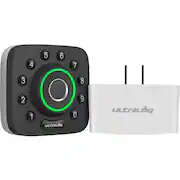
Best for: Z-Wave smart-home systems
- Access methods
- 6-in-1
- Smart-home radio
- Z-Wave
- PIN length
- 4–8 digits
- Hub requirement
- 1 compatible Z-Wave hub
- Designed to connect with compatible Z-Wave hubs.
- Fingerprint and keypad access keep entry convenient at the door.
- Offers a familiar U-Bolt Pro form factor.
- A compatible hub is needed for connected features.
Is the ULTRALOQ U-Bolt Pro Z-Wave Smart Lock worth buying on Black Friday 2026?
Yes. The ULTRALOQ U-Bolt Pro Z-Wave Smart Lock makes sense for homes already using a compatible Z-Wave hub. The ULTRALOQ U-Bolt Pro Z-Wave Smart Lock's fingerprint and keypad options add convenient local entry, while the hub supports connected-home control.
See today’s Black Friday price on Amazon
#5
Schlage Encode Plus Smart WiFi Deadbolt
The Schlage Encode Plus Smart WiFi Deadbolt is the best pick for Apple Home users seeking a connected deadbolt, with capacity for up to 100 access codes.
Best for: Apple Home and shared access
- Access-code capacity
- Up to 100 codes
- Wi-Fi
- Built in
- Battery type
- 4 AA batteries
- Apple feature
- Home Key support
- Apple Home Key support offers a convenient entry option for compatible users.
- Built-in Wi-Fi enables connected features without a separate bridge.
- Large code capacity suits homes sharing access with guests.
- Apple-specific features are most useful in a compatible Apple Home setup.
Is the Schlage Encode Plus Smart WiFi Deadbolt worth buying on Black Friday 2026?
Yes. The Schlage Encode Plus Smart WiFi Deadbolt is a smart choice for Apple Home households and homes that share access codes. Built-in Wi-Fi and support for up to 100 codes make it a flexible connected deadbolt.
See today’s Black Friday price on Amazon
#6
Yale Assure Lock 2 Touch with Wi-Fi
The Yale Assure Lock 2 Touch with Wi-Fi is the best pick for shoppers who want fingerprint access in a streamlined keypad lock, with 4–8 digit entry codes.
Best for: Fingerprint entry and a clean keypad design
- PIN length
- 4–8 digits
- Wi-Fi
- Included
- Fingerprint reader
- Built in
- Entry options
- 3: fingerprint, PIN and app
- Fingerprint reader gives residents a quick alternative to a PIN.
- Wi-Fi supports remote connected features.
- Touch interface has a tidy, modern appearance.
- Confirm the exact included connectivity features for the selected configuration.
Is the Yale Assure Lock 2 Touch with Wi-Fi worth buying on Black Friday 2026?
Yes. The Yale Assure Lock 2 Touch with Wi-Fi suits shoppers who want fingerprint access and a touchscreen keypad. The Yale Assure Lock 2 Touch with Wi-Fi's 4–8 digit codes offer a familiar option for family members and guests.
See today’s Black Friday price on Amazon
#7
Aqara Smart Lock U100
The Aqara Smart Lock U100 is the best pick for Apple Home households seeking several entry methods, with capacity for up to 50 fingerprints.
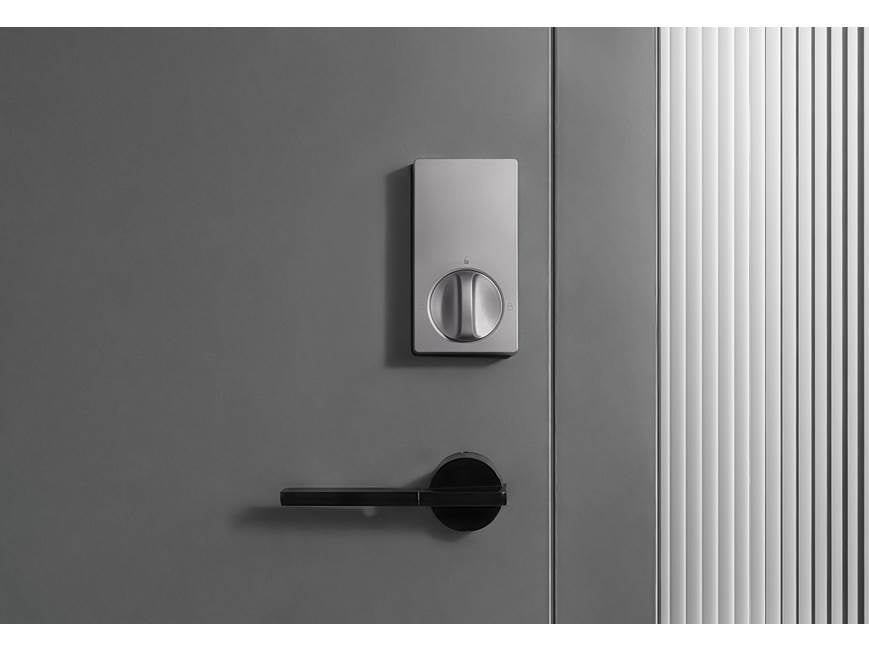
Best for: Apple Home Key and fingerprint entry
- Fingerprint capacity
- Up to 50 fingerprints
- Battery type
- 8 AA batteries
- Access methods
- 5: fingerprint, PIN, NFC, key and Home Key
- Smart-home connection
- Matter support via compatible hub
- Apple Home Key support is handy for compatible Apple devices.
- Fingerprint, PIN and physical-key access provide alternatives.
- Matter support connects with compatible smart-home setups.
- Some connected features depend on a compatible hub.
Is the Aqara Smart Lock U100 worth buying on Black Friday 2026?
Yes. The Aqara Smart Lock U100 fits Apple Home households wanting several entry methods, including Home Key and fingerprint access. Check hub compatibility for the connected features you plan to use.
See today’s Black Friday price on Amazon
Which is better: ULTRALOQ U-Bolt or Lockly Visage?
ULTRALOQ U-Bolt Pro WiFi Smart Lock with Door Sensor is the better fit for flexible everyday entry, while Lockly Visage Zeno Series Smart Lock is the standout for face recognition. Both provide multiple ways to unlock a door, but their headline features answer different needs.
Choose ULTRALOQ when fingerprint access, a keypad, app control and built-in Wi-Fi matter more than facial recognition. The included door sensor also gives the ULTRALOQ model an extra door-status feature. Choose Lockly Visage when hands-free face recognition is the reason you are upgrading; fingerprint and PIN entry remain available for other household members.
Before choosing either lock, compare the exact installation requirements and connected features with your door and smart-home setup. The right pick is the one that fits your routine, not simply the model with the longest feature list.
What should I check before buying a smart lock?
A smart lock should match your door’s measurements, deadbolt setup and preferred entry methods before you compare connected features. Confirm that the product fits your door thickness and existing hardware, and review the manufacturer’s installation guidance for any preparation requirements.
Next, check how the lock connects. Built-in Wi-Fi is useful for remote access, Bluetooth focuses on nearby phone control, and Z-Wave models need a compatible hub. Apple Home Key, Matter and other smart-home features also depend on compatible devices and configuration.
Finally, consider who needs access. Fingerprints work well for regular residents, PINs are practical for guests, and physical keys provide a familiar backup. Review battery type, code capacity and app permissions as part of the same decision.
Which smart lock is best for Apple Home?
Schlage Encode Plus Smart WiFi Deadbolt and Aqara Smart Lock U100 are the clearest Apple-focused choices in this guide, with Home Key support listed among their features. Both let eligible users use an Apple device as an entry method, while offering other ways to unlock the door.
The Schlage option stands out for built-in Wi-Fi and a capacity of up to 100 access codes. The Aqara option combines Home Key with fingerprint access and Matter support through a compatible hub. Choose based on the other devices in your home and whether you want hub-based smart-home connections.
Check current compatibility information for your phone, home hub and operating-system setup before purchase. Smart-home features depend on compatible equipment and configuration, so a familiar ecosystem can simplify setup.
Do smart locks need Wi-Fi to work?
No: ULTRALOQ U-Bolt Pro Smart Lock with Bluetooth provides Bluetooth access, and ULTRALOQ U-Bolt Pro Z-Wave Smart Lock connects through a compatible Z-Wave hub instead of relying on built-in Wi-Fi. Basic local entry methods, such as keypad or fingerprint access, remain useful without remote control.
Wi-Fi matters most when you want connected features such as remote app access, depending on the product and setup. A Bluetooth lock is a fit for nearby phone control, while a Z-Wave lock makes sense in a home already using a compatible hub.
Choose the connection that matches your routine and existing equipment. A lock with extra connectivity is not automatically the best choice if you do not plan to use those features.
How should I shop smart locks on Black Friday 2026?
Black Friday 2026 shoppers should compare the exact model, included accessories and smart-home compatibility before deciding which smart lock to buy. Product names can cover different configurations, so check whether Wi-Fi, a hub, a door sensor or other listed components are included with the specific model.
Compare your shortlist by entry methods, installation fit, battery requirements and app support. Read owner feedback for recurring setup or connectivity concerns, and check the return policy in case the lock does not fit your door. A feature-by-feature comparison helps keep attention on value and usefulness rather than a headline label.
For most households, ULTRALOQ U-Bolt Pro WiFi Smart Lock with Door Sensor is the versatile starting point. Lockly Visage Zeno Series Smart Lock is the distinctive option for face recognition, while the alternatives suit Apple Home and Z-Wave users.
Buying Guide
Match the lock to your door
Measure the door and check deadbolt compatibility before ordering. Confirm required door thickness, backset and bore-hole details against the manufacturer’s fit guide. A smart lock with the right features still needs to match the existing door preparation.
Choose your everyday entry method
Fingerprint entry works well for regular residents, while PIN codes are useful for guests and family members. Face recognition is a specialized convenience. Keep physical-key access in mind if you want a familiar backup.
Check connectivity and hubs
Built-in Wi-Fi supports connected access on compatible models. Bluetooth is centered on nearby control, and Z-Wave needs a compatible hub. Confirm what your current smart-home equipment supports before selecting a lock.
Review batteries and shared access
Check the battery type, access-code capacity and app permissions. Households with frequent visitors benefit from simple code management; homes with several regular residents can prioritize fingerprint capacity or multiple entry methods.
Compare the exact Black Friday 2026 listing
Verify the full model name and included accessories on the product listing. Check return terms and installation requirements, then compare features that matter to your household. Choose a lock for fit and usefulness, not a feature you will not use.
FAQ
Is ULTRALOQ U-Bolt Pro WiFi better than Lockly Visage?
ULTRALOQ U-Bolt Pro WiFi Smart Lock with Door Sensor is better for varied fingerprint, keypad and app access with built-in Wi-Fi. Lockly Visage Zeno Series Smart Lock is the stronger match for face recognition. Pick according to your preferred way to unlock the door.
Does Lockly Visage have face recognition?
Yes. Lockly Visage Zeno Series Smart Lock includes 3D facial recognition, along with fingerprint and PIN entry. The range of access methods makes it a distinctive choice for shoppers who want hands-free unlocking as an option at home.
Does ULTRALOQ U-Bolt Pro WiFi work without a hub?
ULTRALOQ U-Bolt Pro WiFi Smart Lock with Door Sensor has built-in 2.4 GHz Wi-Fi, so a separate Wi-Fi bridge is not required for its Wi-Fi connection. Confirm the exact product configuration and home network requirements before purchase.
Which smart lock is best for Apple Home Key?
Schlage Encode Plus Smart WiFi Deadbolt and Aqara Smart Lock U100 both list Apple Home Key support. Schlage adds built-in Wi-Fi and up to 100 access codes, while Aqara offers fingerprint access and Matter support through a compatible hub.
Is a Z-Wave smart lock worth it?
ULTRALOQ U-Bolt Pro Z-Wave Smart Lock is worth considering if your home already uses a compatible Z-Wave hub. The hub-based connection can fit an established smart-home setup, while fingerprint and keypad access remain available at the door.
What should I compare when buying a smart lock on Black Friday 2026?
Compare the exact model, door compatibility, access methods, connectivity, battery type and included accessories. ULTRALOQ U-Bolt Pro WiFi Smart Lock with Door Sensor and Lockly Visage Zeno Series Smart Lock suit different priorities, so match features to your routine.