

As an Amazon Associate we earn from qualifying purchases.
- Best overall: Apple Pencil Pro
- Best budget: Apple Pencil (USB-C)
- Best premium: Apple Pencil Pro
- Best for pressure-sensitive drawing: Adonit Note+ 2
- Apple Pencil Pro is the feature-rich pick for compatible iPads, with squeeze controls, barrel roll, haptics and Find My.
- Apple Pencil (USB-C) is the straightforward choice for notes and markup, but it lacks pressure sensitivity.
- Check your iPad model before buying: Apple Pencil compatibility varies by generation, and magnetic attachment does not guarantee charging.
- Logitech Crayon (USB-C), ZAGG Pro Stylus 2 and Adonit Note+ 2 are alternatives for shoppers comparing features beyond Apple's lineup.
Apple Pencil Pro vs Apple Pencil USB-C Black Friday 2026 comes down to compatibility and how you use a stylus. Apple Pencil Pro adds pressure-sensitive drawing, squeeze controls, barrel roll, haptic feedback and Find My. Apple Pencil (USB-C) focuses on reliable writing, sketching and markup, with a simpler feature set and USB-C charging. Neither is the right choice for every iPad, so confirm your tablet model before adding either stylus to your shortlist.
I researched and compared specs, reviews and owner feedback to sort seven iPad styluses by usefulness, compatibility and standout features. My pick for most people is Apple Pencil Pro when the iPad supports it and the extra drawing tools will get regular use. Apple Pencil (USB-C) is a sensible alternative for everyday notes. The recommendations below explain the trade-offs without treating a feature list as a substitute for checking compatibility.
How We Picked
- Compatibility: We prioritized clear pairings with supported iPad models and noted when buyers need to verify the exact tablet generation.
- Everyday features: We compared pressure sensitivity, tilt, palm rejection, shortcut controls and other features that affect writing or drawing.
- Charging and attachment: We considered how each stylus charges, whether it attaches magnetically and whether attachment also supports pairing or charging.
- Value in use: We looked at whether a simpler stylus covers common school, work and markup needs without charging buyers for features they will not use.
- Owner feedback and specs: We researched and compared manufacturer specifications, reviews and owner feedback, emphasizing practical strengths and limitations.
Comparison Table
| Product | Best for | Pressure sensitivity | Charging | Standout controls |
|---|---|---|---|---|
| Apple Pencil Pro | Creative work on compatible iPads | Yes | Magnetic wireless charging | Squeeze, barrel roll, haptics, Find My |
| Apple Pencil (USB-C) | Notes and markup | No | USB-C cable | Tilt sensitivity |
| Apple Pencil (2nd generation) | Drawing on compatible older iPads | Yes | Magnetic wireless charging | Double tap |
| Apple Pencil (1st generation) | Compatible older iPads | Yes | Lightning connector | Tilt sensitivity |
| Logitech Crayon (USB-C) | School notes | No | USB-C | Tilt-based line variation |
| ZAGG Pro Stylus 2 | Writing and navigation | No | Wireless charging | Dual-ended design |
| Adonit Note+ 2 | Pressure-sensitive alternative drawing | 2,048 levels | USB-C | 2 programmable buttons |
Best Picks Reviewed
#1 · Top pick
Apple Pencil Pro
The Apple Pencil Pro is the best premium stylus for compatible iPad owners who draw, with pressure sensitivity, squeeze controls and Find My. The Apple Pencil Pro adds a 1 mm-class precision tip and advanced shortcuts for a more responsive creative workflow.
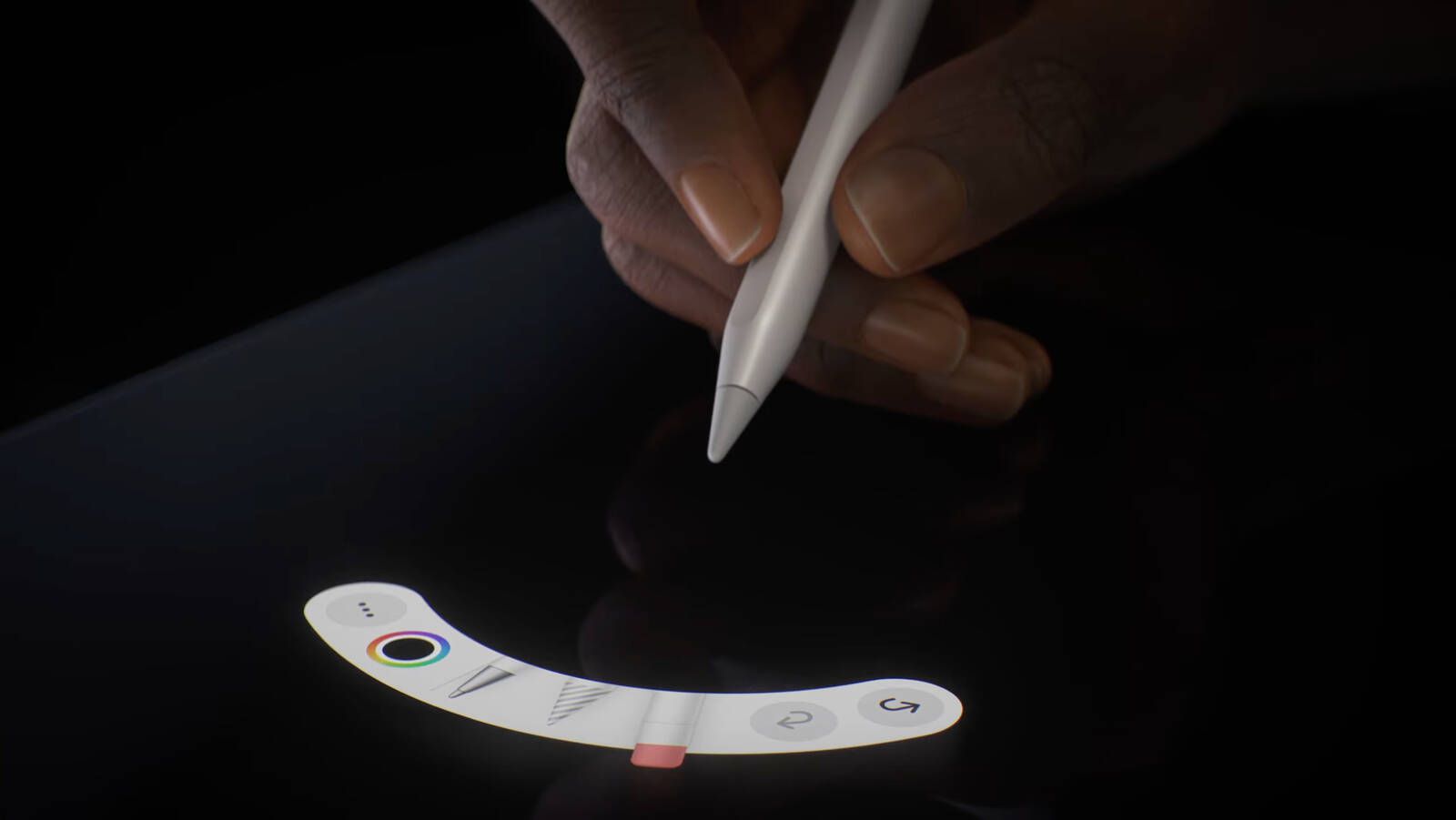
Best for: Drawing and creative work on compatible iPads
- Tip
- 1 mm-class precision tip
- Controls
- Squeeze, double tap and barrel roll
- Charging
- Magnetic attachment and wireless charging
- Tracking
- Find My support
- Pressure sensitivity and tilt support detailed drawing.
- Haptic feedback and squeeze controls provide quick tool access.
- Magnetic wireless charging keeps the pencil attached to compatible iPads.
- Apple Pencil Pro works only with supported iPad models.
Is the Apple Pencil Pro worth buying on Black Friday 2026?
Apple Pencil Pro is worth considering for compatible iPad owners who draw or use creative shortcuts. Pressure sensitivity, barrel roll, squeeze controls, haptic feedback and Find My add useful capabilities, while note-takers who need basic writing can choose a simpler stylus.
See today’s Black Friday price on Amazon
#2
Apple Pencil (USB-C)
The Apple Pencil (USB-C) is the best budget-friendly Apple stylus for note-taking and markup on compatible iPads. The Apple Pencil (USB-C) has a 1 mm-class precision tip, tilt sensitivity and USB-C charging, but no pressure sensitivity.

Best for: Notes, document markup and everyday sketching
- Tip
- 1 mm-class precision tip
- Sensitivity
- Tilt sensitivity; no pressure sensitivity
- Charging
- USB-C cable
- Attachment
- Magnetic attachment on compatible iPads
- USB-C charging is convenient for common charging setups.
- Tilt support adds shading control in supported apps.
- Magnetic attachment helps keep the stylus with the iPad.
- No pressure sensitivity for expressive drawing.
- Magnetic attachment does not provide wireless charging.
Is the Apple Pencil (USB-C) worth buying on Black Friday 2026?
Apple Pencil (USB-C) is a good choice for compatible iPad owners who mainly write, annotate documents or make simple sketches. USB-C charging and tilt support cover everyday tasks, but artists who want pressure-sensitive strokes should compare Apple Pencil Pro or a compatible alternative.
See today’s Black Friday price on Amazon
#3
Apple Pencil (2nd generation)
The Apple Pencil (2nd generation) is the best pressure-sensitive option for owners of compatible older iPads. The Apple Pencil (2nd generation) supports pressure and tilt, and its magnetic attachment handles pairing and wireless charging on supported tablets.
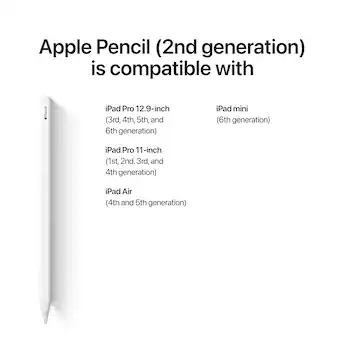
Best for: Drawing on compatible iPad models that support this generation
- Sensitivity
- Pressure and tilt sensitivity
- Controls
- Double-tap tool switching
- Charging
- Magnetic wireless charging
- Pairing
- Magnetic pairing on compatible iPads
- Pressure sensitivity suits varied line weight and shading.
- Wireless charging and pairing reduce cable handling.
- Double tap offers a quick shortcut in supported apps.
- Compatibility differs from Apple Pencil Pro and Apple Pencil (USB-C).
Is the Apple Pencil (2nd generation) worth buying on Black Friday 2026?
Apple Pencil (2nd generation) is worth considering when an existing iPad specifically supports it. Pressure sensitivity, tilt and magnetic wireless charging remain useful drawing features. Check Apple's compatibility list first, because this generation does not work with every newer iPad.
See today’s Black Friday price on Amazon
#4
Apple Pencil (1st generation)
The Apple Pencil (1st generation) is the best fit for compatible older iPads that use this original stylus. The Apple Pencil (1st generation) offers pressure and tilt sensitivity, plus a Lightning connector for charging on supported setups.
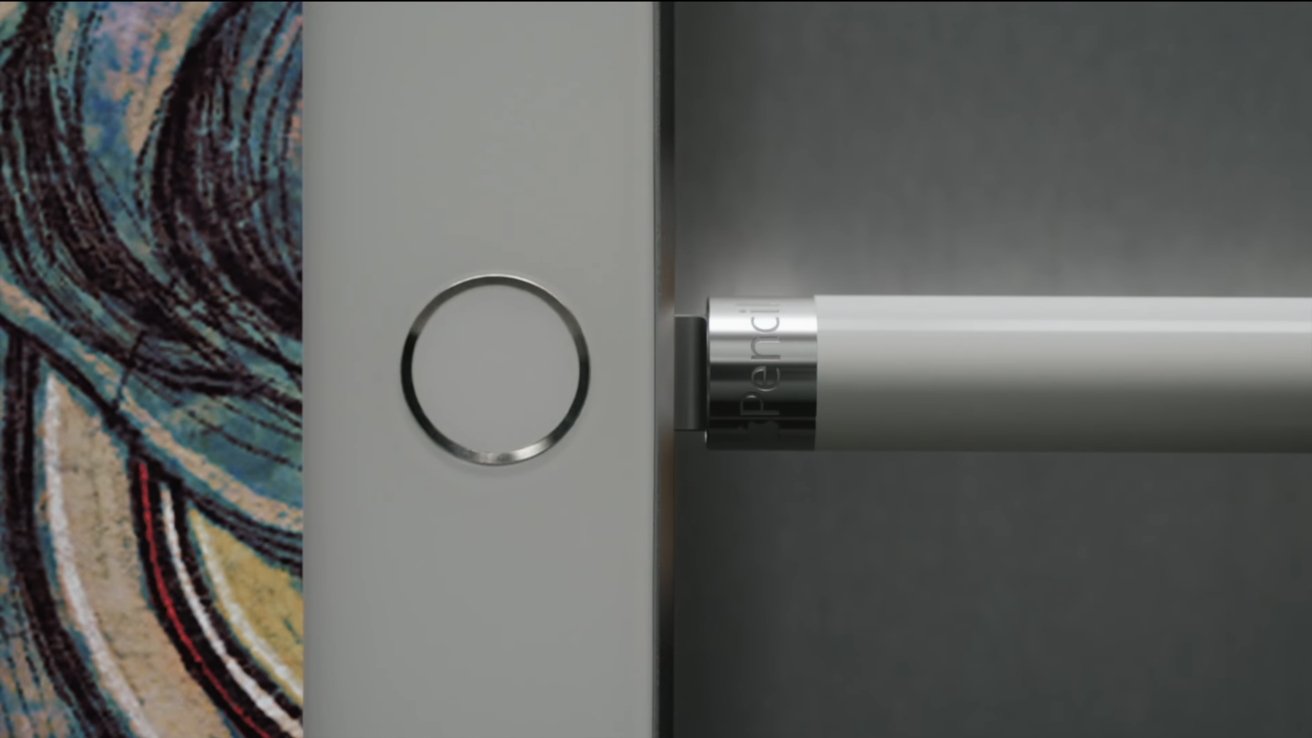
Best for: Compatible older iPads and pressure-sensitive drawing
- Sensitivity
- Pressure and tilt sensitivity
- Charging
- Lightning connector
- Length
- 175.7 mm
- Connection
- Bluetooth pairing on supported iPads
- Pressure and tilt support detailed drawing.
- Useful option for iPads designed for this generation.
- Works with supported apps for notes, markup and sketches.
- Charging and compatibility are less convenient than newer Apple Pencil designs.
- Some supported iPad setups require a separate USB-C adapter.
Is the Apple Pencil (1st generation) worth buying on Black Friday 2026?
Apple Pencil (1st generation) is a practical choice only when the iPad supports it and pressure-sensitive drawing is important. Buyers should confirm the connector and adapter requirements for their tablet before choosing it over Apple Pencil (USB-C) or a newer compatible model.
See today’s Black Friday price on Amazon
#5
Logitech Crayon (USB-C)
The Logitech Crayon (USB-C) is the best alternative for students and note-takers who want a durable iPad stylus. The Logitech Crayon (USB-C) uses tilt-based line variation and palm rejection, with a USB-C port for charging.
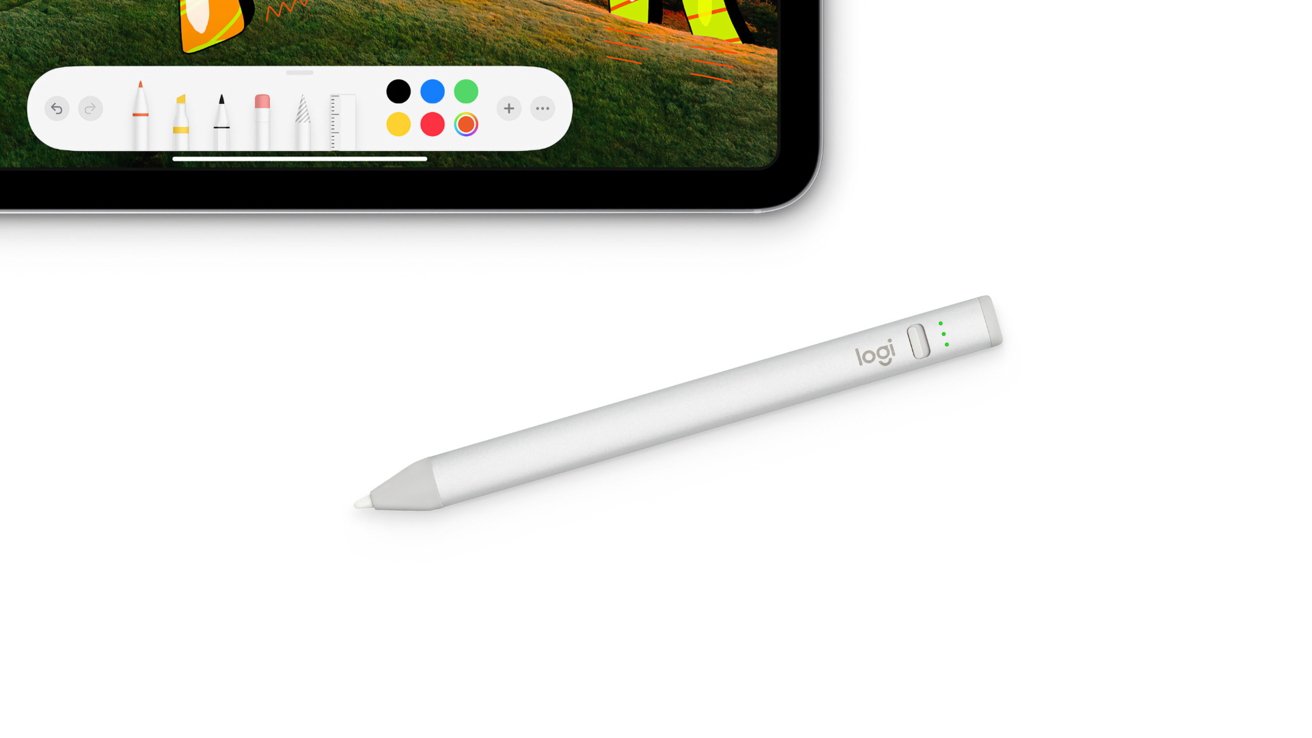
Best for: School notes and everyday writing
- Charging
- USB-C
- Sensitivity
- Tilt-based line variation
- Palm rejection
- Supported on compatible iPads
- Battery life
- Up to 7.5 hours
- USB-C charging uses a widely available cable type.
- Palm rejection supports a natural writing position.
- Tilt-based strokes add shading options.
- No pressure sensitivity for pressure-controlled line weight.
Is the Logitech Crayon (USB-C) worth buying on Black Friday 2026?
Logitech Crayon (USB-C) is worth comparing for schoolwork, notes and everyday iPad writing. Palm rejection and tilt support cover common tasks, and its stated battery life reaches 7.5 hours. Confirm iPad compatibility and choose an Apple Pencil if pressure sensitivity is essential.
See today’s Black Friday price on Amazon
#6
ZAGG Pro Stylus 2
The ZAGG Pro Stylus 2 is the best dual-tip alternative for iPad owners who want a versatile stylus for writing and navigation. The ZAGG Pro Stylus 2 combines an active tip with a capacitive back end and supports tilt recognition.

Best for: Writing, navigation and casual sketching
- Tip design
- 2 ends: active tip and capacitive back end
- Sensitivity
- Tilt recognition
- Charging
- Wireless charging
- Palm rejection
- Supported on compatible iPads
- Two tip styles cover active writing and basic touchscreen navigation.
- Tilt recognition supports shading in compatible apps.
- Wireless charging avoids a charging-port cable.
- No pressure sensitivity for pressure-controlled drawing.
Is the ZAGG Pro Stylus 2 worth buying on Black Friday 2026?
ZAGG Pro Stylus 2 is worth considering for iPad owners who value a two-ended design and wireless charging. The active tip suits writing while the capacitive end handles basic navigation. Artists should check whether tilt is enough, since pressure sensitivity is not included.
See today’s Black Friday price on Amazon
#7
Adonit Note+ 2
The Adonit Note+ 2 is the best alternative here for drawing features beyond basic tilt. The Adonit Note+ 2 supports 2,048 pressure levels and tilt sensitivity, giving compatible iPad apps more control over stroke weight and shading.
Best for: Drawing with pressure control in supported apps
- Pressure levels
- 2,048
- Sensitivity
- Pressure and tilt
- Controls
- 2 programmable shortcut buttons
- Charging
- USB-C
- Pressure levels offer more expressive drawing than non-pressure styluses.
- Programmable buttons provide quick shortcuts in supported apps.
- USB-C charging avoids a proprietary charging cable.
- App support and iPad compatibility need checking before purchase.
Is the Adonit Note+ 2 worth buying on Black Friday 2026?
Adonit Note+ 2 is worth comparing for artists who want pressure control without choosing an Apple Pencil. The Adonit Note+ 2's 2,048 pressure levels, tilt sensitivity and shortcut buttons are useful in supported apps. Confirm app compatibility and supported iPad models before choosing it.
See today’s Black Friday price on Amazon
Which is better, Apple Pencil Pro or Apple Pencil (USB-C)?
Apple Pencil Pro is better for compatible iPad users who draw, while Apple Pencil (USB-C) is better for straightforward notes and markup. Apple Pencil Pro adds pressure sensitivity, barrel roll, squeeze controls, haptics and Find My. Apple Pencil (USB-C) keeps tilt support and a precise tip but skips pressure sensitivity and advanced controls.
The feature gap matters most in art apps, where pressure can change line weight and shading. For handwriting, signing forms and annotating class notes, the USB-C model covers the basics. Skip it if pressure-sensitive drawing is central to your workflow; choose Apple Pencil Pro when your iPad supports it. Both names sound similar, but they serve different buyers.
How do I check Apple Pencil compatibility with my iPad?
Apple Pencil compatibility depends on the exact iPad model, not just its screen size or release year. Apple Pencil Pro, Apple Pencil (USB-C), Apple Pencil (2nd generation) and Apple Pencil (1st generation) each support different iPad families, so check the model listed in Settings before buying.
A magnetic edge is not enough to identify compatibility: some models attach magnetically, while charging and pairing differ by generation. Look up the iPad model number in Apple's compatibility information, then match that exact model to the stylus. For third-party picks, check both the stylus maker's supported iPads and any app-specific feature requirements.
Does Apple Pencil (USB-C) have pressure sensitivity?
Apple Pencil (USB-C) does not have pressure sensitivity, but it supports tilt sensitivity for shading in compatible apps. Apple Pencil Pro, Apple Pencil (2nd generation) and Apple Pencil (1st generation) support pressure-sensitive input on compatible iPads.
That difference is easy to overlook in a feature list, but it affects drawing more than ordinary writing. Pressure sensitivity lets a supported app vary the stroke based on how firmly the tip presses against the screen. Logitech Crayon (USB-C) and ZAGG Pro Stylus 2 also suit basic writing and tilt effects, while Adonit Note+ 2 lists 2,048 pressure levels.
Which Apple Pencil is best for notes, school and work?
Apple Pencil (USB-C) is the best simple Apple choice for notes and markup on a compatible iPad. Apple Pencil (USB-C) combines a precise tip, tilt support and USB-C charging without charging the buyer for drawing controls that a note-taker can not need.
Logitech Crayon (USB-C) is another practical option for school notes, with palm rejection and up to 7.5 hours of stated battery life. Apple Pencil Pro is a better fit when one iPad serves both as a note-taking tool and a creative workstation. Match the stylus to the tablet first; an incompatible bargain is no bargain.
What should I look for in a Black Friday 2026 Apple Pencil deal?
A good Black Friday 2026 Apple Pencil choice matches the iPad, includes the features you need and comes from a seller with clear return terms. Apple Pencil Pro is a strong premium pick for compatible creative workflows, while Apple Pencil (USB-C) is a capable option for everyday writing.
Compare the exact product generation rather than relying on a listing headline that only says Apple Pencil. Check charging method, included accessories, seller identity and return window before deciding. A lower-cost third-party stylus can be a better fit for simple notes, but app support and pressure sensitivity deserve careful checking. Choose based on total usefulness, not a headline alone.
Buying Guide
Start with the iPad model
Find the exact iPad model in Settings or on the tablet's device information, then check the manufacturer's compatibility list. Apple Pencil models are not interchangeable across every iPad generation. Confirm the pairing and charging method too.
Choose based on your main task
For notes, web markup and forms, Apple Pencil (USB-C) offers the essential writing features. For detailed art, prioritize pressure sensitivity and tilt. Apple Pencil Pro adds more creative controls when the iPad supports them.
Compare charging and storage
Apple Pencil Pro and Apple Pencil (2nd generation) attach magnetically and charge wirelessly on supported iPads. Apple Pencil (USB-C) charges through a USB-C cable. Check whether your preferred stylus stays attached securely and whether its charging setup suits your routine.
Check third-party app support
Stylus features can depend on the iPad and the app. Before choosing Logitech Crayon (USB-C), ZAGG Pro Stylus 2 or Adonit Note+ 2, confirm that your note-taking or drawing apps support the features you plan to use.
Review the full listing
On Black Friday 2026, verify the full product name, seller, included cable or adapter and return conditions. Check the model generation rather than trusting a broad Apple Pencil label. Buy the stylus that fits the iPad and your everyday tasks.
FAQ
Is Apple Pencil Pro compatible with every iPad?
Apple Pencil Pro is not compatible with every iPad. Support depends on the exact iPad model, so check Apple's compatibility list before buying. Magnetic attachment alone does not confirm that pairing, charging and Pencil Pro features will work with a particular tablet.
What is the main difference between Apple Pencil Pro and Apple Pencil (USB-C)?
Apple Pencil Pro adds pressure sensitivity, barrel roll, squeeze controls, haptic feedback and Find My on supported iPads. Apple Pencil (USB-C) offers tilt sensitivity and USB-C charging but no pressure sensitivity. Both suit writing, while Pro is better equipped for compatible creative workflows.
Does Apple Pencil (USB-C) charge magnetically?
Apple Pencil (USB-C) attaches magnetically to compatible iPads for storage, but it charges through a USB-C cable rather than wireless charging. Check the iPad's compatibility details and keep the cable available when choosing this stylus for regular use.
Which Apple Pencil is best for drawing?
Apple Pencil Pro is the strongest drawing pick for a compatible iPad, with pressure sensitivity, tilt, barrel roll and quick controls. Apple Pencil (2nd generation) and Apple Pencil (1st generation) also offer pressure sensitivity on supported tablets. Confirm compatibility before choosing a generation.
Is Logitech Crayon (USB-C) good for school?
Logitech Crayon (USB-C) is a good school option for compatible iPads when the main tasks are handwriting, highlighting and basic sketches. Palm rejection and tilt support help with everyday use, and its stated battery life reaches 7.5 hours. The stylus lacks pressure sensitivity.
Should I buy a third-party iPad stylus instead of an Apple Pencil?
A third-party stylus can be a smart fit for notes or casual drawing when its features match your apps and iPad. Logitech Crayon (USB-C), ZAGG Pro Stylus 2 and Adonit Note+ 2 offer different trade-offs. Check compatibility, pressure support and charging before choosing.