

As an Amazon Associate we earn from qualifying purchases.
- The ASUS ProArt Display PA279CRV 27-inch 4K HDR Professional Monitor suits photographers, video editors and designers who want accurate color and USB-C connectivity.
- Key specs include a 27-inch 3840 × 2160 IPS panel, 99% DCI-P3, 99% Adobe RGB and USB-C power delivery up to 96W.
- For Black Friday 2026, compare retailer bundles, included cables, shipping and return terms, plus availability of the exact PA279CRV model.
- The ASUS ProArt Display PA279CRV is a strong creator-focused pick when color coverage, 4K workspace and one-cable laptop connections matter more than high refresh rates.
- The ASUS ProArt Display PA279CRV combines a 27-inch 4K resolution with broad color coverage for creative work.
- USB-C power delivery up to 96W can charge a compatible laptop while carrying video and data through one connection.
- The 60Hz panel prioritizes color-focused productivity over high-refresh gaming.
- Black Friday shoppers should compare the exact model number, bundle contents, return window and stock before choosing a retailer.
- The monitor’s adjustable stand and USB hub make it suitable for a streamlined home or studio desk.
The ASUS ProArt Display PA279CRV 27-inch 4K HDR Professional Monitor is a color-focused display for creators who need a sharp workspace and broad coverage of professional color spaces. Its 3840 × 2160 IPS panel, 99% DCI-P3 coverage and 99% Adobe RGB coverage make the model a strong fit for photo editing, design and video production. USB-C power delivery up to 96W also helps reduce desk clutter when connecting a compatible laptop.
For ASUS ProArt monitor Black Friday deals in 2026, I researched and compared specs, reviews and owner feedback to identify the details that matter beyond a headline offer. My pick for most people who need a creative 4K display is the PA279CRV, provided the 60Hz refresh rate and 27-inch screen match the way you work. Check the exact model, cable bundle, stock and retailer return policy before ordering.
How We Picked
- Compared the ASUS ProArt Display PA279CRV’s core specifications with the demands of photo, design and video workflows.
- Reviewed its color-space coverage, factory color claims and resolution to judge its usefulness for color-sensitive work.
- Considered USB-C power delivery, built-in ports and stand adjustments for everyday desk setup and laptop use.
- Prioritized Black Friday deal details shoppers can verify, including model number, bundle contents, shipping, returns and stock.
Our Verdict
#1 · Top pick
ASUS ProArt Display PA279CRV 27-inch 4K HDR Professional Monitor
The ASUS ProArt Display PA279CRV 27-inch 4K HDR Professional Monitor is a well-equipped creator display with 4K resolution, extensive color coverage and 96W USB-C charging. Choose it for color-focused work and a tidy laptop setup, not for high-refresh gaming.
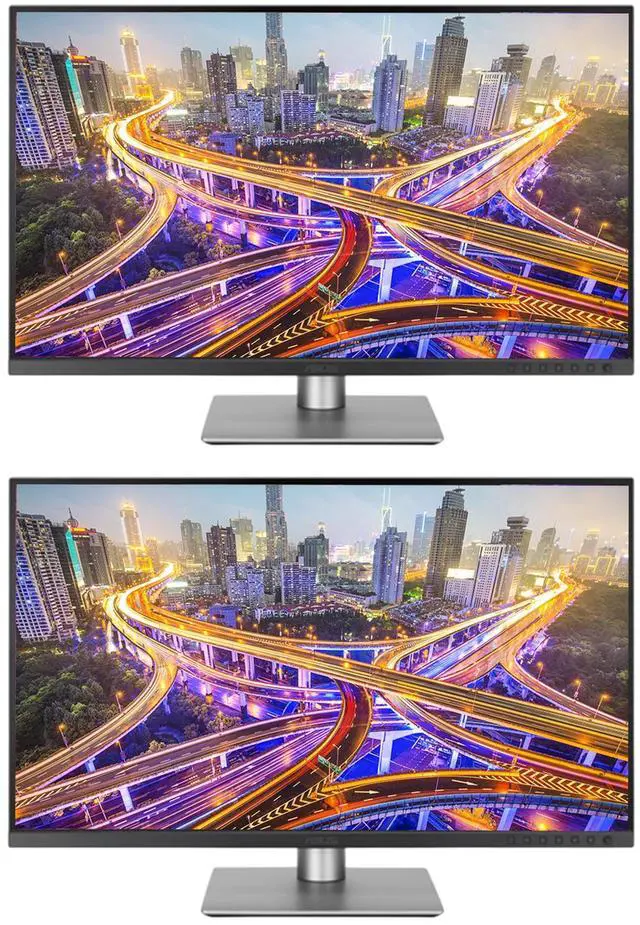
Best for: Photographers, designers and video editors seeking a 27-inch 4K display with broad color coverage and USB-C connectivity.
- Screen size
- 27 inches
- Resolution
- 3840 × 2160 (4K UHD)
- Panel and refresh rate
- IPS, 60Hz
- Color coverage
- 99% DCI-P3 and 99% Adobe RGB
- USB-C power delivery
- Up to 96W
- Response time
- 5ms GTG
- 4K resolution gives detailed images and room for creative applications.
- 99% DCI-P3 and 99% Adobe RGB coverage suit color-focused workflows.
- USB-C supports video, data and up to 96W laptop charging through one connection.
- An adjustable stand supports ergonomic positioning, including portrait orientation.
- The 60Hz refresh rate is not intended for high-refresh competitive gaming.
- A 27-inch workspace can feel compact for users who prefer larger screens or extensive side-by-side timelines.
Is the ASUS ProArt Display PA279CRV 27-inch 4K HDR Professional Monitor worth buying on Black Friday 2026?
The ASUS ProArt Display PA279CRV is worth considering when its 27-inch 4K resolution, broad color coverage and 96W USB-C charging match your workflow. Compare the exact model and included accessories across retailers, and check the return policy before buying.
See today’s Black Friday price on Amazon
What makes the ASUS ProArt Display PA279CRV suitable for creative work?
The ASUS ProArt Display PA279CRV pairs a 27-inch 3840 × 2160 IPS panel with 99% DCI-P3 and 99% Adobe RGB color coverage, making it a capable choice for detailed creative work. The broad color range is useful for photographers, designers and editors who need to view color-rich images and video.
ASUS lists factory color calibration with Delta E below 2 and Calman Verified status. Those specifications provide a useful starting point for color-sensitive tasks, although a display’s appearance still depends on the computer, software, room lighting and calibration settings. Professionals working to a strict delivery standard should use their own calibration process and check the requirements of their client or production workflow.
The 4K resolution creates a crisp workspace for image detail, timelines and multiple application panels. At 27 inches, interface scaling and viewing distance affect how much comfortable workspace you get. Skip it if you need a substantially larger canvas or prioritize a high refresh rate over color coverage.
How good is the ASUS ProArt Display PA279CRV for laptop connectivity?
The ASUS ProArt Display PA279CRV provides USB-C power delivery up to 96W, allowing a compatible laptop to receive power while sending video and data through one cable. That setup can reduce desktop clutter and make it easier to connect a laptop at the start of a work session.
The display also includes HDMI, DisplayPort and USB hub connections, giving users options for a desktop computer, console or accessories. Check the specific input and output arrangement against your devices before buying, especially if you use a dock, multiple computers or peripherals that need a direct connection. USB-C charging depends on laptop compatibility and power requirements.
A single-cable desk setup is especially convenient for people who move between a home office and another workspace. The monitor’s integrated hub can keep common accessories close at hand, though it does not replace every feature of a dedicated docking station. Confirm the included cable bundle at the retailer so you have the connections your setup needs.
Is the ASUS ProArt Display PA279CRV good for gaming?
The ASUS ProArt Display PA279CRV runs at 60Hz with a listed 5ms GTG response time, so it is better suited to productivity and creative work than high-refresh competitive gaming. Casual gaming and console play remain possible, but players who value very smooth motion should look for a display designed around faster refresh rates.
The 4K resolution can show detailed game environments, and the IPS panel provides wide viewing angles for shared viewing. The trade-off is that the PA279CRV focuses on color and professional connectivity rather than gaming features such as a high refresh rate. Verify the refresh-rate support and input settings required by your computer or console.
For a mixed-use desk, decide which activity matters most. Creative users who game occasionally can appreciate the sharp picture and broad color range, while dedicated PC gamers should weigh the 60Hz limit carefully. A Black Friday bundle does not change the panel’s core gaming specifications.
What should shoppers check in ASUS ProArt PA279CRV Black Friday deals?
For Black Friday 2026, check that each listing names the ASUS ProArt Display PA279CRV and includes the same 27-inch 4K model before comparing offers. Product pages can use similar ProArt naming, so match the model number rather than relying on a shortened headline or a photograph.
Compare what comes in the box, including power and video cables, and confirm whether the retailer lists the stand and warranty information. A bundle is useful only when its accessories suit your setup. Also review shipping, return terms, seller identity and delivery timing, particularly if the monitor is intended for a work deadline.
Color availability and inventory can vary by retailer, so check the listing details and stock status as you compare. Save the product page for the exact model and revisit it during the shopping period. I would prioritize a trustworthy seller and a clear return process over a bundle that adds accessories you will not use.
Does the ASUS ProArt Display PA279CRV have an ergonomic stand?
The ASUS ProArt Display PA279CRV includes an adjustable stand with height, tilt, swivel and pivot positioning, giving users several ways to align the 27-inch screen. Portrait orientation can help with long documents, code, page layouts or vertical content, while height adjustment supports a more comfortable viewing position.
Stand flexibility matters because a 4K display is most useful when the screen sits at a comfortable distance and angle. Check your desk depth and available space before ordering, especially if you plan to rotate the monitor or place it beside another display. The included stand also means many users can set up without buying a separate mount.
For a monitor arm, confirm VESA mounting compatibility and the arm’s supported screen weight before purchase. Adjusting the panel can help reduce awkward posture, but the right setup depends on your chair, desk and viewing habits. Review the model’s official setup documentation if you need exact measurements for a particular mount.
Who should skip the ASUS ProArt Display PA279CRV?
The ASUS ProArt Display PA279CRV is a weaker match for buyers who need a high-refresh gaming monitor, an ultrawide screen or a large workspace for several full-size applications. Its 27-inch 4K panel and 60Hz refresh rate are geared toward detailed creative work and general productivity instead.
Users who rely on a particular color standard, HDR workflow or laptop charging setup should verify the monitor’s specifications against their own equipment and delivery requirements. Broad color coverage is a strong feature, but it does not guarantee that every software workflow or client target is covered without calibration and configuration.
Skip it if you need a much larger display or want gaming motion to take priority over creative specifications. The PA279CRV is most compelling when 4K detail, its stated color coverage, ergonomic adjustment and USB-C connectivity all serve a real need. Black Friday timing alone is not a reason to compromise on fit.
Buying Guide
Match the model number
The ASUS ProArt Display PA279CRV is a 27-inch 4K monitor, and the PA279CRV model code should appear in the listing. Compare that code, resolution and screen size before adding a similarly named ProArt display to your cart.
Check the bundle and ports
The ASUS ProArt Display PA279CRV supports up to 96W USB-C power delivery, but your laptop and cable must support the connection you need. Check included cables and listed ports so the Black Friday bundle works with your actual devices.
Review returns and warranty details
The ASUS ProArt Display PA279CRV is a substantial work tool, so check the retailer’s return window, shipping conditions and warranty information before purchase. Keep the order confirmation and packaging until the monitor is set up and inspected.
Compare the complete offer
The ASUS ProArt Display PA279CRV deal should be judged by more than its listing headline. Compare bundle contents, seller reputation, stock, delivery timing and return terms across retailers during Black Friday 2026.
Alternatives to Consider
- BenQ PD2725U 27-inch 4K UHD Designer Monitor: Choose the BenQ PD2725U if its design-focused controls and Thunderbolt connectivity better suit your Mac-centered workspace. Compare its ports and color coverage with the ASUS ProArt Display PA279CRV before deciding.
- Dell UltraSharp U2723QE 27-inch 4K USB-C Hub Monitor: The Dell UltraSharp U2723QE suits buyers who prioritize a built-in USB-C hub and office connectivity alongside a 27-inch 4K panel. Pick it over the ASUS ProArt Display PA279CRV when its hub features fit your setup better.
- LG 27UQ850-W 27-inch 4K UHD IPS Monitor: Consider the LG 27UQ850-W if you want a 27-inch 4K IPS display with USB-C charging and HDR support. Compare the LG’s listed color specifications and included ports with the ASUS ProArt Display PA279CRV for your creative applications.
FAQ
What size is the ASUS ProArt Display PA279CRV?
The ASUS ProArt Display PA279CRV has a 27-inch screen with a 3840 × 2160 4K UHD resolution. That size suits a desk where users want detailed images and a relatively compact footprint. Viewing distance, scaling preferences and available desk space still affect whether 27 inches is the right fit.
Does the ASUS ProArt Display PA279CRV support USB-C charging?
The ASUS ProArt Display PA279CRV supports USB-C power delivery up to 96W, alongside video and data connectivity. A compatible laptop can use one cable for a cleaner desk setup. Check your laptop’s charging requirements and the included cable specifications to confirm compatibility before buying.
Is the ASUS ProArt Display PA279CRV suitable for photo editing?
The ASUS ProArt Display PA279CRV is a suitable option for photo editing, with a 27-inch 4K IPS panel, 99% DCI-P3 and 99% Adobe RGB coverage. ASUS also lists factory calibration with Delta E below 2. Color-critical professional work still calls for checking calibration and workflow requirements.
Does the ASUS ProArt Display PA279CRV support HDR?
The ASUS ProArt Display PA279CRV supports HDR10 and carries a VESA DisplayHDR 400 specification. HDR performance depends on the source, settings and content, so check your intended workflow rather than treating the HDR label as a guarantee of a particular viewing experience.
Is the ASUS ProArt Display PA279CRV a 144Hz monitor?
The ASUS ProArt Display PA279CRV has a 60Hz refresh rate, not 144Hz. The specification fits productivity and color-focused creative work better than high-refresh competitive gaming. Check the supported refresh rate of your computer or console if smooth high-frame-rate gaming is a priority.
What should I compare when buying the ASUS ProArt Display PA279CRV on Black Friday 2026?
Compare the exact PA279CRV model number, included cables, seller, delivery details, return window and warranty information. For Black Friday 2026, also check bundle contents and stock at each retailer. Those details help distinguish a useful offer from a listing that does not fit your setup.