

As an Amazon Associate we earn from qualifying purchases.
- Best overall: ASUS ROG Strix XG27AQDMG
- Best budget: ASUS ROG Strix XG27ACS
- Best premium: ASUS ROG Swift OLED PG32UCDM
- ASUS ROG Swift PG27AQN: ASUS ROG Swift OLED PG27AQDM
- ASUS ROG Swift PG27AQN prioritizes competitive speed with a 360Hz, 1440p IPS panel.
- ASUS ROG Strix XG27AQDMG pairs 1440p resolution with a 240Hz glossy OLED panel and 0.03ms response time.
- Choose ASUS ROG Swift PG27AQN for fast-paced esports and ASUS ROG Strix XG27AQDMG for richer contrast and more immersive visuals.
- ASUS ROG Strix XG27ACS offers a practical 180Hz 1440p option for gamers balancing performance and budget.
- Black Friday 2026 shopping is a good time to compare panel type, refresh rate, ports and warranty before choosing.
ASUS ROG Swift PG27AQN and ASUS ROG Strix XG27AQDMG are both 27-inch, 1440p gaming monitors, but their 360Hz IPS and 240Hz OLED panels serve different players. I researched and compared specs, reviews and owner feedback to make the choice clear for Black Friday 2026.
Choose ASUS ROG Swift PG27AQN for maximum motion speed in competitive play, or ASUS ROG Strix XG27AQDMG for OLED contrast, deep blacks and a glossy screen. Here's the bottom line: the right pick depends on whether your priority is frame rate or image impact. The guide also covers five other ASUS gaming monitors, from a 180Hz IPS value pick to a 4K OLED flagship.
How We Picked
- Compared resolution, refresh rate and response-time specifications for each monitor.
- Reviewed panel type and image features, including OLED contrast, glossy finishes and IPS viewing angles.
- Considered gaming needs across esports, console play, single-player games and mixed-use setups.
- Researched owner feedback and common considerations such as desk space, connectivity and OLED care.
- Included only ASUS monitors with clearly differentiated specifications and a useful role in this buying guide.
Comparison Table
| Product | Best for | Resolution | Refresh rate | Panel type |
|---|---|---|---|---|
| ASUS ROG Swift PG27AQN | Competitive esports | 2560 × 1440 | 360Hz | Fast IPS |
| ASUS ROG Strix XG27AQDMG | Glossy OLED gaming | 2560 × 1440 | 240Hz | WOLED |
| ASUS ROG Swift OLED PG27AQDM | Compact OLED gaming | 2560 × 1440 | 240Hz | OLED |
| ASUS ROG Swift OLED PG32UCDM | Premium 4K gaming | 3840 × 2160 | 240Hz | QD-OLED |
| ASUS ROG Strix XG27ACS | Value-focused 1440p gaming | 2560 × 1440 | 180Hz | Fast IPS |
| ASUS TUF Gaming VG27AQML1A | High-refresh TUF gaming | 2560 × 1440 | 260Hz overclocked | Fast IPS |
| ASUS ROG Swift PG27AQDM | 240Hz OLED comparison | 2560 × 1440 | 240Hz | OLED |
Best Picks Reviewed
#1
ASUS ROG Swift PG27AQN
The ASUS ROG Swift PG27AQN is the best 1440p esports monitor for players who value speed, with a 360Hz IPS panel built for fluid competitive action.

Best for: Competitive PC gamers chasing high refresh rates
- Screen size
- 27 inches
- Resolution
- 2560 × 1440
- Refresh rate
- 360Hz
- Panel type
- Fast IPS
- Very high 360Hz refresh rate
- 1440p resolution balances detail and speed
- NVIDIA Reflex Analyzer support
- IPS contrast falls short of OLED blacks
- Requires a powerful PC to make full use of 360Hz
Is the ASUS ROG Swift PG27AQN worth buying on Black Friday 2026?
The ASUS ROG Swift PG27AQN is worth considering for competitive PC players who want 1440p clarity and 360Hz motion. NVIDIA Reflex Analyzer support adds a useful latency-measurement feature for compatible gaming setups.
See today’s Black Friday price on Amazon
#2 · Top pick
ASUS ROG Strix XG27AQDMG
The ASUS ROG Strix XG27AQDMG is the best OLED pick for players who want vivid contrast at 1440p, with a 240Hz glossy WOLED panel and 0.03ms response time.
Best for: OLED visuals for fast-paced and cinematic games
- Screen size
- 27 inches
- Resolution
- 2560 × 1440
- Refresh rate
- 240Hz
- Response time
- 0.03ms
- OLED contrast delivers deep blacks
- 240Hz refresh rate suits fast games
- Glossy panel gives images a punchy look
- OLED care is important for long-term use
- Glossy finish can reflect bright room lighting
Is the ASUS ROG Strix XG27AQDMG worth buying on Black Friday 2026?
The ASUS ROG Strix XG27AQDMG is a strong choice for players who want OLED contrast, a glossy finish and smooth 240Hz gameplay. The ASUS ROG Strix XG27AQDMG's 0.03ms response-time specification suits fast action, while OLED care remains part of everyday ownership.
See today’s Black Friday price on Amazon
#3
ASUS ROG Swift OLED PG27AQDM
The ASUS ROG Swift OLED PG27AQDM is the best compact OLED option for players who want 1440p detail and 240Hz performance in a 27-inch format.
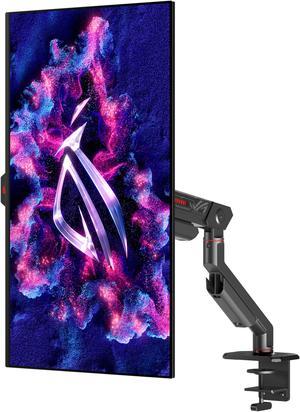
Best for: OLED gaming in a standard 27-inch setup
- Screen size
- 27 inches
- Resolution
- 2560 × 1440
- Refresh rate
- 240Hz
- Response time
- 0.03ms
- OLED panel produces high-contrast images
- 240Hz refresh rate supports responsive play
- Compact size fits many desk setups
- OLED care features need sensible use
- Does not provide 4K resolution
Is the ASUS ROG Swift OLED PG27AQDM worth buying on Black Friday 2026?
The ASUS ROG Swift OLED PG27AQDM is worth a look for gamers who want a 27-inch OLED monitor with 1440p resolution and a 240Hz refresh rate. The combination suits both competitive sessions and visually rich single-player games.
See today’s Black Friday price on Amazon
#4
ASUS ROG Swift OLED PG32UCDM
The ASUS ROG Swift OLED PG32UCDM is the best premium pick for players seeking a large 4K OLED display, with a 240Hz refresh rate on its 32-inch panel.
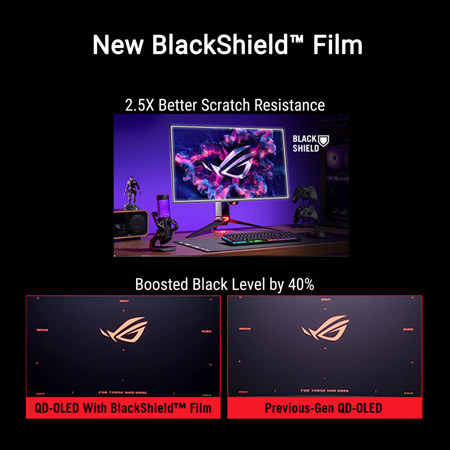
Best for: Premium 4K PC gaming and console play
- Screen size
- 32 inches
- Resolution
- 3840 × 2160
- Refresh rate
- 240Hz
- Panel type
- QD-OLED
- Large 4K screen with OLED contrast
- 240Hz refresh rate supports high-end PC play
- QD-OLED panel delivers vivid color
- Needs substantial desk space
- High-resolution gaming calls for powerful hardware
Is the ASUS ROG Swift OLED PG32UCDM worth buying on Black Friday 2026?
The ASUS ROG Swift OLED PG32UCDM is a premium choice for players who want a 32-inch 4K QD-OLED screen and 240Hz performance. The expansive display works well for high-end PC gaming and console setups with room for a larger monitor.
See today’s Black Friday price on Amazon
#5
ASUS ROG Strix XG27ACS
The ASUS ROG Strix XG27ACS is the best value-focused 1440p pick for players who want smooth IPS gaming, with a 180Hz refresh rate in a 27-inch display.
Best for: Everyday 1440p PC gaming
- Screen size
- 27 inches
- Resolution
- 2560 × 1440
- Refresh rate
- 180Hz
- Panel type
- Fast IPS
- 180Hz is a clear step up from basic 60Hz displays
- 1440p resolution suits current gaming PCs
- IPS panel supports broad viewing angles
- Does not match the speed of 360Hz models
- IPS contrast is less dramatic than OLED
Is the ASUS ROG Strix XG27ACS worth buying on Black Friday 2026?
The ASUS ROG Strix XG27ACS is a sensible choice for gamers who want a 27-inch 1440p display and a 180Hz refresh rate. Fast IPS makes it a versatile fit for competitive games, daily PC use and varied viewing angles.
See today’s Black Friday price on Amazon
#6
ASUS TUF Gaming VG27AQML1A
The ASUS TUF Gaming VG27AQML1A is the best high-refresh TUF option for players who want 1440p IPS gaming, with a 260Hz overclocked refresh rate.

Best for: Fast 1440p gaming with TUF styling
- Screen size
- 27 inches
- Resolution
- 2560 × 1440
- Refresh rate
- 260Hz overclocked
- Panel type
- Fast IPS
- 260Hz overclocked refresh rate
- 1440p resolution keeps game detail sharp
- Fast IPS supports responsive motion
- Overclocked refresh rate needs compatible setup settings
- Black levels do not equal OLED
Is the ASUS TUF Gaming VG27AQML1A worth buying on Black Friday 2026?
The ASUS TUF Gaming VG27AQML1A is a strong option for players who want 1440p resolution and a high-refresh IPS panel. The ASUS TUF Gaming VG27AQML1A's 260Hz overclocked mode targets fast PC games, while the TUF range offers an alternative to premium ROG OLED models.
See today’s Black Friday price on Amazon
#7
ASUS ROG Swift PG27AQDM
The ASUS ROG Swift PG27AQDM is the best 240Hz OLED alternative for players comparing premium 27-inch displays, with 1440p resolution and a 0.03ms response-time specification.
Best for: Players weighing 240Hz OLED choices
- Screen size
- 27 inches
- Resolution
- 2560 × 1440
- Refresh rate
- 240Hz
- Response time
- 0.03ms
- OLED panel supports deep blacks
- 240Hz refresh rate handles fast gameplay
- 27-inch size works for many desks
- Shares OLED care considerations
- Choose between this model and closely related OLED options by features and availability
Is the ASUS ROG Swift PG27AQDM worth buying on Black Friday 2026?
The ASUS ROG Swift PG27AQDM is worth comparing for gamers seeking a 27-inch, 1440p OLED monitor with a 240Hz refresh rate. The ASUS ROG Swift PG27AQDM's 0.03ms response-time specification and high-contrast panel make it a compelling alternative in ASUS's OLED lineup.
See today’s Black Friday price on Amazon
Which is better, ASUS ROG Swift PG27AQN or ASUS ROG Strix XG27AQDMG?
ASUS ROG Swift PG27AQN is better for esports speed, while ASUS ROG Strix XG27AQDMG is better for OLED contrast and richer-looking game worlds. Both monitors measure 27 inches and deliver 2560 × 1440 resolution, so the biggest difference is their panel technology and refresh rate.
The 360Hz Fast IPS panel on ASUS ROG Swift PG27AQN puts motion clarity first. The 240Hz WOLED panel on ASUS ROG Strix XG27AQDMG trades some refresh-rate headroom for deep blacks, vivid color and a glossy screen. Choose the PG27AQN for competitive shooters and the XG27AQDMG for a mix of action, story games and media. Worth it for most players: ASUS ROG Strix XG27AQDMG offers the more distinctive image upgrade, while ASUS ROG Swift PG27AQN is the specialist speed pick.
Is 360Hz better than 240Hz for gaming?
ASUS ROG Swift PG27AQN delivers 360Hz, while ASUS ROG Strix XG27AQDMG delivers 240Hz, making the 360Hz option a better fit for players focused on maximum competitive motion speed. Higher refresh rates show more frames per second when the PC supplies them, which helps fast camera movement look smoother.
The practical difference depends on the games you play, the graphics card in your PC and your sensitivity to motion. Competitive players with high frame rates get the clearest reason to choose ASUS ROG Swift PG27AQN. Players who value darker blacks and colorful game worlds will appreciate ASUS ROG Strix XG27AQDMG, even with its lower refresh rate. Both are fast 1440p monitors; neither choice replaces the need for a PC capable of driving high frame rates.
Should I choose OLED or IPS for an ASUS gaming monitor?
ASUS ROG Strix XG27AQDMG uses a 240Hz OLED panel, while ASUS ROG Swift PG27AQN uses a 360Hz Fast IPS panel, so OLED favors contrast and IPS favors higher refresh-rate headroom in this comparison. OLED pixels switch off for black, giving dark scenes strong contrast and a more cinematic look.
Fast IPS remains a solid choice for bright rooms, varied desktop tasks and competitive play where 360Hz matters. OLED ownership calls for thoughtful care, especially with long static screen elements, and a glossy surface suits rooms with controlled light. Pick the panel by matching it to your space and habits: ASUS ROG Strix XG27AQDMG for visual impact, ASUS ROG Swift PG27AQN for speed and an IPS workflow.
Which ASUS monitor is best for 1440p gaming?
ASUS ROG Strix XG27AQDMG is the strongest all-round 1440p choice here, with a 240Hz OLED panel, while ASUS ROG Swift PG27AQN leads for esports with 360Hz. Both offer a useful balance of sharp detail and refresh rates suited to current gaming PCs.
For a more restrained feature set, ASUS ROG Strix XG27ACS pairs 1440p with a 180Hz Fast IPS panel. ASUS TUF Gaming VG27AQML1A reaches 260Hz in overclocked mode, targeting players who want a fast TUF display. Compare graphics-card performance, desk lighting and the games in your rotation before choosing. Resolution alone does not define the experience; panel contrast, refresh rate and response also shape how games look and feel.
What should I compare before buying an ASUS monitor on Black Friday 2026?
ASUS ROG Swift PG27AQN, ASUS ROG Strix XG27AQDMG and ASUS ROG Swift OLED PG32UCDM represent three distinct priorities: 360Hz IPS speed, 240Hz OLED contrast and 4K QD-OLED detail. Start by deciding which of those matters most for your games and PC.
Next, check that your computer or console supports the monitor's resolution and refresh rate, then review connection types, stand adjustment, desk clearance and the return policy. OLED shoppers should read the care guidance and consider how many hours their screen displays static content. Black Friday 2026 is a useful moment to compare complete specifications rather than buying based on a single headline feature. A well-matched monitor will serve your setup better than an impressive spec that you cannot use.
Buying Guide
Match refresh rate to your games
ASUS ROG Swift PG27AQN offers 360Hz, while ASUS ROG Strix XG27AQDMG offers 240Hz. Prioritize the faster display for competitive games and a PC that delivers high frame rates; choose 240Hz when OLED visuals are the bigger draw.
Pick a panel for your room
ASUS ROG Strix XG27AQDMG brings a glossy OLED screen, while ASUS ROG Swift PG27AQN uses Fast IPS. Consider room reflections, dark-room gaming and desktop use before choosing between OLED contrast and IPS versatility.
Check your graphics hardware
ASUS ROG Swift OLED PG32UCDM runs at 3840 × 2160 and 240Hz, demanding more graphics power than a 1440p monitor. Confirm your PC or console output supports your target resolution and refresh rate before committing.
Think about OLED care
ASUS ROG Strix XG27AQDMG and ASUS ROG Swift OLED PG27AQDM use OLED panels that benefit from sensible care. Review the built-in care options and avoid leaving bright static content on screen for extended periods.
Compare the complete setup fit
ASUS ROG Strix XG27ACS gives gamers a 27-inch 1440p, 180Hz IPS option, while ASUS ROG Swift OLED PG32UCDM needs space for a 32-inch screen. Measure desk depth and check available ports before choosing.
FAQ
Is ASUS ROG Swift PG27AQN better than ASUS ROG Strix XG27AQDMG for esports?
ASUS ROG Swift PG27AQN is the better esports-focused pick because its 360Hz Fast IPS panel exceeds the 240Hz refresh rate of ASUS ROG Strix XG27AQDMG. ASUS ROG Strix XG27AQDMG remains fast, but its OLED contrast prioritizes image quality over maximum refresh rate.
Does ASUS ROG Strix XG27AQDMG support 1440p at 240Hz?
ASUS ROG Strix XG27AQDMG has a 2560 × 1440 resolution and a 240Hz refresh rate. To use that combination, connect compatible hardware and confirm the selected resolution and refresh rate in your system's display settings.
Is ASUS ROG Swift PG27AQN a 4K monitor?
ASUS ROG Swift PG27AQN is not a 4K monitor; it uses a 2560 × 1440 resolution. The 27-inch screen and 360Hz refresh rate target competitive PC gaming, where high frame rates and smooth motion are key priorities.
Is ASUS ROG Strix XG27ACS good for 1440p gaming?
ASUS ROG Strix XG27ACS is a good fit for 1440p gaming, with a 27-inch Fast IPS panel and a 180Hz refresh rate. The combination suits players who want smooth PC gameplay without choosing a 240Hz OLED or 360Hz esports monitor.
Is ASUS ROG Swift OLED PG32UCDM suitable for console gaming?
ASUS ROG Swift OLED PG32UCDM is a 32-inch 4K QD-OLED gaming monitor with a 240Hz refresh rate. Console owners should check their console's supported resolutions, refresh rates and connection requirements, and confirm that a 32-inch screen fits the setup.
What is the main difference between ASUS ROG Swift OLED PG27AQDM and ASUS ROG Strix XG27AQDMG?
ASUS ROG Swift OLED PG27AQDM and ASUS ROG Strix XG27AQDMG are both 27-inch, 1440p OLED gaming monitors with 240Hz refresh rates and 0.03ms response-time specifications. Compare their individual features, screen finish and current product details before picking between them.