

As an Amazon Associate we earn from qualifying purchases.
- Best overall: MSI MAG 271QPX QD-OLED 27-inch 360Hz Gaming Monitor
- Best budget: ASUS TUF Gaming VG27AQ 27-inch 165Hz Gaming Monitor
- Best premium: Alienware AW2725DF 27-inch QD-OLED 360Hz Gaming Monitor
- Best for fast IPS gaming: Gigabyte M27Q X 27-inch 240Hz Gaming Monitor
- • The MSI MAG 271QPX QD-OLED leads for speed and contrast with a 360Hz QD-OLED panel.
- • The ASUS TUF Gaming VG27AQ is the practical value choice with a 27-inch IPS panel and 165Hz refresh rate.
- • For competitive gaming, compare refresh rate, response time, and the graphics card needed to drive each monitor.
- • OLED models deliver deep blacks; IPS models are strong all-rounders for gaming, work, and bright rooms.
- • Check ports, stand adjustments, warranty terms, and your desk setup before choosing a Black Friday 2026 monitor.
The MSI MAG 271QPX QD-OLED is the stronger performance pick, while the ASUS TUF Gaming VG27AQ is the sensible value choice for a 27-inch, 1440p gaming setup. The key difference is panel technology and speed: MSI pairs QD-OLED contrast with 360Hz, while ASUS uses an IPS panel with a 165Hz refresh rate. Both target sharp QHD gaming, but they suit different budgets and play styles.
For this Black Friday 2026 guide, I researched and compared specs, reviews and owner feedback across eight monitors. My pick for most people depends on the games you play and the deal you find: choose the ASUS for versatile everyday use, or the MSI for fast competitive play and OLED image quality. The picks below also cover OLED alternatives and a high-refresh IPS option, so you can match the display to your PC, console, room, and priorities.
How We Picked
- Compared resolution, refresh rate, response-time claims, and panel type to assess gaming performance.
- Reviewed owner feedback and manufacturer specifications for image quality, ergonomics, ports, and daily-use trade-offs.
- Included both IPS and OLED models so the list covers value-oriented and premium gaming setups.
- Considered suitability for esports, immersive single-player games, console use, and mixed work-and-play desks.
- Focused on clearly identifiable model variants and practical differences shoppers can check during Black Friday 2026.
Comparison Table
| Product | Best for | Resolution | Refresh rate | Panel type |
|---|---|---|---|---|
| ASUS TUF Gaming VG27AQ 27-inch 165Hz Gaming Monitor | Value-minded all-round use | 2560 x 1440 | 165Hz | 27-inch IPS |
| MSI MAG 271QPX QD-OLED 27-inch 360Hz Gaming Monitor | Premium competitive gaming | 2560 x 1440 | 360Hz | 27-inch QD-OLED |
| Gigabyte M27Q X 27-inch 240Hz Gaming Monitor | Fast IPS gaming | 2560 x 1440 | 240Hz | 27-inch IPS |
| Alienware AW2725DF 27-inch QD-OLED 360Hz Gaming Monitor | Premium OLED performance | 2560 x 1440 | 360Hz | 27-inch QD-OLED |
| Samsung Odyssey OLED G6 G60SD 27-inch 360Hz Gaming Monitor | Fast OLED with matte finish | 2560 x 1440 | 360Hz | 27-inch QD-OLED |
| LG UltraGear 27GS95QE-B 27-inch 240Hz OLED Gaming Monitor | Immersive OLED gaming | 2560 x 1440 | 240Hz | 27-inch OLED |
| ASUS ROG Swift OLED PG27AQDM 27-inch 240Hz Gaming Monitor | ASUS OLED upgrade | 2560 x 1440 | 240Hz | 27-inch OLED |
Best Picks Reviewed
#1
ASUS TUF Gaming VG27AQ 27-inch 165Hz Gaming Monitor
The ASUS TUF Gaming VG27AQ 27-inch 165Hz Gaming Monitor is the best value all-rounder for mixed gaming and everyday use, with a 2560 x 1440 IPS panel and 165Hz refresh rate.
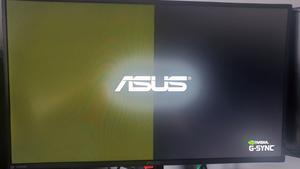
Best for: Value-minded players who want sharp QHD gaming and versatile IPS viewing.
- Resolution
- 2560 x 1440
- Refresh rate
- 165Hz
- Panel type
- 27-inch IPS
- Response time
- 1ms MPRT
- Sharp QHD resolution suits gaming and desktop work.
- IPS viewing angles work well for shared screens.
- 165Hz supports smooth motion in fast games.
- Contrast and black levels do not match OLED.
- Refresh rate trails newer 240Hz and 360Hz rivals.
Is the ASUS TUF Gaming VG27AQ 27-inch 165Hz Gaming Monitor worth buying on Black Friday 2026?
The ASUS TUF Gaming VG27AQ 27-inch 165Hz Gaming Monitor is a strong Black Friday 2026 choice for shoppers who want QHD resolution, an IPS panel, and high refresh without prioritizing OLED contrast or extreme esports speed.
See today’s Black Friday price on Amazon
#2 · Top pick
MSI MAG 271QPX QD-OLED 27-inch 360Hz Gaming Monitor
The MSI MAG 271QPX QD-OLED 27-inch 360Hz Gaming Monitor is the best premium speed pick for competitive players, with a 2560 x 1440 QD-OLED panel running at 360Hz.

Best for: Competitive PC gamers who want OLED contrast and very high refresh.
- Resolution
- 2560 x 1440
- Refresh rate
- 360Hz
- Panel type
- 27-inch QD-OLED
- Response time
- 0.03ms
- 360Hz refresh rate is suited to high-frame-rate esports.
- QD-OLED produces deep blacks and vivid color.
- QHD resolution balances detail and gaming performance.
- OLED care and static-image considerations need attention.
- A powerful PC is needed to take advantage of 360Hz.
Is the MSI MAG 271QPX QD-OLED 27-inch 360Hz Gaming Monitor worth buying on Black Friday 2026?
The MSI MAG 271QPX QD-OLED 27-inch 360Hz Gaming Monitor is worth considering for competitive PC gaming when fast motion and OLED contrast matter more than a lower-cost IPS display. The MSI MAG 271QPX QD-OLED 27-inch 360Hz Gaming Monitor's 1440p resolution keeps detail crisp.
See today’s Black Friday price on Amazon
#3
Gigabyte M27Q X 27-inch 240Hz Gaming Monitor
The Gigabyte M27Q X 27-inch 240Hz Gaming Monitor is the best high-refresh IPS pick for PC players who want 1440p speed, with a 240Hz refresh rate and IPS panel.

Best for: Players seeking a fast IPS alternative to OLED.
- Resolution
- 2560 x 1440
- Refresh rate
- 240Hz
- Panel type
- 27-inch IPS
- Response time
- 1ms
- 240Hz refresh rate suits competitive gaming.
- IPS panel gives broad viewing angles.
- QHD resolution remains a useful balance for PC graphics cards.
- Black levels are not as deep as OLED.
- A full 240Hz experience calls for a capable gaming PC.
Is the Gigabyte M27Q X 27-inch 240Hz Gaming Monitor worth buying on Black Friday 2026?
The Gigabyte M27Q X 27-inch 240Hz Gaming Monitor is a good Black Friday 2026 option for players who want a fast 1440p IPS display. The Gigabyte M27Q X 27-inch 240Hz Gaming Monitor adds extra refresh headroom over 165Hz models without switching to OLED.
See today’s Black Friday price on Amazon
#4
Alienware AW2725DF 27-inch QD-OLED 360Hz Gaming Monitor
The Alienware AW2725DF 27-inch QD-OLED 360Hz Gaming Monitor is the best premium alternative for esports and rich color, with a 360Hz QD-OLED display at 2560 x 1440.
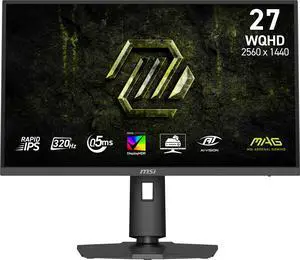
Best for: Players who want premium OLED speed and a polished gaming setup.
- Resolution
- 2560 x 1440
- Refresh rate
- 360Hz
- Panel type
- 27-inch QD-OLED
- Response time
- 0.03ms
- 360Hz performance supports competitive play.
- QD-OLED contrast gives games deep blacks.
- QHD is a practical resolution for high frame rates.
- OLED care remains part of long-term ownership.
- Premium features are unnecessary for casual gaming.
Is the Alienware AW2725DF 27-inch QD-OLED 360Hz Gaming Monitor worth buying on Black Friday 2026?
The Alienware AW2725DF 27-inch QD-OLED 360Hz Gaming Monitor is a strong premium pick for players who want 1440p detail, high refresh, and OLED contrast together. Compare its features and warranty with the MSI before choosing.
See today’s Black Friday price on Amazon
#5
Samsung Odyssey OLED G6 G60SD 27-inch 360Hz Gaming Monitor
The Samsung Odyssey OLED G6 G60SD 27-inch 360Hz Gaming Monitor is the best OLED pick for fast play in a bright setup, with a 360Hz QD-OLED panel and 1440p resolution.
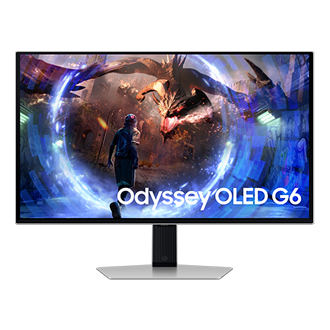
Best for: OLED fans who value high refresh and a distinctive monitor finish.
- Resolution
- 2560 x 1440
- Refresh rate
- 360Hz
- Panel type
- 27-inch QD-OLED
- Response time
- 0.03ms
- 360Hz refresh rate is built for fast PC gaming.
- QD-OLED brings strong contrast and color.
- Matte screen treatment helps reduce distracting reflections.
- OLED care guidance is important for long sessions.
- High frame rates require a powerful graphics card.
Is the Samsung Odyssey OLED G6 G60SD 27-inch 360Hz Gaming Monitor worth buying on Black Friday 2026?
The Samsung Odyssey OLED G6 G60SD 27-inch 360Hz Gaming Monitor is a compelling pick for QHD esports and OLED image quality. The Samsung Odyssey OLED G6 G60SD 27-inch 360Hz Gaming Monitor's 360Hz panel suits fast gaming, while the matte finish is useful in rooms with ambient reflections.
See today’s Black Friday price on Amazon
#6
LG UltraGear 27GS95QE-B 27-inch 240Hz OLED Gaming Monitor
The LG UltraGear 27GS95QE-B 27-inch 240Hz OLED Gaming Monitor is the best immersive OLED pick for action games, with a 240Hz OLED panel and 2560 x 1440 resolution.

Best for: Single-player gaming and players who prefer OLED contrast.
- Resolution
- 2560 x 1440
- Refresh rate
- 240Hz
- Panel type
- 27-inch OLED
- Response time
- 0.03ms
- OLED contrast creates deep blacks in dark scenes.
- 240Hz supports fluid motion in fast games.
- QHD provides crisp detail at 27 inches.
- OLED care is relevant for static desktop use.
- Lower refresh rate than 360Hz OLED competitors.
Is the LG UltraGear 27GS95QE-B 27-inch 240Hz OLED Gaming Monitor worth buying on Black Friday 2026?
The LG UltraGear 27GS95QE-B 27-inch 240Hz OLED Gaming Monitor is a good fit for players who value cinematic contrast and smooth motion. The LG UltraGear 27GS95QE-B 27-inch 240Hz OLED Gaming Monitor's 240Hz refresh rate is ample for many games, though esports specialists have faster choices.
See today’s Black Friday price on Amazon
#7
ASUS ROG Swift OLED PG27AQDM 27-inch 240Hz Gaming Monitor
The ASUS ROG Swift OLED PG27AQDM 27-inch 240Hz Gaming Monitor is the best ASUS OLED upgrade for premium 1440p gaming, with a 240Hz OLED panel and 0.03ms response time.

Best for: ASUS fans who want OLED contrast and fast refresh.
- Resolution
- 2560 x 1440
- Refresh rate
- 240Hz
- Panel type
- 27-inch OLED
- Response time
- 0.03ms
- OLED panel delivers deep blacks and vivid scenes.
- 240Hz suits both action games and competitive titles.
- QHD resolution pairs well with a 27-inch screen.
- OLED upkeep matters for frequent static desktop content.
- The 240Hz ceiling trails 360Hz options.
Is the ASUS ROG Swift OLED PG27AQDM 27-inch 240Hz Gaming Monitor worth buying on Black Friday 2026?
The ASUS ROG Swift OLED PG27AQDM 27-inch 240Hz Gaming Monitor is worth a look for shoppers upgrading from an IPS screen to OLED. The ASUS ROG Swift OLED PG27AQDM 27-inch 240Hz Gaming Monitor combines QHD detail and 240Hz motion, with OLED care as an important ownership consideration.
See today’s Black Friday price on Amazon
Which is better, the ASUS VG27AQ or MSI MAG 271QPX?
The MSI MAG 271QPX QD-OLED 27-inch 360Hz Gaming Monitor is faster and offers OLED contrast, while the ASUS TUF Gaming VG27AQ 27-inch 165Hz Gaming Monitor is the more accessible all-rounder. Both have 2560 x 1440 resolution, so the main decision is panel type, refresh rate, and what your PC can drive.
Choose the ASUS for gaming, browsing, and work on an IPS screen that handles varied content well. Choose the MSI for competitive play, deep blacks, and vivid color. A 360Hz display has the most value when games run at very high frame rates; casual players still get a sharp picture from the ASUS. Skip it if OLED care and a demanding graphics setup do not fit your routine: for the MSI, that trade-off is central to the purchase.
Is 360Hz worth it over 165Hz for 1440p gaming?
The MSI MAG 271QPX QD-OLED 27-inch 360Hz Gaming Monitor offers 195Hz more refresh headroom than the ASUS TUF Gaming VG27AQ 27-inch 165Hz Gaming Monitor. That difference benefits fast competitive games most, especially for players who can sustain high frame rates and value responsive motion.
For strategy games, slower adventures, streaming, and general desktop tasks, 165Hz already feels smooth to many players. Resolution and graphics settings also affect the frame rate your PC delivers. A strong graphics card helps make 360Hz useful, but a player with a midrange system is better served by weighing image quality, ports, and cost alongside the refresh-rate number. Match the monitor to actual game performance rather than buying a specification you rarely use.
Should you choose OLED or IPS for a gaming monitor?
The MSI MAG 271QPX QD-OLED 27-inch 360Hz Gaming Monitor has OLED contrast, while the ASUS TUF Gaming VG27AQ 27-inch 165Hz Gaming Monitor uses IPS for a versatile everyday picture. OLED is the pick for deep blacks, vivid game scenes, and rapid pixel response; IPS is a dependable choice for varied desktop use and broad viewing angles.
OLED owners should follow the manufacturer’s screen-care guidance, especially when displaying static desktop elements for long periods. IPS panels do not provide OLED’s black levels, but they fit work-and-play setups where windows, menus, or documents stay on screen. Room lighting, viewing habits, and warranty terms all matter. Compare those practical considerations with refresh rate before choosing a panel just because one technology sounds more premium.
What should PC gamers compare before Black Friday 2026?
The ASUS TUF Gaming VG27AQ 27-inch 165Hz Gaming Monitor and MSI MAG 271QPX QD-OLED 27-inch 360Hz Gaming Monitor share QHD resolution, but differ in panel, refresh rate, and intended use. Start by checking that your graphics card and PC outputs support the resolution and refresh rate you want.
Then compare connection options, adaptive-sync support, stand adjustments, warranty details, and the physical dimensions of the display. Check whether the included stand fits your desk or whether a compatible monitor arm is part of your setup. Read the model number carefully: similar monitor names can refer to variants with different refresh rates or panel features. For Black Friday 2026, compare the full product specification and seller terms rather than making a decision from the headline alone.
Which monitor is best for competitive gaming and everyday use?
The MSI MAG 271QPX QD-OLED 27-inch 360Hz Gaming Monitor is the strongest competitive pick here, while the ASUS TUF Gaming VG27AQ 27-inch 165Hz Gaming Monitor is better suited to mixed everyday use. MSI prioritizes motion and OLED image quality; ASUS balances smooth gaming with an IPS panel for varied desktop viewing.
The Gigabyte M27Q X 27-inch 240Hz Gaming Monitor is a middle ground for players who want more speed than 165Hz but prefer IPS. For immersive single-player games, the LG UltraGear 27GS95QE-B 27-inch 240Hz OLED Gaming Monitor brings OLED contrast without requiring a 360Hz esports focus. Match the choice to the games you play, typical frame rates, and screen habits. A balanced display is better value than unused top-end specifications.
Buying Guide
Match refresh rate to your games
The ASUS TUF Gaming VG27AQ 27-inch 165Hz Gaming Monitor suits varied play, while 240Hz and 360Hz displays target faster motion. Check the frame rates your PC delivers in your main games before prioritizing a high refresh number.
Choose panel technology for your routine
The MSI MAG 271QPX QD-OLED 27-inch 360Hz Gaming Monitor emphasizes OLED contrast, while the ASUS TUF Gaming VG27AQ 27-inch 165Hz Gaming Monitor uses IPS. Consider black levels, room lighting, static screen time, and manufacturer care guidance.
Check graphics and connections
A 2560 x 1440 monitor pairs well with a capable gaming PC, but the PC and cable connection must support the chosen refresh rate. Check graphics outputs, ports, adaptive-sync compatibility, and the refresh settings supported at your resolution.
Compare the complete setup
The Gigabyte M27Q X 27-inch 240Hz Gaming Monitor and MSI MAG 271QPX QD-OLED 27-inch 360Hz Gaming Monitor have different panel and speed priorities. Review stand adjustment, desk fit, warranty coverage, and seller terms before selecting a Black Friday 2026 monitor.
FAQ
Which is better, ASUS VG27AQ or MSI MAG 271QPX?
The MSI MAG 271QPX QD-OLED 27-inch 360Hz Gaming Monitor is better for high-frame-rate competitive play and OLED contrast. The ASUS TUF Gaming VG27AQ 27-inch 165Hz Gaming Monitor is the more practical all-rounder for QHD gaming, desktop work, and shoppers who do not need 360Hz.
Is the MSI MAG 271QPX good for PS5?
The MSI MAG 271QPX QD-OLED 27-inch 360Hz Gaming Monitor is a strong display for console gaming, with 2560 x 1440 resolution and OLED contrast. PS5 gameplay does not use the monitor’s full 360Hz ceiling, so compare console-supported modes and available HDMI features before buying.
Is the ASUS TUF Gaming VG27AQ still good for 1440p gaming?
The ASUS TUF Gaming VG27AQ 27-inch 165Hz Gaming Monitor remains a capable 1440p option for players who want an IPS screen and smooth refresh. Its 2560 x 1440 resolution offers crisp detail, while 165Hz suits a wide range of PC games and everyday tasks.
Is 360Hz better than 240Hz for gaming?
A 360Hz monitor displays more refreshes per second than a 240Hz monitor, which benefits competitive games when the PC produces very high frame rates. For many players, 240Hz already feels exceptionally smooth. Choose based on your games, graphics hardware, and preference for OLED or IPS.
Is OLED burn-in a concern on gaming monitors?
OLED care deserves attention when static desktop elements stay visible for long periods. Follow the manufacturer’s screen-care instructions and use built-in panel maintenance features. OLED models such as the MSI MAG 271QPX QD-OLED 27-inch 360Hz Gaming Monitor offer deep contrast, while IPS avoids the same OLED-specific care routine.