

As an Amazon Associate we earn from qualifying purchases.
- Best overall: BenQ PD2705U 27-inch 4K UHD Designer Monitor
- Best budget: ASUS ProArt PA279CRV 27-inch 4K UHD Professional Monitor
- Best premium: Gigabyte AORUS FO32U2P 32-inch 4K UHD QD-OLED Gaming Monitor
- Best for high-refresh dual-mode gaming: LG UltraGear 32GS95UE-B 32-inch Dual-Mode OLED Gaming Monitor
- The BenQ PD2705U is a 27-inch 4K IPS monitor built for design work, accurate color and USB-C laptop connectivity.
- The Gigabyte AORUS FO32U2P is a 32-inch 4K QD-OLED gaming monitor with a 240Hz refresh rate and DisplayPort 2.1.
- Choose the BenQ PD2705U for work-focused ergonomics and the Gigabyte AORUS FO32U2P for high-refresh gaming and OLED contrast.
- The ASUS ProArt PA279CRV and Dell UltraSharp U2723QE offer practical 27-inch 4K alternatives for mixed productivity.
The BenQ PD2705U and Gigabyte AORUS FO32U2P serve different priorities: the 27-inch BenQ is a 4K creator display, while the 32-inch Gigabyte is a 4K QD-OLED gaming monitor with a 240Hz refresh rate. For Black Friday 2026, the right choice depends on whether accurate, comfortable work or vivid, fast gaming matters more.
We researched and compared specs, reviews and owner feedback to assemble a broader shortlist of seven monitors, including creator-focused IPS displays and high-refresh OLED options. My pick for most people who split their time between design work and everyday computing is a 27-inch 4K productivity monitor; competitive gamers should focus on the 240Hz OLED choices. Use the comparisons below to match panel, connectivity and screen size to your setup.
How We Picked
- Compared resolution, panel type, refresh rate and response-time specifications to separate work monitors from gaming displays.
- Prioritized useful connections, including USB-C charging, Thunderbolt, HDMI 2.1 and DisplayPort 2.1.
- Reviewed manufacturer color-gamut claims and product positioning for photography, design, office work and gaming.
- Considered owner feedback and practical trade-offs such as OLED burn-in precautions, desk space and refresh-rate needs.
- Selected seven monitors with distinct use cases rather than treating every 4K display as a direct substitute.
Comparison Table
| Product | Best for | Screen size | Refresh rate | Standout connection or power |
|---|---|---|---|---|
| BenQ PD2705U 27-inch 4K UHD Designer Monitor | Color-focused design work | 27 inches | 60Hz | 65W USB-C |
| Gigabyte AORUS FO32U2P 32-inch 4K UHD QD-OLED Gaming Monitor | Premium 4K OLED gaming | 32 inches | 240Hz | DisplayPort 2.1 UHBR20 |
| BenQ PD3225U 31.5-inch 4K UHD Designer Monitor | Large-screen creator workflows | 31.5 inches | 60Hz | Thunderbolt 3 |
| ASUS ProArt PA279CRV 27-inch 4K UHD Professional Monitor | Color-conscious editing | 27 inches | 60Hz | 96W USB-C |
| Dell UltraSharp U2723QE 27-inch 4K UHD USB-C Hub Monitor | Office productivity | 27 inches | 60Hz | 90W USB-C |
| LG UltraGear 32GS95UE-B 32-inch Dual-Mode OLED Gaming Monitor | Dual-mode gaming | 32 inches | 240Hz or 480Hz | Dual-mode OLED |
| MSI MPG 321URX QD-OLED 32-inch 4K UHD Gaming Monitor | 4K gaming and laptop charging | 32 inches | 240Hz | 90W USB-C |
Best Picks Reviewed
#1 · Top pick
BenQ PD2705U 27-inch 4K UHD Designer Monitor
The BenQ PD2705U 27-inch 4K UHD Designer Monitor is the best creator monitor for designers who value accurate color and a tidy desk, with 99 percent sRGB coverage and 65W USB-C power delivery.

Best for: Designers and laptop users who want a 27-inch 4K workspace.
- Screen size
- 27 inches
- Resolution
- 3840 × 2160
- Refresh rate
- 60Hz
- Color coverage
- 99 percent sRGB and Rec.709
- USB-C power
- 65W
- 4K resolution gives detailed space for creative applications.
- USB-C carries video, data and laptop charging through one cable.
- Factory-calibrated color and a useful ergonomic stand suit long work sessions.
- The 60Hz refresh rate is not aimed at high-frame-rate gaming.
Is the BenQ PD2705U 27-inch 4K UHD Designer Monitor worth buying on Black Friday 2026?
Yes. The BenQ PD2705U 27-inch 4K UHD Designer Monitor is a strong Black Friday 2026 choice for designers and laptop users who prioritize 4K detail, 99 percent sRGB coverage and convenient 65W USB-C charging over high-refresh gaming.
See today’s Black Friday price on Amazon
#2
Gigabyte AORUS FO32U2P 32-inch 4K UHD QD-OLED Gaming Monitor
The Gigabyte AORUS FO32U2P 32-inch 4K UHD QD-OLED Gaming Monitor is the best premium gaming monitor for players seeking OLED contrast and speed, with a 240Hz refresh rate and DisplayPort 2.1 UHBR20.
Best for: PC and console gamers seeking 4K OLED performance.
- Screen size
- 32 inches
- Resolution
- 3840 × 2160
- Refresh rate
- 240Hz
- Response time
- 0.03ms
- DisplayPort
- DisplayPort 2.1 UHBR20
- QD-OLED delivers deep blacks and vivid colors.
- A 240Hz refresh rate supports fast PC gaming.
- DisplayPort 2.1 UHBR20 is a standout high-bandwidth connection.
- OLED care and static-image precautions matter for desktop use.
Is the Gigabyte AORUS FO32U2P 32-inch 4K UHD QD-OLED Gaming Monitor worth buying on Black Friday 2026?
Yes. The Gigabyte AORUS FO32U2P 32-inch 4K UHD QD-OLED Gaming Monitor suits players who want 4K resolution, OLED contrast and 240Hz motion, with DisplayPort 2.1 UHBR20 adding a useful connection advantage for compatible PCs.
See today’s Black Friday price on Amazon
#3
BenQ PD3225U 31.5-inch 4K UHD Designer Monitor
The BenQ PD3225U 31.5-inch 4K UHD Designer Monitor is the best larger creator display for Mac and design workflows, with IPS Black contrast rated at 2000:1 and Thunderbolt 3 connectivity.
Best for: Mac users and creators who want a larger, color-focused screen.
- Screen size
- 31.5 inches
- Resolution
- 3840 × 2160
- Refresh rate
- 60Hz
- Contrast ratio
- 2000:1
- Color coverage
- 98 percent DCI-P3
- IPS Black panel provides stronger stated contrast than standard IPS.
- Thunderbolt 3 supports a streamlined Mac desk setup.
- Large 4K canvas suits timelines and multitasking.
- The 60Hz panel is less suited to competitive gaming.
Is the BenQ PD3225U 31.5-inch 4K UHD Designer Monitor worth buying on Black Friday 2026?
Yes. The BenQ PD3225U 31.5-inch 4K UHD Designer Monitor is a worthwhile fit for creators who want a roomy 4K screen, 98 percent DCI-P3 coverage and Thunderbolt 3, rather than a high-refresh gaming display.
See today’s Black Friday price on Amazon
#4
ASUS ProArt PA279CRV 27-inch 4K UHD Professional Monitor
The ASUS ProArt PA279CRV 27-inch 4K UHD Professional Monitor is the best value-focused creator choice for color-conscious editing, with 99 percent DCI-P3 coverage and 96W USB-C power delivery.
Best for: Photographers and creators seeking a 27-inch 4K USB-C display.
- Screen size
- 27 inches
- Resolution
- 3840 × 2160
- Refresh rate
- 60Hz
- Color coverage
- 99 percent DCI-P3
- USB-C power
- 96W
- Wide stated DCI-P3 coverage suits color-focused work.
- USB-C provides substantial laptop charging power.
- A 27-inch 4K format fits many standard desks.
- The 60Hz refresh rate favors productivity over gaming.
Is the ASUS ProArt PA279CRV 27-inch 4K UHD Professional Monitor worth buying on Black Friday 2026?
Yes. The ASUS ProArt PA279CRV 27-inch 4K UHD Professional Monitor is a capable choice for creators who need 4K detail, 99 percent DCI-P3 coverage and 96W USB-C charging in a practical 27-inch format.
See today’s Black Friday price on Amazon
#5
Dell UltraSharp U2723QE 27-inch 4K UHD USB-C Hub Monitor
The Dell UltraSharp U2723QE 27-inch 4K UHD USB-C Hub Monitor is the best office monitor for laptop-based productivity, with a 2000:1 IPS Black contrast ratio and 90W USB-C charging.
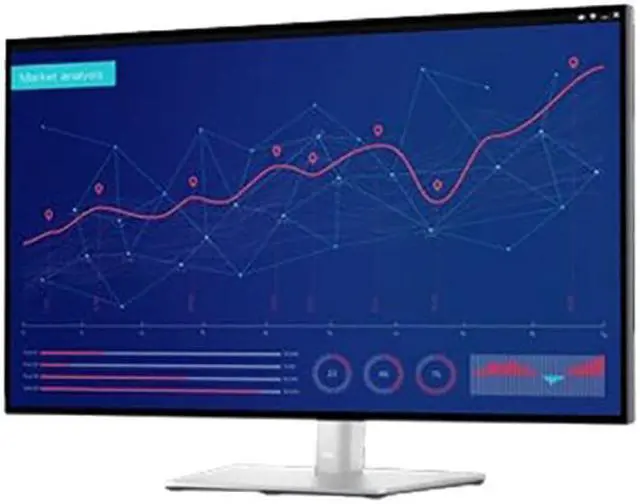
Best for: Office workers who want a 4K screen and built-in hub.
- Screen size
- 27 inches
- Resolution
- 3840 × 2160
- Refresh rate
- 60Hz
- Contrast ratio
- 2000:1
- USB-C power
- 90W
- USB-C hub features simplify connections for a laptop workspace.
- IPS Black offers a stated 2000:1 contrast ratio.
- Ergonomic adjustments support everyday office use.
- The 60Hz panel is not a high-refresh gaming option.
Is the Dell UltraSharp U2723QE 27-inch 4K UHD USB-C Hub Monitor worth buying on Black Friday 2026?
Yes. The Dell UltraSharp U2723QE 27-inch 4K UHD USB-C Hub Monitor is a practical Black Friday 2026 pick for office users who want 4K clarity, 90W laptop charging and hub-style connectivity without prioritizing gaming speed.
See today’s Black Friday price on Amazon
#6
LG UltraGear 32GS95UE-B 32-inch Dual-Mode OLED Gaming Monitor
The LG UltraGear 32GS95UE-B 32-inch Dual-Mode OLED Gaming Monitor is the best flexible gaming display for players who switch between resolution and speed, with 4K at 240Hz or Full HD at 480Hz.
Best for: Gamers who want both high-resolution and ultra-high-refresh play.
- Screen size
- 32 inches
- 4K refresh rate
- 240Hz
- Full HD refresh rate
- 480Hz
- Response time
- 0.03ms
- Dual-mode operation offers a choice of 4K detail or 480Hz speed.
- OLED contrast enhances dark scenes.
- Large screen supports immersive gaming.
- OLED static-image care is important for desktop use.
Is the LG UltraGear 32GS95UE-B 32-inch Dual-Mode OLED Gaming Monitor worth buying on Black Friday 2026?
Yes. The LG UltraGear 32GS95UE-B 32-inch Dual-Mode OLED Gaming Monitor stands out for players who want one screen for 4K at 240Hz and Full HD at 480Hz, with OLED contrast for immersive gaming.
See today’s Black Friday price on Amazon
#7
MSI MPG 321URX QD-OLED 32-inch 4K UHD Gaming Monitor
The MSI MPG 321URX QD-OLED 32-inch 4K UHD Gaming Monitor is the best gaming monitor for players who want a 32-inch 4K OLED panel and laptop-friendly charging, with a 240Hz refresh rate and 90W USB-C power.
Best for: PC gamers who also connect a USB-C laptop.
- Screen size
- 32 inches
- Resolution
- 3840 × 2160
- Refresh rate
- 240Hz
- Response time
- 0.03ms
- USB-C power
- 90W
- QD-OLED combines 4K detail with high contrast.
- 240Hz refresh rate suits fast-paced gaming.
- 90W USB-C charging adds versatility for laptop use.
- OLED precautions are relevant for users who leave static desktop content onscreen.
Is the MSI MPG 321URX QD-OLED 32-inch 4K UHD Gaming Monitor worth buying on Black Friday 2026?
Yes. The MSI MPG 321URX QD-OLED 32-inch 4K UHD Gaming Monitor is a strong choice for players seeking 4K OLED gaming at 240Hz, while its 90W USB-C power also supports a more versatile laptop desk.
See today’s Black Friday price on Amazon
Which is better, the BenQ PD2705U or Gigabyte AORUS FO32U2P?
The BenQ PD2705U 27-inch 4K UHD Designer Monitor is better for color-focused desk work, while the Gigabyte AORUS FO32U2P 32-inch 4K UHD QD-OLED Gaming Monitor is better for high-refresh gaming; their key refresh rates are 60Hz and 240Hz.
The BenQ PD2705U emphasizes 99 percent sRGB and Rec.709 coverage, 65W USB-C charging and a practical 27-inch workspace. The Gigabyte AORUS FO32U2P prioritizes QD-OLED contrast, a larger 32-inch panel, and DisplayPort 2.1 UHBR20. Both offer 4K resolution, but the experience and intended use differ sharply.
Choose the BenQ PD2705U for design, office applications and a laptop-centered setup. Choose the Gigabyte AORUS FO32U2P for gaming where fast motion and OLED image quality matter most.
Is the BenQ PD2705U good for photo and design work?
The BenQ PD2705U 27-inch 4K UHD Designer Monitor is a sensible design display with 4K resolution, 99 percent sRGB coverage and 65W USB-C charging.
A 27-inch screen keeps pixel density high while providing room for creative software, reference images and browser panels. Its 60Hz refresh rate is normal for a productivity-focused monitor, but does not match gaming models built for high frame rates. Color-critical workflows still benefit from checking calibration needs against the specific camera, printer and software setup.
For a larger creator canvas, the BenQ PD3225U adds a 31.5-inch IPS Black panel and Thunderbolt 3. For broader DCI-P3 coverage in a 27-inch format, the ASUS ProArt PA279CRV is another option.
Is the Gigabyte AORUS FO32U2P worth choosing for gaming?
The Gigabyte AORUS FO32U2P 32-inch 4K UHD QD-OLED Gaming Monitor is built for premium gaming, pairing 4K resolution with a 240Hz refresh rate and 0.03ms response-time specification.
QD-OLED is a strong fit for players who value deep blacks, vivid colors and quick motion. DisplayPort 2.1 UHBR20 is a notable feature for compatible PC graphics hardware, while HDMI 2.1 supports current console connections. Check the refresh-rate support of the connected system, since the display cannot make every game run at 240 frames per second.
The LG UltraGear 32GS95UE-B adds a choice of 4K at 240Hz or Full HD at 480Hz. The MSI MPG 321URX adds 90W USB-C charging for mixed gaming and laptop use.
Which 27-inch 4K monitor is best for a laptop desk?
The Dell UltraSharp U2723QE 27-inch 4K UHD USB-C Hub Monitor is a strong office pick, with 90W USB-C charging and a built-in hub-focused design.
Laptop owners should compare charging wattage, available ports, cable layout and whether the monitor supports the peripherals they use each day. The BenQ PD2705U delivers 65W USB-C and color tools aimed at designers, while the ASUS ProArt PA279CRV supplies 96W USB-C and 99 percent DCI-P3 coverage. All three are 27-inch 4K, 60Hz displays.
Select the Dell UltraSharp U2723QE for general office connectivity, the BenQ PD2705U for design-focused work, or the ASUS ProArt PA279CRV for a wider stated color gamut and higher USB-C power.
Should you choose a 27-inch or 32-inch 4K monitor?
A 27-inch 4K monitor suits compact desks and sharp text, while a 32-inch 4K monitor gives games and creative timelines a larger viewing area.
The BenQ PD2705U, ASUS ProArt PA279CRV and Dell UltraSharp U2723QE offer 27-inch work-focused choices. The 32-inch Gigabyte AORUS FO32U2P, LG UltraGear 32GS95UE-B and MSI MPG 321URX are gaming-oriented OLED options. The 31.5-inch BenQ PD3225U provides a larger creator display with IPS Black and Thunderbolt 3.
Measure desk depth and viewing distance before deciding. A larger panel takes up more visual space, while a 27-inch 4K screen concentrates detail into a smaller area. Pick the size that fits both the room and the main task.
Buying Guide
Match the panel to your main task
The BenQ PD2705U 27-inch 4K UHD Designer Monitor suits design work with 99 percent sRGB coverage, while the Gigabyte AORUS FO32U2P 32-inch 4K UHD QD-OLED Gaming Monitor favors gaming with 240Hz. Choose IPS for a work-first setup or OLED for contrast and fast motion.
Check USB-C charging needs
The ASUS ProArt PA279CRV 27-inch 4K UHD Professional Monitor offers 96W USB-C power, while the BenQ PD2705U provides 65W. Compare your laptop's power requirement and the monitor's ports before planning to replace a dock or charger.
Choose a refresh rate your system can use
The Gigabyte AORUS FO32U2P and MSI MPG 321URX both provide 240Hz at 4K. Confirm graphics-card output, cable compatibility and game performance. Office users who mainly read, edit documents and browse can prioritize color, ergonomics and connectivity over a high refresh rate.
Plan for OLED care
The LG UltraGear 32GS95UE-B 32-inch Dual-Mode OLED Gaming Monitor and Gigabyte AORUS FO32U2P use OLED technology. Follow the manufacturer’s pixel-care guidance and use screen-saving settings for static desktop elements. Users with all-day fixed layouts can compare IPS alternatives such as the Dell UltraSharp U2723QE.
Measure the desk before choosing a size
The BenQ PD2705U is 27 inches, while the Gigabyte AORUS FO32U2P is 32 inches. Check desk depth, stand footprint and viewing distance. A larger screen offers a more immersive image, but a compact workspace often pairs more comfortably with a 27-inch display.
FAQ
BenQ PD2705U vs Gigabyte AORUS FO32U2P: which is better for work?
The BenQ PD2705U 27-inch 4K UHD Designer Monitor is better for design and office work, with 99 percent sRGB coverage and 65W USB-C power. The Gigabyte AORUS FO32U2P is a 240Hz OLED gaming monitor whose strengths are speed, contrast and a larger 32-inch panel.
BenQ PD2705U vs Gigabyte AORUS FO32U2P: which is better for gaming?
The Gigabyte AORUS FO32U2P 32-inch 4K UHD QD-OLED Gaming Monitor is the clear gaming choice, with 4K resolution, a 240Hz refresh rate and a 0.03ms response-time specification. The BenQ PD2705U is a 60Hz creator display designed around work and color accuracy.
Is 4K at 240Hz worth choosing for a gaming monitor?
A 4K 240Hz screen is a strong fit for players with compatible PC hardware who value sharp detail and smooth motion. The Gigabyte AORUS FO32U2P and MSI MPG 321URX both offer 4K at 240Hz, but game performance depends on the connected system.
Which monitor has the best USB-C charging for a laptop?
The ASUS ProArt PA279CRV 27-inch 4K UHD Professional Monitor offers 96W USB-C power among these picks. The Dell UltraSharp U2723QE provides 90W, while the BenQ PD2705U provides 65W; compare those figures with your laptop’s charging needs.
Is the BenQ PD2705U a good monitor for Mac?
The BenQ PD2705U 27-inch 4K UHD Designer Monitor is a useful Mac choice for 4K work, 99 percent sRGB coverage and 65W USB-C charging. Mac users who want Thunderbolt connectivity and a larger screen can also consider the BenQ PD3225U.
What is the best 32-inch OLED monitor for gaming?
The Gigabyte AORUS FO32U2P 32-inch 4K UHD QD-OLED Gaming Monitor is a strong 32-inch pick with 4K resolution, 240Hz and DisplayPort 2.1 UHBR20. The LG UltraGear 32GS95UE-B adds a dual-mode choice of 4K at 240Hz or Full HD at 480Hz.