

As an Amazon Associate we earn from qualifying purchases.
- The ASUS Chromebook Plus CX34 suits students, home users, and commuters who want a straightforward ChromeOS laptop for everyday work.
- The CX3402 configuration pairs a 14-inch Full HD display with an Intel Core i3-1215U processor, 8GB of memory, and 128GB of UFS storage.
- For Black Friday 2026, compare bundles, color choices, retailer return terms, and stock for the exact CX3402 configuration.
- The ASUS Chromebook Plus CX34 is a practical everyday Chromebook when its configuration and retailer terms match your needs.
- The ASUS Chromebook Plus CX34 CX3402 configuration has a 14-inch, 1920-by-1080 display and an Intel Core i3-1215U processor.
- Its 8GB of LPDDR5 memory and 128GB of UFS storage meet the needs of common ChromeOS tasks.
- The CX34 works well for web browsing, documents, video calls, streaming, and Android apps.
- Check that the Black Friday 2026 listing specifies the CX3402 Core i3 configuration, rather than a different CX34 variant.
- Limited storage and a standard Full HD resolution are important trade-offs to weigh before choosing the CX34.
The ASUS Chromebook Plus CX34 CX3402 is a 14-inch ChromeOS laptop with a Core i3-1215U processor, 8GB of memory, and 128GB of storage. My pick for most people looking for a no-fuss Chromebook, the CX34 is aimed at schoolwork, home productivity, browser-based work, and video calls rather than demanding creative workloads. We researched and compared specs, reviews, and owner feedback to assess where this configuration fits and what to look for during Black Friday 2026.
A deal page is useful only when the product configuration is clear. ASUS sells CX34 versions with different processors, memory, storage, and display features, so compare the listing against the CX3402 configuration covered here. Black Friday shoppers should also read the retailer’s return policy and check whether a bundle adds useful accessories. The CX34’s appeal is its familiar laptop design and Chromebook Plus specification; its 128GB storage capacity is the main limitation to consider.
How We Picked
- Compared the exact ASUS Chromebook Plus CX34 CX3402 configuration with ASUS’s listed processor, display, memory, and storage specifications.
- Reviewed owner feedback and product coverage for recurring comments about daily use, portability, keyboard comfort, and display quality.
- Judged suitability for common Chromebook tasks, including web browsing, school documents, streaming, video calls, and Android apps.
- Considered Black Friday deal-page details that affect value, including configuration accuracy, bundle usefulness, retailer returns, and stock.
Our Verdict
#1 · Top pick
ASUS Chromebook Plus CX34 CX3402, Core i3-1215U, 8GB RAM, 128GB UFS
The ASUS Chromebook Plus CX34 CX3402 is a sensible everyday Chromebook with a 14-inch Full HD screen, Core i3 processor, and 8GB of memory. The ASUS Chromebook Plus CX34 CX3402, Core i3-1215U, 8GB RAM, 128GB UFS's compact storage and standard-resolution display make it a better fit for routine work than for demanding tasks or large offline media libraries.
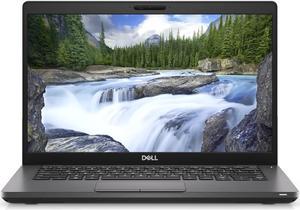
Best for: Students and everyday users who want a 14-inch Chromebook for browsing, documents, streaming, and video calls.
- Display
- 14-inch, 1920 × 1080 Full HD, 60Hz
- Processor
- Intel Core i3-1215U, 6 cores, 8 threads
- Memory
- 8GB LPDDR5
- Storage
- 128GB UFS
- Operating system
- ChromeOS
- Wireless
- Wi-Fi 6E and Bluetooth 5.3
- 14-inch Full HD screen gives documents and web pages room to breathe.
- Core i3-1215U and 8GB memory suit everyday multitasking and browser-based work.
- ChromeOS offers a simple interface for Google services, web apps, and supported Android apps.
- USB-C, USB-A, HDMI, and a headphone jack provide practical connections.
- 128GB of storage leaves less room for large offline files and media collections.
- The Full HD display is a standard 60Hz panel, not a high-resolution or high-refresh screen.
Is the ASUS Chromebook Plus CX34 CX3402, Core i3-1215U, 8GB RAM, 128GB UFS worth buying on Black Friday 2026?
Yes, the ASUS Chromebook Plus CX34 CX3402 is worth considering for everyday ChromeOS use if the listing confirms the Core i3-1215U, 8GB memory, and 128GB storage. Check the retailer’s return terms and bundle contents, and skip it if you need extensive local storage or demanding creative performance.
See today’s Black Friday price on Amazon
Who should buy the ASUS Chromebook Plus CX34?
The ASUS Chromebook Plus CX34 CX3402 is a good match for students and everyday users who want a 14-inch laptop for common ChromeOS tasks. Its Core i3-1215U processor and 8GB of memory suit browsing with multiple tabs, writing documents, attending video calls, and streaming between assignments.
The CX34 also makes sense for people whose work mostly lives in browser-based services or Google apps. ChromeOS keeps the experience straightforward, while support for Android apps adds another option for common tools and entertainment. A 14-inch screen provides more workspace than a small Chromebook without moving into a larger laptop format.
Skip it if you need specialist Windows software, high-end gaming, intensive video editing, or a large internal media library. The 128GB storage capacity favors cloud services and smaller local files. People who need a touchscreen or a convertible hinge should check the exact CX34 listing before buying, since features differ across versions.
What are the ASUS Chromebook Plus CX34 CX3402 specs?
The ASUS Chromebook Plus CX34 CX3402 combines a 14-inch 1920-by-1080 display, Intel Core i3-1215U processor, 8GB LPDDR5 memory, and 128GB UFS storage. Those numbers describe the configuration covered on this page; ASUS CX34 listings with different model suffixes can have different components.
The Core i3-1215U has 6 cores and 8 threads, providing a useful foundation for everyday multitasking in ChromeOS. The 8GB memory configuration supports common browser and productivity use, while 128GB of internal storage suits users who keep most documents and media in cloud accounts or stream content.
The 60Hz Full HD panel is designed for routine laptop use rather than high-refresh gaming or detailed creative work. Check the product code and specification table on the retailer page to verify that the processor, memory, and storage match the CX3402 variant. A similar-looking CX34 listing is not enough to confirm the configuration.
How good is the ASUS Chromebook Plus CX34 display and design?
The ASUS Chromebook Plus CX34 CX3402 offers a 14-inch Full HD display that gives web pages, school documents, and video calls a practical amount of screen space. Its 1920-by-1080 resolution is a familiar standard for this class, and the 60Hz refresh rate suits everyday browsing and video playback.
The laptop format is convenient for users who prefer a conventional keyboard-and-screen design for typing. The 14-inch size balances workspace and portability for moving between home, school, and shared work areas. Owners’ feedback and product coverage are useful sources for details about keyboard feel, screen reflections, and day-to-day comfort, since those qualities are personal.
The display specification does not promise the extra sharpness of a higher-resolution panel or the flexibility of a convertible touchscreen. If either feature matters, verify the precise CX34 configuration rather than assuming every model has the same screen. Also check the retailer’s product images and feature list for the exact color and finish being sold.
Can the ASUS Chromebook Plus CX34 handle everyday work?
The ASUS Chromebook Plus CX34 CX3402 is built for everyday ChromeOS work, with a 6-core, 8-thread Intel Core i3-1215U processor and 8GB of memory. That combination is suited to browser-based productivity, school assignments, video calls, streaming, and ordinary multitasking rather than specialist workstation workloads.
ChromeOS is a natural fit for users who rely on web services, Google Workspace, and supported Android apps. People who regularly keep many demanding tabs and applications open should still consider how they work: workload, browser habits, and app requirements all affect the experience. The processor name alone does not guarantee that every desktop application is supported.
The CX34 is not the right tool for demanding PC games, intensive 3D work, or software that requires Windows. Confirm that essential apps run in ChromeOS before making a purchase. For everyday tasks, the configuration offers a reasonable balance, while the fixed 8GB memory and modest storage make workload and cloud-storage needs worth checking first.
What should I check for Black Friday 2026 ASUS Chromebook CX34 deals?
For Black Friday 2026, verify that an ASUS Chromebook Plus CX34 deal lists the CX3402 Core i3-1215U configuration with 8GB of memory and 128GB of storage. Retailer pages sometimes group several variants under one product family, so the model number and specification table matter more than a general CX34 heading.
Compare the listing’s color, keyboard layout, included accessories, delivery terms, and return policy. A bundle is useful when its extras match your needs, such as a compatible sleeve or USB-C accessory; unrelated add-ons do not improve the laptop itself. Check stock and fulfillment details before completing checkout, especially when a retailer lists multiple sellers.
Read the full product description and confirm that the unit is new or otherwise matches your preferred condition. Keep a copy of the configuration details shown at purchase. These checks help prevent confusion between the CX3402 variant and a CX34 model with a different processor, screen, memory amount, or storage capacity.
Is the ASUS Chromebook Plus CX34 good value?
The ASUS Chromebook Plus CX34 CX3402 represents good value for buyers who want a familiar 14-inch Chromebook configuration and will use ChromeOS for routine tasks. The main strengths are its Full HD screen, Core i3 processor, 8GB memory, and practical mix of common connections.
Value depends on the exact Black Friday 2026 offer and the requirements of the person buying it, so compare the configuration and retailer terms rather than judging by a headline alone. A useful bundle, a clear return policy, and dependable fulfillment add more confidence than accessories you do not need. Also compare the CX34’s storage limit with your current file habits.
The main trade-offs are 128GB of UFS storage and a standard 60Hz Full HD display. Users who rely on cloud storage and web apps are less affected by the storage limit; people who keep a large offline collection should plan for external or cloud storage. Choose another model if you need a convertible form, specialized software, or more demanding performance.
Buying Guide
Confirm the exact CX34 configuration
The ASUS Chromebook Plus CX34 CX3402 deal should list a Core i3-1215U, 8GB of memory, and 128GB of UFS storage. Check the complete model code and specification table on the retailer page before ordering, since ASUS sells CX34 variations with different components.
Compare bundle contents and retailer terms
The ASUS Chromebook Plus CX34 Black Friday 2026 offer is easier to assess when the retailer clearly states included accessories, shipping terms, and return conditions. Choose a bundle only when its extras are useful, and check who handles fulfillment and customer support.
Match storage to your routine
The ASUS Chromebook Plus CX34 includes 128GB of internal storage, which suits users who mainly work online and store files in cloud services. Check your offline file and media needs before buying, and plan for external storage if you regularly carry larger collections.
Check display and feature details
The ASUS Chromebook Plus CX34 CX3402 has a 14-inch Full HD, 60Hz display, but CX34 versions can differ in features. Confirm the retailer’s display, touchscreen, keyboard, color, and port details against the precise model code you intend to buy.
Alternatives to Consider
- Acer Chromebook Plus 514 CB514-3H: Choose the Acer Chromebook Plus 514 CB514-3H if its particular configuration offers a screen size, processor, or port selection that better suits your routine. Check the exact listing because specifications vary by configuration.
- Lenovo IdeaPad Flex 5i Chromebook Plus 14 14IAU7: Choose the Lenovo IdeaPad Flex 5i Chromebook Plus 14 14IAU7 if a convertible design is more useful than the ASUS Chromebook Plus CX34’s traditional laptop format. Confirm the processor, memory, and display details for the offered variant.
- HP Chromebook Plus 14a-nf: Choose the HP Chromebook Plus 14a-nf if its configuration or keyboard and display layout better fits your preferences. Compare the specific model number with the ASUS Chromebook Plus CX34 CX3402 before placing an order.
FAQ
What is the ASUS Chromebook Plus CX34 CX3402 configuration?
The ASUS Chromebook Plus CX34 CX3402 configuration covered here has a 14-inch, 1920-by-1080 display, Intel Core i3-1215U processor, 8GB LPDDR5 memory, and 128GB UFS storage. Check the complete model number on a retailer listing because other CX34 configurations have different specifications.
Is the ASUS Chromebook Plus CX34 suitable for students?
The ASUS Chromebook Plus CX34 CX3402 suits students who use web-based learning platforms, browser tabs, documents, video calls, and streaming. Its 14-inch Full HD screen and 8GB memory support those routine tasks. Confirm that required school apps work in ChromeOS before choosing it.
How much storage does the ASUS Chromebook Plus CX34 have?
The ASUS Chromebook Plus CX34 CX3402 configuration has 128GB of UFS storage. That capacity is most comfortable for users who stream media and keep documents in cloud storage. Buyers with large offline files should account for external or cloud storage needs.
Does the ASUS Chromebook Plus CX34 have a touchscreen?
The ASUS Chromebook Plus CX34 name covers multiple configurations, so touchscreen availability depends on the exact model. Check the CX3402 retailer listing’s display specifications and product images before ordering. Do not assume a CX34 has touchscreen support based only on the family name.
What should I verify before buying the ASUS Chromebook Plus CX34 on Black Friday 2026?
For the ASUS Chromebook Plus CX34 Black Friday 2026 offer, verify the CX3402 model code, Core i3-1215U processor, 8GB memory, and 128GB storage. Also review the retailer’s return terms, bundle contents, color selection, shipping details, and stock status.
Is the ASUS Chromebook Plus CX34 good for gaming?
The ASUS Chromebook Plus CX34 CX3402 is intended for everyday ChromeOS use, not demanding PC gaming. It suits casual browser and supported Android entertainment, while game availability depends on ChromeOS compatibility and service requirements. Check the game’s platform support before buying the laptop for gaming.