

As an Amazon Associate we earn from qualifying purchases.
- Best overall: Dell S2722QC 27-inch 4K UHD USB-C Monitor
- Best budget: ASUS ProArt Display PA278CV 27-inch WQHD USB-C Monitor
- Best premium: Dell UltraSharp U2723QE 27-inch 4K UHD USB-C Hub Monitor
- Best for travel: ASUS ZenScreen MB16AC 15.6-inch Full HD Portable Monitor
- A matched pair of 27-inch monitors gives most desks a comfortable, consistent two-screen workspace.
- The Dell UltraSharp U2723QE combines a 27-inch 4K screen with 90W USB-C power delivery.
- QHD monitors offer a practical balance of workspace and sharpness for everyday productivity.
- Check your computer’s ports and operating-system support before choosing USB-C or daisy-chain features.
- A portable 15.6-inch monitor is a compact second-screen option for flexible workspaces.
Black Friday dual monitor deals in 2026 make it easier to compare displays for work, study, gaming and creative tasks. We researched and compared specs, reviews and owner feedback to select monitors that suit different budgets and desk setups. The lineup includes 4K and QHD screens, USB-C models, a high-refresh gaming option and a portable display.
My pick for most people is the Dell S2722QC for its 27-inch 4K panel and straightforward USB-C connection. A pair of matching monitors creates a consistent desktop, while mixing models can be a sensible way to balance cost, screen size and features. Use the picks below to find a display that fits your computer, workspace and daily routine.
How We Picked
- Compared resolution, screen size and refresh rate for clear, comfortable everyday viewing.
- Checked connectivity, including USB-C power delivery and the ports useful for two-screen setups.
- Reviewed owner feedback for recurring notes about setup, image quality and usability.
- Included options for productivity, creative work, gaming and portable use.
- Prioritized recognizable models with practical features and clearly stated specifications.
Comparison Table
| Product | Best for | Resolution | Refresh rate | USB-C power delivery |
|---|---|---|---|---|
| Dell UltraSharp U2723QE 27-inch 4K UHD USB-C Hub Monitor | Premium productivity | 3840 x 2160 | 60Hz | 90W |
| Dell S2722QC 27-inch 4K UHD USB-C Monitor | Everyday 4K productivity | 3840 x 2160 | 60Hz | 65W |
| LG 27UP850N-W 27-inch UHD 4K IPS USB-C Monitor | Creative work | 3840 x 2160 | 60Hz | 90W |
| ASUS ProArt Display PA278CV 27-inch WQHD USB-C Monitor | QHD office and creative work | 2560 x 1440 | 75Hz | 65W |
| Samsung ViewFinity S6 S27D600UA 27-inch QHD USB-C Monitor | Laptop productivity | 2560 x 1440 | 100Hz | 90W |
| AOC Q27G3XMN 27-inch QHD Mini LED Gaming Monitor | Gaming | 2560 x 1440 | 180Hz | Not listed |
| ASUS ZenScreen MB16AC 15.6-inch Full HD Portable Monitor | Travel | 1920 x 1080 | 60Hz | Not listed |
Best Picks Reviewed
#1
Dell UltraSharp U2723QE 27-inch 4K UHD USB-C Hub Monitor
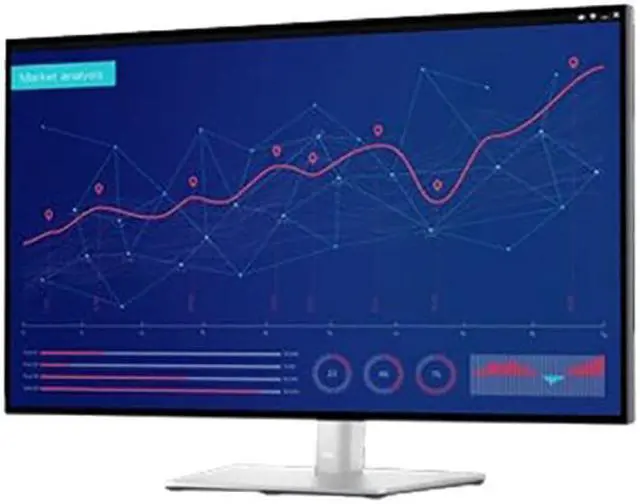
The Dell UltraSharp U2723QE 27-inch 4K UHD USB-C Hub Monitor is the best premium display for professionals building a two-screen desk, with a 27-inch 4K panel and 90W USB-C power delivery.
Best for: Premium productivity and a USB-C hub setup
- Screen size
- 27 inches
- Resolution
- 3840 x 2160
- Refresh rate
- 60Hz
- USB-C power delivery
- 90W
- Sharp 4K resolution for detailed work
- USB-C connection supports charging and display
- Hub features help reduce desktop cable clutter
- Premium features are unnecessary for a basic second screen
Is the Dell UltraSharp U2723QE 27-inch 4K UHD USB-C Hub Monitor worth buying on Black Friday 2026?
Yes. The Dell UltraSharp U2723QE 27-inch 4K UHD USB-C Hub Monitor is a strong choice for a premium dual-screen workspace, pairing a detailed 27-inch 4K display with 90W USB-C power delivery and hub connectivity.
See today’s Black Friday price on Amazon
#2 · Top pick
Dell S2722QC 27-inch 4K UHD USB-C Monitor
The Dell S2722QC 27-inch 4K UHD USB-C Monitor is the best 4K monitor for everyday home and office users, with a 27-inch screen, 3840 x 2160 resolution and 65W USB-C power delivery.

Best for: Everyday 4K productivity
- Screen size
- 27 inches
- Resolution
- 3840 x 2160
- Refresh rate
- 60Hz
- USB-C power delivery
- 65W
- 4K resolution suits text, spreadsheets and media
- USB-C supports a tidy laptop connection
- 27-inch size pairs easily with a second display
- 60Hz refresh rate is not aimed at high-refresh gaming
Is the Dell S2722QC 27-inch 4K UHD USB-C Monitor worth buying on Black Friday 2026?
Yes. The Dell S2722QC 27-inch 4K UHD USB-C Monitor brings 4K detail and 65W USB-C power delivery to a practical 27-inch format, making it a useful centerpiece or companion screen for a work setup.
See today’s Black Friday price on Amazon
#3
LG 27UP850N-W 27-inch UHD 4K IPS USB-C Monitor
The LG 27UP850N-W 27-inch UHD 4K IPS USB-C Monitor is the best creative-work pick for users who want a detailed 4K screen, with 90W USB-C power delivery for a compatible laptop.

Best for: Creative work and laptop desks
- Screen size
- 27 inches
- Resolution
- 3840 x 2160
- Refresh rate
- 60Hz
- USB-C power delivery
- 90W
- 4K resolution supports detailed editing and reading
- USB-C can carry video and laptop power
- IPS panel is suited to general creative tasks
- A 60Hz refresh rate is modest for fast gaming
Is the LG 27UP850N-W 27-inch UHD 4K IPS USB-C Monitor worth buying on Black Friday 2026?
Yes. The LG 27UP850N-W 27-inch UHD 4K IPS USB-C Monitor suits creative and office desks that benefit from 4K detail and a 90W laptop connection. The LG 27UP850N-W 27-inch UHD 4K IPS USB-C Monitor's 27-inch size also works well beside a second monitor.
See today’s Black Friday price on Amazon
#4
ASUS ProArt Display PA278CV 27-inch WQHD USB-C Monitor
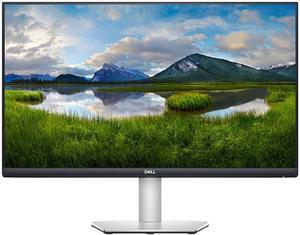
The ASUS ProArt Display PA278CV 27-inch WQHD USB-C Monitor is the best value-oriented creative display for designers and office users, with a 2560 x 1440 resolution and 75Hz refresh rate.
Best for: QHD creative work and office tasks
- Screen size
- 27 inches
- Resolution
- 2560 x 1440
- Refresh rate
- 75Hz
- USB-C power delivery
- 65W
- QHD resolution offers ample workspace on a 27-inch panel
- USB-C supports a streamlined laptop connection
- 75Hz refresh rate feels smooth for everyday use
- QHD has less detail than a 4K display
Is the ASUS ProArt Display PA278CV 27-inch WQHD USB-C Monitor worth buying on Black Friday 2026?
Yes. The ASUS ProArt Display PA278CV 27-inch WQHD USB-C Monitor is a practical choice for creative and office work, with a roomy 2560 x 1440 desktop, 75Hz refresh rate and USB-C power delivery.
See today’s Black Friday price on Amazon
#5
Samsung ViewFinity S6 S27D600UA 27-inch QHD USB-C Monitor
The Samsung ViewFinity S6 S27D600UA 27-inch QHD USB-C Monitor is the best productivity pick for laptop users who want fewer desktop cables, with a 27-inch QHD screen and 100Hz refresh rate.
Best for: Laptop productivity and smooth scrolling
- Screen size
- 27 inches
- Resolution
- 2560 x 1440
- Refresh rate
- 100Hz
- USB-C power delivery
- 90W
- QHD resolution balances workspace and clarity
- 100Hz refresh rate supports smooth everyday motion
- USB-C power delivery simplifies compatible laptop setups
- Confirm your computer supports video output over USB-C
Is the Samsung ViewFinity S6 S27D600UA 27-inch QHD USB-C Monitor worth buying on Black Friday 2026?
Yes. The Samsung ViewFinity S6 S27D600UA 27-inch QHD USB-C Monitor is a good fit for laptop-based work, combining a 100Hz QHD screen with 90W USB-C power delivery for a capable, less cluttered desk.
See today’s Black Friday price on Amazon
#6
AOC Q27G3XMN 27-inch QHD Mini LED Gaming Monitor
The AOC Q27G3XMN 27-inch QHD Mini LED Gaming Monitor is the best gaming pick for a dual-screen setup, with a 2560 x 1440 resolution and 180Hz refresh rate.

Best for: Gaming beside a productivity monitor
- Screen size
- 27 inches
- Resolution
- 2560 x 1440
- Refresh rate
- 180Hz
- Panel technology
- Mini LED
- 180Hz refresh rate suits fast-paced games
- QHD resolution provides a sharp gaming workspace
- Mini LED backlighting adds contrast-focused hardware
- Gaming features are less useful for a basic office display
Is the AOC Q27G3XMN 27-inch QHD Mini LED Gaming Monitor worth buying on Black Friday 2026?
Yes. The AOC Q27G3XMN 27-inch QHD Mini LED Gaming Monitor is a compelling second-screen choice for PC gaming, with a 180Hz refresh rate and QHD resolution. Pair it with a productivity display for a flexible desk.
See today’s Black Friday price on Amazon
#7
ASUS ZenScreen MB16AC 15.6-inch Full HD Portable Monitor
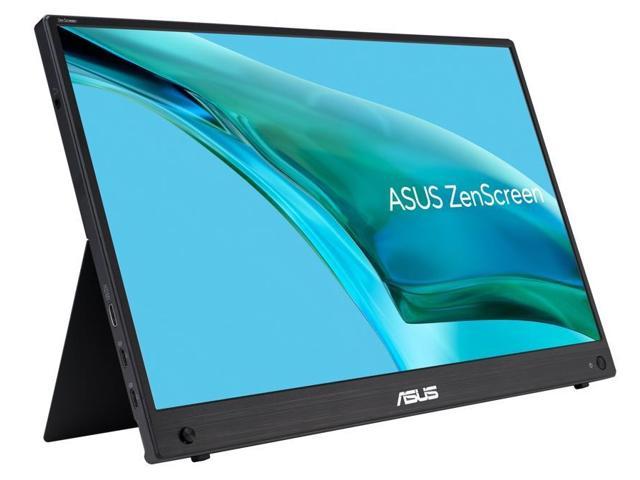
The ASUS ZenScreen MB16AC 15.6-inch Full HD Portable Monitor is the best portable pick for travelers and flexible workspaces, with a 15.6-inch screen and 1920 x 1080 resolution.
Best for: Travel and compact workspaces
- Screen size
- 15.6 inches
- Resolution
- 1920 x 1080
- Refresh rate
- 60Hz
- Connection
- USB-C
- Compact format travels more easily than a desktop monitor
- Full HD resolution suits documents and browser windows
- USB-C connection keeps a mobile setup simple
- Smaller screen area is less suited to a permanent desk
Is the ASUS ZenScreen MB16AC 15.6-inch Full HD Portable Monitor worth buying on Black Friday 2026?
Yes. The ASUS ZenScreen MB16AC 15.6-inch Full HD Portable Monitor is a useful second screen for travel, shared desks and compact workspaces. The ASUS ZenScreen MB16AC 15.6-inch Full HD Portable Monitor's 15.6-inch Full HD display adds room for documents without the footprint of a desktop monitor.
See today’s Black Friday price on Amazon
Which Black Friday dual monitor deal is best for most people?
The Dell S2722QC 27-inch 4K UHD USB-C Monitor is a versatile choice for a two-screen home or office setup, with a 27-inch panel, 4K resolution and 65W USB-C power delivery. The combination suits spreadsheets, documents, browsing and video while keeping the desk connection straightforward.
The Dell UltraSharp U2723QE is the stronger option for buyers who value a built-in hub and 90W laptop charging. The ASUS ProArt Display PA278CV suits people who prefer QHD and a 75Hz refresh rate. For matching displays, compare resolution, size and stand adjustment before choosing two of the same model.
Should I choose 4K or QHD monitors for a dual setup?
The Dell S2722QC offers 4K detail at 27 inches, while the ASUS ProArt Display PA278CV gives a QHD workspace at the same screen size. 4K is useful for detailed images and dense content; QHD provides a clear desktop for documents, browser tabs and general productivity.
Consider your computer’s graphics capability and how far you sit from the screen. Using two matching resolutions can make windows and text feel consistent when moving between displays. A mixed pair is still practical: give the more detailed display to photo work or video, and use the second monitor for reference material.
Does USB-C make a dual monitor setup easier?
The Dell UltraSharp U2723QE and LG 27UP850N-W each offer 90W USB-C power delivery, which can carry video and charge a compatible laptop through one cable. The ASUS ProArt Display PA278CV offers 65W USB-C power delivery for a simpler laptop connection.
USB-C does not guarantee that every computer supports video output or multiple external screens through one port. Check the laptop’s specifications and the monitor’s connection details before buying. For two displays, confirm that the computer supports the number of screens you need and that you have suitable cables or a compatible dock.
What should I look for in a gaming monitor for a second screen?
The AOC Q27G3XMN 27-inch QHD Mini LED Gaming Monitor stands out for gaming, with a 180Hz refresh rate and 2560 x 1440 resolution. A fast refresh rate helps motion look smoother in games that support high frame rates, while QHD keeps the image detailed on a 27-inch screen.
Check that your computer can connect to and drive the display at its top refresh rate. A mixed setup works well when one monitor handles games and another displays chat, guides or work apps. For a more uniform desktop, match the size and resolution of the two screens.
How do I plan desk space for two monitors?
Two 27-inch monitors provide a broad desktop, while the ASUS ZenScreen MB16AC 15.6-inch Full HD Portable Monitor fits a more compact or mobile workspace. Measure the desk width and depth, then leave room for the monitor stands, keyboard and mouse.
Check stand height adjustment, VESA mounting support and the position of connection ports before settling on a pair. A monitor arm can free desk space when both displays support the required mount. For travel or temporary work areas, the portable ASUS screen adds a second display without a full-size stand.
Buying Guide
Match resolution to screen size
The Dell S2722QC pairs a 27-inch screen with 3840 x 2160 resolution, while the ASUS ProArt Display PA278CV uses 2560 x 1440. Choose 4K for added detail or QHD for a capable everyday workspace, then check that both monitors suit your computer.
Check connections and charging
The Dell UltraSharp U2723QE supplies 90W USB-C power delivery, while the ASUS ProArt Display PA278CV supplies 65W. Match charging needs to your laptop, and verify that its USB-C port carries video before relying on a single-cable setup.
Choose a refresh rate for your routine
The AOC Q27G3XMN reaches 180Hz for gaming, and the Samsung ViewFinity S6 S27D600UA offers 100Hz for smoother everyday motion. Standard office work generally has different priorities, so weigh refresh rate against resolution, connectivity and the jobs you do.
Decide whether matching monitors matter
Two matching Dell S2722QC monitors give a consistent 27-inch 4K workspace. A mixed pair lets you direct more capability toward your primary task, such as choosing the AOC Q27G3XMN for gaming beside a productivity display.
Measure the desk before choosing
The ASUS ZenScreen MB16AC measures 15.6 inches diagonally, while most picks here use 27-inch panels. Measure the usable desk area and check the stand footprint. Portable screens suit flexible spaces; larger displays make more sense for a permanent workstation.
FAQ
What size monitors are best for a dual monitor setup?
Two 27-inch monitors, such as the Dell S2722QC 27-inch 4K UHD USB-C Monitor, provide a broad workspace for productivity and media. A 24-inch pair fits tighter desks, while a portable 15.6-inch screen suits travel. Measure desk depth and width before settling on a size.
Is 4K worth it for dual monitors?
The Dell S2722QC 27-inch 4K UHD USB-C Monitor gives users a detailed 3840 x 2160 desktop on a 27-inch panel. 4K is useful for fine detail and dense content. QHD, as on the ASUS ProArt Display PA278CV, remains a capable choice for everyday work.
Can I connect two monitors to a laptop with USB-C?
The Dell UltraSharp U2723QE 27-inch 4K UHD USB-C Hub Monitor provides USB-C display and 90W power delivery, but the laptop also needs to support the required external screens. Check its port specifications and operating-system support, and use a compatible dock or separate video connections when needed.
Are curved monitors better for dual monitor setups?
Flat monitors, including the Dell S2722QC 27-inch 4K UHD USB-C Monitor, are straightforward to align side by side and suit general work. Curved screens can feel immersive for gaming, but the best choice depends on desk layout, viewing distance and whether both displays need to match.
Can I use different monitor resolutions in a dual setup?
Yes. The Dell S2722QC 27-inch 4K UHD USB-C Monitor can sit beside a QHD display such as the ASUS ProArt Display PA278CV. Set each screen to its recommended resolution, arrange their positions in display settings and confirm the computer supports both monitors.