

As an Amazon Associate we earn from qualifying purchases.
- Best overall: Dell UltraSharp U2723QE 27-Inch 4K USB-C Hub Monitor
- Best budget: Dell S2722QC 27-Inch 4K USB-C Monitor
- Best premium: ASUS ROG Swift OLED PG27AQDM 27-Inch QHD Gaming Monitor
- Best for 4K gaming: Samsung Odyssey G7 G70B 28-Inch 4K UHD Gaming Monitor
- Dell UltraSharp U2723QE 27-Inch 4K USB-C Hub Monitor is a strong all-around office pick, with 4K resolution and 90W USB-C power delivery.
- Dell S2722QC 27-Inch 4K USB-C Monitor offers a simpler 4K setup with 65W USB-C charging.
- AOC Q27G3XMN 27-Inch QHD Mini LED Gaming Monitor pairs a 180Hz refresh rate with local dimming for gaming and HDR.
- Choose a monitor based on workspace, connection needs, resolution and refresh rate—not the biggest specification alone.
The best office monitor Black Friday deals 2026 are the ones that match your desk, computer and daily workload. A 27-inch 4K screen suits detailed documents and sharp text, while a 27-inch QHD panel balances workspace with gaming performance. USB-C monitors simplify laptop setups by combining video, data and charging in one cable.
I’m Marcus Reed, and we researched and compared specs, reviews and owner feedback to select monitors for home offices, hybrid work and play. The picks below cover practical USB-C displays, high-refresh gaming screens and larger ergonomic options. Compare the key specifications first, then use Black Friday to prioritize a feature-rich model that fits your actual setup.
How We Picked
- Resolution and screen size: We prioritized useful combinations for text clarity, multitasking and desk space.
- Connections: We considered USB-C charging, HDMI, DisplayPort and built-in hub features.
- Motion and gaming: We compared refresh rates, response-time ratings and adaptive-sync support.
- Comfort and usability: We reviewed stand adjustments, ergonomic features and everyday owner feedback.
- Value: We selected monitors with a clear use case and specifications that justify a place on a shortlist.
Comparison Table
| Product | Best for | Resolution | Refresh rate | USB-C power |
|---|---|---|---|---|
| Dell UltraSharp U2723QE 27-Inch 4K USB-C Hub Monitor | Productivity and laptop docking | 3840 × 2160 | 60Hz | 90W |
| LG 27GP850-B 27-Inch QHD UltraGear Gaming Monitor | QHD gaming and work | 2560 × 1440 | 165Hz | None |
| ASUS ROG Swift OLED PG27AQDM 27-Inch QHD Gaming Monitor | Premium competitive gaming | 2560 × 1440 | 240Hz | None |
| Samsung Odyssey G7 G70B 28-Inch 4K UHD Gaming Monitor | 4K gaming and consoles | 3840 × 2160 | 144Hz | None |
| Dell S2722QC 27-Inch 4K USB-C Monitor | Everyday 4K laptop work | 3840 × 2160 | 60Hz | 65W |
| AOC Q27G3XMN 27-Inch QHD Mini LED Gaming Monitor | HDR gaming | 2560 × 1440 | 180Hz | None |
| BenQ GW2785TC 27-Inch 1080p USB-C Monitor | Basic office work and calls | 1920 × 1080 | 75Hz | 60W |
| LG 32UN880-B 32-Inch 4K UHD Ergo Monitor | Large-screen multitasking | 3840 × 2160 | 60Hz | 60W |
Best Picks Reviewed
#1 · Top pick
Dell UltraSharp U2723QE 27-Inch 4K USB-C Hub Monitor
The Dell UltraSharp U2723QE 27-Inch 4K USB-C Hub Monitor is the best overall office monitor for professionals who want one-cable laptop docking, with 4K resolution and 90W USB-C power delivery.
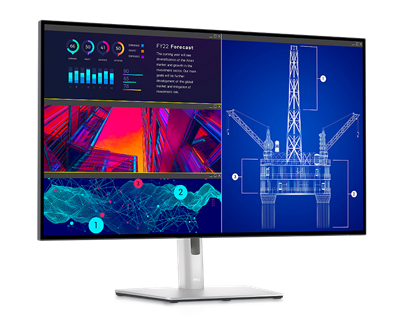
Best for: Home-office productivity and laptop docking
- Screen size
- 27 inches
- Resolution
- 3840 × 2160
- Refresh rate
- 60Hz
- USB-C power
- 90W
- Sharp 4K workspace
- High-power USB-C charging
- Integrated hub supports a tidy desk
- 60Hz refresh rate is not aimed at high-frame-rate gaming
Is the Dell UltraSharp U2723QE 27-Inch 4K USB-C Hub Monitor worth buying on Black Friday 2026?
Yes. The Dell UltraSharp U2723QE 27-Inch 4K USB-C Hub Monitor is a compelling office choice for laptop users who value a sharp 27-inch screen, a useful port hub and 90W USB-C charging through one connection.
See today’s Black Friday price on Amazon
#2
LG 27GP850-B 27-Inch QHD UltraGear Gaming Monitor
The LG 27GP850-B 27-Inch QHD UltraGear Gaming Monitor is the best monitor for work-and-play users who want smooth gaming after office hours, with a 165Hz refresh rate and an overclocked 180Hz mode.

Best for: QHD gaming and everyday work
- Screen size
- 27 inches
- Resolution
- 2560 × 1440
- Refresh rate
- 165Hz, up to 180Hz overclocked
- Panel
- Nano IPS
- Fast refresh rate for gaming
- QHD resolution suits work and play
- Wide viewing angles
- No USB-C laptop charging
Is the LG 27GP850-B 27-Inch QHD UltraGear Gaming Monitor worth buying on Black Friday 2026?
Yes. The LG 27GP850-B 27-Inch QHD UltraGear Gaming Monitor makes sense for buyers who want a crisp QHD workspace and responsive gaming, with a 165Hz native refresh rate and an overclocked 180Hz option.
See today’s Black Friday price on Amazon
#3
ASUS ROG Swift OLED PG27AQDM 27-Inch QHD Gaming Monitor
The ASUS ROG Swift OLED PG27AQDM 27-Inch QHD Gaming Monitor is the best premium gaming monitor for players prioritizing OLED contrast and speed, with a 240Hz refresh rate and 0.03ms response-time rating.
Best for: Premium competitive gaming
- Screen size
- 26.5 inches
- Resolution
- 2560 × 1440
- Refresh rate
- 240Hz
- Response time
- 0.03ms
- Deep OLED contrast
- Very high refresh rate
- QHD detail for gaming
- OLED care and static-content habits deserve consideration
Is the ASUS ROG Swift OLED PG27AQDM 27-Inch QHD Gaming Monitor worth buying on Black Friday 2026?
Yes. The ASUS ROG Swift OLED PG27AQDM 27-Inch QHD Gaming Monitor is a premium pick for gaming-first desks, combining OLED contrast, QHD resolution and a 240Hz refresh rate. Buyers focused mainly on office documents can choose a less specialized screen.
See today’s Black Friday price on Amazon
#4
Samsung Odyssey G7 G70B 28-Inch 4K UHD Gaming Monitor
The Samsung Odyssey G7 G70B 28-Inch 4K UHD Gaming Monitor is the best 4K gaming pick for console and PC players who want fine detail with fast motion, thanks to its 144Hz refresh rate.
Best for: 4K gaming and console use
- Screen size
- 28 inches
- Resolution
- 3840 × 2160
- Refresh rate
- 144Hz
- HDMI
- HDMI 2.1
- Detailed 4K picture
- 144Hz refresh rate
- HDMI 2.1 supports current consoles
- Gaming features add complexity for a basic office setup
Is the Samsung Odyssey G7 G70B 28-Inch 4K UHD Gaming Monitor worth buying on Black Friday 2026?
Yes. The Samsung Odyssey G7 G70B 28-Inch 4K UHD Gaming Monitor suits buyers who need one screen for crisp office work and 4K gaming. The Samsung Odyssey G7 G70B 28-Inch 4K UHD Gaming Monitor's 144Hz refresh rate and HDMI 2.1 connections strengthen its gaming credentials.
See today’s Black Friday price on Amazon
#5
Dell S2722QC 27-Inch 4K USB-C Monitor
The Dell S2722QC 27-Inch 4K USB-C Monitor is the best budget-friendly 4K office monitor for laptop owners who want a straightforward desk setup, with 65W USB-C charging and 3840 × 2160 resolution.
Best for: Everyday 4K laptop work
- Screen size
- 27 inches
- Resolution
- 3840 × 2160
- Refresh rate
- 60Hz
- USB-C power
- 65W
- 4K resolution for detailed text
- USB-C video and laptop charging
- Built-in speakers
- Fewer hub features than Dell’s UltraSharp option
Is the Dell S2722QC 27-Inch 4K USB-C Monitor worth buying on Black Friday 2026?
Yes. The Dell S2722QC 27-Inch 4K USB-C Monitor is a practical choice for everyday office work and laptop docking. The Dell S2722QC 27-Inch 4K USB-C Monitor's 65W USB-C power delivery and 27-inch 4K panel cover the essentials without requiring a more elaborate hub.
See today’s Black Friday price on Amazon
#6
AOC Q27G3XMN 27-Inch QHD Mini LED Gaming Monitor
The AOC Q27G3XMN 27-Inch QHD Mini LED Gaming Monitor is the best value gaming-and-HDR pick for buyers who want high refresh and local dimming, with a 180Hz refresh rate and Mini LED backlight.

Best for: HDR gaming and fast motion
- Screen size
- 27 inches
- Resolution
- 2560 × 1440
- Refresh rate
- 180Hz
- Backlight
- Mini LED with 336 dimming zones
- Fast 180Hz refresh rate
- Mini LED local dimming
- QHD resolution balances detail and speed
- Stand adjustments are more limited than on ergonomic office models
Is the AOC Q27G3XMN 27-Inch QHD Mini LED Gaming Monitor worth buying on Black Friday 2026?
Yes. The AOC Q27G3XMN 27-Inch QHD Mini LED Gaming Monitor is an appealing gaming choice for buyers who value HDR and smooth motion. The AOC Q27G3XMN 27-Inch QHD Mini LED Gaming Monitor's 180Hz refresh rate and 336 local dimming zones stand out in its feature set.
See today’s Black Friday price on Amazon
#7
BenQ GW2785TC 27-Inch 1080p USB-C Monitor
The BenQ GW2785TC 27-Inch 1080p USB-C Monitor is the best simple monitor for basic home-office tasks and laptop connectivity, with 60W USB-C power delivery and a 75Hz refresh rate.
Best for: Basic work and video calls
- Screen size
- 27 inches
- Resolution
- 1920 × 1080
- Refresh rate
- 75Hz
- USB-C power
- 60W
- One-cable laptop connection
- Height-adjustable stand
- Webcam-friendly setup features
- 1080p is less sharp than 4K at 27 inches
Is the BenQ GW2785TC 27-Inch 1080p USB-C Monitor worth buying on Black Friday 2026?
Yes. The BenQ GW2785TC 27-Inch 1080p USB-C Monitor is a straightforward option for documents, calls and general office tasks. The 60W USB-C connection and adjustable stand make it especially convenient for a laptop-based workspace.
See today’s Black Friday price on Amazon
#8
LG 32UN880-B 32-Inch 4K UHD Ergo Monitor
The LG 32UN880-B 32-Inch 4K UHD Ergo Monitor is the best large-screen office monitor for people who want flexible positioning and room for multiple windows, with 3840 × 2160 resolution and a 32-inch panel.
Best for: Large-screen multitasking and ergonomics
- Screen size
- 32 inches
- Resolution
- 3840 × 2160
- Refresh rate
- 60Hz
- USB-C power
- 60W
- Large 4K workspace
- Ergo arm offers flexible positioning
- USB-C supports laptop video and charging
- Desk-clamp arm needs suitable desk space
Is the LG 32UN880-B 32-Inch 4K UHD Ergo Monitor worth buying on Black Friday 2026?
Yes. The LG 32UN880-B 32-Inch 4K UHD Ergo Monitor is a strong fit for multitaskers who want a large 4K screen and flexible positioning. The LG 32UN880-B 32-Inch 4K UHD Ergo Monitor's Ergo stand and 60W USB-C power suit a laptop-centered work area.
See today’s Black Friday price on Amazon
What size office monitor should you buy?
A 27-inch monitor is a versatile choice for most desks, while a 32-inch display gives documents and side-by-side windows more room. Dell UltraSharp U2723QE 27-Inch 4K USB-C Hub Monitor pairs a practical footprint with 4K detail; LG 32UN880-B 32-Inch 4K UHD Ergo Monitor suits a deeper desk and a larger viewing area.
Measure your desk depth and viewing distance before choosing a screen. QHD at 27 inches is a balanced fit for work and gaming, while 4K helps keep fine text and detailed content crisp. My pick for most people is a 27-inch 4K screen when productivity takes priority. Skip it if your computer struggles with 4K or your desk cannot accommodate the display comfortably.
Do you need USB-C on an office monitor?
Dell UltraSharp U2723QE 27-Inch 4K USB-C Hub Monitor delivers up to 90W USB-C power, while Dell S2722QC 27-Inch 4K USB-C Monitor delivers 65W. Both combine laptop video and charging through a single cable, helping reduce desktop clutter.
Check your laptop’s charging requirements and the monitor’s port layout before buying. A lower-wattage connection still handles video, but a laptop that draws more power can charge more slowly during demanding work. BenQ GW2785TC 27-Inch 1080p USB-C Monitor offers another one-cable option, with 60W power delivery and a height-adjustable stand.
Which monitor specifications matter for gaming?
A gaming monitor’s refresh rate, resolution and response-time rating shape its feel, and the LG 27GP850-B 27-Inch QHD UltraGear Gaming Monitor reaches 165Hz natively. Buyers seeking 4K gaming can compare the Samsung Odyssey G7 G70B 28-Inch 4K UHD Gaming Monitor and its 144Hz refresh rate.
Higher refresh rates favor fast action, while QHD asks less of a graphics card than 4K. ASUS ROG Swift OLED PG27AQDM 27-Inch QHD Gaming Monitor targets premium play with a 240Hz panel. Check that your computer or console supports the resolution and refresh rate you plan to use, and confirm the required HDMI or DisplayPort connection.
How should you compare Black Friday monitor deals in 2026?
The best Black Friday monitor deal in 2026 is the screen that delivers the features you will use, not simply the most impressive specification list. Compare Dell S2722QC 27-Inch 4K USB-C Monitor with Dell UltraSharp U2723QE 27-Inch 4K USB-C Hub Monitor by considering resolution, USB-C power and hub features.
Set your must-haves before browsing: screen size, resolution, connectivity and intended use. Check the exact model suffix and port specifications because similar monitor names can describe different configurations. Compare the included stand, warranty terms and return policy as well as the feature set. A good shortlist makes it easier to spot a model that suits your desk and computer.
Which features improve comfort in a home office?
An adjustable stand, suitable screen height and sensible viewing distance help make long desk sessions more comfortable. LG 32UN880-B 32-Inch 4K UHD Ergo Monitor includes an articulated Ergo arm, while BenQ GW2785TC 27-Inch 1080p USB-C Monitor offers height adjustment for a more conventional setup.
Look for tilt, swivel and height adjustments that match your posture and desk layout. A VESA mount provides another way to position a screen, but confirm compatibility before purchasing an arm. Consider glare, room lighting and text scaling too: a sharp 4K panel still needs comfortable positioning and readable interface settings.
Buying Guide
Choose resolution for your workload
For a 27-inch monitor, QHD balances workspace and sharpness, while 4K provides finer detail for text and creative tasks. Match the resolution to your computer’s graphics capability and the apps you use.
Match USB-C power to your laptop
Check your laptop’s charging requirement, then compare the monitor’s USB-C wattage. A monitor hub with extra ports helps connect accessories, while a basic USB-C display keeps the setup simple.
Set a gaming refresh-rate target
A 60Hz monitor suits standard office tasks. For gaming, compare 144Hz, 165Hz, 180Hz and 240Hz models, and confirm your graphics card or console supports the target resolution and refresh rate.
Plan for desk space and adjustment
Measure the usable desk width and depth, including room for a keyboard and speakers. Check the stand’s height and tilt range, or verify VESA compatibility if you plan to use a monitor arm.
Compare the complete configuration
Confirm the exact model name, ports, included cables, stand and warranty details. Similar monitor models can differ in resolution, refresh rate or USB-C charging, so compare specifications rather than relying on a family name.
FAQ
What is the best office monitor for Black Friday 2026?
The Dell UltraSharp U2723QE 27-Inch 4K USB-C Hub Monitor is the best overall office pick here for laptop-based productivity. Its 27-inch 4K panel, 90W USB-C power delivery and hub features make it a flexible choice for a tidy home-office setup.
Is a 4K monitor worth buying for office work?
A 4K monitor is a strong choice for office work when sharp text, detailed images and room for multiple windows matter. Dell S2722QC 27-Inch 4K USB-C Monitor offers a 27-inch 4K panel and 65W USB-C charging for laptop users.
Is a 27-inch monitor big enough for working from home?
A 27-inch monitor suits many home-office desks and offers useful screen space without the footprint of a 32-inch model. Choose QHD for a balanced work-and-play display or 4K for finer detail, and measure desk depth before deciding.
What refresh rate is good for an office monitor?
A 60Hz refresh rate is sufficient for documents, browsing and video calls. People who also play games can consider faster options such as the 165Hz LG 27GP850-B 27-Inch QHD UltraGear Gaming Monitor or a 144Hz 4K gaming display.
Do USB-C monitors charge laptops?
Many USB-C monitors provide laptop charging as well as video and data, but the power level differs by model. Dell UltraSharp U2723QE 27-Inch 4K USB-C Hub Monitor supplies up to 90W, so compare its rating with your laptop’s power needs.
Should I choose a gaming monitor for office work?
A gaming monitor can handle office work, and a fast panel suits people who switch between productivity and games. Consider the trade-offs: gaming models often prioritize refresh rate, while office monitors can offer stronger USB-C docking and ergonomic features.