

As an Amazon Associate we earn from qualifying purchases.
- Best overall: Dell Alienware 27 4K Dual-Resolution Gaming Monitor (AW2725QF)
- Best budget: Dell G2724D Gaming Monitor
- Best premium: Dell Alienware 32 4K QD-OLED Gaming Monitor (AW3225QF)
- Best for ultrawide immersion: Dell Alienware 34 Curved QD-OLED Gaming Monitor (AW3423DW)
- Dell Alienware AW3423DW favors immersive ultrawide QD-OLED play, with a 34-inch 3440 x 1440 screen and 175Hz refresh rate.
- Dell Alienware AW2725QF gives competitive players two display modes: 4K at 180Hz or Full HD at 360Hz.
- Dell Alienware AW2725DF is a strong 27-inch QD-OLED pick for fast QHD gaming at 360Hz.
- Dell G2724D is the straightforward budget-minded choice, with a 27-inch QHD IPS panel and 165Hz refresh rate.
- Choose a monitor by matching resolution, refresh rate, panel type and graphics hardware to the games you play.
Dell Alienware AW3423DW and Dell Alienware AW2725QF suit different gaming styles: one serves up expansive ultrawide QD-OLED immersion, while the other switches between 4K detail and Full HD speed. I researched and compared specs, reviews and owner feedback to build this Black Friday 2026 guide for PC and console players.
The picks below cover OLED contrast, high-refresh competitive play, 4K gaming and a more accessible QHD option. Here's the bottom line: choose Dell Alienware AW3423DW for cinematic single-player games, or Dell Alienware AW2725QF if flexible resolution and refresh modes matter more. Check your GPU, desk space and connection needs before choosing.
How We Picked
- Compared resolution, refresh rate, response-time claims and panel technology using manufacturer specifications.
- Reviewed owner feedback and product coverage for recurring strengths, setup considerations and common trade-offs.
- Matched screen formats to gaming styles, including ultrawide immersion, esports speed, 4K detail and console use.
- Prioritized monitors with clearly documented connectivity and features relevant to current gaming setups.
- Included alternatives across OLED and IPS so the guide serves more than one budget or performance target.
Comparison Table
| Product | Best for | Resolution | Refresh rate | Panel type |
|---|---|---|---|---|
| Dell Alienware 34 Curved QD-OLED Gaming Monitor (AW3423DW) | Ultrawide immersion | 3440 x 1440 | 175Hz | QD-OLED |
| Dell Alienware 27 4K Dual-Resolution Gaming Monitor (AW2725QF) | Dual-mode gaming | 4K at 180Hz; Full HD at 360Hz | 180Hz / 360Hz | Fast IPS |
| Dell Alienware 27 QD-OLED Gaming Monitor (AW2725DF) | QHD OLED esports | 2560 x 1440 | 360Hz | QD-OLED |
| Dell Alienware 32 4K QD-OLED Gaming Monitor (AW3225QF) | Premium 4K gaming | 3840 x 2160 | 240Hz | QD-OLED |
| Dell Alienware 34 Curved QD-OLED Gaming Monitor (AW3423DWF) | Ultrawide OLED alternative | 3440 x 1440 | 165Hz | QD-OLED |
| Dell G2724D Gaming Monitor | Value-focused QHD | 2560 x 1440 | 165Hz | IPS |
| Dell Alienware 25 Gaming Monitor (AW2524H) | Maximum refresh speed | 1920 x 1080 | 500Hz | Fast IPS |
Best Picks Reviewed
#1
Dell Alienware 34 Curved QD-OLED Gaming Monitor (AW3423DW)
The Dell Alienware 34 Curved QD-OLED Gaming Monitor (AW3423DW) is the best ultrawide OLED pick for immersive PC gaming. The Dell Alienware 34 Curved QD-OLED Gaming Monitor (AW3423DW)'s 34-inch 3440 x 1440 panel runs at up to 175Hz.

Best for: Immersive ultrawide PC gaming
- Screen size
- 34 inches
- Resolution
- 3440 x 1440
- Refresh rate
- 175Hz
- Response time
- 0.1ms
- QD-OLED contrast and vivid color
- 21:9 ultrawide view
- NVIDIA G-SYNC Ultimate support
- Needs more desk width than a standard 27-inch monitor
Is the Dell Alienware 34 Curved QD-OLED Gaming Monitor (AW3423DW) worth buying on Black Friday 2026?
The Dell Alienware 34 Curved QD-OLED Gaming Monitor (AW3423DW) is worth considering for players who want a 34-inch ultrawide OLED screen, 175Hz refresh and deep contrast. Confirm that your PC supports 3440 x 1440 gaming.
See today’s Black Friday price on Amazon
#2 · Top pick
Dell Alienware 27 4K Dual-Resolution Gaming Monitor (AW2725QF)
The Dell Alienware 27 4K Dual-Resolution Gaming Monitor (AW2725QF) is the best flexible-speed pick for competitive players who also want 4K detail. The 27-inch Fast IPS display supports 4K at 180Hz or Full HD at 360Hz.
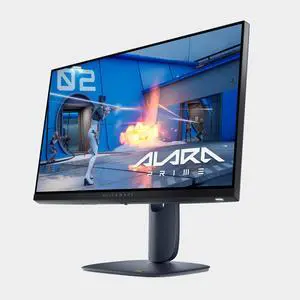
Best for: Players switching between detailed and fast-paced games
- Screen size
- 27 inches
- Resolution modes
- 3840 x 2160 at 180Hz; 1920 x 1080 at 360Hz
- Panel type
- Fast IPS
- Response time
- 0.5ms
- Two resolution and refresh-rate modes
- 4K detail for supported games
- 360Hz mode for competitive play
- Fastest mode uses Full HD resolution
Is the Dell Alienware 27 4K Dual-Resolution Gaming Monitor (AW2725QF) worth buying on Black Friday 2026?
The Dell Alienware 27 4K Dual-Resolution Gaming Monitor (AW2725QF) is a compelling choice for players who want both 4K at 180Hz and Full HD at 360Hz. The two modes let you prioritize detail or speed by game.
See today’s Black Friday price on Amazon
#3
Dell Alienware 27 QD-OLED Gaming Monitor (AW2725DF)
The Dell Alienware 27 QD-OLED Gaming Monitor (AW2725DF) is the best compact OLED option for fast QHD gaming. The Dell Alienware 27 QD-OLED Gaming Monitor (AW2725DF)'s 27-inch panel combines 2560 x 1440 resolution with a 360Hz refresh rate.
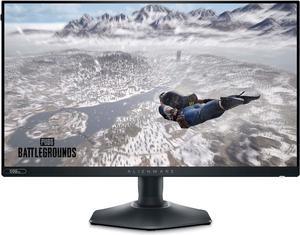
Best for: QHD esports and OLED contrast
- Screen size
- 27 inches
- Resolution
- 2560 x 1440
- Refresh rate
- 360Hz
- Response time
- 0.03ms
- QD-OLED contrast and color
- High 360Hz refresh rate
- Sharp QHD resolution
- OLED care and static-image habits deserve consideration
Is the Dell Alienware 27 QD-OLED Gaming Monitor (AW2725DF) worth buying on Black Friday 2026?
The Dell Alienware 27 QD-OLED Gaming Monitor (AW2725DF) is worth a look for players seeking 1440p detail, OLED contrast and 360Hz motion. The Dell Alienware 27 QD-OLED Gaming Monitor (AW2725DF)'s 27-inch format fits many desks while keeping the focus on fast PC gaming.
See today’s Black Friday price on Amazon
#4
Dell Alienware 32 4K QD-OLED Gaming Monitor (AW3225QF)
The Dell Alienware 32 4K QD-OLED Gaming Monitor (AW3225QF) is the best premium choice for large-screen 4K gaming. The 32-inch curved QD-OLED panel delivers 3840 x 2160 resolution at up to 240Hz.

Best for: Premium 4K PC and console gaming
- Screen size
- 32 inches
- Resolution
- 3840 x 2160
- Refresh rate
- 240Hz
- Response time
- 0.03ms
- 4K QD-OLED image quality
- 240Hz refresh for high-end PCs
- Curved screen adds wraparound feel
- 4K at high frame rates calls for powerful hardware
Is the Dell Alienware 32 4K QD-OLED Gaming Monitor (AW3225QF) worth buying on Black Friday 2026?
The Dell Alienware 32 4K QD-OLED Gaming Monitor (AW3225QF) is a premium fit for players who want a 32-inch 4K OLED screen and 240Hz refresh. Pair the resolution and speed with a PC capable of driving demanding games.
See today’s Black Friday price on Amazon
#5
Dell Alienware 34 Curved QD-OLED Gaming Monitor (AW3423DWF)
The Dell Alienware 34 Curved QD-OLED Gaming Monitor (AW3423DWF) is the best alternative for players who want an ultrawide OLED format without the AW3423DW feature mix. The Dell Alienware 34 Curved QD-OLED Gaming Monitor (AW3423DWF)'s 34-inch 3440 x 1440 display reaches 165Hz.
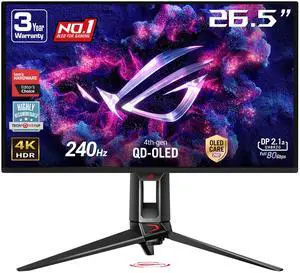
Best for: Ultrawide OLED gaming with AMD graphics
- Screen size
- 34 inches
- Resolution
- 3440 x 1440
- Refresh rate
- 165Hz
- Response time
- 0.1ms
- Immersive 21:9 QD-OLED screen
- AMD FreeSync Premium Pro support
- High refresh for an ultrawide
- Refresh rate is lower than the AW3423DW
Is the Dell Alienware 34 Curved QD-OLED Gaming Monitor (AW3423DWF) worth buying on Black Friday 2026?
The Dell Alienware 34 Curved QD-OLED Gaming Monitor (AW3423DWF) is a strong option for ultrawide fans seeking 3440 x 1440 resolution, QD-OLED contrast and 165Hz. Check graphics compatibility and available desk space before picking a 34-inch curved display.
See today’s Black Friday price on Amazon
#6
Dell G2724D Gaming Monitor
The Dell G2724D Gaming Monitor is the best value-focused pick for everyday QHD gaming. The Dell G2724D Gaming Monitor's 27-inch IPS panel offers 2560 x 1440 resolution and a 165Hz refresh rate.

Best for: QHD gaming on a tighter budget
- Screen size
- 27 inches
- Resolution
- 2560 x 1440
- Refresh rate
- 165Hz
- Response time
- 1ms
- Useful QHD and high-refresh combination
- IPS viewing angles
- Simple fit for many gaming desks
- Does not offer OLED contrast
Is the Dell G2724D Gaming Monitor worth buying on Black Friday 2026?
The Dell G2724D Gaming Monitor is a sensible pick for players who want 27-inch QHD gaming at 165Hz without stepping up to OLED. The Dell G2724D Gaming Monitor's IPS panel suits mixed gaming and everyday desktop use.
See today’s Black Friday price on Amazon
#7
Dell Alienware 25 Gaming Monitor (AW2524H)
The Dell Alienware 25 Gaming Monitor (AW2524H) is the best specialist pick for players who prioritize extreme refresh speed. The Dell Alienware 25 Gaming Monitor (AW2524H)'s 24.5-inch Full HD Fast IPS panel supports up to 500Hz.

Best for: Competitive esports players
- Screen size
- 24.5 inches
- Resolution
- 1920 x 1080
- Refresh rate
- 500Hz
- Panel type
- Fast IPS
- Extremely high 500Hz refresh rate
- Compact screen for competitive setups
- Fast IPS panel
- Full HD is less detailed than QHD or 4K
Is the Dell Alienware 25 Gaming Monitor (AW2524H) worth buying on Black Friday 2026?
The Dell Alienware 25 Gaming Monitor (AW2524H) is worth considering for esports players whose priority is refresh speed over resolution. The Dell Alienware 25 Gaming Monitor (AW2524H)'s 24.5-inch Full HD panel reaches 500Hz, so a compatible PC is essential to make use of that ceiling.
See today’s Black Friday price on Amazon
Dell Alienware AW3423DW vs AW2725QF: which should you buy?
The Dell Alienware 34 Curved QD-OLED Gaming Monitor (AW3423DW) is the better choice for immersive ultrawide play, while the Dell Alienware 27 4K Dual-Resolution Gaming Monitor (AW2725QF) suits players who switch between 4K detail and 360Hz Full HD speed. Both target premium gaming, but their formats serve different priorities.
The AW3423DW gives compatible PC games a wide 21:9 view, QD-OLED contrast and 175Hz motion. The AW2725QF keeps a familiar 27-inch shape and offers two modes: 3840 x 2160 at 180Hz or 1920 x 1080 at 360Hz. Pick based on your game library and PC capability, not a single headline number.
For story-driven games and expansive worlds, the ultrawide screen feels more cinematic. For esports sessions, mixed genres or a desk setup shared with other tasks, the dual-mode monitor offers greater flexibility.
Is the AW3423DW better than the AW2725QF for PC gaming?
The Dell Alienware 34 Curved QD-OLED Gaming Monitor (AW3423DW) is better for QD-OLED contrast and ultrawide immersion, while the Dell Alienware 27 4K Dual-Resolution Gaming Monitor (AW2725QF) offers a higher 360Hz ceiling in Full HD mode. Neither monitor is the universal winner.
Resolution affects how much detail appears on screen; refresh rate describes how often the display updates each second. OLED technology brings deep blacks and high contrast, while Fast IPS offers flexible dual-resolution modes. Your graphics card and preferred frame rates determine how much of each monitor’s specification you can use.
Check game support for 21:9 before choosing the AW3423DW, since some titles use narrower formats. Choose the AW2725QF when switching display modes is useful across competitive shooters, action games and detailed single-player titles.
Which monitor is better for PS5 and Xbox gaming?
The Dell Alienware 27 4K Dual-Resolution Gaming Monitor (AW2725QF) is the more straightforward fit for console players seeking a 27-inch 4K display, while the Dell Alienware 32 4K QD-OLED Gaming Monitor (AW3225QF) offers a larger 32-inch 4K screen. Console feature support depends on the console, game and connection.
A console does not automatically use every PC-focused refresh mode on a monitor. Check supported HDMI features, console output options and the games you play before buying. The AW2725QF’s 360Hz mode is a Full HD feature, so console players should confirm which resolutions and refresh rates their system supports.
For a desk setup used mostly with a console, compare screen size, speakers or headset arrangements, HDMI ports and available space. A PC-and-console household gets more benefit from flexible input switching and a monitor with a useful resolution for both devices.
Is QD-OLED worth choosing over Fast IPS?
The Dell Alienware 34 Curved QD-OLED Gaming Monitor (AW3423DW) is the stronger pick for OLED contrast, while the Dell Alienware 27 4K Dual-Resolution Gaming Monitor (AW2725QF) is the flexible Fast IPS option with 4K and 360Hz modes. The right panel depends on the games and desktop tasks you prioritize.
QD-OLED combines quantum-dot color with OLED pixels that control light individually, creating deep blacks and striking contrast in supported content. Fast IPS instead prioritizes a practical combination of speed, viewing angles and versatile use. Neither panel type replaces the need to check resolution, refresh rate and available inputs.
Players who keep static desktop elements visible for long sessions should read the manufacturer’s OLED care guidance. Players who prefer one monitor for work, console use and varied PC gaming often value IPS flexibility. Treat panel type as one part of the decision, not the whole checklist.
What should you check before buying a gaming monitor?
The Dell Alienware 27 4K Dual-Resolution Gaming Monitor (AW2725QF) is a flexible choice for varied games, but every buyer should check screen resolution, refresh rate and device compatibility before ordering. A monitor’s top specification only helps when a connected device supports it.
Match resolution to your graphics card: 4K demands more rendering power than QHD, and ultrawide 3440 x 1440 also asks more of a PC than standard 1440p. Confirm that your computer has the required video output and cable. Check the monitor’s documentation for connection-specific refresh limits.
Measure your desk and viewing distance, especially for 32-inch and 34-inch screens. Compare stand adjustments, mounting compatibility, warranty terms and OLED care instructions. For Black Friday 2026, compare the exact model number and included accessories so a similar-looking monitor does not get mistaken for the model you want.
Buying Guide
Match resolution to your graphics card
The Dell Alienware 32 4K QD-OLED Gaming Monitor (AW3225QF) asks more of a gaming PC than the Dell G2724D Gaming Monitor at QHD. Check your graphics hardware and target frame rates before choosing 4K, QHD or ultrawide 3440 x 1440.
Choose a refresh rate for your games
The Dell Alienware 25 Gaming Monitor (AW2524H) reaches 500Hz for competitive play, while the Dell Alienware 32 4K QD-OLED Gaming Monitor (AW3225QF) pairs 4K with 240Hz. Select a ceiling your PC and games can use.
Pick a panel for your priorities
The Dell Alienware 34 Curved QD-OLED Gaming Monitor (AW3423DW) emphasizes OLED contrast, and the Dell Alienware 27 4K Dual-Resolution Gaming Monitor (AW2725QF) emphasizes Fast IPS flexibility. Review OLED care guidance and panel specifications before deciding.
Measure your desk and check connections
The Dell Alienware 34 Curved QD-OLED Gaming Monitor (AW3423DW) uses a 34-inch ultrawide format, while the Dell Alienware 27 QD-OLED Gaming Monitor (AW2725DF) uses a 27-inch screen. Verify desk width, mounting needs, input types and connection-specific refresh support.
Compare exact model numbers
The Dell Alienware 34 Curved QD-OLED Gaming Monitor (AW3423DW) and Dell Alienware 34 Curved QD-OLED Gaming Monitor (AW3423DWF) share a screen size but differ in features and refresh rate. Check the full model number, warranty and included accessories during Black Friday 2026 shopping.
FAQ
Dell Alienware AW3423DW vs Alienware AW2725QF: which is better for gaming?
The Dell Alienware 34 Curved QD-OLED Gaming Monitor (AW3423DW) is better for ultrawide immersion and QD-OLED contrast. The Dell Alienware 27 4K Dual-Resolution Gaming Monitor (AW2725QF) is better for players who want 4K detail and a separate 360Hz Full HD mode.
Is the AW2725QF 4K or 1440p?
The Dell Alienware 27 4K Dual-Resolution Gaming Monitor (AW2725QF) supports 3840 x 2160 resolution at 180Hz and 1920 x 1080 resolution at 360Hz. The monitor is a dual-resolution Fast IPS model, so its fastest mode uses Full HD rather than 4K.
Is the AW3423DW a 4K monitor?
The Dell Alienware 34 Curved QD-OLED Gaming Monitor (AW3423DW) is not a 4K monitor. Its 34-inch ultrawide panel has a 3440 x 1440 resolution and a 175Hz refresh rate, a combination aimed at immersive PC gaming.
Is the AW3423DW worth buying on Black Friday 2026?
The Dell Alienware 34 Curved QD-OLED Gaming Monitor (AW3423DW) is worth buying for players who want a 34-inch ultrawide OLED screen, 3440 x 1440 resolution and 175Hz refresh. Check your desk dimensions and PC support for ultrawide gaming first.
Is the AW2725QF worth buying on Black Friday 2026?
The Dell Alienware 27 4K Dual-Resolution Gaming Monitor (AW2725QF) is worth considering if you want one screen for 4K games and high-speed Full HD play. Its 180Hz 4K and 360Hz Full HD modes serve different game types.
Which Alienware monitor is best for competitive gaming?
The Dell Alienware 25 Gaming Monitor (AW2524H) is the specialist choice for competitive players prioritizing refresh speed, with a 500Hz Full HD mode. The Dell Alienware 27 QD-OLED Gaming Monitor (AW2725DF) offers QHD resolution and 360Hz for players who also value OLED contrast.