

As an Amazon Associate we earn from qualifying purchases.
- Best overall: Dell UltraSharp U2724DE
- Best budget: Dell UltraSharp U2724D
- Best premium: Dell UltraSharp U4025QW
- Best for ultrawide multitasking: Dell UltraSharp U3425WE
- Dell UltraSharp U2724DE is the more compact pick, with a 27-inch QHD IPS Black screen and 120Hz refresh rate.
- Dell UltraSharp U3425WE offers a 34-inch curved ultrawide screen with 3440 × 1440 resolution and 120Hz refresh rate.
- Both monitors include Thunderbolt 4 connectivity, a built-in hub and up to 90W power delivery to a connected laptop.
- Choose Dell UltraSharp U2724DE for conventional desk setups; choose Dell UltraSharp U3425WE for wide timelines and side-by-side windows.
- Dell UltraSharp U4025QW and Dell UltraSharp U3224KB are higher-resolution alternatives for buyers prioritizing screen area or detail.
For most desk setups, Dell UltraSharp U2724DE is the better Black Friday 2026 pick; Dell UltraSharp U3425WE is the stronger choice for a wide, curved workspace. We researched and compared specs, reviews and owner feedback to make the differences clear.
The core choice is 27-inch QHD versus 34-inch ultrawide QHD. Both monitors pair 120Hz refresh rates with IPS Black panels and Thunderbolt 4, but the U2724DE fits standard desk layouts while the U3425WE spreads work across a wider screen. The guide also covers five Dell alternatives for different resolutions, budgets and desk needs.
How We Picked
- Compared panel size, resolution, refresh rate and contrast to separate everyday office use from ultrawide and high-resolution workflows.
- Checked connection options, including Thunderbolt 4, USB-C power delivery, Ethernet, USB hubs and video outputs.
- Reviewed Dell specifications alongside owner feedback and monitor reviews, with attention to setup, image quality and practical limitations.
- Selected alternatives across compact QHD, 4K, 6K and ultrawide formats so buyers can compare useful choices rather than just two models.
- Prioritized Black Friday 2026 value by matching features to real use cases; no product is recommended on a discount claim alone.
Comparison Table
| Product | Best for | Screen and resolution | Refresh rate | Power delivery |
|---|---|---|---|---|
| Dell UltraSharp U2724DE | Compact laptop workstation | 27-inch, 2560 × 1440 | 120Hz | Up to 90W |
| Dell UltraSharp U3425WE | Curved ultrawide multitasking | 34.1-inch, 3440 × 1440 | 120Hz | Up to 90W |
| Dell UltraSharp U2724D | Value-focused QHD setup | 27-inch, 2560 × 1440 | 120Hz | No Thunderbolt 4 docking |
| Dell UltraSharp U4025QW | Premium 5K2K ultrawide work | 40-inch, 5120 × 2160 | 120Hz | Up to 140W |
| Dell UltraSharp U3224KB | 6K detail and video calls | 31.5-inch, 6144 × 3456 | 60Hz | Thunderbolt 4 |
| Dell UltraSharp U3824DW | Large office ultrawide | 37.5-inch, 3840 × 1600 | 60Hz | Up to 90W |
| Dell UltraSharp U2725QE | Compact 4K productivity | 27-inch, 3840 × 2160 | 120Hz | Up to 140W |
Best Picks Reviewed
#1 · Top pick
Dell UltraSharp U2724DE
The Dell UltraSharp U2724DE is the best overall monitor for laptop-based office work, with a 27-inch QHD IPS Black display running at 120Hz. The Dell UltraSharp U2724DE's Thunderbolt 4 hub and up to 90W power delivery keep a compatible desk setup tidy.

Best for: A compact, high-refresh-rate work monitor with a full docking hub.
- Screen
- 27-inch, 2560 × 1440
- Refresh rate
- 120Hz
- Connectivity
- Thunderbolt 4, up to 90W power delivery
- 120Hz refresh rate makes scrolling and motion look smooth.
- IPS Black panel offers a 2000:1 contrast ratio.
- Thunderbolt 4 hub includes Ethernet and USB connections.
- QHD resolution is less detailed than 4K at the same screen size.
- A 27-inch screen gives less workspace than an ultrawide.
Is the Dell UltraSharp U2724DE worth buying on Black Friday 2026?
Yes. Dell UltraSharp U2724DE is a strong Black Friday 2026 choice for a 27-inch QHD work monitor, especially when a 120Hz screen and Thunderbolt 4 docking matter. The Dell UltraSharp U2724DE's 90W power delivery supports a clean single-cable setup with compatible laptops.
See today’s Black Friday price on Amazon
#2
Dell UltraSharp U3425WE
The Dell UltraSharp U3425WE is the best ultrawide monitor for multitasking, with a 34-inch curved 3440 × 1440 IPS Black display and a 120Hz refresh rate. Thunderbolt 4 and up to 90W power delivery suit a laptop-centered workstation.
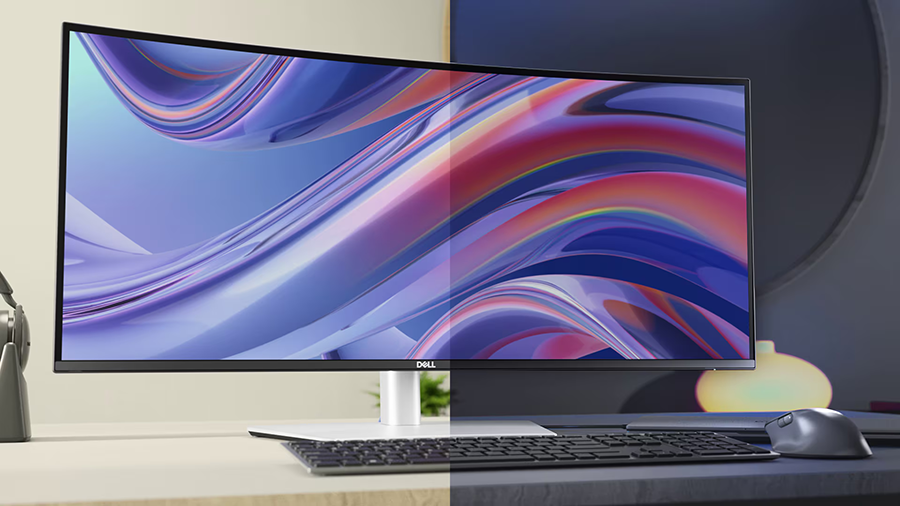
Best for: Wide spreadsheets, timelines and side-by-side apps.
- Screen
- 34.1-inch, 3440 × 1440
- Refresh rate
- 120Hz
- Connectivity
- Thunderbolt 4, up to 90W power delivery
- 21:9 screen provides generous horizontal workspace.
- IPS Black panel has a 3000:1 contrast ratio.
- Thunderbolt 4 hub supports laptop docking and peripherals.
- The wide panel needs more desk space than a 27-inch monitor.
- QHD vertical resolution is lower than on a 4K screen.
Is the Dell UltraSharp U3425WE worth buying on Black Friday 2026?
Yes. Dell UltraSharp U3425WE is worth considering for a 34-inch curved workspace, 120Hz refresh rate and Thunderbolt 4 connectivity. The 3440 × 1440 display suits wide documents and timelines, but its size calls for a desk with enough width.
See today’s Black Friday price on Amazon
#3
Dell UltraSharp U2724D
The Dell UltraSharp U2724D is the best value-focused QHD monitor for buyers who want a 27-inch IPS Black screen and 120Hz refresh rate without paying for a Thunderbolt 4 hub. DisplayPort and USB connectivity cover a straightforward desktop setup.
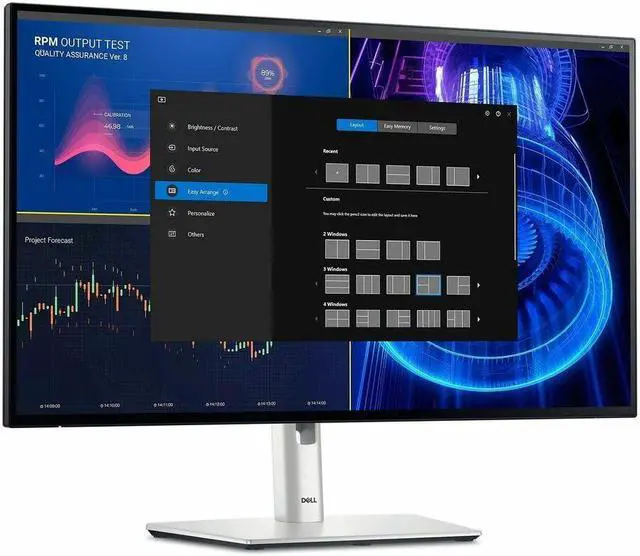
Best for: A 27-inch QHD display without full laptop-docking features.
- Screen
- 27-inch, 2560 × 1440
- Refresh rate
- 120Hz
- Contrast ratio
- 2000:1
- Same useful 27-inch QHD format as the U2724DE.
- 120Hz refresh rate supports smooth everyday motion.
- IPS Black panel improves contrast over standard IPS.
- Lacks the U2724DE's Thunderbolt 4 docking feature set.
- Does not provide 4K resolution.
Is the Dell UltraSharp U2724D worth buying on Black Friday 2026?
Yes. Dell UltraSharp U2724D is a sensible Black Friday 2026 pick when a 27-inch QHD screen and 120Hz refresh rate matter more than Thunderbolt 4 docking. Compare its connections with the U2724DE before choosing a monitor for a laptop desk.
See today’s Black Friday price on Amazon
#4
Dell UltraSharp U4025QW
The Dell UltraSharp U4025QW is the best premium ultrawide for expansive desktop work, with a 40-inch curved 5120 × 2160 screen and 120Hz refresh rate. The Dell UltraSharp U4025QW's Thunderbolt 4 connection supports up to 140W power delivery for compatible devices.
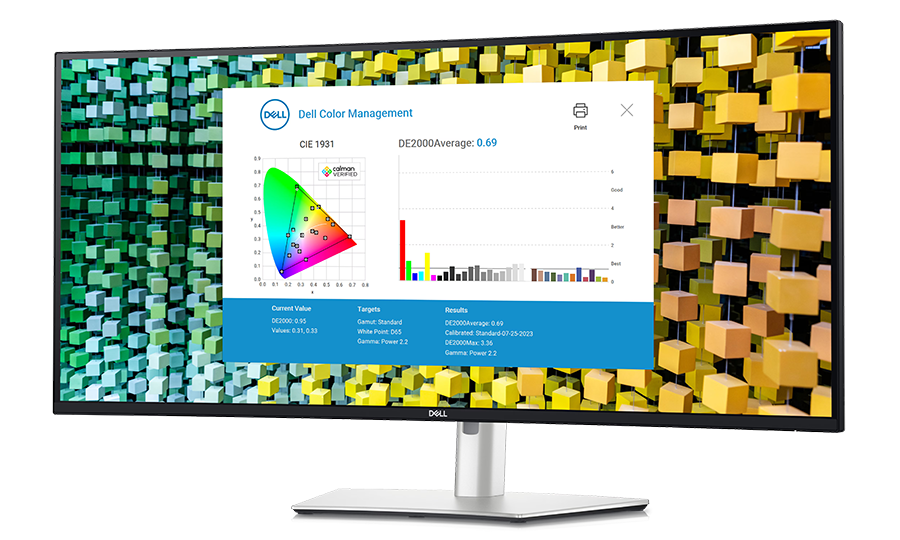
Best for: Large, detailed workspaces and demanding multitasking.
- Screen
- 40-inch, 5120 × 2160
- Refresh rate
- 120Hz
- Power delivery
- Up to 140W
- 5K2K resolution combines ultrawide space with fine detail.
- 120Hz refresh rate is uncommon in this resolution class.
- Thunderbolt 4 offers high-power laptop charging.
- Large dimensions require a deep, wide desk.
- The high resolution calls for a capable computer.
Is the Dell UltraSharp U4025QW worth buying on Black Friday 2026?
Yes. Dell UltraSharp U4025QW is a premium choice for buyers who need a 40-inch ultrawide workspace, 5120 × 2160 resolution and 120Hz motion. The Dell UltraSharp U4025QW's 140W power delivery is a practical advantage for compatible laptops, but check desk space first.
See today’s Black Friday price on Amazon
#5
Dell UltraSharp U3224KB
The Dell UltraSharp U3224KB is the best high-detail monitor for creative work and video calls, with a 31.5-inch 6K display at 6144 × 3456. The Dell UltraSharp U3224KB's integrated 4K webcam and Thunderbolt 4 connection make it a complete workstation centerpiece.
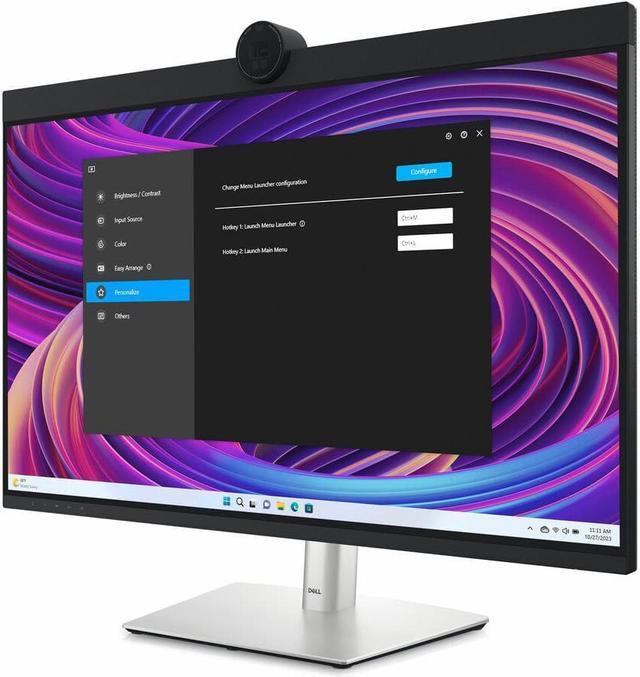
Best for: Fine image detail, video calls and premium desktop setups.
- Screen
- 31.5-inch, 6144 × 3456
- Resolution class
- 6K
- Webcam
- Integrated 4K camera
- 6K resolution delivers very fine detail.
- Integrated 4K webcam reduces desk clutter.
- Thunderbolt 4 supports a streamlined computer connection.
- 60Hz refresh rate is below the U2724DE and U3425WE.
- 6K resolution benefits from a capable graphics system.
Is the Dell UltraSharp U3224KB worth buying on Black Friday 2026?
Yes. Dell UltraSharp U3224KB is a compelling premium monitor for users who value 6K detail and an integrated 4K webcam. The Dell UltraSharp U3224KB's 31.5-inch screen and Thunderbolt 4 connection suit a high-end desk, while its 60Hz refresh rate favors productivity over fast motion.
See today’s Black Friday price on Amazon
#6
Dell UltraSharp U3824DW
The Dell UltraSharp U3824DW is the best roomy productivity monitor for buyers who want an ultrawide screen without moving to a 40-inch model. The Dell UltraSharp U3824DW's 37.5-inch 3840 × 1600 IPS Black panel provides broad workspace, with USB-C power delivery up to 90W.

Best for: A spacious ultrawide for office tasks and multitasking.
- Screen
- 37.5-inch, 3840 × 1600
- Refresh rate
- 60Hz
- Power delivery
- Up to 90W
- Wide screen gives room for multiple windows.
- IPS Black panel has a 2000:1 contrast ratio.
- USB-C connection can charge a compatible laptop.
- 60Hz refresh rate is lower than the main comparison picks.
- Large curved panel takes up substantial desk space.
Is the Dell UltraSharp U3824DW worth buying on Black Friday 2026?
Yes. Dell UltraSharp U3824DW suits buyers who want a broad 37.5-inch workspace for office apps and multitasking. The Dell UltraSharp U3824DW's 3840 × 1600 resolution and 90W USB-C power delivery make a useful work setup, though the 60Hz refresh rate is not its selling point.
See today’s Black Friday price on Amazon
#7
Dell UltraSharp U2725QE
The Dell UltraSharp U2725QE is the best compact 4K alternative for buyers who prefer sharp text and detailed images over an ultrawide layout. The Dell UltraSharp U2725QE's 27-inch 3840 × 2160 panel combines 120Hz refresh with Thunderbolt connectivity and up to 140W power delivery.
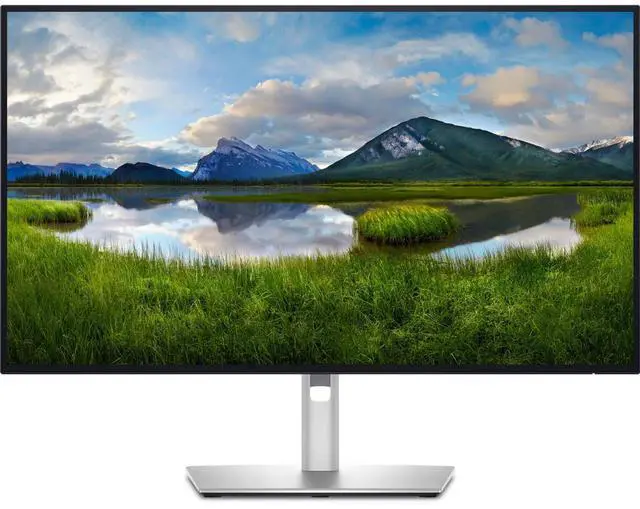
Best for: A sharp 27-inch 4K display with modern docking.
- Screen
- 27-inch, 3840 × 2160
- Refresh rate
- 120Hz
- Power delivery
- Up to 140W
- 4K resolution provides sharp text and detailed images.
- 120Hz refresh rate pairs detail with smooth motion.
- High-power Thunderbolt connectivity supports laptop docking.
- 27-inch screen offers less horizontal room than an ultrawide.
- A computer must support the preferred 4K refresh setup.
Is the Dell UltraSharp U2725QE worth buying on Black Friday 2026?
Yes. Dell UltraSharp U2725QE is a strong pick for buyers who want 27-inch 4K detail, a 120Hz refresh rate and Thunderbolt docking in one monitor. Check computer compatibility and port requirements before making it the center of a high-resolution setup.
See today’s Black Friday price on Amazon
Which is better, Dell UltraSharp U2724DE or Dell UltraSharp U3425WE?
Dell UltraSharp U2724DE is the better fit for a conventional desk, while Dell UltraSharp U3425WE is better for a wide workspace. Both offer 120Hz refresh rates, IPS Black panels and Thunderbolt 4, so the main difference is screen shape and usable area.
The 27-inch U2724DE has a 2560 × 1440 resolution in a familiar format that suits general office work, coding and laptop docking. The 34.1-inch U3425WE stretches that resolution to 3440 × 1440 across a 21:9 curved panel, making side-by-side windows and long timelines easier to arrange. My pick for most people is the U2724DE when desk space and straightforward setup come first; choose the U3425WE when width matters more.
Does the Dell UltraSharp U3425WE have a sharper picture than the U2724DE?
Dell UltraSharp U2724DE has more vertical pixels per inch than Dell UltraSharp U3425WE, while Dell UltraSharp U3425WE provides more horizontal workspace. The U2724DE's 2560 × 1440 resolution is packed into 27 inches; the U3425WE's 3440 × 1440 resolution spans 34.1 inches.
For ordinary text and office apps, both provide a useful QHD-class workspace. The ultrawide U3425WE fits more content across the screen, but the U2724DE's smaller panel gives text a denser appearance. Buyers prioritizing very fine detail should compare a 4K option such as Dell UltraSharp U2725QE or a 6K screen such as Dell UltraSharp U3224KB.
Which monitor is better for connecting a laptop?
Dell UltraSharp U2724DE and Dell UltraSharp U3425WE both suit laptop docking, with Thunderbolt 4 and up to 90W power delivery. A compatible laptop can use a single connection for display, data and charging, while the monitor hub connects desk accessories.
Check the laptop's charging requirements before buying: a system that needs more than 90W can require its own power adapter. The Dell UltraSharp U2724D is a simpler option without the U2724DE's Thunderbolt 4 feature set. Larger alternatives have different priorities: Dell UltraSharp U4025QW offers up to 140W power delivery, while Dell UltraSharp U3224KB combines Thunderbolt 4 with an integrated 4K webcam.
Is an ultrawide monitor worth choosing for work?
Dell UltraSharp U3425WE is worth choosing for work when a 34.1-inch 21:9 screen helps replace a two-window setup. Its 3440 × 1440 resolution provides room for documents, spreadsheets, timelines and reference material without splitting work across separate displays.
Ultrawide is not the right fit for every desk or task. A conventional 27-inch screen like the Dell UltraSharp U2724DE takes up less width and suits users who prefer a standard layout. Buyers who need still more workspace can compare Dell UltraSharp U3824DW and Dell UltraSharp U4025QW, while checking desk width, viewing distance and computer output support before choosing.
What should shoppers compare for Black Friday 2026?
For Black Friday 2026, compare Dell UltraSharp monitor specifications, included connections and fit for your desk before choosing by promotion alone. The U2724DE and U3425WE both combine 120Hz panels with Thunderbolt 4, but their screen sizes serve different workflows.
Check the exact model name, resolution, refresh rate, power delivery and return terms on the retailer listing. Confirm the advertised monitor includes the ports and cables needed for the planned setup. Skip it if a large ultrawide would overwhelm the desk or if a laptop cannot drive the desired resolution and refresh rate. A good deal is the model that fits the use case, not simply the largest screen.
Buying Guide
Choose screen size around your desk
Dell UltraSharp U2724DE fits a standard 27-inch setup, while Dell UltraSharp U3425WE needs more horizontal desk space for its 34.1-inch curved screen. Measure the desk and viewing distance before choosing an ultrawide.
Match resolution to the work
Dell UltraSharp U2724DE and Dell UltraSharp U3425WE both target QHD-class productivity, but Dell UltraSharp U2725QE offers 4K on a 27-inch panel and Dell UltraSharp U3224KB delivers 6K detail.
Check refresh rate and computer support
Dell UltraSharp U2724DE and Dell UltraSharp U3425WE run at 120Hz; Dell UltraSharp U3224KB runs at 60Hz. Confirm the computer, cable and connection support the selected monitor's resolution and refresh rate.
Confirm laptop charging needs
Dell UltraSharp U2724DE and Dell UltraSharp U3425WE provide up to 90W power delivery. Compare that figure with the laptop's charging requirements, and consider Dell UltraSharp U4025QW or Dell UltraSharp U2725QE for up to 140W.
Compare ports and complete setup costs
Dell UltraSharp U2724DE adds Thunderbolt 4 docking, while Dell UltraSharp U2724D is a simpler QHD alternative. Check Ethernet, USB ports, video outputs, cables, warranty details and retailer return terms before buying.
FAQ
Is the Dell UltraSharp U2724DE better than the Dell UltraSharp U3425WE?
Dell UltraSharp U2724DE is better for a compact 27-inch QHD desk, while Dell UltraSharp U3425WE is better for a 34.1-inch ultrawide layout. Both offer 120Hz refresh and Thunderbolt 4, so choose by desk space and workflow rather than refresh rate.
Is Dell UltraSharp U3425WE good for spreadsheets?
Yes. Dell UltraSharp U3425WE pairs a 34.1-inch 3440 × 1440 ultrawide screen with a 21:9 aspect ratio, giving spreadsheets room for more columns and side-by-side windows. Confirm that the curved screen fits your desk and preferred viewing distance.
Can Dell UltraSharp U2724DE charge a laptop?
Yes. Dell UltraSharp U2724DE supports up to 90W power delivery through its Thunderbolt 4 connection for compatible laptops. Check the laptop's power requirement and supported display output; higher-power systems can still need their own adapter.
What is the difference between Dell UltraSharp U2724DE and U2724D?
Dell UltraSharp U2724DE adds Thunderbolt 4 docking features to a 27-inch QHD, 120Hz IPS Black display. Dell UltraSharp U2724D keeps the same screen size, resolution and refresh rate, but is the simpler choice when full Thunderbolt 4 docking is not needed.
Which Dell UltraSharp monitor is best for 4K detail?
Dell UltraSharp U2725QE is the compact 4K pick, with a 27-inch 3840 × 2160 panel and 120Hz refresh rate. Dell UltraSharp U3224KB steps up to a 31.5-inch 6K display for buyers who prioritize extra detail and an integrated 4K webcam.