

As an Amazon Associate we earn from qualifying purchases.
- Best overall: Dell 27 4K UHD USB-C Monitor S2722QC
- Best budget: Dell 27 4K UHD Monitor S2721QS
- Best premium: Dell UltraSharp 32 6K Monitor U3224KB
- Best for a 27-inch premium USB-C workstation: Dell UltraSharp 27 4K USB-C Hub Monitor U2723QE
- Dell UltraSharp U3224KB is the premium choice, with a 31.5-inch 6K display, Thunderbolt 4 connectivity and an integrated webcam.
- Dell S2722QC is the simpler value pick, pairing a 27-inch 4K screen with USB-C charging and built-in speakers.
- Choose Dell UltraSharp U3224KB for high-resolution creative work and a desk-centered setup; choose Dell S2722QC for everyday 4K use.
- Dell UltraSharp U2723QE and Dell UltraSharp U3223QE offer useful middle-ground options with 4K resolution and USB-C hub features.
- Compare display size, resolution, USB-C power delivery and desk space before choosing a Black Friday 2026 monitor.
Dell UltraSharp U3224KB is the stronger premium monitor, while Dell S2722QC is the more practical pick for a straightforward 4K desk setup. The 31.5-inch Dell UltraSharp U3224KB has a 6K panel and Thunderbolt 4, while the 27-inch Dell S2722QC delivers 4K resolution, USB-C connectivity and integrated speakers. The right choice depends on workspace, computer connections and the detail your work demands.
For this Black Friday 2026 buying guide, I researched and compared specs, reviews and owner feedback across Dell displays that compete for home offices, creative work and everyday productivity. My pick for most people is Dell S2722QC when a crisp 4K screen and uncomplicated setup matter most. Dell UltraSharp U3224KB earns its place for users who need a larger, higher-resolution workspace and advanced conferencing features. The alternatives below help pinpoint a fit across different budgets and priorities without treating one monitor as best for every desk.
How We Picked
- Resolution and screen size: we compared the pixel count and usable workspace each monitor offers.
- Connections and charging: we looked at USB-C, Thunderbolt, power delivery, ports and hub functions.
- Productivity features: we considered webcams, speakers, refresh rates and ergonomic adjustments.
- Use-case fit: we matched each display to office tasks, creative workflows, multitasking and casual entertainment.
- Ownership context: we researched and compared specs, reviews and owner feedback to identify practical strengths and limitations.
Comparison Table
| Product | Best for | Resolution | Refresh rate | USB-C power delivery |
|---|---|---|---|---|
| Dell UltraSharp 32 6K Monitor U3224KB | Premium creative work | 6144 × 3456 (6K) | 60 Hz | Thunderbolt 4 |
| Dell 27 4K UHD USB-C Monitor S2722QC | Everyday 4K laptop setup | 3840 × 2160 (4K) | 60 Hz | 65 W |
| Dell UltraSharp 27 4K USB-C Hub Monitor U2723QE | Compact premium workstation | 3840 × 2160 (4K) | 60 Hz | Up to 90 W |
| Dell UltraSharp 32 4K USB-C Hub Monitor U3223QE | Large-screen 4K productivity | 3840 × 2160 (4K) | 60 Hz | Up to 90 W |
| Dell UltraSharp 27 USB-C Hub Monitor U2724DE | Smoother QHD office work | 2560 × 1440 (QHD) | 120 Hz | Up to 90 W |
| Dell 27 4K UHD Monitor S2721QS | Basic 27-inch 4K setup | 3840 × 2160 (4K) | 60 Hz | No USB-C charging |
| Dell 32 Curved 4K UHD Monitor S3221QS | Curved 4K viewing | 3840 × 2160 (4K) | 60 Hz | No USB-C charging |
Best Picks Reviewed
#1
Dell UltraSharp 32 6K Monitor U3224KB
The Dell UltraSharp 32 6K Monitor U3224KB is the best premium monitor for detailed creative work and demanding desk setups, with a 31.5-inch 6K display. The Dell UltraSharp 32 6K Monitor U3224KB's Thunderbolt 4 connectivity and integrated 4K webcam make it a highly capable all-in-one workstation display.

Best for: Premium creative desks and video calls
- Screen size
- 31.5 inches
- Resolution
- 6144 × 3456 (6K)
- Refresh rate
- 60 Hz
- Connectivity
- Thunderbolt 4
- Large 6K workspace supports detailed images and dense multitasking.
- Integrated 4K webcam supports high-quality video meetings.
- Thunderbolt 4 simplifies a compatible workstation connection.
- Premium features and large footprint exceed many basic office needs.
- A computer must support the display’s high-resolution output for full benefit.
Is the Dell UltraSharp 32 6K Monitor U3224KB worth buying on Black Friday 2026?
The Dell UltraSharp 32 6K Monitor U3224KB is worth considering for professionals who need a 31.5-inch 6K workspace, Thunderbolt 4 and an integrated 4K webcam. Choose a simpler 4K display if those premium features do not match your daily work.
See today’s Black Friday price on Amazon
#2 · Top pick
Dell 27 4K UHD USB-C Monitor S2722QC
The Dell 27 4K UHD USB-C Monitor S2722QC is the best 4K monitor for everyday home-office use, with a 27-inch 3840 × 2160 panel. USB-C connectivity, 65 W power delivery and built-in speakers make it a tidy, practical workstation choice.
Best for: Everyday 4K work and simple laptop docking
- Screen size
- 27 inches
- Resolution
- 3840 × 2160 (4K)
- Refresh rate
- 60 Hz
- USB-C power delivery
- 65 W
- 4K resolution keeps text and images sharp for daily work.
- USB-C carries video and power to compatible laptops.
- Integrated speakers handle basic audio without extra desk hardware.
- A 27-inch screen offers less workspace than the 31.5-inch U3224KB.
- The 60 Hz refresh rate is aimed at productivity rather than high-refresh gaming.
Is the Dell 27 4K UHD USB-C Monitor S2722QC worth buying on Black Friday 2026?
The Dell 27 4K UHD USB-C Monitor S2722QC is worth buying for a practical 4K desk setup with USB-C laptop charging. The Dell 27 4K UHD USB-C Monitor S2722QC's 27-inch panel, 65 W power delivery and built-in speakers suit everyday work without requiring a premium 6K display.
See today’s Black Friday price on Amazon
#3
Dell UltraSharp 27 4K USB-C Hub Monitor U2723QE
The Dell UltraSharp 27 4K USB-C Hub Monitor U2723QE is the best compact premium hub monitor for productivity, with a 27-inch 4K IPS Black panel. USB-C power delivery up to 90 W and extensive hub connectivity make it well suited to laptop-first desks.
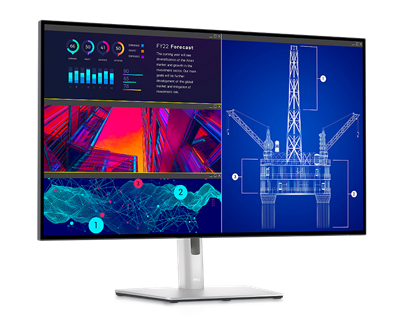
Best for: A 27-inch premium USB-C workstation
- Screen size
- 27 inches
- Resolution
- 3840 × 2160 (4K)
- Refresh rate
- 60 Hz
- USB-C power delivery
- Up to 90 W
- IPS Black technology supports deeper contrast than standard IPS.
- USB-C power delivery handles many laptop charging needs.
- Hub ports help reduce separate desk accessories.
- The 60 Hz panel is not designed for high-refresh gaming.
- The Dell UltraSharp 27 4K USB-C Hub Monitor U2723QE's premium hub focus is unnecessary for a basic single-cable setup.
Is the Dell UltraSharp 27 4K USB-C Hub Monitor U2723QE worth buying on Black Friday 2026?
The Dell UltraSharp 27 4K USB-C Hub Monitor U2723QE is worth considering for laptop users who want 4K, IPS Black contrast and up to 90 W USB-C charging. The Dell UltraSharp 27 4K USB-C Hub Monitor U2723QE's hub features and premium panel make more sense for a busy workstation than a basic display-only desk.
See today’s Black Friday price on Amazon
#4
Dell UltraSharp 32 4K USB-C Hub Monitor U3223QE
The Dell UltraSharp 32 4K USB-C Hub Monitor U3223QE is the best larger 4K productivity monitor for users who want a built-in connection hub, with a 31.5-inch IPS Black screen. USB-C power delivery up to 90 W supports a streamlined laptop workstation.
Best for: Large-screen 4K productivity
- Screen size
- 31.5 inches
- Resolution
- 3840 × 2160 (4K)
- Refresh rate
- 60 Hz
- USB-C power delivery
- Up to 90 W
- Large 4K screen gives room for side-by-side windows.
- IPS Black technology boosts contrast for an IPS display.
- USB-C hub and power delivery support cleaner laptop setups.
- The 31.5-inch footprint needs a suitably deep desk.
- A 60 Hz refresh rate prioritizes work over fast-action gaming.
Is the Dell UltraSharp 32 4K USB-C Hub Monitor U3223QE worth buying on Black Friday 2026?
The Dell UltraSharp 32 4K USB-C Hub Monitor U3223QE is worth considering when a 31.5-inch 4K workspace and USB-C hub matter more than 6K resolution. The Dell UltraSharp 32 4K USB-C Hub Monitor U3223QE's 90 W power delivery supports compatible laptops, while the large screen suits multitasking.
See today’s Black Friday price on Amazon
#5
Dell UltraSharp 27 USB-C Hub Monitor U2724DE
The Dell UltraSharp 27 USB-C Hub Monitor U2724DE is the best choice for a sharp, smoother-feeling productivity display, with a 27-inch QHD IPS Black panel and 120 Hz refresh rate. The Dell UltraSharp 27 USB-C Hub Monitor U2724DE's USB-C hub and up to 90 W power delivery make it a versatile desk monitor.
Best for: Smooth office scrolling and laptop docking
- Screen size
- 27 inches
- Resolution
- 2560 × 1440 (QHD)
- Refresh rate
- 120 Hz
- USB-C power delivery
- Up to 90 W
- 120 Hz refresh rate makes movement and scrolling smoother.
- IPS Black panel adds contrast for office and media use.
- USB-C hub combines laptop connectivity and charging.
- QHD resolution is lower than the 4K options in this guide.
- The premium hub features are excessive for basic display needs.
Is the Dell UltraSharp 27 USB-C Hub Monitor U2724DE worth buying on Black Friday 2026?
The Dell UltraSharp 27 USB-C Hub Monitor U2724DE is worth considering for users who value 120 Hz motion and USB-C laptop docking more than 4K resolution. The Dell UltraSharp 27 USB-C Hub Monitor U2724DE's 27-inch QHD IPS Black display offers a balanced productivity experience with useful hub features.
See today’s Black Friday price on Amazon
#6
Dell 27 4K UHD Monitor S2721QS
The Dell 27 4K UHD Monitor S2721QS is the best straightforward 4K monitor for users who do not need a USB-C hub, with a 27-inch 3840 × 2160 screen. The Dell 27 4K UHD Monitor S2721QS's simple feature set suits everyday documents, browsing and general entertainment.
Best for: A basic 27-inch 4K setup
- Screen size
- 27 inches
- Resolution
- 3840 × 2160 (4K)
- Refresh rate
- 60 Hz
- Aspect ratio
- 16:9
- 4K resolution provides crisp detail for work and media.
- Straightforward feature set suits a simple computer connection.
- Stand adjustments support a more comfortable desk position.
- No USB-C laptop charging or integrated hub.
- Fewer workstation features than Dell UltraSharp alternatives.
Is the Dell 27 4K UHD Monitor S2721QS worth buying on Black Friday 2026?
The Dell 27 4K UHD Monitor S2721QS is worth considering for a basic 27-inch 4K setup focused on documents, browsing and media. Choose the S2722QC instead when USB-C laptop charging and integrated speakers are important parts of your desk.
See today’s Black Friday price on Amazon
#7
Dell 32 Curved 4K UHD Monitor S3221QS
The Dell 32 Curved 4K UHD Monitor S3221QS is the best large curved 4K option for immersive desktop viewing, with a 31.5-inch 3840 × 2160 VA panel. The Dell 32 Curved 4K UHD Monitor S3221QS's 1800R curve and built-in speakers suit entertainment as well as everyday productivity.
Best for: Large curved-screen work and entertainment
- Screen size
- 31.5 inches
- Resolution
- 3840 × 2160 (4K)
- Refresh rate
- 60 Hz
- Screen curvature
- 1800R
- Large curved 4K screen suits immersive viewing.
- VA panel technology provides strong contrast.
- Built-in speakers cover basic audio needs.
- Curved shape is not ideal for every office task or preference.
- Lacks the USB-C docking features of the UltraSharp hub models.
Is the Dell 32 Curved 4K UHD Monitor S3221QS worth buying on Black Friday 2026?
The Dell 32 Curved 4K UHD Monitor S3221QS is worth considering for a large 31.5-inch 4K screen with an 1800R curve and built-in speakers. Pick a flat UltraSharp display instead when color-focused professional work or USB-C docking is the priority.
See today’s Black Friday price on Amazon
Dell UltraSharp U3224KB vs Dell S2722QC: which should you choose?
Dell UltraSharp 32 6K Monitor U3224KB suits creative work that benefits from a large, detailed screen, Thunderbolt 4 and an integrated 4K webcam. Dell 27 4K UHD USB-C Monitor S2722QC is a simpler everyday display with 4K resolution, USB-C charging up to 65 W and built-in speakers.
Choose the U3224KB for a high-resolution workstation and the S2722QC for documents, browsing and video calls. Both run at 60 Hz, so neither is designed for high-refresh gaming.
Is the Dell UltraSharp U3224KB better for creative work?
Dell UltraSharp 32 6K Monitor U3224KB has a 31.5-inch screen with 6144 × 3456 resolution, offering more workspace and detail than the 27-inch 4K Dell 27 4K UHD USB-C Monitor S2722QC. Thunderbolt 4 and the integrated 4K webcam add workstation features.
The S2722QC remains suitable for everyday office work, media and general photo sorting. Check each display’s panel and color specifications against the needs of specialist creative workflows, and confirm the computer supports the required resolution.
Which Dell monitor has better laptop connectivity?
Dell UltraSharp 27 4K USB-C Hub Monitor U2723QE and Dell UltraSharp 32 4K USB-C Hub Monitor U3223QE provide up to 90 W USB-C power delivery. Dell 27 4K UHD USB-C Monitor S2722QC provides 65 W, while Dell UltraSharp 32 6K Monitor U3224KB uses Thunderbolt 4.
The S2722QC handles video and charging for compatible laptops, with speakers built in. For more laptop power or peripheral connections, compare the UltraSharp hub models and confirm the computer supports their USB-C or Thunderbolt features. Dell UltraSharp 27 USB-C Hub Monitor U2724DE adds 120 Hz QHD, while Dell 27 4K UHD Monitor S2721QS and Dell 32 Curved 4K UHD Monitor S3221QS connect through other video ports without USB-C charging.
Which Dell monitor is best for gaming and entertainment?
Dell UltraSharp 27 USB-C Hub Monitor U2724DE is the only model here with a 120 Hz refresh rate; the other listed displays run at 60 Hz. Its QHD screen suits smoother desktop motion and casual gaming when the computer supports it.
Dell 32 Curved 4K UHD Monitor S3221QS has a 31.5-inch 4K VA panel, an 1800R curve and built-in speakers for entertainment. Dell UltraSharp 32 6K Monitor U3224KB and Dell 27 4K UHD USB-C Monitor S2722QC focus on resolution and productivity. Check the computer’s graphics output and supported connections before choosing for gaming.
What should you prioritize for Black Friday 2026?
Start with the features you need: Dell 27 4K UHD USB-C Monitor S2722QC for everyday 4K and 65 W charging, a Dell UltraSharp hub model for workstation connectivity, or Dell UltraSharp 32 6K Monitor U3224KB for 6K and Thunderbolt 4.
Measure desk space and viewing distance, then confirm the computer supports the monitor’s resolution, charging and connections. Compare models by the features that fit your routine.
Buying Guide
Choose resolution and screen size
Dell 27 4K UHD USB-C Monitor S2722QC offers 4K detail in a 27-inch footprint. Dell UltraSharp 32 6K Monitor U3224KB provides a larger, higher-resolution workspace.
Check USB-C power needs
Match laptop charging needs to monitor power delivery. Dell 27 4K UHD USB-C Monitor S2722QC supplies 65 W; Dell UltraSharp 27 4K USB-C Hub Monitor U2723QE and Dell UltraSharp 32 4K USB-C Hub Monitor U3223QE support up to 90 W.
Account for ports and accessories
Choose a hub monitor when you need to connect peripherals or simplify laptop docking. A simpler display works when the computer and existing accessories cover your connection needs.
Decide whether refresh rate matters
Most models run at 60 Hz. Dell UltraSharp 27 USB-C Hub Monitor U2724DE offers 120 Hz; check that the computer supports the resolution and refresh rate.
Fit the monitor to the room and routine
Measure desk depth, screen width and viewing distance. Compare built-in speakers, webcam features and stand adjustments with your workspace needs.
FAQ
Dell UltraSharp U3224KB vs Dell S2722QC: which is better?
Dell UltraSharp 32 6K Monitor U3224KB is better for premium creative work, a larger 6K canvas and Thunderbolt 4. Dell 27 4K UHD USB-C Monitor S2722QC is the practical choice for everyday 4K productivity, 65 W USB-C charging and integrated speakers.
Is Dell S2722QC a good monitor for a laptop?
Dell 27 4K UHD USB-C Monitor S2722QC is a good fit for compatible laptops that support video and charging over USB-C. Its 65 W power delivery and built-in speakers help simplify a home-office setup; check the laptop’s charging requirement and USB-C display support.
Is Dell U3224KB worth buying for 6K?
Dell UltraSharp 32 6K Monitor U3224KB is worth considering when a 31.5-inch 6144 × 3456 workspace, Thunderbolt 4 and an integrated 4K webcam support your work. For routine office tasks, a 27-inch 4K display offers a more straightforward feature match.
Which Dell monitor is best for USB-C docking?
Dell UltraSharp 27 4K USB-C Hub Monitor U2723QE and Dell UltraSharp 32 4K USB-C Hub Monitor U3223QE provide up to 90 W USB-C power delivery and hub features. Dell 27 4K UHD USB-C Monitor S2722QC is a simpler option with 65 W charging.
Which Dell monitor is best for Black Friday 2026?
Dell 27 4K UHD USB-C Monitor S2722QC is the best general pick for a practical 4K home-office monitor with USB-C charging. Dell UltraSharp 32 6K Monitor U3224KB is the premium alternative for users who need 6K resolution and Thunderbolt 4.
Is a 60 Hz Dell monitor enough for office work?
A 60 Hz Dell monitor is suitable for documents, browsing, video calls and most everyday office tasks. Users who prioritize smoother movement can consider Dell UltraSharp 27 USB-C Hub Monitor U2724DE, which pairs a QHD panel with a 120 Hz refresh rate.