

As an Amazon Associate we earn from qualifying purchases.
- Best overall: Dell S2725QS 27-inch 4K Monitor
- Best budget: Dell S2722QC 27-inch 4K USB-C Monitor
- Best premium: Dell UltraSharp U4025QW 40-inch Curved Thunderbolt Hub Monitor
- Best for laptop docking: Dell UltraSharp U2724DE 27-inch QHD Thunderbolt Hub Monitor
- The Dell UltraSharp U4025QW is the premium pick for an expansive 40-inch curved workspace, 5K2K resolution and a 120Hz refresh rate.
- Dell’s 27-inch monitors offer more compact choices for office work, 4K detail, gaming and everyday use.
- Choose a monitor by matching screen size, resolution, refresh rate and connectivity to your desk and devices.
- Check ports and charging wattage before buying if you want one USB-C cable to connect and power a laptop.
The Dell UltraSharp U4025QW and Dell’s 27-inch monitor lineup serve different needs: the 40-inch U4025QW delivers a wide, curved 5K2K workspace, while 27-inch models save desk space and include options for sharper 4K detail or smoother 120Hz motion. For Black Friday 2026, the right pick depends on whether you value screen area, resolution, connectivity or a smaller footprint most.
We researched and compared specs, reviews and owner feedback across seven Dell monitors to make the choice easier. My pick for most people depends on the job: a 27-inch 4K screen suits mixed productivity and media, while the U4025QW is the standout for multitasking across a single ultrawide panel. Use the quick picks, comparison table and buying advice below to narrow the field.
How We Picked
- Compared resolution, panel size, refresh rate and aspect ratio to show how each screen fits work, gaming and entertainment.
- Reviewed connection options, including USB-C, Thunderbolt, DisplayPort, HDMI and integrated USB hubs.
- Considered ergonomics and screen design, including curved panels, stands, height adjustment and workspace footprint.
- Used published specifications, reviews and owner feedback to distinguish everyday value from premium features.
- Selected products across several 27-inch use cases alongside two larger UltraSharp options for buyers comparing screen size.
Comparison Table
| Product | Best for | Resolution | Refresh rate | USB-C power |
|---|---|---|---|---|
| Dell UltraSharp U4025QW 40-inch Curved Thunderbolt Hub Monitor | Premium ultrawide productivity | 5120 x 2160 | 120Hz | Up to 140W |
| Dell UltraSharp U2724D 27-inch QHD Monitor | Smooth office work | 2560 x 1440 | 120Hz | Not applicable |
| Dell UltraSharp U2724DE 27-inch QHD Thunderbolt Hub Monitor | Laptop docking | 2560 x 1440 | 120Hz | Up to 90W |
| Dell S2722QC 27-inch 4K USB-C Monitor | Everyday 4K | 3840 x 2160 | 60Hz | Up to 65W |
| Dell S2725QS 27-inch 4K Monitor | 4K all-round use | 3840 x 2160 | 120Hz | Not applicable |
| Dell UltraSharp U2723QE 27-inch 4K USB-C Hub Monitor | 4K office docking | 3840 x 2160 | 60Hz | Up to 90W |
| Dell UltraSharp U3225QE 31.5-inch 4K Thunderbolt Hub Monitor | Large 4K workstation | 3840 x 2160 | 120Hz | Up to 140W |
Best Picks Reviewed
#1
Dell UltraSharp U4025QW 40-inch Curved Thunderbolt Hub Monitor
The Dell UltraSharp U4025QW 40-inch Curved Thunderbolt Hub Monitor is the best premium ultrawide for professionals who want one expansive desktop, with a 5120 x 2160 resolution and 120Hz refresh rate.

Best for: Premium ultrawide productivity and multitasking
- Screen size
- 40 inches
- Resolution
- 5120 x 2160
- Refresh rate
- 120Hz
- Curvature
- 2500R
- Wide 21:9 workspace helps keep multiple windows visible.
- Thunderbolt 4 connectivity supports a streamlined desk setup.
- 120Hz refresh rate delivers smoother motion than standard 60Hz displays.
- Large curved panel needs substantial desk space.
Is the Dell UltraSharp U4025QW worth buying on Black Friday 2026?
The Dell UltraSharp U4025QW is worth considering for buyers who need a large, high-resolution workspace and Thunderbolt 4 connectivity. The Dell UltraSharp U4025QW 40-inch Curved Thunderbolt Hub Monitor's 40-inch curved screen, 5120 x 2160 resolution and 120Hz refresh rate make it a premium productivity display.
See today’s Black Friday price on Amazon
#2
Dell UltraSharp U2724D 27-inch QHD Monitor
The Dell UltraSharp U2724D 27-inch QHD Monitor is the best 27-inch choice for office users who prioritize smooth motion and contrast, with a 120Hz refresh rate and IPS Black panel.
Best for: Office work with smooth scrolling
- Screen size
- 27 inches
- Resolution
- 2560 x 1440
- Refresh rate
- 120Hz
- Panel
- IPS Black
- QHD resolution offers more workspace than Full HD.
- 120Hz refresh rate improves scrolling and cursor movement.
- Ergonomic stand supports an adjustable desk setup.
- Does not provide the 4K detail of Ultra HD alternatives.
Is the Dell UltraSharp U2724D worth buying on Black Friday 2026?
The Dell UltraSharp U2724D is worth buying for office users who want a sharp 27-inch QHD screen with smoother motion. The Dell UltraSharp U2724D 27-inch QHD Monitor's IPS Black panel and 120Hz refresh rate distinguish it from basic 60Hz productivity displays.
See today’s Black Friday price on Amazon
#3
Dell UltraSharp U2724DE 27-inch QHD Thunderbolt Hub Monitor
The Dell UltraSharp U2724DE 27-inch QHD Thunderbolt Hub Monitor is the best 27-inch desk hub for laptop users who need a single-cable workflow, with a 120Hz panel and Thunderbolt 4 connectivity.
Best for: Laptop docking and a tidy desk
- Screen size
- 27 inches
- Resolution
- 2560 x 1440
- Refresh rate
- 120Hz
- Power delivery
- Up to 90W
- Thunderbolt 4 provides a capable laptop connection.
- Integrated hub reduces the need for separate desk accessories.
- QHD resolution and 120Hz suit work and everyday media.
- QHD resolution is less detailed than a 27-inch 4K screen.
Is the Dell UltraSharp U2724DE worth buying on Black Friday 2026?
The Dell UltraSharp U2724DE is worth buying for laptop owners who want a capable monitor and desk hub in one. Thunderbolt 4, up to 90W power delivery and a 120Hz QHD panel make it a practical one-cable workstation choice.
See today’s Black Friday price on Amazon
#4
Dell S2722QC 27-inch 4K USB-C Monitor
The Dell S2722QC 27-inch 4K USB-C Monitor is the best straightforward 4K pick for home users who want a compact high-resolution screen, with 3840 x 2160 resolution and USB-C charging.
Best for: Everyday 4K work and entertainment
- Screen size
- 27 inches
- Resolution
- 3840 x 2160
- Refresh rate
- 60Hz
- USB-C power
- Up to 65W
- 4K resolution makes text and images look detailed.
- USB-C connects and charges compatible laptops.
- 27-inch size fits many home desks.
- 60Hz refresh rate is less smooth than 120Hz options.
Is the Dell S2722QC worth buying on Black Friday 2026?
The Dell S2722QC is worth buying for home users who want 4K clarity and a simple USB-C laptop connection. The Dell S2722QC 27-inch 4K USB-C Monitor's 27-inch screen and up to 65W power delivery suit everyday work, streaming and general desktop use.
See today’s Black Friday price on Amazon
#5 · Top pick
Dell S2725QS 27-inch 4K Monitor
The Dell S2725QS 27-inch 4K Monitor is the best 27-inch all-rounder for buyers who want crisp detail and smoother motion, with 3840 x 2160 resolution and a 120Hz refresh rate.
Best for: 4K productivity and casual gaming
- Screen size
- 27 inches
- Resolution
- 3840 x 2160
- Refresh rate
- 120Hz
- Panel
- IPS
- 4K resolution supports detailed images and text.
- 120Hz refresh rate is well suited to smooth desktop motion.
- IPS panel supports broad viewing angles.
- Does not include the Thunderbolt hub features of UltraSharp models.
Is the Dell S2725QS worth buying on Black Friday 2026?
The Dell S2725QS is worth buying for people who want a 27-inch 4K screen with a faster 120Hz refresh rate. The combination suits productive desk work, media and casual gaming without moving to an ultrawide display.
See today’s Black Friday price on Amazon
#6
Dell UltraSharp U2723QE 27-inch 4K USB-C Hub Monitor
The Dell UltraSharp U2723QE 27-inch 4K USB-C Hub Monitor is the best 4K office hub for professionals who need detailed visuals and laptop connectivity, with a 3840 x 2160 IPS Black panel.
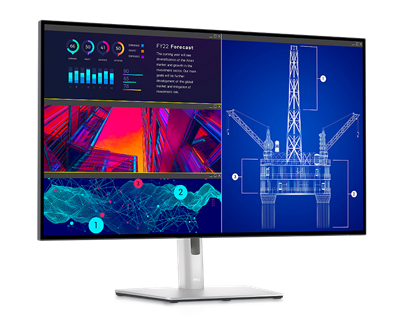
Best for: 4K office work and USB-C docking
- Screen size
- 27 inches
- Resolution
- 3840 x 2160
- Refresh rate
- 60Hz
- USB-C power
- Up to 90W
- 4K IPS Black display supports detailed work.
- USB-C power delivery helps reduce cable clutter.
- Integrated hub and Ethernet support a workstation setup.
- 60Hz refresh rate is less fluid than newer 120Hz models.
Is the Dell UltraSharp U2723QE worth buying on Black Friday 2026?
The Dell UltraSharp U2723QE is worth buying for professionals who want 4K detail, USB-C laptop charging and a built-in hub. The Dell UltraSharp U2723QE 27-inch 4K USB-C Hub Monitor's 27-inch IPS Black panel and up to 90W power delivery make it a focused office monitor.
See today’s Black Friday price on Amazon
#7
Dell UltraSharp U3225QE 31.5-inch 4K Thunderbolt Hub Monitor
The Dell UltraSharp U3225QE 31.5-inch 4K Thunderbolt Hub Monitor is the best large-format 4K upgrade for professionals who want extra screen area and fast connectivity, with a 120Hz refresh rate.
Best for: Large 4K workspace with Thunderbolt
- Screen size
- 31.5 inches
- Resolution
- 3840 x 2160
- Refresh rate
- 120Hz
- USB-C power
- Up to 140W
- Larger 4K display suits detailed multitasking.
- 120Hz refresh rate supports smooth movement.
- Thunderbolt hub features simplify laptop connections.
- Requires more desk space than a 27-inch monitor.
Is the Dell UltraSharp U3225QE worth buying on Black Friday 2026?
The Dell UltraSharp U3225QE is worth buying for professionals seeking a large 4K screen, fast refresh and Thunderbolt connectivity. The Dell UltraSharp U3225QE 31.5-inch 4K Thunderbolt Hub Monitor's 31.5-inch panel, 120Hz refresh rate and up to 140W USB-C power delivery support a substantial workstation.
See today’s Black Friday price on Amazon
How does the Dell UltraSharp U4025QW compare with Dell 27-inch monitors?
The Dell UltraSharp U4025QW 40-inch Curved Thunderbolt Hub Monitor offers 5120 x 2160 resolution and 120Hz motion, while Dell 27-inch monitors prioritize a smaller footprint and a range of resolutions. The U4025QW’s 21:9 screen gives multiple open windows room to sit side by side, making it a strong choice for wide spreadsheets, timelines and multitasking.
Dell’s 27-inch range includes QHD models such as the Dell UltraSharp U2724D and 4K options such as the Dell S2725QS. A 27-inch monitor fits more desks and often costs less to run as part of a smaller setup, while 4K can offer sharper detail at that size. Skip it if your desk cannot accommodate an ultrawide panel or you prefer a traditional screen shape.
Which Dell monitor is best for work and multitasking?
The Dell UltraSharp U4025QW 40-inch Curved Thunderbolt Hub Monitor is the strongest single-screen multitasking option, with a 40-inch panel and 5120 x 2160 resolution. Its broad canvas helps users keep several work windows visible without placing two monitors side by side.
A Dell UltraSharp U2724DE 27-inch QHD Thunderbolt Hub Monitor is a better fit for a smaller laptop workstation. Thunderbolt 4 and up to 90W power delivery help consolidate connections, while the 120Hz refresh rate keeps everyday scrolling fluid. Buyers who need 4K detail in a more traditional footprint should compare the Dell UltraSharp U2723QE 27-inch 4K USB-C Hub Monitor. Pick according to desk space, laptop ports and whether sharper resolution or a larger working area matters more.
Is a 27-inch 4K Dell monitor a better value than an ultrawide?
The Dell S2725QS 27-inch 4K Monitor is a practical choice for buyers who want 3840 x 2160 detail and a 120Hz refresh rate in a standard-size display. A 27-inch screen suits typical desks and delivers a clear image for documents, media and general work.
The Dell UltraSharp U4025QW 40-inch Curved Thunderbolt Hub Monitor justifies its larger footprint for people who use broad timelines, long spreadsheets or multiple windows at once. The best value is the display that matches the work, rather than the one with the largest screen. Compare resolution and refresh rate alongside USB-C power, hub features and the space available on the desk before choosing.
Which Dell monitor has the best connectivity for a laptop?
The Dell UltraSharp U2724DE 27-inch QHD Thunderbolt Hub Monitor is the clearest 27-inch choice for laptop docking, with Thunderbolt 4 and up to 90W power delivery. A compatible laptop can connect through a streamlined cable setup while the display’s hub supports other desk devices.
The Dell UltraSharp U4025QW 40-inch Curved Thunderbolt Hub Monitor and Dell UltraSharp U3225QE 31.5-inch 4K Thunderbolt Hub Monitor also serve buyers who want a high-end connected workstation. Check the exact laptop port and power requirements before purchase, since USB-C and Thunderbolt capabilities vary by computer. Buyers who only need basic video connections can favor simpler models such as the Dell S2725QS 27-inch 4K Monitor.
What should buyers prioritize during Black Friday 2026?
Black Friday 2026 monitor shoppers should prioritize screen size, resolution and refresh rate before comparing connectivity and ergonomic features. A 40-inch ultrawide suits broad working space, while a 27-inch 4K monitor brings sharper detail to a standard desk footprint.
For office work, consider a stand with height adjustment, clear text and enough ports for your setup. For a laptop desk, check USB-C or Thunderbolt support and the monitor’s power delivery rating. For smoother gaming or scrolling, compare refresh rates such as 60Hz and 120Hz. Verify the full model name and specifications on the product listing so the monitor’s ports and panel match the intended use.
Buying Guide
Choose screen size for your desk
A 40-inch curved monitor needs more width and depth than a 27-inch display. Measure available space and viewing distance before choosing the Dell UltraSharp U4025QW. A 27-inch screen is a simpler fit for smaller desks and standard monitor arms.
Match resolution to screen size
A 27-inch 4K monitor such as the Dell S2725QS offers detailed text and images. QHD provides a more affordable resolution tier for everyday work. The Dell UltraSharp U4025QW’s 5120 x 2160 resolution supports its expansive 40-inch panel.
Check refresh rate and intended use
A 120Hz display gives smoother motion for scrolling, gaming and moving windows. A 60Hz panel remains suitable for routine office work and video. Compare refresh rate alongside resolution rather than treating one specification as the only deciding factor.
Confirm laptop ports and charging
USB-C and Thunderbolt monitors can reduce cable clutter, but charging wattage and device compatibility matter. Check whether the monitor’s power delivery meets your laptop’s needs and whether the display includes the hub ports your desk requires.
Compare features, not just screen area
Review stand adjustments, built-in speakers, Ethernet and USB ports before choosing. A 27-inch hub monitor can suit a tidy laptop setup better than a larger screen with fewer useful connections. Confirm the exact model variant on the listing.
FAQ
Dell UltraSharp U4025QW vs Dell 27 monitor: which should I buy?
The Dell UltraSharp U4025QW suits buyers who want an expansive 40-inch curved workspace and 5120 x 2160 resolution. A Dell 27-inch monitor suits a smaller desk, with 4K and QHD options that balance clarity, refresh rate and space.
Is the Dell UltraSharp U4025QW good for office work?
The Dell UltraSharp U4025QW is a strong office monitor for people who keep several windows open or work with wide spreadsheets and timelines. Its 40-inch curved 5120 x 2160 panel offers a broad workspace, and its 120Hz refresh rate supports smooth motion.
Which Dell 27-inch monitor has 4K resolution and 120Hz?
The Dell S2725QS 27-inch 4K Monitor combines 3840 x 2160 resolution with a 120Hz refresh rate. The combination suits buyers who want detailed visuals and smoother motion in a conventional 27-inch format rather than an ultrawide display.
Which Dell monitor is best for connecting a laptop?
The Dell UltraSharp U2724DE 27-inch QHD Thunderbolt Hub Monitor is a strong laptop-docking choice, with Thunderbolt 4 and up to 90W power delivery. Check the computer’s ports and charging needs to confirm compatibility before buying.
Is a 27-inch Dell 4K monitor worth buying for work?
A Dell 27-inch 4K monitor is worth considering for work that benefits from detailed text, images and a compact screen. The Dell S2725QS offers 120Hz motion, while the Dell UltraSharp U2723QE adds USB-C hub features for a connected office setup.
What is the difference between Dell U2724D and U2724DE?
The Dell UltraSharp U2724D 27-inch QHD Monitor is a 120Hz office display, while the Dell UltraSharp U2724DE 27-inch QHD Thunderbolt Hub Monitor adds Thunderbolt 4 connectivity and up to 90W power delivery. Choose the DE for laptop docking features.