

As an Amazon Associate we earn from qualifying purchases.
- Best overall: ASUS ROG Strix Scope II 96 Wireless Gaming Keyboard with ROG NX Snow Linear Switches
- Best budget: HyperX Alloy Origins Core Mechanical Gaming Keyboard with HyperX Red Switches
- Best premium: ASUS ROG Azoth Gaming Keyboard with ROG NX Red Switches
- Best for travel: ASUS ROG Falchion RX Low Profile Gaming Keyboard with ROG RX Red Low-Profile Switches
- HyperX Alloy Origins Core is a focused wired TKL pick with 87 keys.
- ASUS ROG Strix Scope II 96 Wireless pairs a near-full-size layout with three connection modes.
- ASUS ROG Azoth is the premium enthusiast option, with a 75-percent layout and OLED display.
- ASUS ROG Falchion RX Low Profile suits compact setups that need wireless flexibility.
- Choose HyperX for straightforward wired value or ASUS ROG for more wireless and enthusiast features.
HyperX Alloy and ASUS ROG offer seven standout gaming keyboards for Black Friday 2026, from compact wired boards to feature-rich wireless models. I researched and compared specs, reviews and owner feedback to make this guide useful whether you play on PC, move between devices, or need more desk space.
Here's the bottom line: HyperX Alloy models focus on direct gaming essentials, while ASUS ROG brings broader wireless choices and enthusiast features. The best pick depends on your layout, switch preference and connection needs—not just the logo. Use the quick picks, comparison table and model-by-model answers below to find the right keyboard.
How We Picked
- Compared layouts, key counts and desk footprint for different gaming setups.
- Reviewed connection options, including wired, Bluetooth and 2.4GHz wireless.
- Checked switch types, hot-swap support and stated actuation details.
- Considered useful extras such as OLED displays, media controls and adjustable feet.
- Prioritized models with distinct strengths and clear use cases for Black Friday shoppers.
Comparison Table
| Product | Best for | Layout | Connection | Standout feature |
|---|---|---|---|---|
| HyperX Alloy Origins Core Mechanical Gaming Keyboard with HyperX Red Switches | Wired TKL gaming | 87-key TKL | USB-C wired | 3 adjustable feet angles |
| HyperX Alloy Origins 60 Mechanical Gaming Keyboard with HyperX Red Switches | Compact wired setups | 61-key | USB-C wired | 3 onboard profiles |
| HyperX Alloy Rise 75 Mechanical Gaming Keyboard | Hot-swap customization | 75-percent | Wired USB | Up to 8,000Hz polling |
| ASUS ROG Strix Scope II 96 Wireless Gaming Keyboard with ROG NX Snow Linear Switches | Wireless full-featured gaming | 96-percent | USB, Bluetooth, 2.4GHz | Multifunction wheel |
| ASUS ROG Azoth Gaming Keyboard with ROG NX Red Switches | Premium enthusiast setups | 75-percent | USB, Bluetooth, 2.4GHz | 2-inch OLED |
| ASUS ROG Falchion RX Low Profile Gaming Keyboard with ROG RX Red Low-Profile Switches | Travel and low-profile gaming | 65-percent | USB, Bluetooth, 2.4GHz | 1.0mm actuation |
| ASUS ROG Strix Scope RX TKL Wireless Deluxe Gaming Keyboard with ROG RX Red Optical Switches | Wireless TKL gaming | 80-percent TKL | USB, Bluetooth, 2.4GHz | Optical switches |
Best Picks Reviewed
#1
HyperX Alloy Origins Core Mechanical Gaming Keyboard with HyperX Red Switches
The HyperX Alloy Origins Core Mechanical Gaming Keyboard with HyperX Red Switches is the best wired TKL keyboard for players who want 87 keys and a compact footprint. The HyperX Alloy Origins Core Mechanical Gaming Keyboard with HyperX Red Switches's linear switches keep keystrokes smooth and direct.
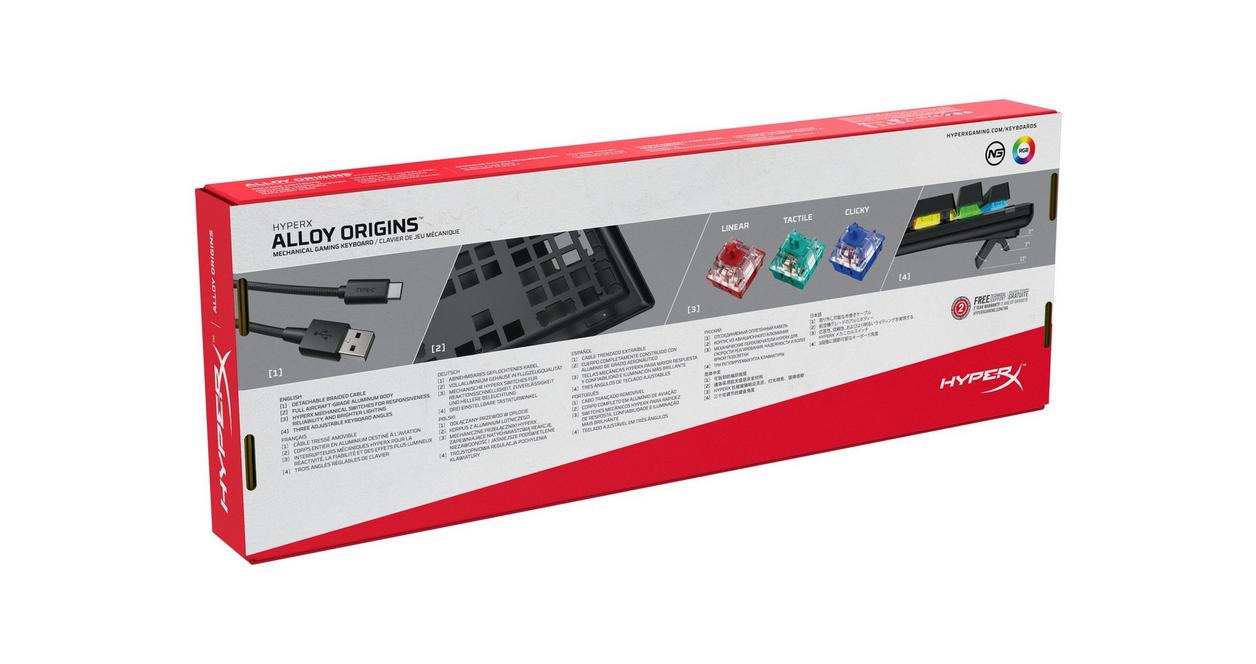
Best for: Wired TKL gaming
- Layout
- 87-key TKL
- Switch
- HyperX Red linear
- Connection
- Detachable USB-C cable
- Adjustable feet
- 3 angles
- Compact tenkeyless design
- Aluminum body
- Onboard profiles and RGB lighting
- Wired connection only
Is the HyperX Alloy Origins Core Mechanical Gaming Keyboard with HyperX Red Switches worth buying on Black Friday 2026?
Yes. The HyperX Alloy Origins Core Mechanical Gaming Keyboard with HyperX Red Switches is a strong pick for players who want a sturdy wired TKL board, smooth linear switches and a detachable USB-C connection without wireless features.
See today’s Black Friday price on Amazon
#2
HyperX Alloy Origins 60 Mechanical Gaming Keyboard with HyperX Red Switches
The HyperX Alloy Origins 60 Mechanical Gaming Keyboard with HyperX Red Switches is the best compact wired keyboard for players who want a 61-key layout. The HyperX Alloy Origins 60 Mechanical Gaming Keyboard with HyperX Red Switches's small footprint leaves more room for broad mouse movement.

Best for: Compact wired setups
- Layout
- 61-key
- Switch
- HyperX Red linear
- Connection
- Detachable USB-C cable
- Feet
- 3 angle settings
- Very small desk footprint
- Smooth linear switches
- Three onboard profile slots
- Arrow and function keys need secondary input layers
Is the HyperX Alloy Origins 60 Mechanical Gaming Keyboard with HyperX Red Switches worth buying on Black Friday 2026?
Yes. The HyperX Alloy Origins 60 Mechanical Gaming Keyboard with HyperX Red Switches is worth considering for compact PC setups and players who value mouse space. The HyperX Alloy Origins 60 Mechanical Gaming Keyboard with HyperX Red Switches's 61-key layout takes adjustment if you regularly use dedicated arrow or function keys.
See today’s Black Friday price on Amazon
#3
HyperX Alloy Rise 75 Mechanical Gaming Keyboard
The HyperX Alloy Rise 75 Mechanical Gaming Keyboard is the best wired hot-swap pick for players who want a 75-percent layout. The HyperX Alloy Rise 75 Mechanical Gaming Keyboard's 8,000Hz polling rate gives competitive-minded PC gamers a headline feature.
Best for: Hot-swap customization
- Layout
- 75-percent
- Polling rate
- Up to 8,000Hz
- Switch sockets
- Hot-swappable
- Connection
- Wired USB
- Hot-swap support makes switch changes easier
- Compact layout retains arrow keys
- Customizable top plate
- No wireless connection
Is the HyperX Alloy Rise 75 Mechanical Gaming Keyboard worth buying on Black Friday 2026?
Yes. The HyperX Alloy Rise 75 Mechanical Gaming Keyboard suits players who want a customizable wired board with hot-swappable switches, a compact 75-percent layout and an 8,000Hz polling rate. Check the included switch configuration before choosing a listing.
See today’s Black Friday price on Amazon
#4 · Top pick
ASUS ROG Strix Scope II 96 Wireless Gaming Keyboard with ROG NX Snow Linear Switches
The ASUS ROG Strix Scope II 96 Wireless Gaming Keyboard with ROG NX Snow Linear Switches is the best all-round wireless pick for players who want a 96-percent layout. Three connection modes add flexibility for multi-device setups.
Best for: Wireless full-featured gaming
- Layout
- 96-percent
- Switch
- ROG NX Snow linear
- Connection modes
- 3: USB, Bluetooth, 2.4GHz
- Media control
- Multifunction wheel
- Keeps a numpad in a compact footprint
- Three connection choices
- Dedicated media controls
- More keys mean a wider board than compact layouts
Is the ASUS ROG Strix Scope II 96 Wireless Gaming Keyboard with ROG NX Snow Linear Switches worth buying on Black Friday 2026?
Yes. The ASUS ROG Strix Scope II 96 Wireless Gaming Keyboard with ROG NX Snow Linear Switches is a versatile choice for players who want a numpad, linear switches and USB, Bluetooth or 2.4GHz connections in one board.
See today’s Black Friday price on Amazon
#5
ASUS ROG Azoth Gaming Keyboard with ROG NX Red Switches
The ASUS ROG Azoth Gaming Keyboard with ROG NX Red Switches is the best premium enthusiast pick for players who want a 75-percent layout and OLED display. The ASUS ROG Azoth Gaming Keyboard with ROG NX Red Switches's gasket-mounted design adds a distinct customization-focused appeal.
Best for: Premium enthusiast setups
- Layout
- 75-percent
- Switch
- ROG NX Red linear
- Display
- 2-inch OLED
- Connection modes
- 3: USB, Bluetooth, 2.4GHz
- Hot-swappable switch design
- Gasket mount and included accessories
- OLED display and tri-mode connectivity
- Enthusiast features add complexity for basic gaming needs
Is the ASUS ROG Azoth Gaming Keyboard with ROG NX Red Switches worth buying on Black Friday 2026?
Yes. The ASUS ROG Azoth Gaming Keyboard with ROG NX Red Switches is a strong premium option for players who want hot-swap customization, an OLED display and three connection modes. The ASUS ROG Azoth Gaming Keyboard with ROG NX Red Switches's 75-percent layout balances desk space with familiar navigation keys.
See today’s Black Friday price on Amazon
#6
ASUS ROG Falchion RX Low Profile Gaming Keyboard with ROG RX Red Low-Profile Switches
The ASUS ROG Falchion RX Low Profile Gaming Keyboard with ROG RX Red Low-Profile Switches is the best low-profile compact pick for players who want a 65-percent layout. The ASUS ROG Falchion RX Low Profile Gaming Keyboard with ROG RX Red Low-Profile Switches's 1.0mm actuation point supports quick, light key presses.
Best for: Travel and low-profile gaming
- Layout
- 65-percent
- Actuation point
- 1.0mm
- Switch
- ROG RX Red low-profile
- Connection modes
- 3: USB, Bluetooth, 2.4GHz
- Low-profile keys and compact body
- Wireless options suit flexible setups
- Protective cover supports transport
- Compact layout omits a dedicated numpad
Is the ASUS ROG Falchion RX Low Profile Gaming Keyboard with ROG RX Red Low-Profile Switches worth buying on Black Friday 2026?
Yes. The ASUS ROG Falchion RX Low Profile Gaming Keyboard with ROG RX Red Low-Profile Switches fits players seeking a compact low-profile board with a 1.0mm actuation point. Three connection modes make it a flexible choice for desktop and travel setups.
See today’s Black Friday price on Amazon
#7
ASUS ROG Strix Scope RX TKL Wireless Deluxe Gaming Keyboard with ROG RX Red Optical Switches
The ASUS ROG Strix Scope RX TKL Wireless Deluxe Gaming Keyboard with ROG RX Red Optical Switches is the best wireless TKL pick for players who want an 80-percent layout. The ASUS ROG Strix Scope RX TKL Wireless Deluxe Gaming Keyboard with ROG RX Red Optical Switches's optical switches deliver a distinctive alternative to conventional mechanical designs.
Best for: Wireless TKL gaming
- Layout
- 80-percent TKL
- Switch
- ROG RX Red optical
- Connection modes
- 3: USB, Bluetooth, 2.4GHz
- Lighting
- Per-key RGB
- TKL size preserves mouse room
- Wired and wireless connections
- Optical switches and per-key RGB
- No numpad
Is the ASUS ROG Strix Scope RX TKL Wireless Deluxe Gaming Keyboard with ROG RX Red Optical Switches worth buying on Black Friday 2026?
Yes. The ASUS ROG Strix Scope RX TKL Wireless Deluxe Gaming Keyboard with ROG RX Red Optical Switches is a good fit for players who want a wireless tenkeyless board with optical switches. The ASUS ROG Strix Scope RX TKL Wireless Deluxe Gaming Keyboard with ROG RX Red Optical Switches's three connection modes support flexible gaming and desktop use.
See today’s Black Friday price on Amazon
Which HyperX Alloy keyboard is best for competitive gaming?
The HyperX Alloy Origins Core Mechanical Gaming Keyboard with HyperX Red Switches is the strongest HyperX pick for competitive players who want a familiar 87-key TKL layout. Its linear switches and compact frame leave room for sweeping mouse movement.
Players who want an even smaller footprint should compare the HyperX Alloy Origins 60 Mechanical Gaming Keyboard with HyperX Red Switches. The 61-key layout saves space, but arrow and function inputs rely on secondary layers. The HyperX Alloy Rise 75 Mechanical Gaming Keyboard offers a different angle: hot-swap flexibility and an 8,000Hz polling rate in a compact layout. Match the board to the keys you use most, rather than choosing a smaller layout just for the look.
Which ASUS ROG keyboard is best for wireless gaming?
The ASUS ROG Strix Scope II 96 Wireless Gaming Keyboard with ROG NX Snow Linear Switches is the best wireless all-rounder among these seven keyboards, with USB, Bluetooth and 2.4GHz options. Its 96-percent layout retains a numpad without taking the space of a conventional full-size board.
The ASUS ROG Azoth Gaming Keyboard with ROG NX Red Switches is a better fit for enthusiasts who value its OLED display, hot-swap design and gasket mount. For a smaller wireless setup, the ASUS ROG Falchion RX Low Profile Gaming Keyboard with ROG RX Red Low-Profile Switches combines compact sizing with three connection modes. Check the exact switch and layout listed on the retailer page before ordering.
Is HyperX Alloy or ASUS ROG better for a compact desk?
The HyperX Alloy Origins 60 Mechanical Gaming Keyboard with HyperX Red Switches is the smallest wired choice here, with 61 keys, while the ASUS ROG Falchion RX Low Profile Gaming Keyboard with ROG RX Red Low-Profile Switches brings a compact 65-percent layout and wireless options.
A smaller keyboard frees desk space for mouse movement and travel, but trims dedicated keys. The HyperX Alloy Origins Core Mechanical Gaming Keyboard with HyperX Red Switches is a useful middle ground: its 87-key TKL design removes the numpad while preserving a conventional navigation layout. Choose 60 or 65 keys if space is the priority; choose TKL if dedicated navigation keys matter more.
What is the main difference between HyperX Alloy and ASUS ROG keyboards?
HyperX Alloy offers straightforward wired gaming choices, while ASUS ROG spans wired, wireless and enthusiast-focused models across seven keyboards in this guide. The HyperX Alloy Origins Core Mechanical Gaming Keyboard with HyperX Red Switches and HyperX Alloy Origins 60 Mechanical Gaming Keyboard with HyperX Red Switches keep the core experience simple.
ASUS ROG models provide more ways to tailor a setup, including tri-mode connectivity on the ASUS ROG Strix Scope II 96 Wireless Gaming Keyboard with ROG NX Snow Linear Switches and an OLED display on the ASUS ROG Azoth Gaming Keyboard with ROG NX Red Switches. Neither brand wins every category. Prioritize layout and connection first, then weigh extras such as hot-swap support, media controls and display features.
What should I check before buying a Black Friday 2026 gaming keyboard?
Check layout, switch type and connection mode first; those three details determine whether a gaming keyboard fits your desk and daily use. The ASUS ROG Strix Scope II 96 Wireless Gaming Keyboard with ROG NX Snow Linear Switches suits players who want a numpad, while the HyperX Alloy Origins Core Mechanical Gaming Keyboard with HyperX Red Switches suits wired TKL fans.
Confirm the exact model name and switch variant on the listing because closely related keyboards can share a family name but differ in layout or features. Review the retailer’s return terms, keyboard compatibility and included cable or accessories. Black Friday 2026 is a useful time to compare models side by side, but the right keyboard is the one that matches your habits.
Buying Guide
Pick a layout that matches your games
A 61-key board such as the HyperX Alloy Origins 60 Mechanical Gaming Keyboard with HyperX Red Switches saves the most space in this group. An 87-key TKL board keeps dedicated navigation keys, while a 96-percent option such as the ASUS ROG Strix Scope II 96 Wireless Gaming Keyboard with ROG NX Snow Linear Switches retains a numpad.
Choose wired or wireless connections
Wired USB keeps the HyperX Alloy Origins Core Mechanical Gaming Keyboard with HyperX Red Switches simple and direct. Three-mode ASUS ROG models add USB, Bluetooth and 2.4GHz wireless, useful for switching between compatible devices and cleaning up a gaming desk.
Match switches to your typing preference
Linear switches suit players who prefer a smooth press, as found in several HyperX Red and ROG NX Red variants. The ASUS ROG Falchion RX Low Profile Gaming Keyboard with ROG RX Red Low-Profile Switches has a stated 1.0mm actuation point. Confirm the exact switch type before checkout.
Decide which extras are worth prioritizing
Hot-swap support on the HyperX Alloy Rise 75 Mechanical Gaming Keyboard and ASUS ROG Azoth Gaming Keyboard with ROG NX Red Switches offers more customization. An OLED screen, media wheel or RGB lighting adds convenience, but a simpler board remains a smart pick when layout and switch feel come first.
FAQ
Is HyperX Alloy better than ASUS ROG for gaming?
HyperX Alloy is a strong match for players who want focused wired gaming keyboards, while ASUS ROG offers more wireless and enthusiast features across its range. Compare layout, connection and switch type before choosing; the better brand is the one that fits your setup.
Which keyboard is the best overall pick for Black Friday 2026?
The ASUS ROG Strix Scope II 96 Wireless Gaming Keyboard with ROG NX Snow Linear Switches is the best overall pick for flexible gaming. Its 96-percent layout includes a numpad, and USB, Bluetooth and 2.4GHz connections support a range of desk setups.
Which HyperX Alloy keyboard is best for small desks?
The HyperX Alloy Origins 60 Mechanical Gaming Keyboard with HyperX Red Switches is the smallest HyperX option in this guide. Its 61-key layout leaves more desk space for mouse movement, though arrow and function inputs use secondary key layers.
Which ASUS ROG keyboard is best for travel?
The ASUS ROG Falchion RX Low Profile Gaming Keyboard with ROG RX Red Low-Profile Switches is the travel-friendly pick. Its compact 65-percent layout, low-profile switches and three connection modes suit a portable setup, while a protective cover helps when carrying the keyboard.
Are hot-swappable switches useful on gaming keyboards?
Hot-swappable switches let owners change compatible switches without soldering, making customization more accessible. The HyperX Alloy Rise 75 Mechanical Gaming Keyboard and ASUS ROG Azoth Gaming Keyboard with ROG NX Red Switches include hot-swap support; check socket compatibility before buying replacement switches.