

As an Amazon Associate we earn from qualifying purchases.
- Best overall: Apple iPad (A16) Wi-Fi 128GB
- Best budget: Apple iPad (10th generation) Wi-Fi 64GB
- Best premium: Apple iPad Air 11-inch (M3) Wi-Fi 128GB
- Best for straightforward iPad note-taking: Apple Pencil (USB-C)
- Apple iPad (10th generation) Wi-Fi 64GB works with Apple Pencil (USB-C) and Apple Pencil (1st generation), but not Apple Pencil (2nd generation).
- Apple Pencil (USB-C) is the simple match for iPad (10th generation), though it does not support pressure sensitivity.
- Apple Pencil (1st generation) supports pressure sensitivity, but pairing and charging with iPad (10th generation) require an adapter.
- Apple iPad (A16) Wi-Fi 128GB offers a newer standard iPad option with a 128GB starting capacity.
- Logitech Crayon (USB-C) is an alternative for basic drawing and handwriting, with tilt support and USB-C charging.
Apple iPad (10th generation) and Apple Pencil (USB-C) are a compatible, practical pairing for notes, schoolwork, and everyday drawing in 2026. I researched and compared specs, reviews and owner feedback to explain what each option does well, where the accessories differ, and which iPad and stylus combinations make sense for different budgets.
My pick for most people is Apple Pencil (USB-C) for its straightforward USB-C charging and broad compatibility with the iPad lineup. The important trade-off is pressure sensitivity: Apple Pencil (USB-C) does not provide it, while Apple Pencil (1st generation) does. The guide also compares Logitech Crayon (USB-C) and newer iPad models, so shoppers can choose a setup rather than focus only on a single product matchup.
How We Picked
- Compatibility: prioritized styluses that work with the named iPad models and called out required adapters.
- Core features: compared display size, storage, chip, charging connection, pressure sensitivity, and tilt support.
- Everyday value: considered whether each product suits notes, drawing, schoolwork, or general tablet use.
- Owner feedback: researched and compared reviews and common user observations about setup and day-to-day use.
- 2026 relevance: included the original matchup alongside newer iPad alternatives and a non-Apple stylus.
Comparison Table
| Product | Best for | Storage | Display | Stylus feature |
|---|---|---|---|---|
| Apple iPad (10th generation) Wi-Fi 64GB | Everyday use and schoolwork | 64GB | 10.9-inch | Apple Pencil (USB-C) support |
| Apple iPad (10th generation) Wi-Fi 256GB | More storage without changing iPad features | 256GB | 10.9-inch | Apple Pencil (USB-C) support |
| Apple Pencil (USB-C) | Notes, markup, and basic drawing | Not applicable | Not applicable | Tilt; no pressure sensitivity |
| Apple Pencil (1st generation) | Pressure-sensitive drawing | Not applicable | Not applicable | Pressure and tilt |
| Logitech Crayon (USB-C) | School notes and basic sketching | Not applicable | Not applicable | Tilt; no pressure sensitivity |
| Apple iPad (A16) Wi-Fi 128GB | A newer all-purpose iPad | 128GB | 11-inch | Apple Pencil (USB-C) support |
| Apple iPad Air 11-inch (M3) Wi-Fi 128GB | Creative work and multitasking | 128GB | 11-inch | Apple Pencil (USB-C) support |
Best Picks Reviewed
#1
Apple iPad (10th generation) Wi-Fi 64GB
The Apple iPad (10th generation) Wi-Fi 64GB is the best entry-level iPad for students and everyday users; its 10.9-inch Liquid Retina display gives notes, video, and browsing room to breathe.

Best for: Everyday use and schoolwork
- Display
- 10.9-inch Liquid Retina
- Storage
- 64GB
- Chip
- A14 Bionic
- Connector
- USB-C
- Large, sharp display for everyday tasks
- Works with Apple Pencil (USB-C)
- USB-C charging and accessory connection
- 64GB storage is limiting for large app and media libraries
- Apple Pencil sold separately
Is the Apple iPad (10th generation) Wi-Fi 64GB worth buying on Black Friday 2026?
Yes. Apple iPad (10th generation) Wi-Fi 64GB is a capable everyday tablet with a 10.9-inch display, USB-C, and support for Apple Pencil (USB-C). Choose it for browsing, streaming, schoolwork, and notes when 64GB meets your storage needs.
See today’s Black Friday price on Amazon
#2
Apple iPad (10th generation) Wi-Fi 256GB
The Apple iPad (10th generation) Wi-Fi 256GB is the best storage upgrade for app-heavy users and frequent travelers; its 256GB capacity leaves more room for downloaded media and projects.
Best for: More storage without changing iPad features
- Display
- 10.9-inch Liquid Retina
- Storage
- 256GB
- Chip
- A14 Bionic
- Connector
- USB-C
- Four times the storage of the 64GB version
- Supports Apple Pencil (USB-C)
- Same familiar, versatile 10.9-inch design
- The extra storage does not change the processor or display
- Apple Pencil sold separately
Is the Apple iPad (10th generation) Wi-Fi 256GB worth buying on Black Friday 2026?
Yes. Apple iPad (10th generation) Wi-Fi 256GB suits users who keep games, videos, and school files on the device. The Apple iPad (10th generation) Wi-Fi 256GB has the same 10.9-inch display and A14 Bionic chip as the 64GB version, with more room for offline content.
See today’s Black Friday price on Amazon
#3
Apple Pencil (USB-C)
The Apple Pencil (USB-C) is the best straightforward stylus for iPad (10th generation) owners who take notes and annotate documents; its USB-C connector handles charging and pairing.

Best for: Notes, markup, and basic drawing
- Charging
- USB-C
- Pressure sensitivity
- None
- Tilt sensitivity
- Supported
- Compatibility
- iPad (10th generation) and compatible USB-C iPads
- Pairs with iPad (10th generation)
- USB-C charging
- Tilt support for shading
- No pressure sensitivity
- Does not pair or charge wirelessly
Is the Apple Pencil (USB-C) worth buying on Black Friday 2026?
Yes. Apple Pencil (USB-C) is a practical match for iPad (10th generation), with USB-C charging and tilt support for notes, markup, and basic sketching. Choose another stylus if pressure-sensitive brush strokes are essential.
See today’s Black Friday price on Amazon
#4
Apple Pencil (1st generation)
The Apple Pencil (1st generation) is the best compatible choice for iPad (10th generation) users who need pressure sensitivity; its pressure-responsive tip suits more expressive drawing.
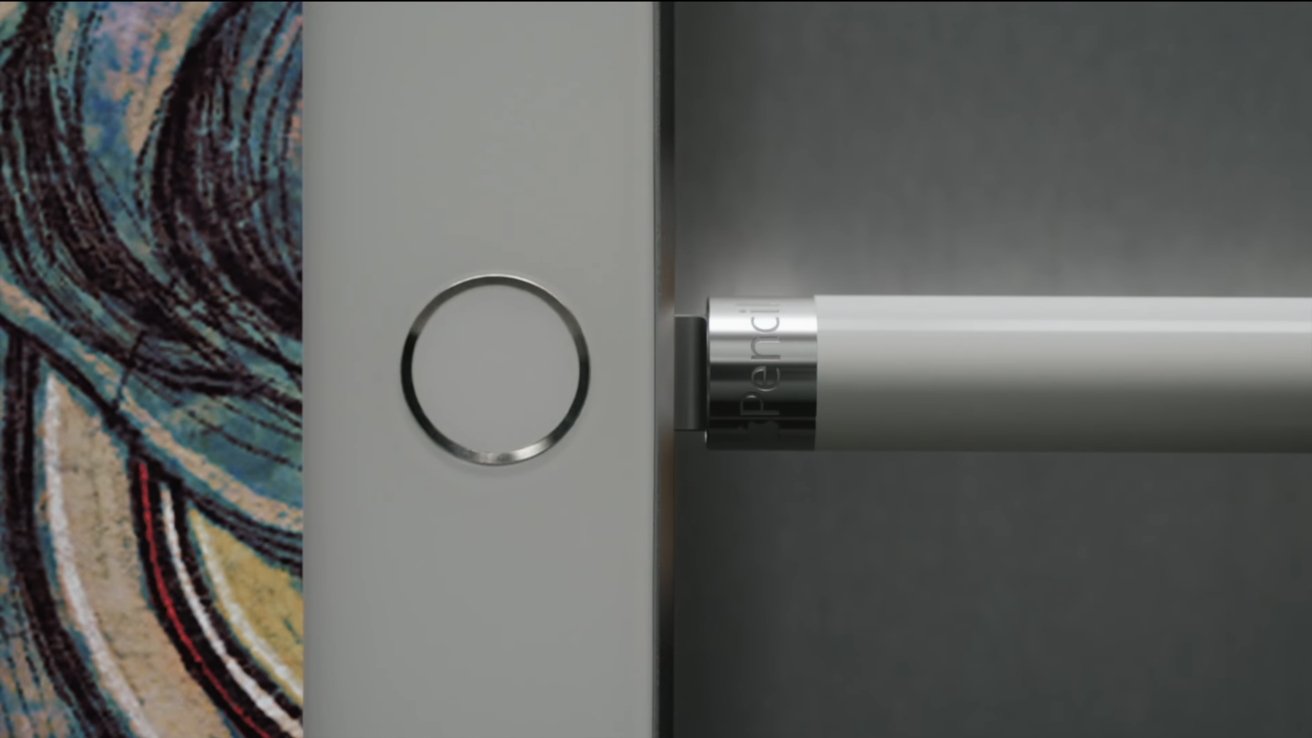
Best for: Pressure-sensitive drawing on supported iPads
- Pressure sensitivity
- Supported
- Tilt sensitivity
- Supported
- Charging
- Lightning
- iPad 10th generation setup
- USB-C to Apple Pencil Adapter required
- Pressure sensitivity for drawing
- Tilt support
- Compatible with iPad (10th generation)
- Adapter required to pair and charge with iPad (10th generation)
- Less convenient charging than USB-C Pencil
Is the Apple Pencil (1st generation) worth buying on Black Friday 2026?
Yes, for artists who value pressure-sensitive drawing and accept the adapter requirement. Apple Pencil (1st generation) works with iPad (10th generation), but pairing and charging require a USB-C to Apple Pencil Adapter.
See today’s Black Friday price on Amazon
#5
Logitech Crayon (USB-C)
The Logitech Crayon (USB-C) is the best Apple Pencil alternative for students who mainly write and sketch; its tilt support adds shading control for compatible iPads.
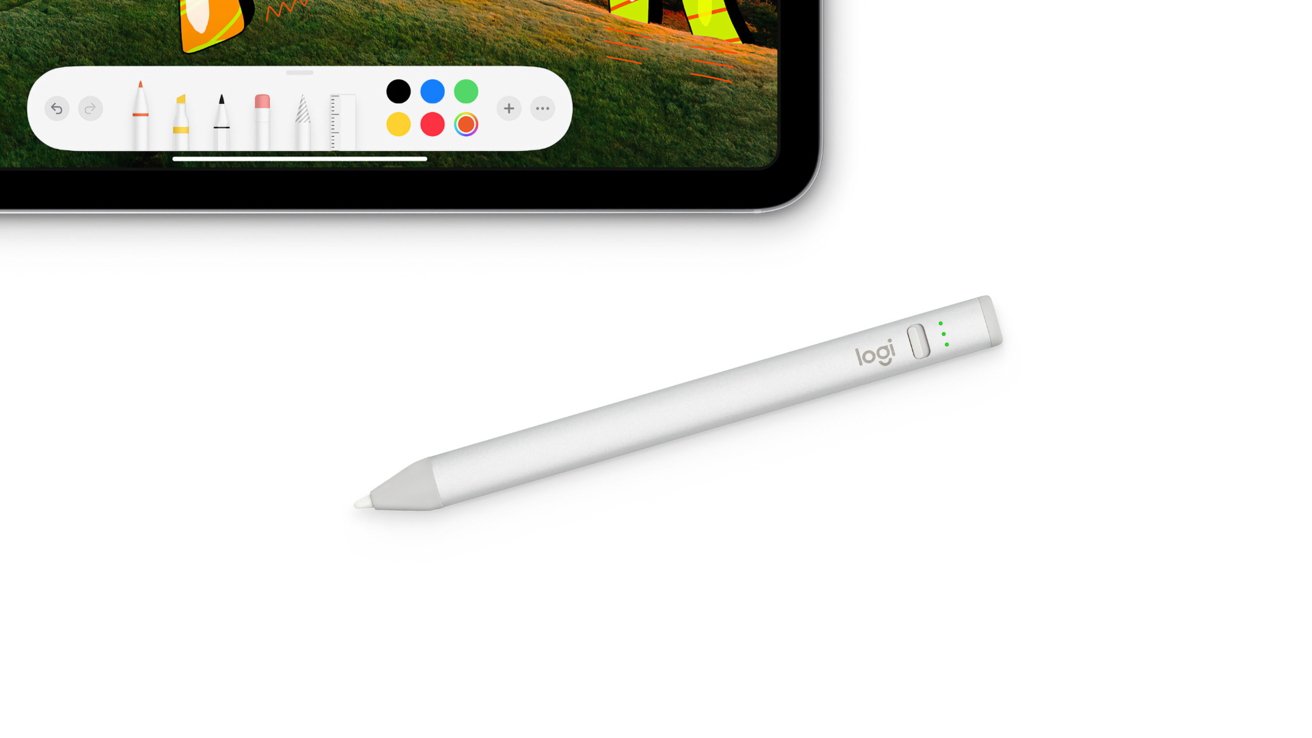
Best for: School notes and basic sketching
- Charging
- USB-C
- Pressure sensitivity
- None
- Tilt sensitivity
- Supported
- Compatibility
- Compatible iPads from 2018 onward
- USB-C charging
- Tilt support for shading
- Designed for writing and drawing on compatible iPads
- No pressure sensitivity
- Check iPad compatibility before purchase
Is the Logitech Crayon (USB-C) worth buying on Black Friday 2026?
Yes. Logitech Crayon (USB-C) is a solid option for iPad users who need handwriting, markup, and simple sketches rather than pressure-sensitive art tools. The Logitech Crayon (USB-C)'s USB-C charging and tilt support make it a useful classroom-focused alternative.
See today’s Black Friday price on Amazon
#6 · Top pick
Apple iPad (A16) Wi-Fi 128GB
The Apple iPad (A16) Wi-Fi 128GB is the best newer standard iPad for general users who want more base storage; its 128GB capacity doubles the entry-level iPad (10th generation) storage.
Best for: A newer all-purpose iPad
- Display
- 11-inch Liquid Retina
- Storage
- 128GB
- Chip
- A16
- Connector
- USB-C
- 128GB starting storage
- Supports Apple Pencil (USB-C)
- Large Liquid Retina display
- Apple Pencil sold separately
- Not a pressure-sensitive Pencil bundle
Is the Apple iPad (A16) Wi-Fi 128GB worth buying on Black Friday 2026?
Yes. Apple iPad (A16) Wi-Fi 128GB is a strong everyday pick for shoppers who want a newer standard iPad with 128GB of storage. The 11-inch display, A16 chip, and Apple Pencil (USB-C) support cover common school and home tasks.
See today’s Black Friday price on Amazon
#7
Apple iPad Air 11-inch (M3) Wi-Fi 128GB
The Apple iPad Air 11-inch (M3) Wi-Fi 128GB is the best premium pick for demanding creative and multitasking users; its M3 chip supports a more capable tablet experience.

Best for: Creative work and multitasking
- Display
- 11-inch Liquid Retina
- Storage
- 128GB
- Chip
- M3
- Connector
- USB-C
- M3 chip for demanding apps
- Supports Apple Pencil (USB-C)
- Compact 11-inch display size
- More capability than basic note-taking requires
- Apple Pencil sold separately
Is the Apple iPad Air 11-inch (M3) Wi-Fi 128GB worth buying on Black Friday 2026?
Yes. Apple iPad Air 11-inch (M3) Wi-Fi 128GB is worth considering for creative work, multitasking, and demanding apps. The Apple iPad Air 11-inch (M3) Wi-Fi 128GB's M3 chip and 11-inch display offer more headroom than a standard iPad, while Apple Pencil (USB-C) supports notes and markup.
See today’s Black Friday price on Amazon
Does Apple Pencil (USB-C) work with iPad (10th generation)?
Apple Pencil (USB-C) works with Apple iPad (10th generation), and the iPad’s USB-C port supports pairing and charging the Pencil with a cable. The Pencil is a good fit for handwriting, document markup, and everyday sketches.
The main difference in the matchup is pressure sensitivity: Apple Pencil (USB-C) does not have it, while Apple Pencil (1st generation) does. The USB-C model also does not charge or pair wirelessly. For many note-takers, simpler charging outweighs the missing art feature; illustrators should compare the first-generation Pencil and its adapter setup.
Which Apple Pencil should iPad (10th generation) owners choose?
Apple Pencil (USB-C) and Apple Pencil (1st generation) both work with Apple iPad (10th generation), but each serves a different priority. Apple Pencil (USB-C) keeps charging straightforward through a USB-C cable and handles routine writing and markup.
Apple Pencil (1st generation) is the pick for pressure-sensitive strokes and more expressive drawing. Its Lightning connector does not match the iPad’s USB-C port, so pairing and charging require a USB-C to Apple Pencil Adapter. Skip it if a simple note-taking tool is the goal and pressure sensitivity is not needed.
Is Apple iPad (10th generation) still a sensible buy in 2026?
Apple iPad (10th generation) remains a sensible 10.9-inch tablet for everyday browsing, video, notes, and school tasks. The A14 Bionic chip and USB-C port cover common uses, and compatibility with Apple Pencil (USB-C) adds handwritten notes and markup.
Storage is the key decision: 64GB suits lighter use, while 256GB is better for users who keep larger app libraries and media on the iPad. Apple iPad (A16) Wi-Fi 128GB is an alternative for shoppers who prefer a newer standard model and a larger entry-level storage capacity.
What is the difference between Apple Pencil (USB-C) and Logitech Crayon (USB-C)?
Apple Pencil (USB-C) and Logitech Crayon (USB-C) both support tilt and suit writing, markup, and basic drawing on compatible iPads. Neither provides pressure sensitivity, so artists who depend on pressure-responsive line weight should choose a different compatible Pencil.
Apple Pencil (USB-C) is the direct Apple accessory match for iPad (10th generation), while Logitech Crayon (USB-C) is a practical alternative for classroom and everyday use. Check the exact iPad model against the stylus compatibility list before ordering, especially when buying for a household with multiple iPads.
Which iPad is best for Black Friday 2026 shoppers?
Apple iPad (A16) Wi-Fi 128GB is the best all-around newer standard iPad in this guide, while Apple iPad (10th generation) Wi-Fi 64GB is the value-focused choice for routine tasks. Apple iPad Air 11-inch (M3) Wi-Fi 128GB is the premium option for creative apps and more demanding multitasking.
Choose around your actual workload rather than buying the most powerful tablet by default. Students who mainly take notes can pair a standard iPad with Apple Pencil (USB-C); artists should check pressure sensitivity and compatibility first. Black Friday is also a useful time to compare tablet and stylus bundles against separate purchases.
Buying Guide
Check iPad and stylus compatibility
Apple iPad (10th generation) supports Apple Pencil (USB-C) and Apple Pencil (1st generation), but not Apple Pencil (2nd generation). Confirm the exact tablet model before choosing a Pencil or Logitech Crayon.
Choose pressure sensitivity or simple charging
Apple Pencil (USB-C) charges through USB-C and handles notes and markup, but has no pressure sensitivity. Apple Pencil (1st generation) offers pressure sensitivity and needs an adapter with iPad (10th generation).
Pick storage for your library
Apple iPad (10th generation) Wi-Fi 64GB suits lighter app and media use. The 256GB version is better for larger offline libraries; Apple iPad (A16) Wi-Fi 128GB splits the difference with newer hardware.
Match the tablet to the workload
Apple iPad (A16) Wi-Fi 128GB is a balanced everyday choice, while Apple iPad Air 11-inch (M3) Wi-Fi 128GB better suits demanding apps and multitasking. Avoid paying for capability your daily tasks do not use.
Compare the complete setup
Check whether the tablet, stylus, adapter, and charging cable are included. Apple Pencil (USB-C) and Logitech Crayon (USB-C) use USB-C charging; Apple Pencil (1st generation) needs an adapter for the 10th-generation iPad.
FAQ
Does Apple Pencil (USB-C) work with iPad (10th generation)?
Yes. Apple Pencil (USB-C) is compatible with Apple iPad (10th generation) and charges through a USB-C cable. The Pencil supports tilt but not pressure sensitivity, making it a good choice for notes and markup rather than pressure-based illustration.
Does Apple Pencil (1st generation) work with iPad (10th generation)?
Yes. Apple Pencil (1st generation) works with Apple iPad (10th generation), and its pressure-sensitive tip suits drawing. A USB-C to Apple Pencil Adapter is required to pair and charge the Pencil with this iPad.
Which Apple Pencil is best for iPad (10th generation)?
Apple Pencil (USB-C) is the simplest fit for most iPad (10th generation) owners who write, annotate, and sketch casually. Apple Pencil (1st generation) is the better choice for pressure sensitivity, with the trade-off of needing an adapter.
Does Apple Pencil (USB-C) have pressure sensitivity?
No. Apple Pencil (USB-C) has tilt support for shading but does not detect pressure. Apple Pencil (1st generation) offers pressure sensitivity and works with iPad (10th generation) when paired and charged through the required adapter.
Is Apple iPad (10th generation) worth buying in 2026?
Yes. Apple iPad (10th generation) remains a capable everyday tablet with a 10.9-inch display, A14 Bionic chip, USB-C, and Apple Pencil (USB-C) compatibility. Compare its storage options with Apple iPad (A16) Wi-Fi 128GB before choosing.
Can Apple Pencil (2nd generation) work with iPad (10th generation)?
No. Apple Pencil (2nd generation) is not compatible with Apple iPad (10th generation). Choose Apple Pencil (USB-C) for straightforward charging or Apple Pencil (1st generation) for pressure sensitivity and adapter-based pairing.