

As an Amazon Associate we earn from qualifying purchases.
- Best overall: LG UltraGear 39GS95QE-B
- Best budget: LG 32UN880-B
- Best premium: Samsung Odyssey OLED G8 G80SD
- Best for dual-mode gaming: LG UltraGear 32GS95UE-B
- LG UltraGear 39GS95QE-B is the gaming-first pick, with a 39-inch curved OLED display, 240Hz refresh rate, and 0.03ms response time.
- LG 32UN880-B is the better fit for desk work and mixed use, with a 32-inch 4K IPS panel and adjustable Ergo stand.
- Choose an OLED gaming monitor for high refresh rates, deep blacks, and fast response; choose a 4K IPS monitor for crisp work text and flexible positioning.
- Samsung Odyssey OLED G8 G80SD and LG UltraGear 32GS95UE-B offer premium 4K gaming alternatives with 240Hz refresh rates.
- Match the monitor to your graphics card, desk space, and main use before choosing a Black Friday 2026 upgrade.
The LG UltraGear 39GS95QE-B is the stronger gaming monitor, while the LG 32UN880-B is the more versatile 4K work-and-play display. Their core differences are easy to pin down: a 39-inch curved OLED screen running at 240Hz versus a 32-inch flat 4K IPS screen running at 60Hz. One is built for immersive PC gaming; the other suits productivity, creative work, and relaxed console play.
I researched and compared specs, reviews, and owner feedback to build this Black Friday 2026 guide around real setup needs. Here’s the bottom line: choose OLED and high refresh for competitive or cinematic gaming, or choose the LG Ergo monitor for its 4K workspace and flexible stand. The eight picks below cover both LG models and strong alternatives, with the standout specs and tradeoffs spelled out.
How We Picked
- Compared resolution, panel type, refresh rate, and response-time specifications against each monitor’s intended use.
- Reviewed manufacturer documentation, professional reviews, and owner feedback for recurring strengths and drawbacks.
- Included gaming, productivity, and mixed-use options so the shortlist fits different desks and devices.
- Prioritized clear differences between the LG UltraGear 39GS95QE-B and LG 32UN880-B rather than treating them as interchangeable screens.
- Considered desk fit, connectivity, ergonomic features, and the graphics hardware each display asks you to drive.
Comparison Table
| Product | Best for | Resolution | Refresh rate | Panel |
|---|---|---|---|---|
| LG UltraGear 39GS95QE-B | Immersive PC gaming | 3440 x 1440 | 240Hz | OLED |
| LG 32UN880-B | Work and mixed use | 3840 x 2160 | 60Hz | IPS |
| Samsung Odyssey OLED G8 G80SD | Premium 4K gaming | 3840 x 2160 | 240Hz | QD-OLED |
| LG UltraGear 32GS95UE-B | Dual-mode gaming | 4K / Full HD | 240Hz / 480Hz | OLED |
| Alienware AW3423DWF | 34-inch curved OLED | 3440 x 1440 | 165Hz | QD-OLED |
| MSI MAG 341CQP QD-OLED | Ultrawide OLED gaming | 3440 x 1440 | 175Hz | QD-OLED |
| Dell UltraSharp U3223QE | Office and laptop work | 3840 x 2160 | 60Hz | IPS Black |
Best Picks Reviewed
#1 · Top pick
LG UltraGear 39GS95QE-B
The LG UltraGear 39GS95QE-B is the best immersive gaming monitor for PC players who want a 39-inch OLED screen and 240Hz speed. The LG UltraGear 39GS95QE-B's 3440 x 1440 resolution, 800R curve, and 0.03ms response time make fast games feel fluid and cinematic.

Best for: Immersive PC gaming and high-refresh OLED
- Screen size
- 39 inches
- Resolution
- 3440 x 1440
- Refresh rate
- 240Hz
- Response time
- 0.03ms
- OLED contrast and deep blacks
- 240Hz refresh rate
- 800R curve fills peripheral vision
- Ultrawide resolution needs a capable gaming PC
Is the LG UltraGear 39GS95QE-B worth buying on Black Friday 2026?
The LG UltraGear 39GS95QE-B is worth considering for PC gamers who value a curved OLED screen and 240Hz motion. The LG UltraGear 39GS95QE-B's 39-inch, 3440 x 1440 panel delivers an expansive view, but demands more graphics power than a standard 1440p display.
See today’s Black Friday price on Amazon
#2
LG 32UN880-B
The LG 32UN880-B is the best 4K productivity monitor for desk users who want a sharp picture and flexible positioning. The LG 32UN880-B's 32-inch IPS panel runs at 3840 x 2160 and pairs with an Ergo stand that clamps to the desk.

Best for: Work, creative tasks, and mixed-use desks
- Screen size
- 32 inches
- Resolution
- 3840 x 2160
- Refresh rate
- 60Hz
- USB-C power delivery
- Up to 60W
- Detailed 4K picture
- Flexible Ergo stand
- USB-C supports compatible laptop setups
- 60Hz is less fluid than gaming-focused monitors
Is the LG 32UN880-B worth buying on Black Friday 2026?
The LG 32UN880-B is worth considering for users who prioritize 4K workspace clarity, an adjustable arm-style stand, and USB-C connectivity. The LG 32UN880-B's 60Hz refresh rate suits everyday work and casual play, but fast-action gamers should choose a higher-refresh monitor.
See today’s Black Friday price on Amazon
#3
Samsung Odyssey OLED G8 G80SD
The Samsung Odyssey OLED G8 G80SD is the best premium 4K gaming monitor for players who want OLED contrast and a 32-inch flat screen. The Samsung Odyssey OLED G8 G80SD's 3840 x 2160 panel reaches 240Hz, giving high-end gaming rigs a sharp, fast display.
Best for: Premium 4K PC gaming
- Screen size
- 32 inches
- Resolution
- 3840 x 2160
- Refresh rate
- 240Hz
- Panel
- QD-OLED
- 4K resolution with 240Hz refresh
- QD-OLED contrast and color
- Flat 32-inch format suits varied desks
- A powerful PC helps make the most of 4K at 240Hz
Is the Samsung Odyssey OLED G8 G80SD worth buying on Black Friday 2026?
The Samsung Odyssey OLED G8 G80SD is a strong Black Friday 2026 pick for players seeking 4K detail, 240Hz motion, and QD-OLED contrast. The Samsung Odyssey OLED G8 G80SD's 32-inch flat panel is a more conventional desk fit than a large curved ultrawide.
See today’s Black Friday price on Amazon
#4
LG UltraGear 32GS95UE-B
The LG UltraGear 32GS95UE-B is the best dual-mode gaming monitor for players who want 4K sharpness and an option for extreme frame rates. The LG UltraGear 32GS95UE-B's 32-inch OLED screen switches between 4K at 240Hz and Full HD at 480Hz.
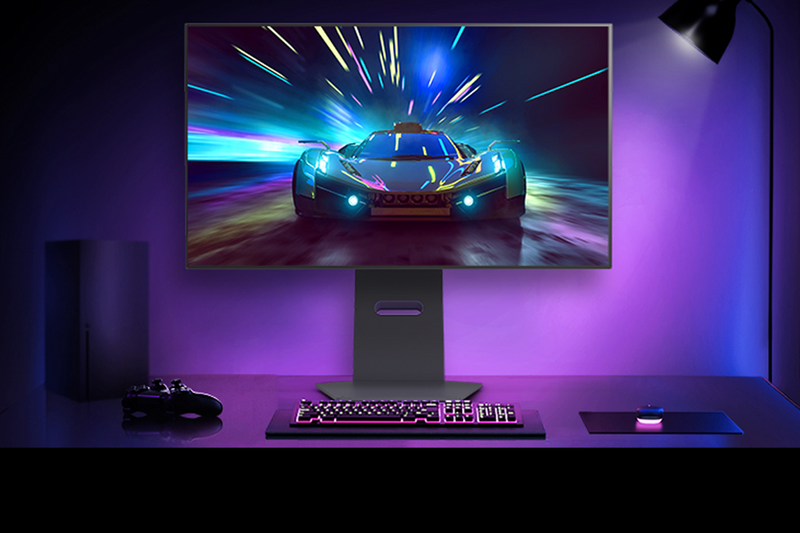
Best for: Players switching between visual detail and esports speed
- Screen size
- 32 inches
- Resolution and refresh
- 4K at 240Hz
- Dual-mode refresh
- Full HD at 480Hz
- Response time
- 0.03ms
- Two display modes for different games
- OLED contrast
- Very fast 480Hz Full HD mode
- Premium features exceed what casual players need
Is the LG UltraGear 32GS95UE-B worth buying on Black Friday 2026?
The LG UltraGear 32GS95UE-B is worth considering for competitive players who want 4K OLED detail and a 480Hz Full HD option. The dual-mode design is its main advantage, while casual gamers can save desk and graphics demands with a simpler display.
See today’s Black Friday price on Amazon
#5
Alienware AW3423DWF
The Alienware AW3423DWF is the best curved OLED alternative for gamers who want an ultrawide screen without stepping up to 39 inches. The Alienware AW3423DWF's 34-inch QD-OLED panel runs at 3440 x 1440 and 165Hz.
Best for: Curved ultrawide gaming in a smaller footprint
- Screen size
- 34 inches
- Resolution
- 3440 x 1440
- Refresh rate
- 165Hz
- Panel
- QD-OLED
- High-contrast QD-OLED image
- Ultrawide format supports immersive play
- 165Hz refresh rate
- Not as fast as 240Hz alternatives
Is the Alienware AW3423DWF worth buying on Black Friday 2026?
The Alienware AW3423DWF is worth a look for players who want a 34-inch curved QD-OLED display and a 165Hz refresh rate. The ultrawide resolution creates an immersive gaming view, while its smaller size asks less desk space than a 39-inch model.
See today’s Black Friday price on Amazon
#6
MSI MAG 341CQP QD-OLED
The MSI MAG 341CQP QD-OLED is the best 34-inch OLED gaming pick for players who want ultrawide resolution and a 175Hz refresh rate. The MSI MAG 341CQP QD-OLED's 3440 x 1440 QD-OLED panel combines wide-screen immersion with rich contrast.
Best for: Ultrawide OLED gaming at 175Hz
- Screen size
- 34 inches
- Resolution
- 3440 x 1440
- Refresh rate
- 175Hz
- Panel
- QD-OLED
- QD-OLED black levels and color
- Ultrawide 21:9 format
- 175Hz refresh rate
- A 34-inch ultrawide is not as tall as a 32-inch 4K screen
Is the MSI MAG 341CQP QD-OLED worth buying on Black Friday 2026?
The MSI MAG 341CQP QD-OLED is a strong match for gamers who want 34-inch ultrawide OLED immersion and 175Hz motion. The MSI MAG 341CQP QD-OLED's 3440 x 1440 resolution gives games extra horizontal space, while its QD-OLED panel prioritizes contrast over 4K pixel density.
See today’s Black Friday price on Amazon
#7
Dell UltraSharp U3223QE
The Dell UltraSharp U3223QE is the best office-first 4K monitor for professionals who want a large IPS Black workspace and USB-C power. The Dell UltraSharp U3223QE's 32-inch 3840 x 2160 display runs at 60Hz and supports up to 90W USB-C power delivery.
Best for: Office work and laptop-focused desks
- Screen size
- 32 inches
- Resolution
- 3840 x 2160
- Refresh rate
- 60Hz
- USB-C power delivery
- Up to 90W
- Sharp 4K workspace
- USB-C charging and connectivity
- IPS Black panel technology
- 60Hz refresh is not aimed at competitive gaming
Is the Dell UltraSharp U3223QE worth buying on Black Friday 2026?
The Dell UltraSharp U3223QE is worth considering for office users who need a 32-inch 4K screen and USB-C laptop support. The Dell UltraSharp U3223QE's 90W power delivery is useful for a compatible work setup, but its 60Hz refresh rate places productivity ahead of gaming.
See today’s Black Friday price on Amazon
Which is better, LG UltraGear 39GS95QE-B or LG 32UN880-B?
The LG UltraGear 39GS95QE-B is better for gaming, while the LG 32UN880-B is better for 4K productivity. The UltraGear gives players a 39-inch curved OLED panel, 3440 x 1440 resolution, and 240Hz refresh. The LG 32UN880-B trades those gaming advantages for a 32-inch 4K IPS panel and a flexible Ergo stand.
Pick the LG UltraGear 39GS95QE-B when fast motion, OLED contrast, and an immersive field of view lead your checklist. Choose the LG 32UN880-B for sharp text, laptop-friendly USB-C, and a screen position that adjusts around your desk. Both suit mixed use, but neither is a perfect substitute for the other. A 60Hz ceiling makes the LG 32UN880-B less suited to fast competitive games, while the ultrawide LG UltraGear asks more of your gaming PC.
Is an OLED monitor better than a 4K IPS monitor?
OLED is better for contrast and motion, while 4K IPS is better for pixel density and work-focused versatility. The LG UltraGear 39GS95QE-B uses OLED to deliver deep blacks and a 240Hz refresh rate. The LG 32UN880-B uses a 4K IPS panel to provide detailed text and a conventional 16:9 workspace.
For dark-room games and cinematic play, OLED makes shadow detail and bright effects stand out. For documents, spreadsheets, and a broad range of desktop tasks, the LG 32UN880-B’s 3840 x 2160 resolution is a practical fit. Panel choice also depends on the games you play, the brightness of your room, and how much screen space your desk can handle. Compare the whole setup, not just one spec.
What monitor size and resolution should I choose?
A 32-inch 4K monitor suits detailed desktop work, while a 39-inch ultrawide suits immersive gaming. The LG 32UN880-B places 3840 x 2160 pixels in a familiar 16:9 shape. The LG UltraGear 39GS95QE-B stretches to 3440 x 1440 and adds an 800R curve for a wider, enveloping view.
Measure the desk before choosing a large screen, and check the distance between your eyes and the display. A wide 39-inch model takes up more horizontal space and asks a gaming PC to render more pixels than a standard 1440p screen. A 32-inch 4K display keeps a traditional shape for consoles, work apps, and video. Both sizes are useful; the right one matches your viewing distance and the space available.
Which monitor refresh rate is right for PC and console gaming?
A 240Hz monitor suits high-frame-rate PC gaming, while a 60Hz monitor suits everyday work and casual play. The LG UltraGear 39GS95QE-B reaches 240Hz; the LG 32UN880-B tops out at 60Hz. The Samsung Odyssey OLED G8 G80SD and LG UltraGear 32GS95UE-B also offer 240Hz in 4K mode.
A high refresh rate makes motion look smoother when your PC or console supplies matching frame rates. Check the graphics card, game settings, and connection options before paying for a speed your setup cannot use. Console players should confirm support for their system’s resolution and refresh modes. For office apps, browsing, and slower-paced games, the LG 32UN880-B’s 60Hz specification is often a sensible tradeoff.
Which Black Friday 2026 monitor fits a laptop or work setup?
The LG 32UN880-B is the better work-first pick, with 4K resolution, USB-C power delivery up to 60W, and an adjustable Ergo stand. The Dell UltraSharp U3223QE is another office-focused option, pairing a 32-inch 4K IPS Black display with up to 90W USB-C power delivery.
A single USB-C connection can simplify a compatible laptop desk by carrying video and power through one cable. Check the laptop’s USB-C capabilities and charging needs before choosing between the two. The Dell’s higher power delivery fits some laptop setups better, while the LG offers a distinctive clamp-style stand. For gaming-heavy use, move up to an OLED model with a refresh rate above 60Hz.
Buying Guide
Choose your main use first
The LG UltraGear 39GS95QE-B is a stronger fit for gaming, while the LG 32UN880-B is a stronger fit for office work. Start by deciding whether your monitor’s main job is fast PC play, a 4K laptop workspace, or a mix of both. Let that use case determine the panel and refresh rate.
Match resolution to your PC
A 3440 x 1440 monitor such as the LG UltraGear 39GS95QE-B needs a capable graphics card for demanding games. A 3840 x 2160 screen such as the LG 32UN880-B offers sharper desktop detail, but gaming at 4K also takes substantial GPU power. Check your hardware before selecting a resolution.
Check desk size and viewing distance
The LG UltraGear 39GS95QE-B has a 39-inch curved display, while the LG 32UN880-B has a 32-inch flat screen. Measure available width and depth, then consider your typical viewing distance. An ultrawide screen can transform game immersion, but a 32-inch model fits more desks and workspaces.
Prioritize the connections you need
The LG 32UN880-B supports USB-C power delivery up to 60W, while the Dell UltraSharp U3223QE supports up to 90W. Check your laptop’s charging requirements and the monitor’s video inputs. Console players should verify resolution and refresh-rate support for their specific system before buying.
Weigh gaming speed against work comfort
The Samsung Odyssey OLED G8 G80SD combines 4K and 240Hz, while the LG 32UN880-B prioritizes 4K detail and ergonomic positioning at 60Hz. Choose a higher refresh rate for fast games and a flexible stand for long work sessions. Black Friday 2026 is a useful time to compare the features your setup will use every day.
FAQ
Is the LG UltraGear 39GS95QE-B better than the LG 32UN880-B for gaming?
Yes. The LG UltraGear 39GS95QE-B is the better gaming choice, with a 39-inch OLED screen, 240Hz refresh rate, and 0.03ms response time. The LG 32UN880-B offers 4K resolution and ergonomic positioning, but its 60Hz refresh rate is aimed more at work and casual play.
Is the LG 32UN880-B good for PS5?
The LG 32UN880-B is a good fit for PS5 players who want a 32-inch 4K screen for story games, streaming, and general use. Its 60Hz refresh rate suits casual play, but competitive players who prioritize smoother motion should compare it with a higher-refresh gaming display.
Is a 39-inch ultrawide monitor too big for gaming?
The LG UltraGear 39GS95QE-B suits players with enough desk width and a comfortable viewing distance. Its 39-inch curved ultrawide display gives games an expansive view, but it occupies more space than a 32-inch monitor. Measure your desk and check your PC’s graphics performance before choosing.
Is a 4K 60Hz monitor good for gaming?
The LG 32UN880-B is suitable for casual gaming, console adventures, and slower-paced titles at 4K resolution. Its 60Hz refresh rate does not offer the motion smoothness of 165Hz or 240Hz gaming displays. Players focused on esports or fast action should choose a higher-refresh model.
Which monitor is best for a laptop desk?
The LG 32UN880-B is a strong laptop-desk choice because it combines a 32-inch 4K screen, USB-C power delivery up to 60W, and an adjustable Ergo stand. The Dell UltraSharp U3223QE supports up to 90W USB-C power delivery, making it another option for compatible laptops.
Which OLED monitor is best for 4K gaming?
The Samsung Odyssey OLED G8 G80SD is a strong 4K OLED gaming choice, pairing a 32-inch QD-OLED panel with a 240Hz refresh rate. The LG UltraGear 32GS95UE-B is another premium option, with 4K at 240Hz and a Full HD mode that reaches 480Hz.