

As an Amazon Associate we earn from qualifying purchases.
- Best overall: Anker 555 USB-C Hub (8-in-1)
- Best budget: Apple 70W USB-C Power Adapter
- Best premium: Satechi 200W 6-Port USB-C PD GaN Charger
- Best for a MacBook desk setup: Satechi USB-C Multiport Adapter 8K with Ethernet V3
- The Apple 70W USB-C Power Adapter charges a MacBook; the Satechi USB-C Multiport Adapter 8K with Ethernet V3 adds connections.
- Choose a 70W charger for a compact, single-device charging setup and a hub when your MacBook needs extra ports or displays.
- A multiport charger combines charging for several devices, while a hub does not replace a wall charger.
- The Anker 555 USB-C Hub (8-in-1) is a practical hub alternative with 4K 60Hz HDMI and Gigabit Ethernet.
- Compare wattage, port layout and MacBook compatibility before choosing a Black Friday 2026 accessory.
The Apple 70W USB-C Power Adapter and the Satechi USB-C Multiport Adapter 8K with Ethernet V3 solve different MacBook problems: one supplies power, and the other expands connectivity. A charger plugs into a wall outlet and sends power to a laptop. A hub plugs into the MacBook and provides ports for displays, storage, networking and accessories. Buying one in place of the other leaves an important job undone.
For this Black Friday 2026 guide, I researched and compared specs, reviews and owner feedback across MacBook chargers and USB-C hubs. My pick for most people is to match the accessory to the daily need first: choose a suitable wattage for charging, a hub for desk connections, or a multiport charger for several devices. The product cards below name each model, summarize key numbers and explain who gets the most value from it.
How We Picked
- Compared stated charging output, port counts and the practical role of each accessory.
- Prioritized products with clearly documented compatibility, video output or charging specifications.
- Included both compact single-device adapters and multiport options for travel or shared desks.
- Reviewed owner feedback and product information for common trade-offs, such as limited ports or a need for a separate cable.
- Selected alternatives across Apple, Satechi, Anker and Belkin so shoppers can compare distinct use cases.
Comparison Table
| Product | Best for | Power or pass-through | USB-C ports | Standout connection |
|---|---|---|---|---|
| Apple 70W USB-C Power Adapter | Compact MacBook charging | 70W output | 1 | USB-C power |
| Satechi USB-C Multiport Adapter 8K with Ethernet V3 | Ethernet and high-resolution display | Up to 100W input | 1 host connection | 8K 30Hz HDMI |
| Anker 737 Charger (GaNPrime 120W) | Charging a laptop and small devices | 120W total | 2 | 1 USB-A |
| Satechi 145W USB-C 4-Port GaN Charger | Several USB-C devices | 145W total | 4 | Four USB-C outputs |
| Anker 555 USB-C Hub (8-in-1) | Home-office connections | Up to 100W input | 1 host connection | 4K 60Hz HDMI |
| Belkin Connect USB-C 6-in-1 Multiport Hub | Core desk connections | Up to 100W input | 1 host connection | 4K 60Hz HDMI |
| Apple 96W USB-C Power Adapter | Single-port higher-output charging | 96W output | 1 | USB-C power |
| Satechi 200W 6-Port USB-C PD GaN Charger | A busy multi-device desk | 200W total | 6 | Six USB-C outputs |
Best Picks Reviewed
#1
Apple 70W USB-C Power Adapter
The Apple 70W USB-C Power Adapter is the best compact charger for MacBook users who want one dependable USB-C charging port and up to 70W of output.

Best for: Everyday MacBook charging and a compact travel kit.
- Maximum output
- 70W
- Output ports
- 1 USB-C
- Adapter type
- USB-C power adapter
- Simple one-device charging
- 70W output suits a range of MacBook setups
- Compact alternative to larger multiport chargers
- No extra ports for accessories
- Charging cable is separate
Is the Apple 70W USB-C Power Adapter worth buying on Black Friday 2026?
The Apple 70W USB-C Power Adapter is worth considering when a straightforward 70W USB-C charger fits your MacBook and routine. The Apple 70W USB-C Power Adapter's single output keeps the setup simple, but a hub or multiport charger is a better match for added connections.
See today’s Black Friday price on Amazon
#2
Satechi USB-C Multiport Adapter 8K with Ethernet V3
The Satechi USB-C Multiport Adapter 8K with Ethernet V3 is the best connectivity upgrade for MacBook owners who need Ethernet, card readers and an 8K-capable HDMI connection.

Best for: Desk setups that need wired networking and display connections.
- Maximum HDMI output
- 8K at 30Hz
- Ethernet
- 2.5Gbps
- Power pass-through
- Up to 100W input
- Card readers
- SD and microSD
- Adds wired networking and card-reader access
- Supports high-resolution HDMI output
- Power pass-through helps keep a desk connection tidy
- Requires a separate USB-C charger for power
- Display capabilities depend on the connected MacBook and display
Is the Satechi USB-C Multiport Adapter 8K with Ethernet V3 worth buying on Black Friday 2026?
The Satechi USB-C Multiport Adapter 8K with Ethernet V3 is worth considering when a MacBook needs a wired network, card readers and external-display support in one accessory. Pair it with a compatible USB-C charger; the hub itself is not a wall adapter.
See today’s Black Friday price on Amazon
#3
Anker 737 Charger (GaNPrime 120W)
The Anker 737 Charger (GaNPrime 120W) is the best multi-device wall charger for users who want three outputs and up to 120W of total charging power.
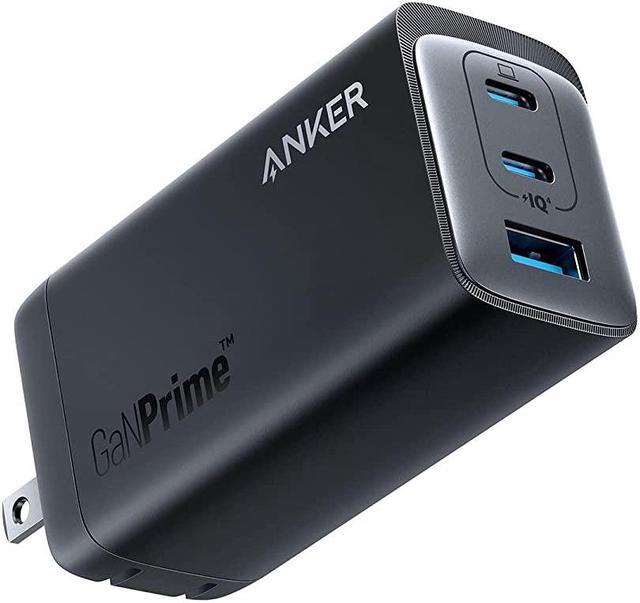
Best for: Charging a MacBook and smaller devices from one wall adapter.
- Maximum total output
- 120W
- USB-C ports
- 2
- USB-A ports
- 1
- Three outputs support multiple devices
- Higher total output than a basic single-port adapter
- Useful at a shared desk or on trips
- Power is shared when charging multiple devices
- Does not add display or Ethernet connections
Is the Anker 737 Charger (GaNPrime 120W) worth buying on Black Friday 2026?
The Anker 737 Charger (GaNPrime 120W) is worth considering when one wall outlet needs to serve a MacBook and smaller electronics. The Anker 737 Charger (GaNPrime 120W)'s two USB-C ports and one USB-A port add flexibility, though it cannot replace a hub for displays or wired networking.
See today’s Black Friday price on Amazon
#4
Satechi 145W USB-C 4-Port GaN Charger
The Satechi 145W USB-C 4-Port GaN Charger is the best high-output option for a shared charging setup, with four USB-C ports and up to 145W total output.
Best for: Charging several USB-C devices from one outlet.
- Maximum total output
- 145W
- USB-C ports
- 4
- Charger type
- GaN
- Four USB-C connections reduce adapter clutter
- High total output supports a multi-device routine
- Useful for a desk shared by several people
- Total output is shared across connected devices
- Provides no USB-A, Ethernet or display ports
Is the Satechi 145W USB-C 4-Port GaN Charger worth buying on Black Friday 2026?
The Satechi 145W USB-C 4-Port GaN Charger is worth considering for households or desks charging several USB-C devices together. The Satechi 145W USB-C 4-Port GaN Charger's four ports and 145W total output focus on power delivery, so users needing HDMI or Ethernet should add a separate hub.
See today’s Black Friday price on Amazon
#5 · Top pick
Anker 555 USB-C Hub (8-in-1)
The Anker 555 USB-C Hub (8-in-1) is the best everyday hub for MacBook owners who need 4K 60Hz HDMI, Gigabit Ethernet and additional USB connections.
Best for: A practical home-office hub with display and network ports.
- HDMI output
- 4K at 60Hz
- Ethernet
- 1Gbps
- Power pass-through
- Up to 100W input
- Hub format
- 8-in-1
- Combines HDMI and wired networking
- Includes SD and microSD card readers
- Pass-through charging supports a one-cable desk setup
- A separate USB-C charger is needed for pass-through power
- Display support depends on the MacBook and connected screen
Is the Anker 555 USB-C Hub (8-in-1) worth buying on Black Friday 2026?
The Anker 555 USB-C Hub (8-in-1) is worth considering for a MacBook desk setup that needs 4K 60Hz HDMI, Gigabit Ethernet and card readers. Add a compatible USB-C charger for power pass-through, since the hub is not a standalone power adapter.
See today’s Black Friday price on Amazon
#6
Belkin Connect USB-C 6-in-1 Multiport Hub
The Belkin Connect USB-C 6-in-1 Multiport Hub is the best straightforward hub for MacBook users who want 4K 60Hz HDMI, Ethernet and pass-through charging.
Best for: A compact desk setup with core display and network connections.
- HDMI output
- 4K at 60Hz
- Power pass-through
- Up to 100W input
- Hub format
- 6-in-1
- Combines common desk connections in one hub
- Supports 4K 60Hz HDMI output
- Pass-through charging reduces cable changes
- Fewer connections than larger hubs
- Requires a separate charger for power
Is the Belkin Connect USB-C 6-in-1 Multiport Hub worth buying on Black Friday 2026?
The Belkin Connect USB-C 6-in-1 Multiport Hub is worth considering when a MacBook needs core display and network connections without a larger dock. The Belkin Connect USB-C 6-in-1 Multiport Hub's 4K 60Hz HDMI output and charging pass-through suit a tidy desk; check the exact port layout for your accessories.
See today’s Black Friday price on Amazon
#7
Apple 96W USB-C Power Adapter
The Apple 96W USB-C Power Adapter is the best Apple single-port pick for MacBook users who need up to 96W of charging output.
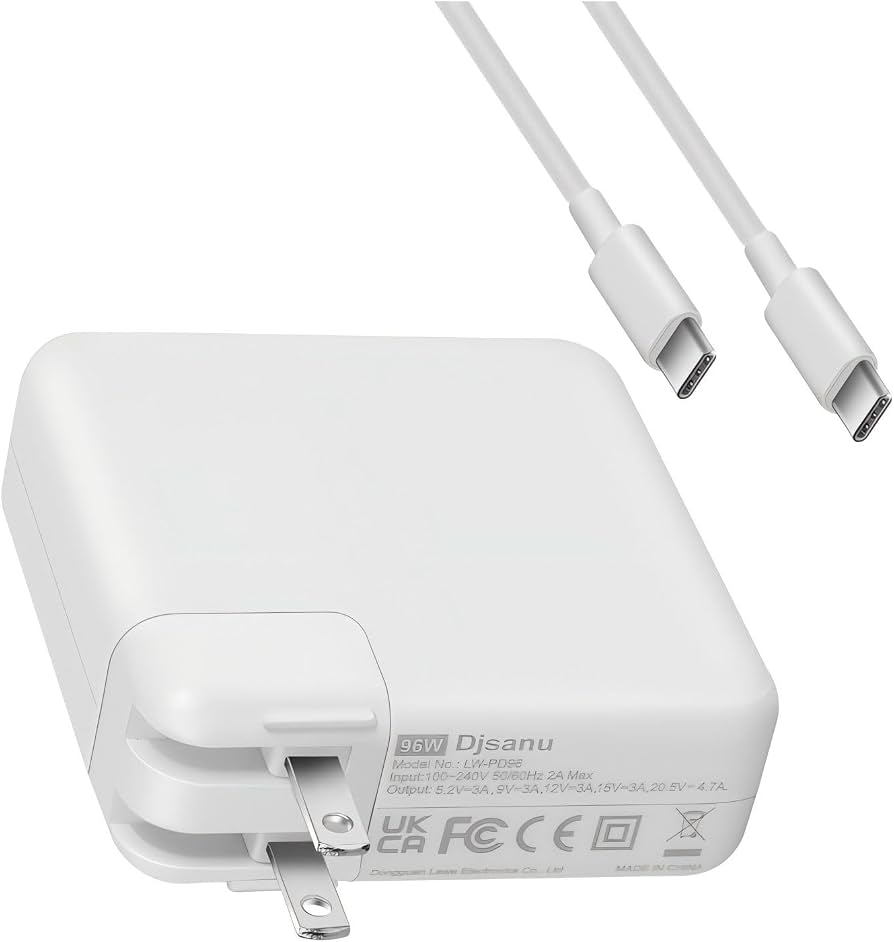
Best for: MacBook owners who want more output than a 70W adapter.
- Maximum output
- 96W
- Output ports
- 1 USB-C
- Adapter type
- USB-C power adapter
- Higher maximum output than the Apple 70W adapter
- Straightforward Apple-branded charging
- Single-port design is easy to use
- No ports for charging other devices
- Charging cable is separate
Is the Apple 96W USB-C Power Adapter worth buying on Black Friday 2026?
The Apple 96W USB-C Power Adapter is worth considering when your MacBook setup calls for a single-port charger with more output than 70W. The Apple 96W USB-C Power Adapter focuses on laptop power rather than accessory connectivity, so choose a separate hub when extra ports are part of the plan.
See today’s Black Friday price on Amazon
#8
Satechi 200W 6-Port USB-C PD GaN Charger
The Satechi 200W 6-Port USB-C PD GaN Charger is the best desktop charging hub for users who want six USB-C ports and up to 200W total output.
Best for: A multi-device desk with several USB-C products.
- Maximum total output
- 200W
- USB-C ports
- 6
- Charger type
- GaN
- Six USB-C outputs support a busy desk
- High total output for multiple connected devices
- Centralizes charging around one power source
- Designed for a desktop rather than a pocket
- Does not provide display or data-hub functions
Is the Satechi 200W 6-Port USB-C PD GaN Charger worth buying on Black Friday 2026?
The Satechi 200W 6-Port USB-C PD GaN Charger is worth considering for a desk that regularly powers several USB-C devices. Six ports and 200W of total output make it a charging station, not a MacBook hub for displays, Ethernet or memory cards.
See today’s Black Friday price on Amazon
Is a 70W MacBook charger better than a Satechi USB-C hub?
The Apple 70W USB-C Power Adapter charges a MacBook; the Satechi USB-C Multiport Adapter 8K with Ethernet V3 adds ports and display connections. They serve different purposes: a charger supplies power, while a hub connects accessories.
Choose the Apple 70W USB-C Power Adapter for a simple charging setup. Choose the Satechi hub for Ethernet, card readers or an external display. The hub supports power pass-through but requires a separate compatible charger. For Black Friday 2026, buy according to the need: power, connectivity or both.
What does the Satechi USB-C Multiport Adapter 8K with Ethernet V3 add?
The Satechi USB-C Multiport Adapter 8K with Ethernet V3 adds HDMI, 2.5Gbps Ethernet, SD and microSD card readers, and up to 100W power input through pass-through charging. Its HDMI supports up to 8K at 30Hz.
The hub suits desks that need wired networking, an external screen or memory-card access. Check the MacBook’s display support before choosing a monitor. Buy a separate charger for pass-through power; choose a standalone charger instead if the MacBook already has the ports you need.
How many watts does a MacBook charger need?
Choose wattage based on the MacBook model and desired charging speed. The Apple 70W USB-C Power Adapter provides up to 70W, while the Apple 96W USB-C Power Adapter provides up to 96W. Check Apple’s guidance for your specific MacBook.
Multiport chargers divide power among connected devices. A hub’s pass-through rating describes input, not the power guaranteed to reach the laptop. The Satechi 145W USB-C 4-Port GaN Charger and Satechi 200W 6-Port USB-C PD GaN Charger provide higher total output for shared charging; check each port’s allocation as well as the total.
Which MacBook USB-C hub is best for a monitor and Ethernet?
The Anker 555 USB-C Hub (8-in-1) offers 4K at 60Hz HDMI and Gigabit Ethernet. The Satechi USB-C Multiport Adapter 8K with Ethernet V3 offers 8K at 30Hz HDMI and 2.5Gbps Ethernet. Both support pass-through charging with a separate power adapter.
Choose the Anker hub for everyday monitor and network connections, or the Satechi hub for faster Ethernet or higher-resolution HDMI support. The Belkin Connect USB-C 6-in-1 Multiport Hub suits simpler setups. Confirm the MacBook, monitor and hub support the required resolution, refresh rate and display count.
Are multiport chargers worth choosing over a 70W adapter?
The Anker 737 Charger (GaNPrime 120W), Satechi 145W USB-C 4-Port GaN Charger and Satechi 200W 6-Port USB-C PD GaN Charger suit users charging several devices from one outlet. The Apple 70W USB-C Power Adapter is simpler for one MacBook.
The Anker charger has two USB-C ports and one USB-A port; the Satechi chargers have four and six USB-C ports. Output is shared across connected devices. Choose a multiport model to reduce the number of adapters, but remember that chargers do not add the data and display connections provided by a hub.
Buying Guide
Match the accessory to the job
The Apple 70W USB-C Power Adapter supplies power; the Anker 555 USB-C Hub (8-in-1) adds connections. Decide whether you need charging, ports or both. A hub does not replace a wall charger.
Check MacBook wattage needs
The Apple 70W USB-C Power Adapter delivers up to 70W; the Apple 96W USB-C Power Adapter delivers up to 96W. Check the recommended setup for your MacBook and use a compatible adapter and cable.
Count the ports you will use
The Satechi USB-C Multiport Adapter 8K with Ethernet V3 adds Ethernet, HDMI and card readers. List the accessories you need, then choose a hub with the right ports.
Understand shared power
The Satechi 145W USB-C 4-Port GaN Charger and Satechi 200W 6-Port USB-C PD GaN Charger provide 145W and 200W total output, respectively. Compare port-level allocation as well as total output.
Verify display compatibility
The Anker 555 USB-C Hub (8-in-1) supports 4K at 60Hz HDMI; the Satechi USB-C Multiport Adapter 8K with Ethernet V3 supports 8K at 30Hz HDMI. Confirm compatibility with your MacBook, cable and monitor.
FAQ
Can the Satechi USB-C Multiport Adapter 8K with Ethernet V3 charge a MacBook?
The Satechi USB-C Multiport Adapter 8K with Ethernet V3 supports up to 100W power input through pass-through charging when paired with a compatible USB-C charger. The hub is not itself a wall adapter, so budget for the charger and cable needed to power the setup.
Is 70W enough for a MacBook charger?
The Apple 70W USB-C Power Adapter provides up to 70W for compatible MacBook charging. Check Apple’s guidance for the exact MacBook model and desired charging behavior before buying. A higher-output adapter, such as the Apple 96W USB-C Power Adapter, serves different power needs.
What is the difference between a MacBook charger and a USB-C hub?
The Apple 70W USB-C Power Adapter supplies power from a wall outlet, while the Anker 555 USB-C Hub (8-in-1) adds connections such as HDMI, Ethernet and card readers. A hub can support power pass-through with a separate charger, but it does not replace one.
Does the Anker 555 USB-C Hub (8-in-1) support 4K at 60Hz?
The Anker 555 USB-C Hub (8-in-1) lists HDMI output up to 4K at 60Hz. The connected MacBook, cable and display also need to support the chosen resolution and refresh rate. Confirm those device details when planning a monitor setup.
Which is better for travel: a 70W charger or a multiport charger?
The Apple 70W USB-C Power Adapter suits a light travel kit focused on charging one MacBook. The Anker 737 Charger (GaNPrime 120W) adds three outputs for several devices. Choose based on the number of products to charge and the power each one requires.
Can a MacBook charger replace the Satechi USB-C Multiport Adapter 8K with Ethernet V3?
The Apple 70W USB-C Power Adapter cannot replace the Satechi USB-C Multiport Adapter 8K with Ethernet V3 because the charger supplies power and the hub adds connections. A MacBook setup needing both charging and Ethernet or HDMI requires a charger and a compatible hub.