

As an Amazon Associate we earn from qualifying purchases.
- Best overall: NETGEAR Nighthawk RAXE500 AXE11000 Tri-Band WiFi 6E Router
- Best budget: TP-Link Archer AXE75 AXE5400 Tri-Band WiFi 6E Router
- Best premium: TP-Link Archer BE800 BE19000 Tri-Band Wi-Fi 7 Router
- Best for wired devices: ASUS RT-AX88U AX6000 Dual Band WiFi 6 Router
- The NETGEAR Nighthawk RAXE500 AXE11000 Tri-Band WiFi 6E Router is the premium pick for homes with compatible 6 GHz devices.
- The ASUS RT-AX88U AX6000 Dual Band WiFi 6 Router suits homes that need eight wired LAN ports and strong Wi-Fi 6 performance.
- The NETGEAR Nighthawk RAXE300 AXE7800 Tri-Band WiFi 6E Router offers a less extravagant route to a 6 GHz band.
- The TP-Link Archer BE800 BE19000 Tri-Band Wi-Fi 7 Router is the upgrade pick for multi-gig wired connections and Wi-Fi 7.
- Choose a router around your devices, home layout and wired-port needs—not headline speed alone.
Comparing the NETGEAR Nighthawk RAXE500 AXE11000 Tri-Band WiFi 6E Router and the ASUS RT-AX88U AX6000 Dual Band WiFi 6 Router comes down to one key choice: a newer 6 GHz band or more wired LAN ports. I researched and compared specs, reviews and owner feedback to find which Black Friday 2026 router fits different homes, budgets and upgrade plans.
The NETGEAR Nighthawk RAXE500 is the premium pick for households with Wi-Fi 6E devices, while the ASUS RT-AX88U stands out for its eight Gigabit Ethernet LAN ports. Below, you’ll find seven router options, clear comparison specs and practical buying advice. Best bet: match the router to your connected devices and home layout before you focus on the speed-class number.
How We Picked
- Compared advertised Wi-Fi generations, speed classes, band configurations and key wireless features.
- Reviewed wired connection options, including LAN port counts, WAN speeds and multi-gig ports.
- Considered owner feedback and product reviews for setup, coverage, app experience and reliability themes.
- Included options for different needs, from value-focused Wi-Fi 6E to premium Wi-Fi 7.
- Prioritized clear product differences that help shoppers compare models for Black Friday 2026.
Comparison Table
| Product | Best for | Wi-Fi generation | Speed class | Bands |
|---|---|---|---|---|
| NETGEAR Nighthawk RAXE500 AXE11000 Tri-Band WiFi 6E Router | Premium Wi-Fi 6E | Wi-Fi 6E | AXE11000 | 3 |
| ASUS RT-AX88U AX6000 Dual Band WiFi 6 Router | Wired devices | Wi-Fi 6 | AX6000 | 2 |
| NETGEAR Nighthawk RAXE300 AXE7800 Tri-Band WiFi 6E Router | Wi-Fi 6E value | Wi-Fi 6E | AXE7800 | 3 |
| ASUS RT-AXE7800 AXE7800 Tri-Band WiFi 6E Router | ASUS Wi-Fi 6E | Wi-Fi 6E | AXE7800 | 3 |
| TP-Link Archer AXE75 AXE5400 Tri-Band WiFi 6E Router | Budget-minded Wi-Fi 6E | Wi-Fi 6E | AXE5400 | 3 |
| TP-Link Archer BE800 BE19000 Tri-Band Wi-Fi 7 Router | Wi-Fi 7 and multi-gig | Wi-Fi 7 | BE19000 | 3 |
| ASUS RT-AX88U Pro AX6000 Dual Band WiFi 6 Router | ASUS multi-gig networks | Wi-Fi 6 | AX6000 | 2 |
Best Picks Reviewed
#1 · Top pick
NETGEAR Nighthawk RAXE500 AXE11000 Tri-Band WiFi 6E Router
The NETGEAR Nighthawk RAXE500 AXE11000 Tri-Band WiFi 6E Router is the best premium router for homes with Wi-Fi 6E devices. The NETGEAR Nighthawk RAXE500 AXE11000 Tri-Band WiFi 6E Router's AXE11000 speed class and three bands, including 6 GHz, make it a strong choice for busy households.

Best for: Wi-Fi 6E devices and demanding households
- Wi-Fi generation
- Wi-Fi 6E
- Speed class
- AXE11000
- Bands
- 3
- Ethernet ports
- 5 Gigabit LAN ports
- Adds a 6 GHz band for compatible devices.
- Tri-band design separates traffic across three bands.
- Includes a 2.5 Gigabit Ethernet port.
- Costs more to justify if your devices do not support Wi-Fi 6E.
Is the NETGEAR Nighthawk RAXE500 AXE11000 Tri-Band WiFi 6E Router worth buying on Black Friday 2026?
Yes. The NETGEAR Nighthawk RAXE500 AXE11000 Tri-Band WiFi 6E Router is a strong premium choice for households with Wi-Fi 6E devices, three-band traffic needs and a 2.5 Gigabit Ethernet connection.
See today’s Black Friday price on Amazon
#2
ASUS RT-AX88U AX6000 Dual Band WiFi 6 Router
The ASUS RT-AX88U AX6000 Dual Band WiFi 6 Router is the best router for homes that need numerous wired connections. The ASUS RT-AX88U AX6000 Dual Band WiFi 6 Router's eight Gigabit LAN ports make it easier to connect consoles, computers and smart-home hubs directly.
Best for: Homes with several wired devices
- Wi-Fi generation
- Wi-Fi 6
- Speed class
- AX6000
- Bands
- 2
- Ethernet ports
- 8 Gigabit LAN ports
- Eight LAN ports reduce the need for an extra switch.
- Dual-band Wi-Fi 6 supports a broad range of devices.
- Two USB ports add options for network storage or printers.
- Does not include a 6 GHz band.
Is the ASUS RT-AX88U AX6000 Dual Band WiFi 6 Router worth buying on Black Friday 2026?
Yes. The ASUS RT-AX88U AX6000 Dual Band WiFi 6 Router is a practical choice for homes that value wired connections, with eight Gigabit LAN ports and Wi-Fi 6 support for compatible phones, laptops and smart-home devices.
See today’s Black Friday price on Amazon
#3
NETGEAR Nighthawk RAXE300 AXE7800 Tri-Band WiFi 6E Router
The NETGEAR Nighthawk RAXE300 AXE7800 Tri-Band WiFi 6E Router is the best Wi-Fi 6E pick for households seeking three bands without stepping up to the RAXE500. The NETGEAR Nighthawk RAXE300 AXE7800 Tri-Band WiFi 6E Router's AXE7800 class includes a dedicated 6 GHz band.
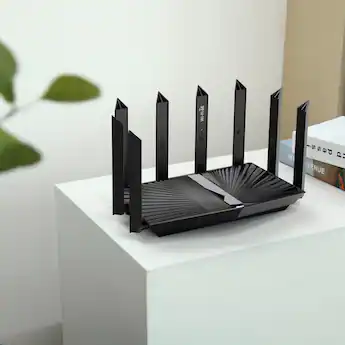
Best for: More accessible Wi-Fi 6E upgrades
- Wi-Fi generation
- Wi-Fi 6E
- Speed class
- AXE7800
- Bands
- 3
- Ethernet ports
- 5 Gigabit LAN ports
- Provides a 6 GHz band for compatible devices.
- Tri-band design helps distribute network traffic.
- Offers a 2.5 Gigabit Ethernet port.
- Has a lower speed class than the RAXE500.
Is the NETGEAR Nighthawk RAXE300 AXE7800 Tri-Band WiFi 6E Router worth buying on Black Friday 2026?
Yes. The NETGEAR Nighthawk RAXE300 AXE7800 Tri-Band WiFi 6E Router is worth considering for homes that want a 6 GHz band and tri-band Wi-Fi without choosing the higher-class RAXE500.
See today’s Black Friday price on Amazon
#4
ASUS RT-AXE7800 AXE7800 Tri-Band WiFi 6E Router
The ASUS RT-AXE7800 AXE7800 Tri-Band WiFi 6E Router is the best fit for households that want ASUS features and a 6 GHz band. The ASUS RT-AXE7800 AXE7800 Tri-Band WiFi 6E Router's AXE7800 class and three bands support a mix of newer and older Wi-Fi devices.
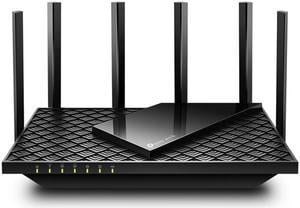
Best for: ASUS users moving to Wi-Fi 6E
- Wi-Fi generation
- Wi-Fi 6E
- Speed class
- AXE7800
- Bands
- 3
- Multi-gig port
- 2.5 Gigabit WAN/LAN
- Includes 2.4 GHz, 5 GHz and 6 GHz bands.
- Features a 2.5 Gigabit WAN/LAN port.
- Supports ASUS router software features.
- Has fewer wired LAN ports than the ASUS RT-AX88U.
Is the ASUS RT-AXE7800 AXE7800 Tri-Band WiFi 6E Router worth buying on Black Friday 2026?
Yes. The ASUS RT-AXE7800 AXE7800 Tri-Band WiFi 6E Router is a good fit for ASUS households seeking Wi-Fi 6E, three bands and a 2.5 Gigabit WAN/LAN connection for compatible internet equipment.
See today’s Black Friday price on Amazon
#5
TP-Link Archer AXE75 AXE5400 Tri-Band WiFi 6E Router
The TP-Link Archer AXE75 AXE5400 Tri-Band WiFi 6E Router is the best budget-minded choice for homes ready to add a 6 GHz band. The TP-Link Archer AXE75 AXE5400 Tri-Band WiFi 6E Router's AXE5400 class offers tri-band Wi-Fi 6E for compatible devices.
Best for: Value-focused Wi-Fi 6E upgrades
- Wi-Fi generation
- Wi-Fi 6E
- Speed class
- AXE5400
- Bands
- 3
- Gigabit LAN ports
- 4
- Adds a 6 GHz band at a more accessible tier.
- Includes four Gigabit LAN ports.
- Supports TP-Link OneMesh with compatible devices.
- Does not include a multi-gig Ethernet port.
Is the TP-Link Archer AXE75 AXE5400 Tri-Band WiFi 6E Router worth buying on Black Friday 2026?
Yes. The TP-Link Archer AXE75 AXE5400 Tri-Band WiFi 6E Router is a sensible entry into Wi-Fi 6E for households that want three bands, four Gigabit LAN ports and support for compatible mesh expansion.
See today’s Black Friday price on Amazon
#6
TP-Link Archer BE800 BE19000 Tri-Band Wi-Fi 7 Router
The TP-Link Archer BE800 BE19000 Tri-Band Wi-Fi 7 Router is the best premium upgrade for homes with Wi-Fi 7 devices and multi-gig wired gear. The TP-Link Archer BE800 BE19000 Tri-Band Wi-Fi 7 Router's BE19000 class pairs next-generation wireless with 10 Gigabit Ethernet ports.

Best for: Wi-Fi 7 and multi-gig networks
- Wi-Fi generation
- Wi-Fi 7
- Speed class
- BE19000
- Bands
- 3
- 10 Gigabit ports
- 2
- Supports Wi-Fi 7 across three bands.
- Includes two 10 Gigabit Ethernet ports.
- Provides four 2.5 Gigabit LAN ports.
- Older Wi-Fi devices do not use its Wi-Fi 7 features.
Is the TP-Link Archer BE800 BE19000 Tri-Band Wi-Fi 7 Router worth buying on Black Friday 2026?
Yes. The TP-Link Archer BE800 BE19000 Tri-Band Wi-Fi 7 Router is a future-ready option for homes with compatible Wi-Fi 7 devices, multi-gig internet and wired equipment that benefits from its two 10 Gigabit ports.
See today’s Black Friday price on Amazon
#7
ASUS RT-AX88U Pro AX6000 Dual Band WiFi 6 Router
The ASUS RT-AX88U Pro AX6000 Dual Band WiFi 6 Router is the best wired upgrade for ASUS shoppers who want Wi-Fi 6 and multi-gig connectivity. The ASUS RT-AX88U Pro AX6000 Dual Band WiFi 6 Router's 2.5 Gigabit WAN/LAN port distinguishes it from the original RT-AX88U.
Best for: ASUS homes with multi-gig internet
- Wi-Fi generation
- Wi-Fi 6
- Speed class
- AX6000
- Bands
- 2
- Multi-gig ports
- 2
- Adds a 2.5 Gigabit WAN/LAN port.
- Supports dual-band Wi-Fi 6.
- Includes ASUS software and security features.
- Has fewer LAN ports than the original RT-AX88U.
Is the ASUS RT-AX88U Pro AX6000 Dual Band WiFi 6 Router worth buying on Black Friday 2026?
Yes. The ASUS RT-AX88U Pro AX6000 Dual Band WiFi 6 Router is a strong choice for ASUS users who want Wi-Fi 6 plus two 2.5 Gigabit ports, especially when multi-gig internet or wired network upgrades matter.
See today’s Black Friday price on Amazon
Which router is better, the NETGEAR Nighthawk RAXE500 or ASUS RT-AX88U?
The NETGEAR Nighthawk RAXE500 AXE11000 Tri-Band WiFi 6E Router is the better match for Wi-Fi 6E devices, while the ASUS RT-AX88U AX6000 Dual Band WiFi 6 Router suits homes that need eight LAN ports. The choice is between a 6 GHz band and extensive wired connections.
The RAXE500 has three bands, including 6 GHz, for compatible devices. The RT-AX88U uses two Wi-Fi 6 bands, but its eight Gigabit LAN ports give wired consoles, computers and hubs more direct connections. Both routers support existing Wi-Fi devices, so household compatibility remains broad.
Choose the RAXE500 when newer devices and tri-band traffic are priorities. Choose the RT-AX88U when wired capacity and a mature Wi-Fi 6 network matter more. Easy recommendation: count your wired devices and check which phones and laptops support 6 GHz before choosing.
What does Wi-Fi 6E add compared with Wi-Fi 6?
The NETGEAR Nighthawk RAXE500 AXE11000 Tri-Band WiFi 6E Router adds a 6 GHz band, while the ASUS RT-AX88U AX6000 Dual Band WiFi 6 Router operates on 2.4 GHz and 5 GHz. The extra band is most useful with compatible Wi-Fi 6E devices.
A 6 GHz connection gives supported devices another band to use, which helps when a home has many active connections. The benefit depends on the devices in use: a phone or laptop without Wi-Fi 6E continues to connect on the bands it supports. A 6 GHz signal also has less reach through walls than lower-frequency bands.
Wi-Fi 6 remains a sound choice for households with older equipment or extensive wired needs. Wi-Fi 6E makes more sense when newer devices are part of the household and a 6 GHz connection is a priority. Check device specifications before paying for that feature.
Which router should I look for on Black Friday 2026?
The TP-Link Archer AXE75 AXE5400 Tri-Band WiFi 6E Router is the best value-focused pick for shoppers who want a 6 GHz band, while the TP-Link Archer BE800 BE19000 Tri-Band Wi-Fi 7 Router is the premium upgrade. Both serve different budgets and upgrade plans.
Compare the exact model name and hardware revision on retailer listings, then check whether the router has the bands and ports your home needs. Black Friday 2026 is a useful time to compare options side by side, but a lower tier can be the smarter purchase when your internet plan and devices do not need higher-end features.
Think beyond the router itself: check your modem or gateway connection, internet plan speed and any mesh equipment already in place. A router with 10 Gigabit ports adds little to a home whose connected devices use standard Gigabit Ethernet.
How many bands and Ethernet ports does a home router need?
The ASUS RT-AX88U AX6000 Dual Band WiFi 6 Router provides eight Gigabit LAN ports, while the NETGEAR Nighthawk RAXE500 AXE11000 Tri-Band WiFi 6E Router provides three Wi-Fi bands. The right balance depends on whether a home relies more on wired devices or newer wireless ones.
Two bands are enough for many households with everyday streaming, browsing and smart-home connections. Three bands offer an extra route for compatible devices, and a 6 GHz band requires compatible client hardware. Count wired devices such as televisions, desktop computers, game consoles and network storage before choosing a port layout.
A separate Ethernet switch can add wired ports, but it takes space and another connection. A router with built-in ports keeps a simple setup. Multi-gig ports are useful when the internet plan or local network equipment supports those speeds.
Will a faster router improve Wi-Fi throughout a large home?
The TP-Link Archer BE800 BE19000 Tri-Band Wi-Fi 7 Router offers a high speed class, but router placement and home construction still affect coverage. A faster model does not guarantee strong Wi-Fi in every room, especially across multiple floors or thick walls.
Place a router in an open, central location rather than inside a cabinet or behind a television. Check the floor plan and the location of rooms where connections struggle. A compatible mesh system or additional access point is a better coverage solution for many large homes than a single high-spec router.
Speed-class figures describe combined theoretical wireless capacity across bands; they are not the expected speed of one device. Internet service, device capability, distance and interference all shape real-world performance. Match your coverage plan to the home, then compare router features.
Buying Guide
Choose the Wi-Fi generation
The ASUS RT-AX88U AX6000 Dual Band WiFi 6 Router suits homes with Wi-Fi 6 devices, while the NETGEAR Nighthawk RAXE500 AXE11000 Tri-Band WiFi 6E Router adds 6 GHz. Pick Wi-Fi 7 when compatible devices and future network upgrades make that step useful.
Match bands to your devices
The NETGEAR Nighthawk RAXE300 AXE7800 Tri-Band WiFi 6E Router supplies three bands, including 6 GHz. Confirm your phones, laptops and tablets support Wi-Fi 6E before choosing a 6E model; older devices connect using their supported bands.
Count wired connections
The ASUS RT-AX88U AX6000 Dual Band WiFi 6 Router has eight Gigabit LAN ports, while the TP-Link Archer BE800 BE19000 Tri-Band Wi-Fi 7 Router offers multi-gig connections. Count consoles, televisions, computers and storage before deciding.
Plan for the home's layout
The TP-Link Archer BE800 BE19000 Tri-Band Wi-Fi 7 Router is still a single router, so placement and walls affect its coverage. For a large or multi-story home, compare a compatible mesh setup with a single-router upgrade.
Check the whole connection path
The ASUS RT-AX88U Pro AX6000 Dual Band WiFi 6 Router has multi-gig ports, but the modem, internet plan and connected equipment also need to support those speeds. Compare every link before prioritizing higher port ratings.
FAQ
Is the NETGEAR Nighthawk RAXE500 better than the ASUS RT-AX88U?
The NETGEAR Nighthawk RAXE500 AXE11000 Tri-Band WiFi 6E Router is better for Wi-Fi 6E devices and tri-band wireless, while the ASUS RT-AX88U AX6000 Dual Band WiFi 6 Router is better for homes needing eight wired LAN ports. Choose based on devices and connections.
Does the ASUS RT-AX88U support Wi-Fi 6E?
No. The ASUS RT-AX88U AX6000 Dual Band WiFi 6 Router supports Wi-Fi 6 on 2.4 GHz and 5 GHz, but it does not include a 6 GHz band. For ASUS Wi-Fi 6E, compare the ASUS RT-AXE7800 AXE7800 Tri-Band WiFi 6E Router.
Is Wi-Fi 6E worth it for a home router?
Wi-Fi 6E is worth considering when a home has compatible devices and a need for the 6 GHz band. The NETGEAR Nighthawk RAXE300 AXE7800 Tri-Band WiFi 6E Router and TP-Link Archer AXE75 AXE5400 Tri-Band WiFi 6E Router both provide tri-band Wi-Fi 6E.
What is a good budget Wi-Fi 6E router for Black Friday 2026?
The TP-Link Archer AXE75 AXE5400 Tri-Band WiFi 6E Router is a value-focused Wi-Fi 6E option with three bands and four Gigabit LAN ports. Check that your devices support 6 GHz to make the added band useful in your home.
Should I buy a Wi-Fi 7 router instead of Wi-Fi 6E?
The TP-Link Archer BE800 BE19000 Tri-Band Wi-Fi 7 Router is a stronger upgrade fit for homes with Wi-Fi 7 devices and multi-gig equipment. The NETGEAR Nighthawk RAXE500 AXE11000 Tri-Band WiFi 6E Router is a better match when Wi-Fi 6E meets your needs.
How many LAN ports does the ASUS RT-AX88U have?
The ASUS RT-AX88U AX6000 Dual Band WiFi 6 Router has eight Gigabit LAN ports. The port count makes it useful for wired televisions, game consoles, desktop computers and hubs, without requiring a separate Ethernet switch for as many devices.