

As an Amazon Associate we earn from qualifying purchases.
- Best overall: Lenovo Legion Pro 7i Gen 10 16-inch RTX 5090 configuration
- Best budget: ASUS TUF Gaming A16 FA608PP RTX 5070 configuration
- Best premium: Razer Blade 16 RTX 5090 configuration
- Best for a large gaming display: ASUS ROG Strix SCAR 18 G835LX RTX 5090 configuration
- The Lenovo Legion Pro 7i Gen 10 16-inch RTX 5090 configuration is the best all-around choice for high-end gaming.
- The ASUS TUF Gaming A16 FA608PP RTX 5070 configuration is the value pick for players who want a capable GPU without flagship extras.
- An RTX 5080 laptop offers a strong middle ground between high frame rates and the cost of RTX 5090 hardware.
- Check GPU power limits, screen quality, memory, storage and cooling before choosing a Black Friday gaming laptop.
RTX 50 series laptop Black Friday deals 2026 cover everything from portable RTX 5070 systems to large-screen RTX 5090 rigs. I researched and compared specs, reviews and owner feedback to identify laptops with the right mix of graphics power, display quality, cooling and everyday usability. The best pick depends on your games, preferred screen size and how often you carry your laptop.
The Lenovo Legion Pro 7i Gen 10 16-inch RTX 5090 configuration is my best overall recommendation, while the ASUS TUF Gaming A16 FA608PP RTX 5070 configuration keeps the value conversation grounded. Below, each pick includes its defining specifications, strengths and trade-offs, followed by buying advice for comparing configurations. Here's the bottom line: choose the GPU and screen you will use, not just the biggest model number.
How We Picked
- Compared laptop GPU tiers, memory capacity and graphics power limits, since RTX 50-series chips do not perform identically across every chassis.
- Prioritized displays with useful resolutions and refresh rates for the gaming performance each laptop targets.
- Considered cooling design, chassis size and portability, including the trade-offs between 16-inch and 18-inch systems.
- Reviewed manufacturer specifications, published reviews and owner feedback for keyboard, build, battery and upgrade considerations.
- Selected a range of configurations so shoppers can compare budget, balanced and premium choices without relying on a single brand.
Comparison Table
| Product | Best for | GPU | Display | Memory |
|---|---|---|---|---|
| Lenovo Legion Pro 7i Gen 10 16-inch RTX 5090 configuration | Flagship gaming in a 16-inch format | RTX 5090, 24GB | 16-inch OLED, 240Hz | 32GB |
| ASUS ROG Strix SCAR 18 G835LX RTX 5090 configuration | Large-screen flagship gaming | RTX 5090, 24GB | 18-inch Mini LED, 240Hz | 32GB |
| Razer Blade 16 RTX 5090 configuration | Premium gaming and creative work on the go | RTX 5090, 24GB | 16-inch OLED, 240Hz | 64GB |
| MSI Raider 18 HX AI A2XWIG RTX 5090 configuration | Large-screen gaming and media | RTX 5090, 24GB | 18-inch UHD+ Mini LED, 120Hz | 64GB |
| ASUS ROG Strix G16 G615LW RTX 5080 configuration | High-end gaming at a more balanced tier | RTX 5080, 16GB | 16-inch, 240Hz | 32GB |
| Lenovo Legion 5i Gen 10 16-inch RTX 5070 Ti configuration | Value-focused players who want a capable GPU | RTX 5070 Ti, 12GB | 16-inch, 165Hz | 16GB |
| ASUS TUF Gaming A16 FA608PP RTX 5070 configuration | Budget-conscious gaming | RTX 5070, 8GB | 16-inch, 165Hz | 16GB |
Best Picks Reviewed
#1 · Top pick
Lenovo Legion Pro 7i Gen 10 16-inch RTX 5090 configuration
The Lenovo Legion Pro 7i Gen 10 16-inch RTX 5090 configuration is the best overall gaming laptop for players who want flagship performance in a manageable chassis. The Lenovo Legion Pro 7i Gen 10 16-inch RTX 5090 configuration's 16-inch, 240Hz OLED screen pairs with an RTX 5090 laptop GPU carrying 24GB of GDDR7 memory.

Best for: Flagship gaming in a 16-inch format
- GPU
- GeForce RTX 5090 Laptop GPU, 24GB GDDR7
- Display
- 16-inch OLED, 240Hz
- Memory
- 32GB
- Storage
- 1TB SSD
- Top-tier RTX 5090 graphics and a high-refresh OLED panel
- 16-inch size balances screen space and portability
- Strong fit for demanding games and creative workloads
- Premium components make this a high-end purchase
- RTX 5090 gaming performance needs substantial cooling and power
Is the Lenovo Legion Pro 7i Gen 10 16-inch RTX 5090 configuration worth buying on Black Friday 2026?
Yes. The Lenovo Legion Pro 7i Gen 10 16-inch RTX 5090 configuration combines a 24GB RTX 5090 laptop GPU with a 240Hz OLED display. Choose it for powerful gaming and a screen size that remains easier to carry than an 18-inch system.
See today’s Black Friday price on Amazon
#2
ASUS ROG Strix SCAR 18 G835LX RTX 5090 configuration
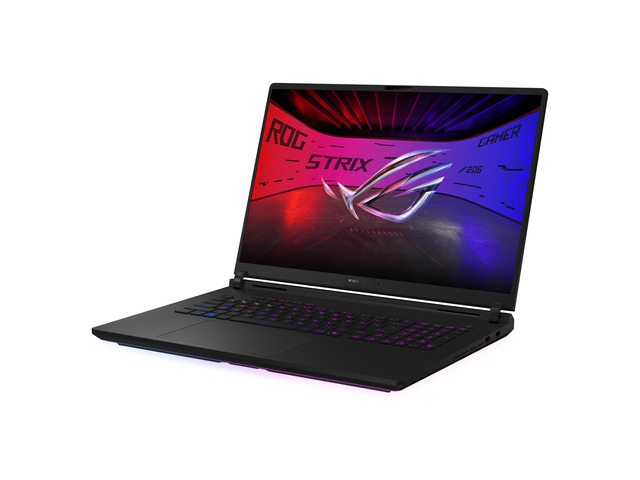
The ASUS ROG Strix SCAR 18 G835LX RTX 5090 configuration is the best desktop replacement for players who want an expansive display and uncompromising graphics hardware. The 18-inch, 240Hz Mini LED screen gives its RTX 5090 laptop GPU a roomy stage for fast-paced games.
Best for: Large-screen flagship gaming
- GPU
- GeForce RTX 5090 Laptop GPU, 24GB GDDR7
- Display
- 18-inch Mini LED, 240Hz
- Memory
- 32GB
- Storage
- 2TB SSD
- Large, high-refresh Mini LED display
- RTX 5090 graphics suit demanding games
- Ample storage for a broad game library
- Large chassis is less convenient for daily travel
- Flagship hardware calls for a substantial power adapter
Is the ASUS ROG Strix SCAR 18 G835LX RTX 5090 configuration worth buying on Black Friday 2026?
Yes. The ASUS ROG Strix SCAR 18 G835LX RTX 5090 configuration suits players who prioritize a big screen and top-tier graphics. The ASUS ROG Strix SCAR 18 G835LX RTX 5090 configuration's 18-inch 240Hz Mini LED display and 24GB RTX 5090 laptop GPU make it a powerful desktop replacement.
See today’s Black Friday price on Amazon
#3
Razer Blade 16 RTX 5090 configuration
The Razer Blade 16 RTX 5090 configuration is the best premium portable pick for gamers who want flagship graphics in a refined 16-inch design. The Razer Blade 16 RTX 5090 configuration's 240Hz OLED panel and 24GB RTX 5090 laptop GPU target high-end gaming without an 18-inch chassis.

Best for: Premium gaming and creative work on the go
- GPU
- GeForce RTX 5090 Laptop GPU, 24GB GDDR7
- Display
- 16-inch OLED, 240Hz
- Memory
- 64GB
- Storage
- 2TB SSD
- High-end OLED display with a 240Hz refresh rate
- Slim design stands out among RTX 5090 laptops
- 64GB memory supports demanding multitasking
- Thin design leaves less room for cooling than larger laptops
- Premium build and components place it in the luxury tier
Is the Razer Blade 16 RTX 5090 configuration worth buying on Black Friday 2026?
Yes. The Razer Blade 16 RTX 5090 configuration is a strong premium choice for players who need serious graphics power in a 16-inch laptop. The Razer Blade 16 RTX 5090 configuration's 24GB RTX 5090 GPU, 240Hz OLED display and 64GB memory also suit demanding creative workloads.
See today’s Black Friday price on Amazon
#4
MSI Raider 18 HX AI A2XWIG RTX 5090 configuration
The MSI Raider 18 HX AI A2XWIG RTX 5090 configuration is the best pick for players who want a large desktop-replacement screen and generous local storage. The MSI Raider 18 HX AI A2XWIG RTX 5090 configuration's 18-inch UHD+ Mini LED display runs at 120Hz, while the RTX 5090 laptop GPU brings 24GB of GDDR7 memory.

Best for: Large-screen gaming and media
- GPU
- GeForce RTX 5090 Laptop GPU, 24GB GDDR7
- Display
- 18-inch UHD+ Mini LED, 120Hz
- Memory
- 64GB
- Storage
- 2TB SSD
- Detailed UHD+ Mini LED screen
- 64GB memory and 2TB storage suit heavy workloads
- RTX 5090 graphics handle demanding games
- 18-inch chassis is bulky for frequent travel
- 120Hz refresh rate is lower than some gaming rivals
Is the MSI Raider 18 HX AI A2XWIG RTX 5090 configuration worth buying on Black Friday 2026?
Yes. The MSI Raider 18 HX AI A2XWIG RTX 5090 configuration is a good match for players who want a large UHD+ Mini LED display and powerful components. The MSI Raider 18 HX AI A2XWIG RTX 5090 configuration's 24GB RTX 5090 GPU, 64GB memory and 2TB SSD support demanding play and multitasking.
See today’s Black Friday price on Amazon
#5
ASUS ROG Strix G16 G615LW RTX 5080 configuration
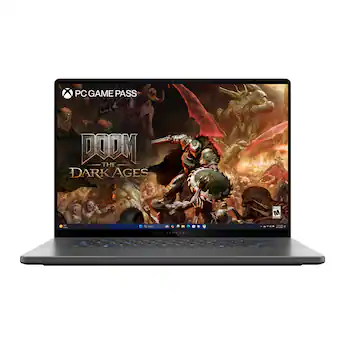
The ASUS ROG Strix G16 G615LW RTX 5080 configuration is the best balanced choice for players who want high-end graphics without stepping up to an RTX 5090 laptop. The ASUS ROG Strix G16 G615LW RTX 5080 configuration's 16-inch, 240Hz display pairs with an RTX 5080 GPU featuring 16GB of GDDR7 memory.
Best for: High-end gaming at a more balanced tier
- GPU
- GeForce RTX 5080 Laptop GPU, 16GB GDDR7
- Display
- 16-inch, 240Hz
- Memory
- 32GB
- Storage
- 1TB SSD
- RTX 5080 sits between upper-midrange and flagship GPUs
- 240Hz panel suits competitive games
- 16-inch size is practical for a gaming laptop
- 1TB storage fills quickly with large game libraries
- High-refresh gaming can increase fan noise and heat
Is the ASUS ROG Strix G16 G615LW RTX 5080 configuration worth buying on Black Friday 2026?
Yes. The ASUS ROG Strix G16 G615LW RTX 5080 configuration offers a compelling balance for players who want high-end graphics without an RTX 5090 system. The ASUS ROG Strix G16 G615LW RTX 5080 configuration's 16GB RTX 5080 GPU and 240Hz display are suited to demanding and competitive games.
See today’s Black Friday price on Amazon
#6
Lenovo Legion 5i Gen 10 16-inch RTX 5070 Ti configuration
The Lenovo Legion 5i Gen 10 16-inch RTX 5070 Ti configuration is the best value-minded pick for players seeking more graphics headroom than an entry-level RTX 50 laptop. A 16-inch, 165Hz display and 12GB RTX 5070 Ti GPU make a sensible combination for varied gaming.

Best for: Value-focused players who want a capable GPU
- GPU
- GeForce RTX 5070 Ti Laptop GPU, 12GB GDDR7
- Display
- 16-inch, 165Hz
- Memory
- 16GB
- Storage
- 1TB SSD
- 12GB graphics memory provides useful headroom
- 165Hz display is responsive for many game genres
- More balanced hardware than an oversized flagship
- 16GB system memory is less generous than premium rivals
- Screen specifications vary by exact retail configuration
Is the Lenovo Legion 5i Gen 10 16-inch RTX 5070 Ti configuration worth buying on Black Friday 2026?
Yes. The Lenovo Legion 5i Gen 10 16-inch RTX 5070 Ti configuration is a sensible choice for players seeking strong graphics without a flagship-class laptop. The Lenovo Legion 5i Gen 10 16-inch RTX 5070 Ti configuration's 12GB RTX 5070 Ti GPU and 165Hz display deliver a balanced specification set.
See today’s Black Friday price on Amazon
#7
ASUS TUF Gaming A16 FA608PP RTX 5070 configuration
The ASUS TUF Gaming A16 FA608PP RTX 5070 configuration is the best budget-oriented pick for players who want an RTX 50-series GPU in a durable, practical gaming laptop. The ASUS TUF Gaming A16 FA608PP RTX 5070 configuration's 16-inch, 165Hz display and RTX 5070 laptop GPU make it a straightforward option for everyday play.
Best for: Budget-conscious gaming
- GPU
- GeForce RTX 5070 Laptop GPU, 8GB GDDR7
- Display
- 16-inch, 165Hz
- Memory
- 16GB
- Storage
- 1TB SSD
- RTX 5070 brings current-generation graphics features
- 165Hz screen supports smooth gameplay
- 16-inch screen offers room for games and multitasking
- 8GB graphics memory is less suited to heavy high-resolution workloads
- Entry-tier configurations have fewer premium extras
Is the ASUS TUF Gaming A16 FA608PP RTX 5070 configuration worth buying on Black Friday 2026?
Yes. The ASUS TUF Gaming A16 FA608PP RTX 5070 configuration is a solid starting point for RTX 50-series laptop gaming. The ASUS TUF Gaming A16 FA608PP RTX 5070 configuration's 8GB RTX 5070 GPU and 165Hz 16-inch display suit players who prioritize core gaming performance over flagship extras.
See today’s Black Friday price on Amazon
Which RTX 50 series laptop is the best overall Black Friday pick?
The Lenovo Legion Pro 7i Gen 10 16-inch RTX 5090 configuration pairs a 24GB GPU with a 240Hz OLED display in a more manageable size than an 18-inch laptop.
For a larger screen, consider the ASUS ROG Strix SCAR 18 G835LX RTX 5090 configuration with a Mini LED panel or the MSI Raider 18 HX AI A2XWIG RTX 5090 configuration with a UHD+ screen and 64GB of memory. The ASUS ROG Strix G16 G615LW RTX 5080 configuration offers a lower GPU tier.
Which RTX 50 series laptop is best for a limited budget?
The ASUS TUF Gaming A16 FA608PP RTX 5070 configuration offers 16GB of memory and a 165Hz display for everyday gaming.
For 12GB of graphics memory, consider the Lenovo Legion 5i Gen 10 16-inch RTX 5070 Ti configuration. Compare each listing’s GPU, memory, screen, storage and GPU power limit.
Is an RTX 5080 laptop a better buy than an RTX 5090 laptop?
The ASUS ROG Strix G16 G615LW RTX 5080 configuration combines 16GB of graphics memory with a 240Hz display. The Lenovo Legion Pro 7i Gen 10 16-inch RTX 5090 configuration and Razer Blade 16 RTX 5090 configuration offer 24GB of graphics memory. Check cooling and GPU power limits, then match the GPU to your games and screen resolution.
Are 16-inch or 18-inch RTX 50 series laptops better?
A 16-inch laptop is easier to carry; an 18-inch model offers more screen area. The Lenovo Legion Pro 7i Gen 10 16-inch RTX 5090 configuration and Razer Blade 16 RTX 5090 configuration suit buyers seeking high-end performance in a smaller footprint.
The ASUS ROG Strix SCAR 18 G835LX RTX 5090 configuration and MSI Raider 18 HX AI A2XWIG RTX 5090 configuration prioritize larger displays. Choose based on your desk space and travel needs.
What should buyers check before choosing an RTX 50 series laptop?
Compare the exact GPU, GPU power limit, display, memory and storage. Cooling and power settings affect performance, even between laptops with the same GPU name.
Check screen resolution, panel type, upgrade options and ports. The ASUS TUF Gaming A16 FA608PP RTX 5070 configuration focuses on straightforward gaming, while the Razer Blade 16 RTX 5090 configuration pairs premium design with high-end components.
Buying Guide
Choose the right RTX 50-series GPU
The RTX 5070 targets value-minded gaming, the RTX 5070 Ti steps up, the RTX 5080 suits high-end play and the RTX 5090 tops the range. Compare graphics memory and power limits.
Match the display to your games
A 165Hz screen suits many games; a 240Hz panel caters to competitive play. Compare resolution and panel type, including OLED and Mini LED.
Balance screen size and portability
A 16-inch laptop is easier to carry. An 18-inch system offers more screen area but takes up more room. Choose for your usual gaming setup.
Check memory and storage capacity
Look for at least 16GB of system memory and enough SSD capacity for your games. Configurations with 32GB or 64GB suit heavier multitasking and creative work.
Compare the complete configuration
Confirm the GPU, display, memory, storage and operating system on the retailer listing. Compare full specifications, not just the model-family name.
FAQ
What is the best RTX 50 series laptop for Black Friday 2026?
The Lenovo Legion Pro 7i Gen 10 16-inch RTX 5090 configuration is the best all-around pick for high-end gaming. Its 24GB RTX 5090 GPU and 240Hz OLED display combine flagship graphics with a more portable size than an 18-inch laptop.
Which RTX 50 series laptop is the best budget pick?
The ASUS TUF Gaming A16 FA608PP RTX 5070 configuration is the budget-oriented pick. The 8GB RTX 5070 GPU, 16GB system memory and 165Hz display provide a capable foundation for players who do not need flagship hardware.
Is an RTX 5070 laptop good for gaming?
Yes. The ASUS TUF Gaming A16 FA608PP RTX 5070 configuration suits mainstream gaming with its RTX 5070 GPU and 165Hz screen. Check the graphics memory and intended resolution, since an 8GB GPU is not the same fit as an RTX 5080 or RTX 5090.
Should I buy an RTX 5080 or RTX 5090 laptop?
The ASUS ROG Strix G16 G615LW RTX 5080 configuration is the balanced choice, while the Lenovo Legion Pro 7i Gen 10 16-inch RTX 5090 configuration targets flagship performance. Choose based on your games, display resolution and need for 16GB versus 24GB graphics memory.
Are 18-inch gaming laptops worth buying?
Yes, 18-inch laptops are worth considering for players who prioritize screen area over portability. The ASUS ROG Strix SCAR 18 G835LX RTX 5090 configuration pairs an 18-inch 240Hz Mini LED screen with powerful graphics, but its larger body is less convenient to carry.
How much memory should an RTX 50 series gaming laptop have?
A 16GB configuration is a practical baseline for gaming, while 32GB offers more room for multitasking. The Razer Blade 16 RTX 5090 configuration includes 64GB for demanding creative work and heavy workloads, alongside its 24GB RTX 5090 GPU.