

As an Amazon Associate we earn from qualifying purchases.
- Best overall: TP-Link Archer BE550 Tri-Band Wi-Fi 7 Router
- Best budget: TP-Link Deco M5 AC1300 Whole Home Mesh Wi-Fi System (3-Pack)
- Best premium: TP-Link Deco BE63 BE10000 Tri-Band Wi-Fi 7 Mesh System (3-Pack)
- TP-Link Deco X55 AX3000 Whole Home Mesh Wi-Fi 6 System (3-Pack): TP-Link Archer AXE75 AXE5400 Tri-Band Wi-Fi 6E Router
- TP-Link Deco M5 is a dual-band mesh system designed to spread Wi-Fi across a home using multiple units.
- TP-Link Archer BE550 is a tri-band Wi-Fi 7 router with a 6 GHz band and five 2.5 Gbps Ethernet ports.
- Choose a mesh system for broader multi-room coverage; choose a standalone router when speed and wired connections matter most.
- TP-Link Deco X55 and TP-Link Deco BE63 are mesh alternatives with newer Wi-Fi generations.
- Check your internet plan, home layout and device compatibility before choosing a Black Friday 2026 router.
Choosing between the TP-Link Deco M5 and TP-Link Archer BE550 comes down to the job you need your Wi-Fi to do. The Deco M5 is a mesh system: multiple units work together to cover rooms and floors. The Archer BE550 is a powerful single router built around Wi-Fi 7, tri-band connections and multi-gig Ethernet.
We researched and compared specs, reviews and owner feedback to make this Black Friday 2026 guide useful across different homes and budgets. The cards below also include mesh and router alternatives, with clear specs and practical trade-offs. Best bet: match the network type to your layout first, then compare the features you will actually use.
How We Picked
- Compared Wi-Fi generation, advertised class and band configuration for each model.
- Reviewed mesh coverage and Ethernet options to distinguish whole-home systems from standalone routers.
- Prioritized useful details for real households, including device capacity, backhaul and multi-gig ports.
- Included options across older, current and Wi-Fi 7 product families for different upgrade needs.
- Researched and compared specs, reviews and owner feedback without treating advertised maximums as guaranteed real-world speeds.
Comparison Table
| Product | Best for | Wi-Fi class | Advertised speed class | Ethernet highlight |
|---|---|---|---|---|
| TP-Link Deco M5 AC1300 Whole Home Mesh Wi-Fi System (3-Pack) | Entry-level whole-home mesh | AC1300 | AC1300 | 2 gigabit ports per unit |
| TP-Link Archer BE550 Tri-Band Wi-Fi 7 Router | Wi-Fi 7 and multi-gig wired connections | BE9300 | BE9300 | 5 × 2.5 Gbps ports |
| TP-Link Deco X55 AX3000 Whole Home Mesh Wi-Fi 6 System (3-Pack) | Wi-Fi 6 mesh coverage | AX3000 | AX3000 | 3 gigabit ports per unit |
| TP-Link Deco XE75 Pro AXE5400 Tri-Band Mesh Wi-Fi 6E System (3-Pack) | Wi-Fi 6E mesh with a multi-gig port | AXE5400 | AXE5400 | 1 × 2.5 Gbps port per unit |
| TP-Link Deco BE63 BE10000 Tri-Band Wi-Fi 7 Mesh System (3-Pack) | Wi-Fi 7 mesh and multi-gig devices | BE10000 | BE10000 | 4 × 2.5 Gbps ports per unit |
| TP-Link Archer AXE75 AXE5400 Tri-Band Wi-Fi 6E Router | Standalone Wi-Fi 6E networking | AXE5400 | AXE5400 | Gigabit Ethernet ports |
| TP-Link Archer BE800 BE19000 Tri-Band Wi-Fi 7 Router | Advanced Wi-Fi 7 and 10 Gbps links | BE19000 | BE19000 | 2 × 10 Gbps ports |
Best Picks Reviewed
#1
TP-Link Deco M5 AC1300 Whole Home Mesh Wi-Fi System (3-Pack)
The TP-Link Deco M5 AC1300 Whole Home Mesh Wi-Fi System (3-Pack) is the best mesh pick for households seeking simple whole-home coverage on a Wi-Fi 5 platform. The three-unit kit carries an AC1300 class rating.
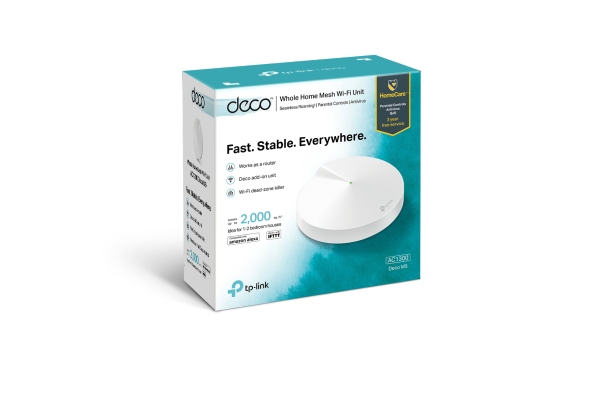
Best for: Homes needing multi-room mesh coverage without Wi-Fi 7
- Wi-Fi class
- AC1300
- Bands
- Dual-band, 2.4 GHz and 5 GHz
- Pack size
- 3 units
- Ethernet
- 2 gigabit ports per unit
- Three nodes help spread coverage
- Straightforward mesh setup
- Gigabit Ethernet on each unit
- Wi-Fi 5 lacks newer Wi-Fi 6 and Wi-Fi 7 capabilities
- No 6 GHz band
Is the TP-Link Deco M5 AC1300 Whole Home Mesh Wi-Fi System (3-Pack) worth buying on Black Friday 2026?
The TP-Link Deco M5 AC1300 Whole Home Mesh Wi-Fi System (3-Pack) is worth considering for homes that need mesh coverage more than the newest wireless features. Three units and two gigabit ports per unit suit basic whole-home networking, but Wi-Fi 5 is an older standard.
See today’s Black Friday price on Amazon
#2 · Top pick
TP-Link Archer BE550 Tri-Band Wi-Fi 7 Router
The TP-Link Archer BE550 Tri-Band Wi-Fi 7 Router is the best standalone router for Wi-Fi 7 households that want multi-gig wired connections. The TP-Link Archer BE550 Tri-Band Wi-Fi 7 Router's BE9300 rating combines three bands, including 6 GHz.

Best for: Wi-Fi 7 homes with fast wired devices
- Wi-Fi class
- BE9300
- Bands
- Tri-band, including 6 GHz
- Ethernet
- 5 × 2.5 Gbps ports
- Wi-Fi generation
- Wi-Fi 7
- Newer Wi-Fi 7 platform
- Five 2.5 Gbps Ethernet ports
- Dedicated 6 GHz band
- One router is not a multi-node mesh kit
- Older devices do not use Wi-Fi 7 features
Is the TP-Link Archer BE550 Tri-Band Wi-Fi 7 Router worth buying on Black Friday 2026?
The TP-Link Archer BE550 Tri-Band Wi-Fi 7 Router is worth considering for a home ready for Wi-Fi 7 and multi-gig wired networking. The TP-Link Archer BE550 Tri-Band Wi-Fi 7 Router's BE9300 tri-band design and five 2.5 Gbps Ethernet ports are strong upgrades, while a large home can call for mesh nodes.
See today’s Black Friday price on Amazon
#3
TP-Link Deco X55 AX3000 Whole Home Mesh Wi-Fi 6 System (3-Pack)
The TP-Link Deco X55 AX3000 Whole Home Mesh Wi-Fi 6 System (3-Pack) is the best mesh upgrade for households wanting Wi-Fi 6 across multiple rooms. The TP-Link Deco X55 AX3000 Whole Home Mesh Wi-Fi 6 System (3-Pack)'s AX3000 rating and three-node design add a newer generation than the Deco M5.

Best for: Wi-Fi 6 mesh coverage throughout a home
- Wi-Fi class
- AX3000
- Bands
- Dual-band
- Pack size
- 3 units
- Ethernet
- 3 gigabit ports per unit
- Wi-Fi 6 mesh platform
- Three Ethernet ports on each unit
- Three-node kit for multi-room placement
- No 6 GHz band
- Ethernet ports are gigabit rather than 2.5 Gbps
Is the TP-Link Deco X55 AX3000 Whole Home Mesh Wi-Fi 6 System (3-Pack) worth buying on Black Friday 2026?
The TP-Link Deco X55 AX3000 Whole Home Mesh Wi-Fi 6 System (3-Pack) is worth considering for households that want mesh coverage and Wi-Fi 6 without moving to a 6 GHz system. Three units and three gigabit ports per unit offer flexible placement and wired connections.
See today’s Black Friday price on Amazon
#4
TP-Link Deco XE75 Pro AXE5400 Tri-Band Mesh Wi-Fi 6E System (3-Pack)
The TP-Link Deco XE75 Pro AXE5400 Tri-Band Mesh Wi-Fi 6E System (3-Pack) is the best mesh choice for homes seeking a 6 GHz band and wired multi-gig support. The TP-Link Deco XE75 Pro AXE5400 Tri-Band Mesh Wi-Fi 6E System (3-Pack)'s AXE5400 class pairs tri-band Wi-Fi 6E with a 2.5 Gbps port.

Best for: Mesh households with Wi-Fi 6E devices
- Wi-Fi class
- AXE5400
- Bands
- Tri-band, including 6 GHz
- Pack size
- 3 units
- Multi-gig port
- 1 × 2.5 Gbps per unit
- 6 GHz band for compatible devices
- Mesh design with three nodes
- 2.5 Gbps port on each unit
- Wi-Fi 6E devices are needed to use 6 GHz
- Older devices connect on supported older bands
Is the TP-Link Deco XE75 Pro AXE5400 Tri-Band Mesh Wi-Fi 6E System (3-Pack) worth buying on Black Friday 2026?
The TP-Link Deco XE75 Pro AXE5400 Tri-Band Mesh Wi-Fi 6E System (3-Pack) is worth considering when a home needs mesh coverage and has Wi-Fi 6E devices. The TP-Link Deco XE75 Pro AXE5400 Tri-Band Mesh Wi-Fi 6E System (3-Pack)'s three units, 6 GHz band and 2.5 Gbps port on each node make it a capable step up from Wi-Fi 5 mesh.
See today’s Black Friday price on Amazon
#5
TP-Link Deco BE63 BE10000 Tri-Band Wi-Fi 7 Mesh System (3-Pack)
The TP-Link Deco BE63 BE10000 Tri-Band Wi-Fi 7 Mesh System (3-Pack) is the best premium mesh pick for households wanting Wi-Fi 7 across several areas. The TP-Link Deco BE63 BE10000 Tri-Band Wi-Fi 7 Mesh System (3-Pack)'s BE10000 rating and four 2.5 Gbps ports per unit suit homes with multi-gig devices.
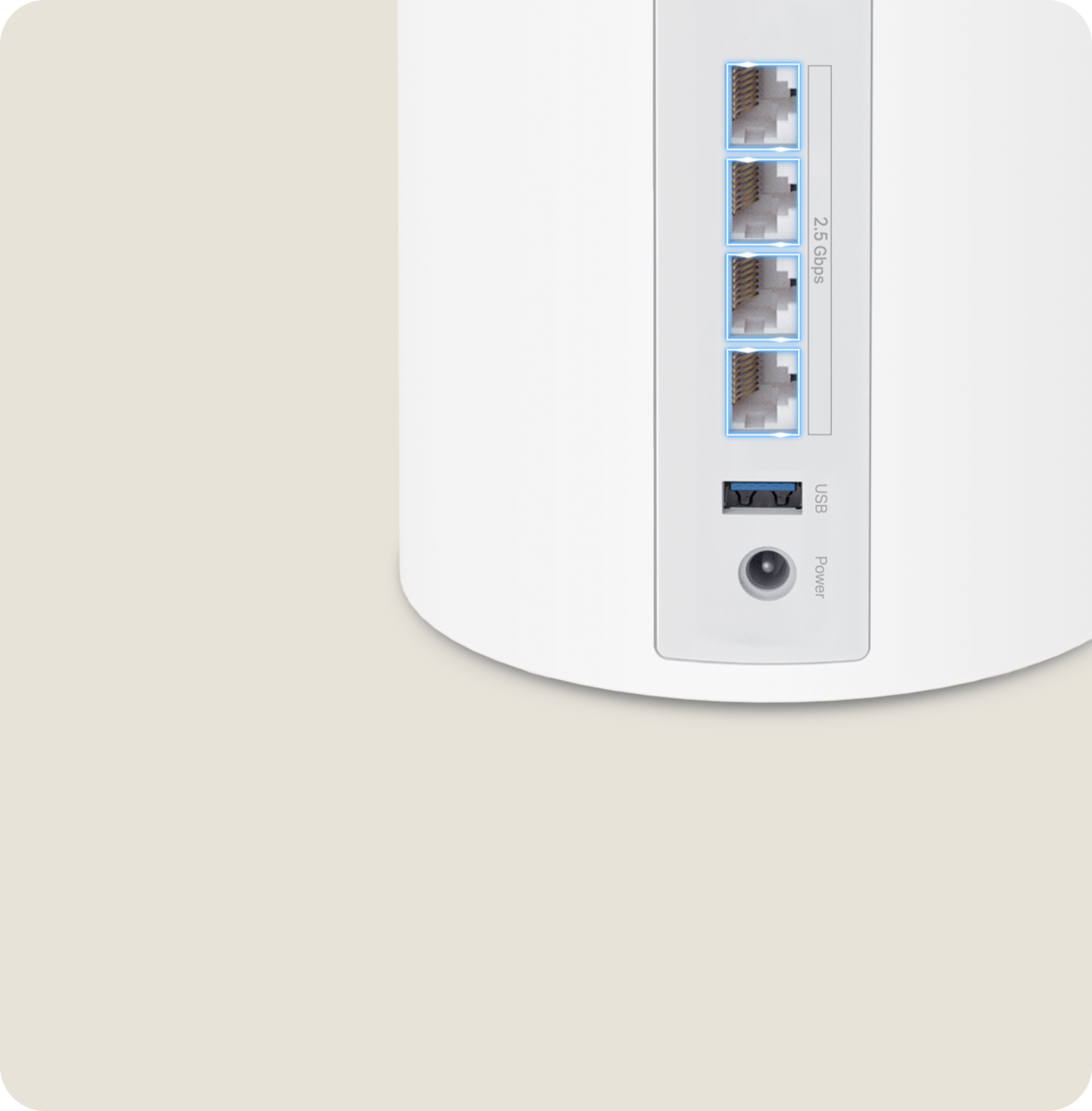
Best for: Large homes seeking Wi-Fi 7 mesh
- Wi-Fi class
- BE10000
- Bands
- Tri-band, including 6 GHz
- Pack size
- 3 units
- Ethernet
- 4 × 2.5 Gbps ports per unit
- Wi-Fi 7 mesh across three units
- Four multi-gig ports per unit
- 6 GHz support
- Older clients do not gain Wi-Fi 7 features
- A three-node system can be more than a small home needs
Is the TP-Link Deco BE63 BE10000 Tri-Band Wi-Fi 7 Mesh System (3-Pack) worth buying on Black Friday 2026?
The TP-Link Deco BE63 BE10000 Tri-Band Wi-Fi 7 Mesh System (3-Pack) is worth considering for a large home that needs newer mesh coverage and multi-gig wired connections. Three Wi-Fi 7 nodes and four 2.5 Gbps ports per unit provide extensive networking flexibility.
See today’s Black Friday price on Amazon
#6
TP-Link Archer AXE75 AXE5400 Tri-Band Wi-Fi 6E Router
The TP-Link Archer AXE75 AXE5400 Tri-Band Wi-Fi 6E Router is the best router alternative for households wanting 6 GHz without a Wi-Fi 7 model. The TP-Link Archer AXE75 AXE5400 Tri-Band Wi-Fi 6E Router's AXE5400 rating provides three bands for compatible Wi-Fi 6E devices.
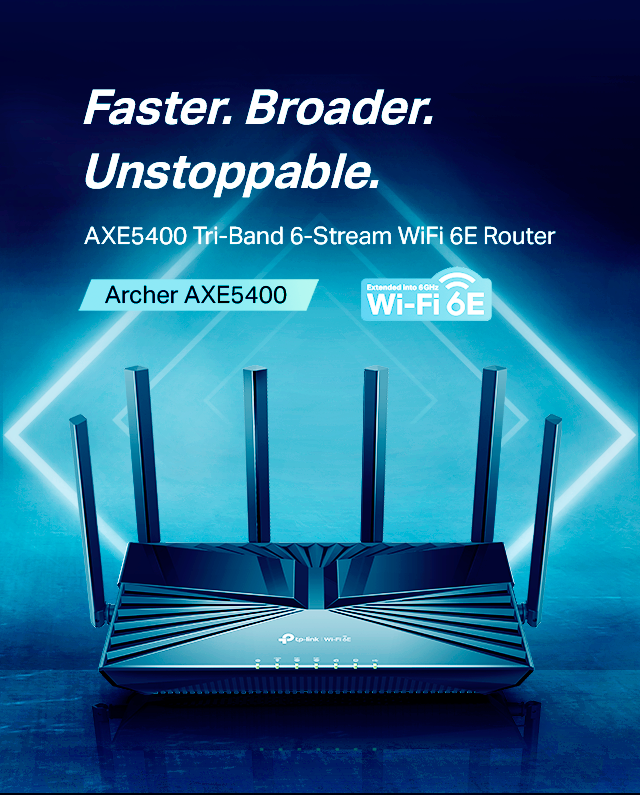
Best for: A standalone Wi-Fi 6E router upgrade
- Wi-Fi class
- AXE5400
- Bands
- Tri-band, including 6 GHz
- Wi-Fi generation
- Wi-Fi 6E
- Ethernet
- Gigabit Ethernet ports
- 6 GHz band for compatible devices
- Tri-band design
- Standalone router format
- No Wi-Fi 7 features
- Does not include mesh nodes
Is the TP-Link Archer AXE75 AXE5400 Tri-Band Wi-Fi 6E Router worth buying on Black Friday 2026?
The TP-Link Archer AXE75 AXE5400 Tri-Band Wi-Fi 6E Router is worth considering for a household that wants a standalone 6 GHz router without a Wi-Fi 7 requirement. The TP-Link Archer AXE75 AXE5400 Tri-Band Wi-Fi 6E Router's tri-band design suits compatible devices, while a multi-floor home should compare it with a mesh kit.
See today’s Black Friday price on Amazon
#7
TP-Link Archer BE800 BE19000 Tri-Band Wi-Fi 7 Router
The TP-Link Archer BE800 BE19000 Tri-Band Wi-Fi 7 Router is the best high-capacity standalone pick for homes with demanding wired and wireless networks. The TP-Link Archer BE800 BE19000 Tri-Band Wi-Fi 7 Router's BE19000 rating and dual 10 Gbps ports deliver a higher-tier feature set than the Archer BE550.

Best for: Advanced Wi-Fi 7 and multi-gig home networks
- Wi-Fi class
- BE19000
- Bands
- Tri-band, including 6 GHz
- 10 Gbps ports
- 2
- Wi-Fi generation
- Wi-Fi 7
- High-tier Wi-Fi 7 platform
- Two 10 Gbps ports
- Designed for advanced wired connections
- A standalone router is not a multi-node kit
- Many households will not use every premium feature
Is the TP-Link Archer BE800 BE19000 Tri-Band Wi-Fi 7 Router worth buying on Black Friday 2026?
The TP-Link Archer BE800 BE19000 Tri-Band Wi-Fi 7 Router is worth considering for a household that needs advanced Wi-Fi 7 and 10 Gbps wired connections. The TP-Link Archer BE800 BE19000 Tri-Band Wi-Fi 7 Router's two 10 Gbps ports stand out, but a simpler router or mesh kit is a better fit for less demanding layouts.
See today’s Black Friday price on Amazon
Is the TP-Link Deco M5 or TP-Link Archer BE550 better?
The TP-Link Deco M5 AC1300 Whole Home Mesh Wi-Fi System (3-Pack) suits larger or multi-floor homes needing several access points. The TP-Link Archer BE550 Tri-Band Wi-Fi 7 Router is a standalone router for homes prioritizing Wi-Fi 7 and multi-gig wired connections.
Choose based on your main need: broader coverage from mesh nodes or newer wireless features and five 2.5 Gbps ports from one router.
Is the TP-Link Archer BE550 a mesh system?
The TP-Link Archer BE550 Tri-Band Wi-Fi 7 Router is a standalone router; the TP-Link Deco M5 AC1300 Whole Home Mesh Wi-Fi System (3-Pack) includes three mesh units. A mesh kit places nodes around the home to extend coverage beyond one router’s location.
For Wi-Fi 7 mesh, compare the TP-Link Deco BE63 Tri-Band Wi-Fi 7 Mesh System. For simpler needs, compare the TP-Link Deco X55 AX3000 Whole Home Mesh Wi-Fi System or TP-Link Deco M5. Check compatibility and setup requirements before combining products.
What do Wi-Fi 6, Wi-Fi 6E and Wi-Fi 7 mean for a router?
The TP-Link Archer BE550 Tri-Band Wi-Fi 7 Router supports Wi-Fi 7, the TP-Link Archer AXE75 AXE5400 Tri-Band Wi-Fi 6E Router supports Wi-Fi 6E, and the TP-Link Deco X55 AX3000 Whole Home Mesh Wi-Fi System supports Wi-Fi 6. These standards describe supported features, not guaranteed speeds.
Wi-Fi 6E adds a 6 GHz band for compatible devices, while Wi-Fi 7 offers newer capabilities to compatible networks and clients. Older devices connect using the standards they support. Match the router to your devices and internet plan.
How do you choose mesh coverage and node count?
The TP-Link Deco M5 AC1300 Whole Home Mesh Wi-Fi System (3-Pack), TP-Link Deco X55 AX3000 Whole Home Mesh Wi-Fi System (3-Pack) and TP-Link Deco BE63 Tri-Band Wi-Fi 7 Mesh System (3-Pack) each include three nodes. Walls, floors and layout affect how well nodes connect.
Place nodes in open areas with a clear connection to the mesh. Thick walls and long distances weaken wireless links. Ethernet backhaul connects nodes by cable when available and supported. Use the product’s coverage guidance as a reference, not a guarantee.
What should you check before buying a TP-Link router on Black Friday 2026?
The TP-Link Archer BE550 Tri-Band Wi-Fi 7 Router has five 2.5 Gbps Ethernet ports. Each TP-Link Deco M5 AC1300 Whole Home Mesh Wi-Fi System unit has two gigabit ports. Check port count and speed for computers, consoles, storage and wired access points.
Check your modem or gateway, internet plan, client devices and Ethernet cabling. A newer Wi-Fi class does not increase your internet plan’s speed, and devices need compatible hardware to use newer features. Compare exact model names and pack sizes to distinguish a standalone router from a mesh bundle.
Buying Guide
Choose mesh for difficult layouts
Choose a Deco mesh kit when one router leaves rooms or floors with weak coverage. Check the node count and Ethernet ports, then plan placements in open areas near power outlets.
Choose a router for a focused upgrade
Choose a standalone Archer router when one well-placed unit can serve your home. Compare its Wi-Fi generation, bands and Ethernet ports with your devices and internet service.
Understand the Wi-Fi class
AC1300, AX3000, AXE5400, BE9300 and BE10000 are advertised speed classes, not everyday speeds guaranteed to each device.
Match ports to wired equipment
Count the ports needed for computers, consoles and storage. A 2.5 Gbps or 10 Gbps port helps only when connected equipment and network service support that speed.
Check the exact bundle
Verify the model name, Wi-Fi generation and pack size. A Deco three-pack and an Archer standalone router serve different coverage needs.
FAQ
Is TP-Link Deco M5 better than TP-Link Archer BE550?
The TP-Link Deco M5 AC1300 Whole Home Mesh Wi-Fi System (3-Pack) is better for spreading coverage across several rooms, while the TP-Link Archer BE550 Tri-Band Wi-Fi 7 Router is better for a newer single-router setup. Choose by home layout first, then compare wireless features.
Does TP-Link Archer BE550 support Wi-Fi 7?
Yes. The TP-Link Archer BE550 Tri-Band Wi-Fi 7 Router supports Wi-Fi 7 and includes a 6 GHz band. Compatible client devices are required to use Wi-Fi 7 features; older devices connect using supported standards and do not gain capabilities absent from their own hardware.
Is TP-Link Deco M5 a mesh router?
Yes. The TP-Link Deco M5 AC1300 Whole Home Mesh Wi-Fi System (3-Pack) is a mesh kit with 3 units that work together as a home network. The system is built for wider coverage, rather than the Wi-Fi 7 feature set of the Archer BE550.
What is the difference between Wi-Fi 6E and Wi-Fi 7?
Wi-Fi 6E adds access to the 6 GHz band for compatible devices, while Wi-Fi 7 is a newer wireless generation with additional features. The TP-Link Archer AXE75 is Wi-Fi 6E and the TP-Link Archer BE550 is Wi-Fi 7; device compatibility remains essential.
Which TP-Link Deco is best for Wi-Fi 7 mesh?
The TP-Link Deco BE63 BE10000 Tri-Band Wi-Fi 7 Mesh System (3-Pack) is the Wi-Fi 7 mesh pick in this guide. Its three units support mesh placement across a home, and each unit includes four 2.5 Gbps Ethernet ports for supported wired equipment.
How many units are included with TP-Link Deco M5?
The TP-Link Deco M5 AC1300 Whole Home Mesh Wi-Fi System (3-Pack) includes 3 Deco units. Each unit has two gigabit Ethernet ports. Check the exact listing and bundle name before purchasing because Deco products are sold in different pack configurations.