

As an Amazon Associate we earn from qualifying purchases.
- Best overall: Samsung Galaxy Tab S9+ (Wi-Fi, 256GB, Graphite)
- Best budget: Samsung Galaxy Tab S9 FE+ (Wi-Fi, 128GB, Gray)
- Best premium: Samsung Galaxy Tab S9 Ultra (Wi-Fi, 256GB, Graphite)
- Best for compatible iPad owners: Apple Pencil (1st generation)
- Apple Pencil (1st generation) is a stylus, not a tablet; it needs a compatible iPad to work.
- Samsung Galaxy Tab S9 Ultra includes an S Pen and delivers a large 14.6-inch display.
- Apple Pencil (1st generation) works with Apple iPad (10th generation), but requires a USB-C to Apple Pencil Adapter for pairing and charging.
- Choose the Apple setup for iPadOS apps and a familiar iPad workflow; choose the Samsung setup for a large Android tablet with a pen included.
- Black Friday 2026 is a good time to compare complete bundles, compatibility and storage before choosing.
Apple Pencil (1st generation) and Samsung Galaxy Tab S9 Ultra are not direct alternatives: one is a stylus, while the other is a tablet with an S Pen included. For Black Friday 2026, the practical comparison is between an Apple Pencil-compatible iPad setup and Samsung’s all-in-one tablet-and-pen package. We researched and compared specs, reviews and owner feedback to explain which choice fits different budgets and routines.
My pick for most people depends on the device they already own. Existing iPad owners should consider Apple Pencil (1st generation) only after checking compatibility; shoppers starting fresh should compare the complete cost and features of a tablet bundle. Samsung Galaxy Tab S9 Ultra suits people who want a very large screen for drawing, multitasking and media. Below, the product picks, compatibility notes and buying advice make the choice easier.
How We Picked
- Compared stylus and tablet compatibility, including which devices support each pen.
- Prioritized useful hardware details such as display size, storage, connectivity and included accessories.
- Considered owner feedback and reviews for everyday drawing, note-taking, media and multitasking.
- Separated standalone styluses from tablet bundles so shoppers can compare complete setups fairly.
- Selected products with clear roles across premium, value, travel and Apple-versus-Android preferences.
Comparison Table
| Product | Best for | Display | Storage | Pen included or compatibility |
|---|---|---|---|---|
| Apple Pencil (1st generation) | Compatible iPad owners | Not applicable | Not applicable | Stylus; compatible iPads only |
| Samsung Galaxy Tab S9 Ultra (Wi-Fi, 256GB, Graphite) | Premium large-screen Android use | 14.6-inch AMOLED | 256GB | S Pen included |
| Apple iPad (10th generation, Wi-Fi, 64GB) | Affordable Apple Pencil setup | 10.9-inch Liquid Retina | 64GB | Supports Apple Pencil (1st generation) |
| Samsung Galaxy Tab S9+ (Wi-Fi, 256GB, Graphite) | Balanced Samsung tablet use | 12.4-inch AMOLED | 256GB | S Pen included |
| Samsung Galaxy Tab S9 FE+ (Wi-Fi, 128GB, Gray) | Value-focused Android use | 12.4-inch LCD | 128GB | S Pen included |
| Apple iPad Air 11-inch (M3, Wi-Fi, 128GB) | Compact premium Apple tablet use | 11-inch Liquid Retina | 128GB | Apple Pencil Pro or USB-C |
| Apple Pencil (USB-C) | Modern compatible iPad owners | Not applicable | Not applicable | Stylus; compatible iPads only |
Best Picks Reviewed
#1
Apple Pencil (1st generation)
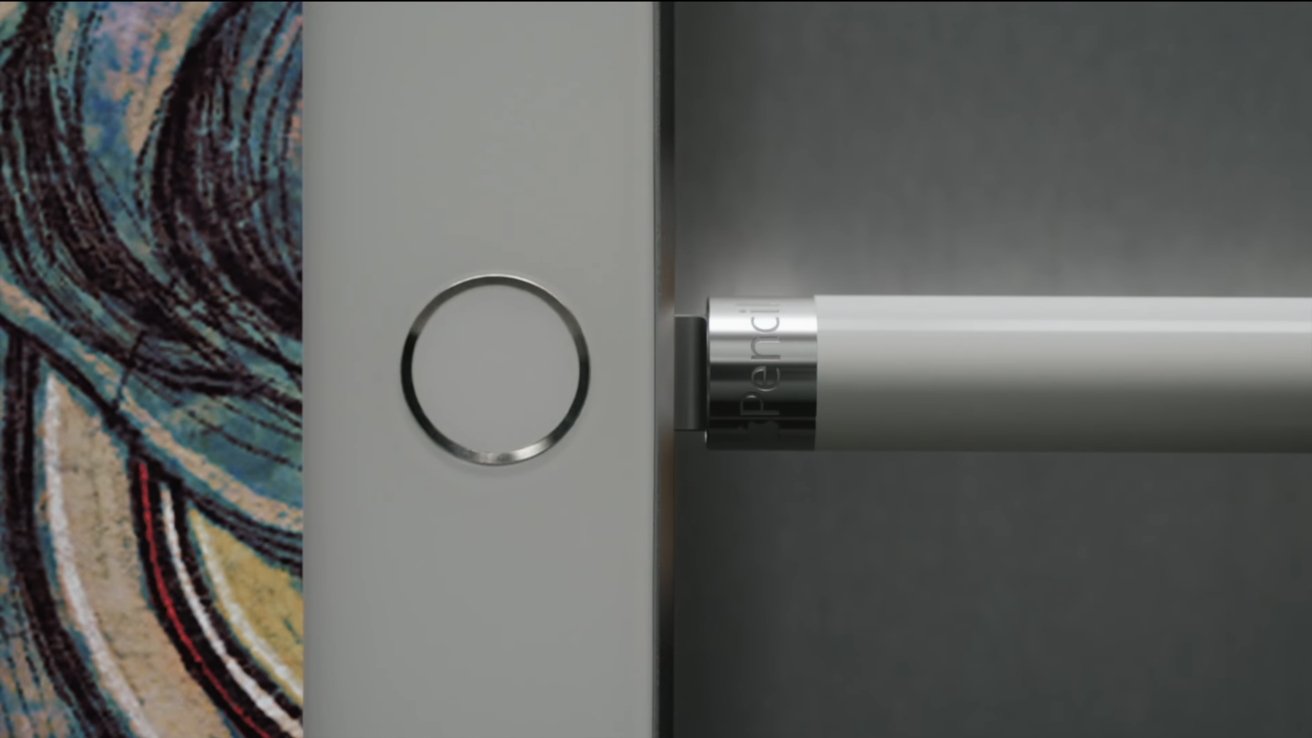
The Apple Pencil (1st generation) is the best low-cost stylus choice for compatible iPad owners who want pressure-sensitive drawing and note-taking. The 8.9-inch accessory pairs with supported iPads, with a USB-C adapter required for pairing and charging on Apple iPad (10th generation).
Best for: Compatible iPad owners seeking a pressure-sensitive stylus
- Length
- 6.92 inches
- Connectivity
- Bluetooth
- Pressure sensitivity
- Yes
- Charging
- Lightning connector; adapter needed for iPad (10th generation)
- Pressure sensitivity supports varied line weight
- Simple pairing with compatible iPads
- Works with a broad range of iPad apps
- Compatibility is limited to selected iPad models
- Apple iPad (10th generation) needs a separate adapter
Is Apple Pencil (1st generation) worth buying on Black Friday 2026?
Apple Pencil (1st generation) is worth considering for owners of a compatible iPad who want pressure-sensitive drawing and handwriting. Check the iPad model first, since Apple Pencil (1st generation) needs an adapter for Apple iPad (10th generation).
See today’s Black Friday price on Amazon
#2
Samsung Galaxy Tab S9 Ultra (Wi-Fi, 256GB, Graphite)
The Samsung Galaxy Tab S9 Ultra (Wi-Fi, 256GB, Graphite) is the best premium Android tablet for artists and multitaskers who want a pen included. The Samsung Galaxy Tab S9 Ultra (Wi-Fi, 256GB, Graphite)'s 14.6-inch AMOLED display gives drawings, documents and video plenty of room.

Best for: Large-screen drawing, productivity and entertainment
- Display
- 14.6-inch Dynamic AMOLED 2X
- Storage
- 256GB
- Memory
- 12GB
- Connectivity
- Wi-Fi
- Included pen
- S Pen
- Large, vivid display suits split-screen work
- S Pen is included
- Expandable storage via microSD
- Large body is less convenient to carry
- Android app workflows differ from iPadOS
Is Samsung Galaxy Tab S9 Ultra worth buying on Black Friday 2026?
Samsung Galaxy Tab S9 Ultra (Wi-Fi, 256GB, Graphite) is a strong choice for shoppers who want a large Android tablet and included pen. The 14.6-inch display is suited to drawing and multitasking, while its size makes compact travel less convenient.
See today’s Black Friday price on Amazon
#3
Apple iPad (10th generation, Wi-Fi, 64GB)
The Apple iPad (10th generation, Wi-Fi, 64GB) is the best entry point for shoppers building an Apple Pencil (1st generation) setup on a tighter budget. The Apple iPad (10th generation, Wi-Fi, 64GB)'s 10.9-inch display supports the stylus, but pairing and charging require a USB-C to Apple Pencil Adapter.
Best for: Apple users seeking an affordable compatible tablet
- Display
- 10.9-inch Liquid Retina
- Storage
- 64GB
- Connectivity
- Wi-Fi
- Compatible stylus
- Apple Pencil (1st generation)
- Supports Apple Pencil (1st generation)
- Good fit for everyday iPad tasks
- Lightweight compared with large-format tablets
- Adapter adds a separate accessory to the setup
- 64GB storage is restrictive for large libraries
Is Apple iPad (10th generation, Wi-Fi, 64GB) worth buying on Black Friday 2026?
Apple iPad (10th generation, Wi-Fi, 64GB) is worth considering for everyday iPad use and Apple Pencil (1st generation) compatibility. Include the required USB-C to Apple Pencil Adapter in the buying plan, and consider a higher storage option for large files.
See today’s Black Friday price on Amazon
#4 · Top pick
Samsung Galaxy Tab S9+ (Wi-Fi, 256GB, Graphite)
The Samsung Galaxy Tab S9+ (Wi-Fi, 256GB, Graphite) is the best balanced Samsung tablet for people who want a pen-ready screen without the Ultra model’s 14.6-inch size. The Samsung Galaxy Tab S9+ (Wi-Fi, 256GB, Graphite)'s 12.4-inch AMOLED display offers generous room for notes and creative apps.
Best for: Samsung tablet users who want a large but manageable screen
- Display
- 12.4-inch Dynamic AMOLED 2X
- Storage
- 256GB
- Memory
- 12GB
- Included pen
- S Pen
- S Pen comes with the tablet
- Screen suits handwriting and split-screen use
- Expandable storage via microSD
- Still larger than compact tablet options
- Apple Pencil is not compatible
Is Samsung Galaxy Tab S9+ worth buying on Black Friday 2026?
Samsung Galaxy Tab S9+ (Wi-Fi, 256GB, Graphite) is a good fit for shoppers who want Samsung’s pen-and-tablet experience in a more manageable size than the Ultra. The Samsung Galaxy Tab S9+ (Wi-Fi, 256GB, Graphite)'s 12.4-inch screen and included S Pen work well for notes, drawing and media.
See today’s Black Friday price on Amazon
#5
Samsung Galaxy Tab S9 FE+ (Wi-Fi, 128GB, Gray)
The Samsung Galaxy Tab S9 FE+ (Wi-Fi, 128GB, Gray) is the best value pick for Android shoppers who want a large screen and an included S Pen. The Samsung Galaxy Tab S9 FE+ (Wi-Fi, 128GB, Gray)'s 12.4-inch display gives note-takers and students room to work without moving up to the premium Ultra tier.
Best for: Students and value-focused Android tablet shoppers
- Display
- 12.4-inch LCD
- Storage
- 128GB
- Connectivity
- Wi-Fi
- Included pen
- S Pen
- S Pen included for writing and sketching
- Large display helps with split-screen tasks
- Expandable storage via microSD
- LCD is less vivid than AMOLED models
- Apple Pencil is not compatible
Is Samsung Galaxy Tab S9 FE+ worth buying on Black Friday 2026?
Samsung Galaxy Tab S9 FE+ (Wi-Fi, 128GB, Gray) is worth a look for students and budget-minded shoppers who want a large Android tablet with a pen included. The 12.4-inch LCD is practical for notes and coursework, though it lacks AMOLED contrast.
See today’s Black Friday price on Amazon
#6
Apple iPad Air 11-inch (M3, Wi-Fi, 128GB)
The Apple iPad Air 11-inch (M3, Wi-Fi, 128GB) is the best premium compact Apple tablet for creative users who prefer a newer stylus system. The Apple iPad Air 11-inch (M3, Wi-Fi, 128GB)'s 11-inch display supports Apple Pencil Pro and Apple Pencil (USB-C), but not Apple Pencil (1st generation).
Best for: Apple users who want a compact tablet and newer Pencil options
- Display
- 11-inch Liquid Retina
- Chip
- Apple M3
- Storage
- 128GB
- Connectivity
- Wi-Fi
- Compact size suits everyday carrying
- Supports Apple Pencil Pro and Apple Pencil (USB-C)
- M3 chip supports demanding creative workflows
- Apple Pencil (1st generation) is incompatible
- Compatible Pencil is a separate purchase
Is Apple iPad Air 11-inch (M3, Wi-Fi, 128GB) worth buying on Black Friday 2026?
Apple iPad Air 11-inch (M3, Wi-Fi, 128GB) is worth considering for shoppers who want a compact iPad with newer Apple Pencil support. The tablet works with Apple Pencil Pro and Apple Pencil (USB-C), not Apple Pencil (1st generation).
See today’s Black Friday price on Amazon
#7
Apple Pencil (USB-C)
The Apple Pencil (USB-C) is the best straightforward stylus option for compatible modern iPads when magnetic storage and USB-C charging matter. The Apple Pencil (USB-C)'s 6.1-inch length and tilt support suit handwriting and sketching, though the model does not offer pressure sensitivity.

Best for: Modern iPad owners prioritizing simple charging and storage
- Length
- 6.1 inches
- Connectivity
- Bluetooth
- Charging
- USB-C
- Pressure sensitivity
- No
- USB-C charging
- Magnetic attachment for storage on compatible iPads
- Tilt sensitivity supports sketching
- No pressure sensitivity
- Not compatible with Samsung Galaxy Tab models
Is Apple Pencil (USB-C) worth buying on Black Friday 2026?
Apple Pencil (USB-C) is a sensible stylus for compatible iPad owners who want straightforward charging and magnetic storage. Apple Pencil (USB-C) supports tilt but not pressure sensitivity, so artists who rely on pressure-controlled line weight should compare Apple Pencil Pro.
See today’s Black Friday price on Amazon
Is Apple Pencil (1st generation) or Samsung Galaxy Tab S9 Ultra the better Black Friday 2026 buy?
Samsung Galaxy Tab S9 Ultra is the better complete-device buy, while Apple Pencil (1st generation) is a better add-on for someone who already owns a compatible iPad. The 14.6-inch Samsung tablet includes an S Pen, so shoppers get a screen, computer-like apps and stylus in one package. Apple Pencil (1st generation) is not a tablet and needs a compatible iPad.
The deciding factor is the ecosystem. Choose Samsung Galaxy Tab S9 Ultra for Android, a very large AMOLED display and pen-supported multitasking. Choose Apple Pencil (1st generation) when an iPad already fits your apps and routine. For a new Apple setup, compare the tablet and Pencil together, including adapter needs and storage, rather than comparing the stylus alone with Samsung’s complete device.
Which tablets work with Apple Pencil (1st generation)?
Apple Pencil (1st generation) works with selected iPad models, including Apple iPad (10th generation, Wi-Fi, 64GB), with a USB-C to Apple Pencil Adapter required for pairing and charging. Compatibility varies by iPad generation, so check Apple’s current device list before buying a stylus or a replacement tablet.
Apple iPad Air 11-inch (M3, Wi-Fi, 128GB) is not compatible with Apple Pencil (1st generation); that iPad supports Apple Pencil Pro and Apple Pencil (USB-C). Samsung Galaxy Tab S9 Ultra, Samsung Galaxy Tab S9+ and Samsung Galaxy Tab S9 FE+ use Samsung’s S Pen instead. Matching the pen to the tablet is essential: the Apple and Samsung styluses do not cross over.
Does Samsung Galaxy Tab S9 Ultra include a stylus?
Samsung Galaxy Tab S9 Ultra (Wi-Fi, 256GB, Graphite) includes an S Pen, so the core pen-and-tablet setup is ready without adding an Apple Pencil. The 14.6-inch Dynamic AMOLED 2X display provides a spacious canvas for handwritten notes, drawing, reading and side-by-side apps.
Samsung Galaxy Tab S9+ and Samsung Galaxy Tab S9 FE+ also include an S Pen in the configurations listed here. The FE+ uses an LCD rather than AMOLED, making it a value-oriented alternative, while the Tab S9+ balances screen size and portability. For an Apple setup, remember that the stylus is a separate product and compatibility depends on the iPad model.
Which setup is better for drawing and note-taking?
Samsung Galaxy Tab S9 Ultra offers a 14.6-inch drawing and writing surface with an S Pen included, while Apple Pencil (1st generation) adds pressure-sensitive input to a compatible iPad. The better option depends on screen size, preferred apps and whether a suitable tablet is already in hand.
For a large workspace and Android apps, Samsung Galaxy Tab S9 Ultra is an easy all-in-one recommendation. For iPad owners who value pressure-sensitive line control and familiar iPad apps, Apple Pencil (1st generation) remains useful when compatibility checks out. Students seeking a lower-cost Samsung route should compare Samsung Galaxy Tab S9 FE+, whose included pen keeps the bundle simple.
What should shoppers compare before Black Friday 2026?
Black Friday 2026 shoppers should compare the full compatible setup, including tablet, pen, adapter and storage, instead of judging a stylus and tablet as equal products. Samsung Galaxy Tab S9 Ultra includes its S Pen; an Apple Pencil purchase is an accessory decision that depends on owning the right iPad.
Check screen size and carrying needs: the 14.6-inch Samsung Galaxy Tab S9 Ultra suits desk use and split-screen work, while an 11-inch iPad Air is easier to carry. Check storage against photos, downloaded media and creative files. Finally, confirm the exact model and included accessories in the product listing so a bundle has the pen or adapter needed for your workflow.
Buying Guide
1. Confirm stylus compatibility first
Apple Pencil (1st generation) requires a compatible iPad, while Samsung Galaxy Tab S9 Ultra uses its included S Pen. Check the exact tablet model before choosing a pen. Apple iPad (10th generation) also needs a USB-C to Apple Pencil Adapter for pairing and charging.
2. Compare complete bundles
Samsung Galaxy Tab S9 Ultra includes an S Pen, while Apple Pencil (1st generation) is sold as an accessory. Compare the tablet, stylus, adapter and any keyboard you need as a complete setup, not as separate headline products.
3. Choose a screen size for your routine
Samsung Galaxy Tab S9 Ultra has a 14.6-inch display for large canvases and multitasking. Samsung Galaxy Tab S9+ and Samsung Galaxy Tab S9 FE+ use 12.4-inch screens. An 11-inch iPad suits shoppers who prioritize portability.
4. Match storage to your files
Apple iPad (10th generation) starts at 64GB in this selection, while Samsung Galaxy Tab S9 FE+ offers 128GB. Samsung Galaxy Tab S9 Ultra and Samsung Galaxy Tab S9+ list 256GB. Account for downloaded video, apps, photos and large creative projects.
5. Check the listing details
Black Friday 2026 listings should match the exact model, connectivity, storage and included accessories you want. Verify whether a tablet is Wi-Fi or cellular, confirm the pen in the box, and check adapter requirements before completing a purchase.
FAQ
Can Apple Pencil (1st generation) work with Samsung Galaxy Tab S9 Ultra?
No. Apple Pencil (1st generation) works with compatible Apple iPad models, not Samsung Galaxy Tab S9 Ultra. Samsung Galaxy Tab S9 Ultra uses the S Pen, which is included with the tablet. Choose the pen designed for your device’s operating system and screen.
Does Apple iPad (10th generation) support Apple Pencil (1st generation)?
Yes. Apple iPad (10th generation, Wi-Fi, 64GB) supports Apple Pencil (1st generation), but pairing and charging require a USB-C to Apple Pencil Adapter. Check that the adapter is included or available separately before deciding on the complete setup.
Is the S Pen included with Samsung Galaxy Tab S9 Ultra?
Yes. Samsung Galaxy Tab S9 Ultra (Wi-Fi, 256GB, Graphite) includes an S Pen. The included stylus makes the tablet a complete option for handwriting and drawing without needing Apple Pencil (1st generation), which is not compatible with Samsung tablets.
Which is better for students, Samsung Galaxy Tab S9 FE+ or Apple iPad (10th generation)?
Samsung Galaxy Tab S9 FE+ includes an S Pen and a 12.4-inch screen, making it convenient for students who want a large Android tablet. Apple iPad (10th generation) suits students who prefer iPadOS and Apple Pencil (1st generation), with an adapter required.
Which Apple Pencil works with Apple iPad Air 11-inch (M3)?
Apple iPad Air 11-inch (M3, Wi-Fi, 128GB) supports Apple Pencil Pro and Apple Pencil (USB-C), not Apple Pencil (1st generation). Pick between those compatible models based on features such as pressure sensitivity, charging preference and magnetic storage.
Is Samsung Galaxy Tab S9 Ultra good for drawing?
Samsung Galaxy Tab S9 Ultra is a strong drawing option for artists who want a 14.6-inch AMOLED screen and an S Pen included. The large display gives sketches and reference material room, while the Android app selection differs from Apple’s iPad drawing ecosystem.