

As an Amazon Associate we earn from qualifying purchases.
- Best overall: ASUS ROG Swift OLED PG27AQDM
- Best budget: ASUS ProArt Display PA278CGV
- Best premium: ASUS ProArt Display PA32UCXR
- Best for 4K photo and design work: ASUS ProArt Display PA279CRV
- ASUS ROG Swift OLED PG27AQDM is the gaming-first pick, with a 27-inch QHD OLED panel and 240Hz refresh rate.
- ASUS ProArt Display PA279CRV is a strong creator choice for 27-inch 4K detail and wide-gamut color.
- ASUS ProArt Display PA278CGV balances QHD resolution, creator features, and a 144Hz refresh rate.
- ASUS ProArt Display PA32UCXR targets demanding HDR workflows with a 32-inch 4K mini-LED panel.
- Choose by refresh rate, panel technology, color workflow, and the devices you plan to connect.
Shopping the ASUS ROG Swift PG27AQDM vs ASUS ProArt Monitor Black Friday 2026 lineup comes down to one question: are you prioritizing fast gaming or creator-focused image work? The ROG Swift range is built around high refresh rates and responsive play. ProArt screens prioritize resolution, color tools, and professional workflows.
I researched and compared specs, reviews, and owner feedback to separate the standouts. The guide covers seven ASUS monitors, from QHD OLED gaming screens to 4K ProArt displays. Here's the bottom line: match the screen to your main task first, then weigh connectivity, desk space, and console or PC support.
How We Picked
- Compared resolution, refresh rate, panel type, and HDR features against each monitor’s intended use.
- Reviewed manufacturer specifications for color coverage, USB-C power delivery, and professional calibration features.
- Considered owner feedback and review consensus about setup, everyday usability, and common trade-offs.
- Prioritized clear differences between ASUS ROG gaming models and ASUS ProArt creator models.
- Included distinct options for competitive gaming, 4K creation, HDR production, and mixed-use desks.
Comparison Table
| Product | Best for | Resolution | Refresh rate | Panel |
|---|---|---|---|---|
| ASUS ROG Swift OLED PG27AQDM | Competitive PC gaming | 2560 x 1440 | 240Hz | OLED |
| ASUS ProArt Display PA279CRV | 4K photo and design work | 3840 x 2160 | 60Hz | IPS |
| ASUS ProArt Display PA278CGV | Mixed creative work and gaming | 2560 x 1440 | 144Hz | IPS |
| ASUS ProArt Display PA32UCXR | HDR post-production | 3840 x 2160 | 60Hz | Mini-LED |
| ASUS ROG Swift OLED PG32UCDM | Premium PC gaming | 3840 x 2160 | 240Hz | QD-OLED |
| ASUS ROG Strix OLED XG27AQDMG | Glossy OLED gaming | 2560 x 1440 | 240Hz | OLED |
| ASUS ProArt Display PA32DC | OLED color grading | 3840 x 2160 | 60Hz | OLED |
Best Picks Reviewed
#1 · Top pick
ASUS ROG Swift OLED PG27AQDM
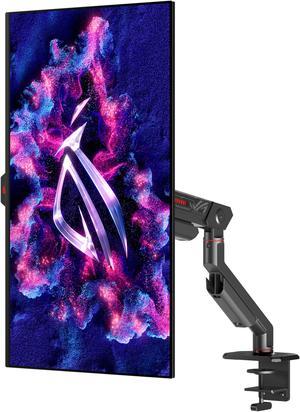
The ASUS ROG Swift OLED PG27AQDM is the best 27-inch gaming monitor for competitive PC players, pairing QHD resolution with a 240Hz refresh rate. OLED contrast also gives dark scenes deep blacks.
Best for: Competitive PC gaming
- Screen size
- 27 inches
- Resolution
- 2560 x 1440
- Refresh rate
- 240Hz
- Panel
- OLED
- Fast 240Hz refresh rate
- OLED contrast and response
- QHD resolution suits 27 inches
- OLED care matters for static desktop content
- No 4K resolution
Is the ASUS ROG Swift OLED PG27AQDM worth buying on Black Friday 2026?
The ASUS ROG Swift OLED PG27AQDM is worth considering for PC players who value smooth motion and OLED contrast. The ASUS ROG Swift OLED PG27AQDM's 27-inch QHD panel runs at 240Hz, while the resolution and refresh rate make it a focused gaming choice rather than a creator-first 4K screen.
See today’s Black Friday price on Amazon
#2
ASUS ProArt Display PA279CRV
The ASUS ProArt Display PA279CRV is the best 27-inch 4K monitor for creators who need detailed images and broad color coverage. The 60Hz IPS display pairs 3840 x 2160 resolution with 99% DCI-P3 color coverage.

Best for: 4K photo and design work
- Screen size
- 27 inches
- Resolution
- 3840 x 2160
- Refresh rate
- 60Hz
- Color coverage
- 99% DCI-P3
- Sharp 4K image
- Wide-gamut color coverage
- USB-C connectivity with power delivery
- 60Hz is not aimed at high-refresh gaming
- 27-inch text can need scaling
Is the ASUS ProArt Display PA279CRV a good Black Friday 2026 monitor?
The ASUS ProArt Display PA279CRV is a good fit for creators who want 4K detail and wide-gamut color on a 27-inch screen. The ASUS ProArt Display PA279CRV's 60Hz refresh rate favors design, photo work, and general productivity over fast competitive gaming.
See today’s Black Friday price on Amazon
#3
ASUS ProArt Display PA278CGV
The ASUS ProArt Display PA278CGV is the best balanced monitor for creators who also play games, combining QHD resolution with a 144Hz refresh rate. The ASUS ProArt Display PA278CGV's 27-inch IPS panel provides a practical middle ground for mixed work.
Best for: Mixed creative work and gaming
- Screen size
- 27 inches
- Resolution
- 2560 x 1440
- Refresh rate
- 144Hz
- Color coverage
- 95% DCI-P3
- 144Hz refresh rate
- QHD resolution is easier to drive than 4K
- USB-C power delivery
- Not as sharp as a 4K ProArt display
- IPS contrast trails OLED
Does the ASUS ProArt Display PA278CGV work for gaming?
The ASUS ProArt Display PA278CGV works well for mixed-use gaming and creative desks. The 144Hz QHD panel delivers smoother motion than a standard 60Hz work monitor, while its ProArt color features support everyday design and editing workflows.
See today’s Black Friday price on Amazon
#4
ASUS ProArt Display PA32UCXR
The ASUS ProArt Display PA32UCXR is the best premium HDR monitor for color professionals who need a large 4K canvas. The ASUS ProArt Display PA32UCXR's 32-inch mini-LED display has 2304 local dimming zones and a stated peak brightness of 1600 nits.
Best for: HDR post-production
- Screen size
- 32 inches
- Resolution
- 3840 x 2160
- Refresh rate
- 60Hz
- Local dimming zones
- 2304
- 4K mini-LED panel
- High stated peak brightness
- Designed for color-critical workflows
- Large footprint requires desk space
- 60Hz refresh rate is not gaming-focused
Who should buy the ASUS ProArt Display PA32UCXR?
The ASUS ProArt Display PA32UCXR is for professionals working with HDR video, color grading, and detailed 4K images. The ASUS ProArt Display PA32UCXR's 32-inch mini-LED panel uses 2304 local dimming zones, making it a specialized work display rather than an everyday gaming pick.
See today’s Black Friday price on Amazon
#5
ASUS ROG Swift OLED PG32UCDM
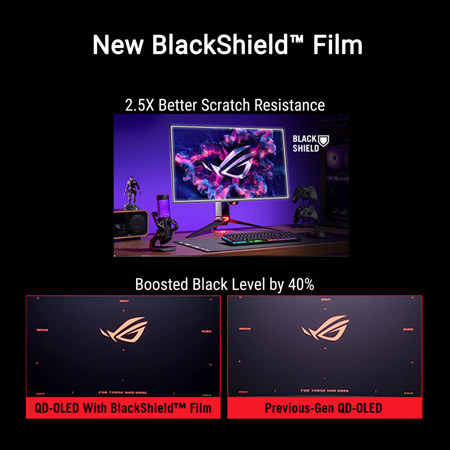
The ASUS ROG Swift OLED PG32UCDM is the best premium gaming monitor for players who want 4K sharpness and high refresh rates. The ASUS ROG Swift OLED PG32UCDM's 32-inch QD-OLED panel combines 3840 x 2160 resolution with a 240Hz refresh rate.
Best for: Premium PC gaming
- Screen size
- 32 inches
- Resolution
- 3840 x 2160
- Refresh rate
- 240Hz
- Panel
- QD-OLED
- 4K resolution at 240Hz
- OLED contrast
- Large, immersive screen
- Needs powerful PC hardware for high-frame-rate 4K
- OLED care matters with static content
Is the ASUS ROG Swift OLED PG32UCDM worth it for 4K gaming?
The ASUS ROG Swift OLED PG32UCDM is a strong choice for players seeking 4K gaming with a 240Hz ceiling. The 32-inch QD-OLED panel combines high resolution, fast motion, and deep contrast, but a capable PC helps make full use of its specifications.
See today’s Black Friday price on Amazon
#6
ASUS ROG Strix OLED XG27AQDMG
The ASUS ROG Strix OLED XG27AQDMG is the best glossy 27-inch OLED gaming pick for players who want QHD resolution and speed. The ASUS ROG Strix OLED XG27AQDMG's 240Hz refresh rate makes fast PC games its clear focus.
Best for: Glossy OLED gaming
- Screen size
- 27 inches
- Resolution
- 2560 x 1440
- Refresh rate
- 240Hz
- Panel
- OLED
- 240Hz refresh rate
- QHD OLED contrast
- Glossy panel presentation
- Glossy surface can reflect bright rooms
- Not a 4K creator monitor
How does the ASUS ROG Strix OLED XG27AQDMG compare for gaming?
The ASUS ROG Strix OLED XG27AQDMG suits players who want a 27-inch QHD OLED screen with a 240Hz refresh rate. The ASUS ROG Strix OLED XG27AQDMG's glossy surface gives the display a distinct look, so consider room lighting and reflections when choosing between gaming monitors.
See today’s Black Friday price on Amazon
#7
ASUS ProArt Display PA32DC
The ASUS ProArt Display PA32DC is the best OLED monitor for creators who want a large 4K image and built-in calibration support. The ASUS ProArt Display PA32DC's 31.5-inch OLED panel runs at 3840 x 2160 and 60Hz.
Best for: OLED color grading
- Screen size
- 31.5 inches
- Resolution
- 3840 x 2160
- Refresh rate
- 60Hz
- Panel
- OLED
- Large 4K OLED image
- Built-in motorized colorimeter
- Creator-oriented calibration tools
- 60Hz is not built for competitive play
- OLED requires care with static interface elements
Is the ASUS ProArt Display PA32DC a good monitor for video editing?
The ASUS ProArt Display PA32DC is a strong creator-focused option for video editing and color work. The ASUS ProArt Display PA32DC's 31.5-inch 4K OLED panel pairs deep contrast with a built-in motorized colorimeter, while the 60Hz refresh rate suits production more than high-speed gaming.
See today’s Black Friday price on Amazon
Which is better, ASUS ROG Swift PG27AQDM or ASUS ProArt?
The ASUS ROG Swift OLED PG27AQDM is better for high-refresh gaming, while ASUS ProArt monitors are better for creator workflows and color-focused work. The ROG Swift OLED PG27AQDM delivers QHD resolution at 240Hz, a spec built around responsive play.
The ProArt lineup covers different needs rather than one single rival. The ASUS ProArt Display PA279CRV offers 4K detail at 60Hz, while the ASUS ProArt Display PA278CGV combines QHD with 144Hz. Pick the ROG model for speed and OLED contrast; pick ProArt for resolution, color tools, or professional HDR features.
Which ASUS monitor is best for competitive gaming?
The ASUS ROG Swift OLED PG27AQDM is a strong competitive gaming pick with a 27-inch QHD screen and 240Hz refresh rate. The ASUS ROG Strix OLED XG27AQDMG also pairs QHD with 240Hz, giving players another fast OLED option.
The ASUS ROG Swift OLED PG32UCDM steps up to 4K and 32 inches while keeping a 240Hz refresh rate. That combination suits powerful gaming PCs and players who want more screen space. For console play, check the console’s supported resolution and refresh rate, plus the monitor’s available ports, before choosing.
Which ASUS ProArt monitor is best for 4K creators?
The ASUS ProArt Display PA279CRV is a practical 27-inch 4K choice for photo, design, and general creator work. Its 3840 x 2160 resolution and 99% DCI-P3 coverage suit detailed images and broad color workflows.
The ASUS ProArt Display PA32UCXR and ASUS ProArt Display PA32DC serve more specialized needs. The PA32UCXR has a 32-inch mini-LED panel with 2304 local dimming zones for HDR work. The PA32DC offers a 31.5-inch 4K OLED display and a built-in motorized colorimeter. Choose based on HDR priorities, calibration needs, and workspace.
Is OLED or mini-LED better for gaming and creator work?
OLED suits gaming and image work when deep blacks, strong contrast, and fast panel response are priorities. ASUS ROG Swift OLED PG27AQDM and ASUS ROG Swift OLED PG32UCDM pair OLED technology with high refresh rates for gaming.
Mini-LED suits HDR production when precise backlight control and high brightness are central. The ASUS ProArt Display PA32UCXR uses 2304 dimming zones and is designed for a different workflow than the ROG gaming models. OLED owners should use sensible screen-care settings around static desktop elements; creators should check calibration and color-management needs.
What should you compare before choosing an ASUS monitor?
Compare resolution, refresh rate, panel type, and connectivity before deciding between ASUS ROG Swift and ASUS ProArt monitors. A 240Hz gaming screen prioritizes motion, while a 4K ProArt display prioritizes image detail and creator features.
Check the graphics hardware, desk depth, lighting, and devices in your setup. USB-C power delivery can simplify a laptop workstation, while DisplayPort and HDMI support matter for gaming PCs and consoles. Also consider whether you prefer a 27-inch screen for desk use or a 32-inch display for larger timelines and immersive play.
Buying Guide
Choose refresh rate for your games
A 240Hz screen such as the ASUS ROG Swift OLED PG27AQDM targets fast PC play. The ASUS ProArt Display PA278CGV offers 144Hz for a mixed-use setup. Match the monitor’s refresh rate to the games and hardware you use.
Pick resolution for your setup
QHD is a sensible fit for many 27-inch gaming desks. 4K adds detail for editing and larger screens, but 4K gaming asks more of a graphics card. Check your PC or console output before choosing.
Match panel technology to the work
OLED delivers deep blacks and suits immersive games or contrast-rich images. Mini-LED adds local dimming for HDR production. IPS ProArt models provide a creator-oriented alternative for everyday editing and productivity.
Check connectivity and workspace
Review HDMI, DisplayPort, and USB-C connections against your laptop, desktop, or console. USB-C power delivery can reduce cable clutter. Measure desk space and consider screen reflections, especially with a glossy OLED panel.
Think about long-term screen use
Creators should compare color coverage, calibration tools, and HDR support. OLED owners should use the display’s care features and avoid leaving static images on screen for extended periods. Choose features that support your actual daily routine.
FAQ
Is the ASUS ROG Swift OLED PG27AQDM good for PS5?
The ASUS ROG Swift OLED PG27AQDM can serve as a gaming display for a PS5, but its 240Hz maximum is aimed at PC play. Check the console’s supported output and the monitor’s connection options to confirm the resolution and refresh rate you want.
Which ASUS ProArt monitor is best for photo editing?
The ASUS ProArt Display PA279CRV is a strong choice for photo editing, with a 27-inch 4K screen and 99% DCI-P3 coverage. The ASUS ProArt Display PA32DC adds a larger OLED panel and built-in calibration hardware for more specialized color work.
Is the ASUS ProArt Display PA278CGV good for gaming?
The ASUS ProArt Display PA278CGV is suitable for casual and mixed-use gaming thanks to its QHD resolution and 144Hz refresh rate. Competitive players seeking the highest refresh rates or OLED contrast should compare it with the ASUS ROG Swift OLED PG27AQDM.
What is the difference between ASUS ROG Swift and ASUS ProArt monitors?
ASUS ROG Swift monitors prioritize gaming features such as high refresh rates and OLED contrast. ASUS ProArt monitors focus on creator tools, color coverage, resolution, and calibration. The right range depends on whether gaming or image production leads your daily use.
Is a 4K 240Hz monitor worth choosing for PC gaming?
A 4K 240Hz monitor makes sense for players who want sharp detail and very smooth motion, plus a PC capable of driving demanding games. The ASUS ROG Swift OLED PG32UCDM combines both specifications in a 32-inch QD-OLED screen.