

As an Amazon Associate we earn from qualifying purchases.
- Best overall: HP OMEN 27qs 27-inch QHD 240Hz Gaming Monitor
- Best budget: HP OMEN 27q 27-inch QHD 165Hz Gaming Monitor
- Best premium: Apple Studio Display 27-inch with Nano-texture glass and tilt-adjustable stand
- Best for Mac productivity: Apple Studio Display 27-inch with standard glass and tilt-adjustable stand
- Apple Studio Display with Nano-texture glass is the premium pick for Mac users who value 5K detail and reduced glare.
- HP OMEN 27qs is the stronger gaming choice, with a 27-inch QHD panel and 240Hz refresh rate.
- Dell UltraSharp U2723QE adds 4K resolution, USB-C connectivity and a built-in hub for work setups.
- ASUS ROG Swift OLED PG27AQDM combines QHD resolution and a 240Hz OLED panel for high-contrast gaming.
- Choose by refresh rate, resolution, connectivity and desk lighting—not by brand alone.
Apple Studio Display Nano vs HP OMEN 27qs Black Friday 2026 is a choice between a high-resolution Mac-focused work display and a fast gaming monitor. The Apple Studio Display with Nano-texture glass offers 5K sharpness, a 60Hz refresh rate and glare-reducing glass. The HP OMEN 27qs offers QHD resolution and a 240Hz refresh rate, making it a better fit for fast-paced games.
We researched and compared specs, reviews and owner feedback to find useful alternatives for different budgets and desks. My pick for most people depends on the main job: choose Apple for detailed creative work, HP for competitive gaming, and Dell for a versatile office setup. The guide also compares two more gaming monitors and a standard-glass Apple option, so you can match the display to your priorities.
How We Picked
- Compared resolution, refresh rate, panel type and screen size using manufacturer specifications.
- Considered connectivity, stand adjustments, built-in features and compatibility with common computer setups.
- Reviewed owner feedback and professional reviews for recurring strengths and limitations.
- Selected models for distinct use cases, including Mac work, office productivity, competitive gaming and OLED contrast.
- Focused on practical value and feature differences for Black Friday 2026 shopping without relying on temporary pricing.
Comparison Table
| Product | Best for | Resolution | Refresh rate | Panel |
|---|---|---|---|---|
| Apple Studio Display 27-inch with Nano-texture glass and tilt-adjustable stand | Mac work in bright rooms | 5120 × 2880 | 60Hz | IPS |
| HP OMEN 27qs 27-inch QHD 240Hz Gaming Monitor | Competitive gaming | 2560 × 1440 | 240Hz | IPS |
| Apple Studio Display 27-inch with standard glass and tilt-adjustable stand | Mac work in controlled lighting | 5120 × 2880 | 60Hz | IPS |
| HP OMEN 27q 27-inch QHD 165Hz Gaming Monitor | Everyday QHD gaming | 2560 × 1440 | 165Hz | IPS |
| Dell UltraSharp 27 4K USB-C Hub Monitor U2723QE | Office productivity | 3840 × 2160 | 60Hz | IPS Black |
| ASUS ROG Swift OLED PG27AQDM 27-inch QHD 240Hz Gaming Monitor | High-contrast gaming | 2560 × 1440 | 240Hz | OLED |
| LG UltraGear 27GP850-B 27-inch QHD Nano IPS Gaming Monitor | Colorful QHD gaming | 2560 × 1440 | 165Hz, up to 180Hz | Nano IPS |
Best Picks Reviewed
#1
Apple Studio Display 27-inch with Nano-texture glass and tilt-adjustable stand
The Apple Studio Display 27-inch with Nano-texture glass and tilt-adjustable stand is the best premium Mac monitor for glare-conscious creative work, with a sharp 5K resolution of 5120 × 2880.

Best for: Mac users who want 5K detail and reduced reflections
- Screen size
- 27 inches
- Resolution
- 5120 × 2880
- Refresh rate
- 60Hz
- Connectivity
- Thunderbolt 3 and three USB-C ports
- High pixel density suits detailed creative and text work.
- Nano-texture glass reduces distracting reflections in bright rooms.
- Built-in camera, microphones and speakers simplify video calls.
- The 60Hz refresh rate is not suited to high-refresh gaming.
- The stand does not offer height adjustment.
Is the Apple Studio Display with Nano-texture glass worth buying on Black Friday 2026?
The Apple Studio Display with Nano-texture glass is worth considering for Mac users who prioritize 5K detail, integrated video-call hardware and reduced glare. The Apple Studio Display 27-inch with Nano-texture glass and tilt-adjustable stand's 60Hz panel and limited stand adjustment make it less suitable for gaming or flexible desk setups.
See today’s Black Friday price on Amazon
#2 · Top pick
HP OMEN 27qs 27-inch QHD 240Hz Gaming Monitor
The HP OMEN 27qs 27-inch QHD 240Hz Gaming Monitor is the best choice for competitive PC gaming, with a 240Hz refresh rate for fluid motion.
Best for: Competitive gamers seeking a fast QHD display
- Screen size
- 27 inches
- Resolution
- 2560 × 1440
- Refresh rate
- 240Hz
- Response time
- 1ms
- High refresh rate supports smooth motion in fast games.
- QHD resolution is a practical match for a 27-inch screen.
- Designed around gaming features and a responsive IPS panel.
- QHD is less detailed than the Apple Studio Display’s 5K resolution.
- Integrated productivity features are less comprehensive than Apple’s.
Is the HP OMEN 27qs worth buying on Black Friday 2026?
The HP OMEN 27qs is worth buying for gamers who want QHD resolution and a 240Hz refresh rate in a 27-inch monitor. The fast panel favors gaming over the 5K sharpness and integrated video-call features of the Apple Studio Display.
See today’s Black Friday price on Amazon
#3
Apple Studio Display 27-inch with standard glass and tilt-adjustable stand
The Apple Studio Display 27-inch with standard glass and tilt-adjustable stand is the best fit for Mac users who want 5K sharpness without choosing the Nano-texture glass option.
Best for: Mac users in controlled or dimmer lighting
- Screen size
- 27 inches
- Resolution
- 5120 × 2880
- Refresh rate
- 60Hz
- Ports
- Thunderbolt 3 and three USB-C ports
- 5K resolution gives fine text and image detail.
- Integrated camera, microphones and speakers support video calls.
- USB-C connectivity helps reduce desk cable clutter.
- Standard glass is more reflective than Nano-texture glass.
- The 60Hz refresh rate is modest for gaming.
Is the Apple Studio Display with standard glass worth buying on Black Friday 2026?
The Apple Studio Display with standard glass is worth considering for Mac users who want a 5K workspace and integrated call features. The standard glass suits controlled lighting, while the fixed-height tilt stand and 60Hz refresh rate limit flexibility.
See today’s Black Friday price on Amazon
#4
HP OMEN 27q 27-inch QHD 165Hz Gaming Monitor
The HP OMEN 27q 27-inch QHD 165Hz Gaming Monitor is the best value-oriented gaming pick for players who want a high-refresh QHD display without moving to 240Hz.
Best for: Everyday PC gaming and general use
- Screen size
- 27 inches
- Resolution
- 2560 × 1440
- Refresh rate
- 165Hz
- Response time
- 1ms
- 165Hz refresh rate delivers smoother motion than standard office displays.
- QHD resolution balances sharpness and gaming performance.
- A straightforward option for gaming and everyday desktop tasks.
- The 165Hz refresh rate is below the OMEN 27qs specification.
- QHD does not match 4K or 5K detail.
Is the HP OMEN 27q worth buying on Black Friday 2026?
The HP OMEN 27q is worth considering for PC players who want a 27-inch QHD screen with a 165Hz refresh rate. The specification suits everyday gaming, while players seeking the fastest motion should compare it with the 240Hz HP OMEN 27qs.
See today’s Black Friday price on Amazon
#5
Dell UltraSharp 27 4K USB-C Hub Monitor U2723QE
The Dell UltraSharp 27 4K USB-C Hub Monitor U2723QE is the best office-focused alternative for users who want 4K resolution and hub connectivity on a 27-inch screen.
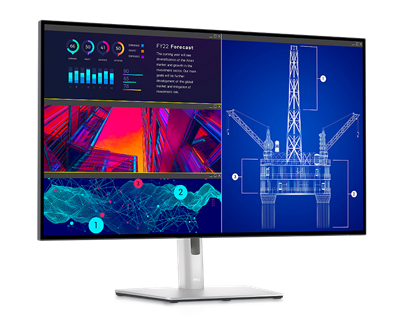
Best for: Office and productivity setups with USB-C devices
- Screen size
- 27 inches
- Resolution
- 3840 × 2160
- Refresh rate
- 60Hz
- Panel
- IPS Black
- 4K resolution supports detailed documents and creative work.
- USB-C hub features help connect and organize desk devices.
- IPS Black panel technology is designed for deeper contrast.
- The 60Hz refresh rate is not aimed at competitive gaming.
- Does not provide the Apple Studio Display’s 5K resolution.
Is the Dell UltraSharp U2723QE worth buying on Black Friday 2026?
The Dell UltraSharp U2723QE is worth considering for office users who want a 27-inch 4K display with USB-C hub features. The Dell UltraSharp 27 4K USB-C Hub Monitor U2723QE's 60Hz refresh rate suits productivity better than competitive gaming, and its 4K image is less dense than Apple’s 5K panel.
See today’s Black Friday price on Amazon
#6
ASUS ROG Swift OLED PG27AQDM 27-inch QHD 240Hz Gaming Monitor
The ASUS ROG Swift OLED PG27AQDM 27-inch QHD 240Hz Gaming Monitor is the best OLED gaming pick for players seeking deep contrast and a 240Hz refresh rate.

Best for: Gaming with high contrast and fast motion
- Screen size
- 26.5 inches
- Resolution
- 2560 × 1440
- Refresh rate
- 240Hz
- Panel
- OLED
- OLED technology delivers deep blacks and high contrast.
- 240Hz refresh rate supports smooth gaming motion.
- QHD resolution pairs well with high-frame-rate gaming.
- OLED requires care around static images and long desktop sessions.
- QHD is less detailed than 4K and 5K alternatives.
Is the ASUS ROG Swift OLED PG27AQDM worth buying on Black Friday 2026?
The ASUS ROG Swift OLED PG27AQDM is worth considering for gamers who value OLED contrast and a 240Hz refresh rate. The ASUS ROG Swift OLED PG27AQDM 27-inch QHD 240Hz Gaming Monitor's QHD resolution favors speed over 4K detail, and buyers should follow the manufacturer’s guidance for OLED care.
See today’s Black Friday price on Amazon
#7
LG UltraGear 27GP850-B 27-inch QHD Nano IPS Gaming Monitor
The LG UltraGear 27GP850-B 27-inch QHD Nano IPS Gaming Monitor is a strong all-around gaming option, with a 165Hz refresh rate and overclocking support up to 180Hz.
Best for: QHD gaming with an adjustable refresh-rate ceiling
- Screen size
- 27 inches
- Resolution
- 2560 × 1440
- Refresh rate
- 165Hz, up to 180Hz overclocked
- Panel
- Nano IPS
- QHD resolution gives a clear image for gaming and everyday use.
- 165Hz native refresh rate supports smooth motion.
- Nano IPS panel is designed for vivid color.
- The native refresh rate is lower than the 240Hz gaming picks.
- Does not provide 4K or 5K resolution.
Is the LG UltraGear 27GP850-B worth buying on Black Friday 2026?
The LG UltraGear 27GP850-B is worth considering for players who want a QHD Nano IPS display with a 165Hz native refresh rate. Overclocking support reaches 180Hz, while the HP OMEN 27qs offers a higher 240Hz refresh rate.
See today’s Black Friday price on Amazon
Which is better, Apple Studio Display Nano or HP OMEN 27qs?
The Apple Studio Display with Nano-texture glass is better for 5K Mac work, while the HP OMEN 27qs is better for 240Hz gaming. The key difference is purpose: Apple prioritizes pixel density and integrated desktop features, while HP prioritizes smooth motion and gaming performance.
Choose Apple when detailed text, creative applications, a built-in camera and bright-room glare control matter most. Choose HP when fast games and a high refresh rate are the priority. The Apple display runs at 60Hz, so it does not match the HP monitor’s fluidity in games. The HP’s QHD resolution also falls short of Apple’s fine 5K detail. Neither product is a universal winner; the right choice follows the work done at the desk.
Is Nano-texture glass worth choosing over standard glass?
Apple Studio Display Nano-texture glass is the better fit for a bright workspace with reflections, while standard glass suits controlled lighting. Nano-texture glass is designed to reduce glare, a useful feature when windows or overhead lights reflect across the screen.
Standard glass remains a sensible choice for users whose room lighting is easy to manage and who value the familiar glossy display finish. Both Apple Studio Display versions share 27-inch 5K resolution and a 60Hz refresh rate, so the choice is mainly about surface finish and lighting. Skip it if your desk is already positioned away from reflections and a standard-glass display meets your needs.
Is the HP OMEN 27qs good for gaming?
The HP OMEN 27qs is a strong gaming monitor for players who want QHD resolution and a 240Hz refresh rate. The refresh rate helps keep fast movement smooth, while 2560 × 1440 resolution balances image detail and gaming performance on a 27-inch screen.
Competitive players should compare the 27qs with the HP OMEN 27q, which runs at 165Hz, and the ASUS ROG Swift OLED PG27AQDM, which pairs 240Hz with OLED contrast. The LG UltraGear 27GP850-B is another QHD choice, with a 165Hz native refresh rate and support for up to 180Hz overclocked. For office work, the Dell UltraSharp U2723QE offers sharper 4K detail, but its 60Hz panel is less suited to fast gaming.
Which monitor is best for Mac productivity?
The Apple Studio Display is the strongest Mac productivity match for users who want 5K sharpness and integrated video-call features. The camera, microphones and speakers reduce the need for separate desk accessories, while Thunderbolt 3 and USB-C support a streamlined workspace.
The Dell UltraSharp U2723QE is a useful alternative for mixed-device offices that prioritize 4K resolution and USB-C hub connectivity. The Apple Studio Display offers a denser 5120 × 2880 image, while Dell provides an office-oriented hub and IPS Black panel. Check the connections supported by your computer before buying, then consider stand adjustment and lighting. A high-refresh gaming display is a better fit when smooth motion matters more than pixel density.
What should you prioritize when shopping Black Friday 2026?
Choose a monitor by its primary use, then compare resolution, refresh rate, connections and screen finish. Creative and text-heavy work benefits from 4K or 5K detail; fast gaming benefits from refresh rates such as 165Hz or 240Hz.
Think about the whole desk setup, not just the panel. USB-C and Thunderbolt can simplify connections, built-in speakers and cameras reduce accessory clutter, and a glare-reducing finish helps in bright rooms. Verify that a computer can drive the chosen resolution and refresh rate, and check the stand’s adjustment range. For Black Friday 2026, compare the exact model name and variant so glass finish, panel type and connectivity match your needs.
Buying Guide
Pick resolution for your main workload
Choose 5K for the finest text and image detail among these options. Select 4K for a sharp productivity display with broad device compatibility. QHD gives gaming setups a practical balance of detail and high frame rates.
Match refresh rate to your games
The Apple Studio Display and Dell U2723QE run at 60Hz, a fit for office use and creative work. The HP OMEN 27q and LG UltraGear 27GP850-B offer 165Hz native refresh rates, while the HP OMEN 27qs and ASUS OLED reach 240Hz.
Check ports and computer compatibility
Confirm that your computer supports the monitor’s resolution and refresh rate over the connection you plan to use. Thunderbolt and USB-C suit streamlined workstations; gaming systems should also have a suitable graphics output and cable.
Consider room lighting and screen finish
Choose Nano-texture glass when glare is a recurring problem. Standard glass works well in controlled lighting. OLED suits buyers seeking deep contrast, while IPS options serve a range of gaming and productivity setups.
Compare the exact model variant
Review the full model name before checkout. Apple’s standard and Nano-texture glass versions differ in finish, and HP’s OMEN 27q and OMEN 27qs differ in refresh rate. Confirm stand and port details too.
FAQ
Apple Studio Display Nano vs HP OMEN 27qs: which should I buy?
Buy the Apple Studio Display with Nano-texture glass for Mac work, 5K detail and reduced reflections. Choose the HP OMEN 27qs for gaming, where its QHD panel and 240Hz refresh rate prioritize fast motion over the Apple display’s higher pixel density.
Does the HP OMEN 27qs have a higher refresh rate than Apple Studio Display?
Yes. The HP OMEN 27qs runs at 240Hz, while the Apple Studio Display runs at 60Hz. The HP monitor is better suited to fast gaming motion; Apple emphasizes 5K resolution, Mac-focused features and image detail.
Is the Apple Studio Display Nano good for gaming?
The Apple Studio Display with Nano-texture glass supports casual gaming, but its 60Hz refresh rate is not designed for competitive play. The HP OMEN 27qs offers a 240Hz refresh rate and is a stronger match for fast PC games.
What is the difference between HP OMEN 27q and HP OMEN 27qs?
The HP OMEN 27q offers QHD resolution and a 165Hz refresh rate, while the HP OMEN 27qs offers QHD resolution and a 240Hz refresh rate. Choose the 27qs for faster gaming motion and the 27q for a more basic high-refresh setup.
Should I choose Apple Studio Display Nano or standard glass?
Choose Apple Studio Display with Nano-texture glass when reflections are a frequent issue in your workspace. Choose the standard-glass Apple Studio Display for controlled lighting. Both versions have 27-inch 5K resolution and a 60Hz refresh rate.